

M
Maciej Kocemba
It’s been a minute! And while you’ve been out there being awesome, we’ve been working on making your favorite browser even awesomer. So before we all head into the summer holidays, we wanted to give you a big recap of all the things we’ve been working on over at GX: from a more polished aesthetic and optimized performance to all-new capabilities based on your feedback, there’s quite a lot to get through. So make some tea, get comfortable – this one’s going to be a long one.
We’ve been hard at work improving your favorite features, plus introducing new ones we think you’ll love.
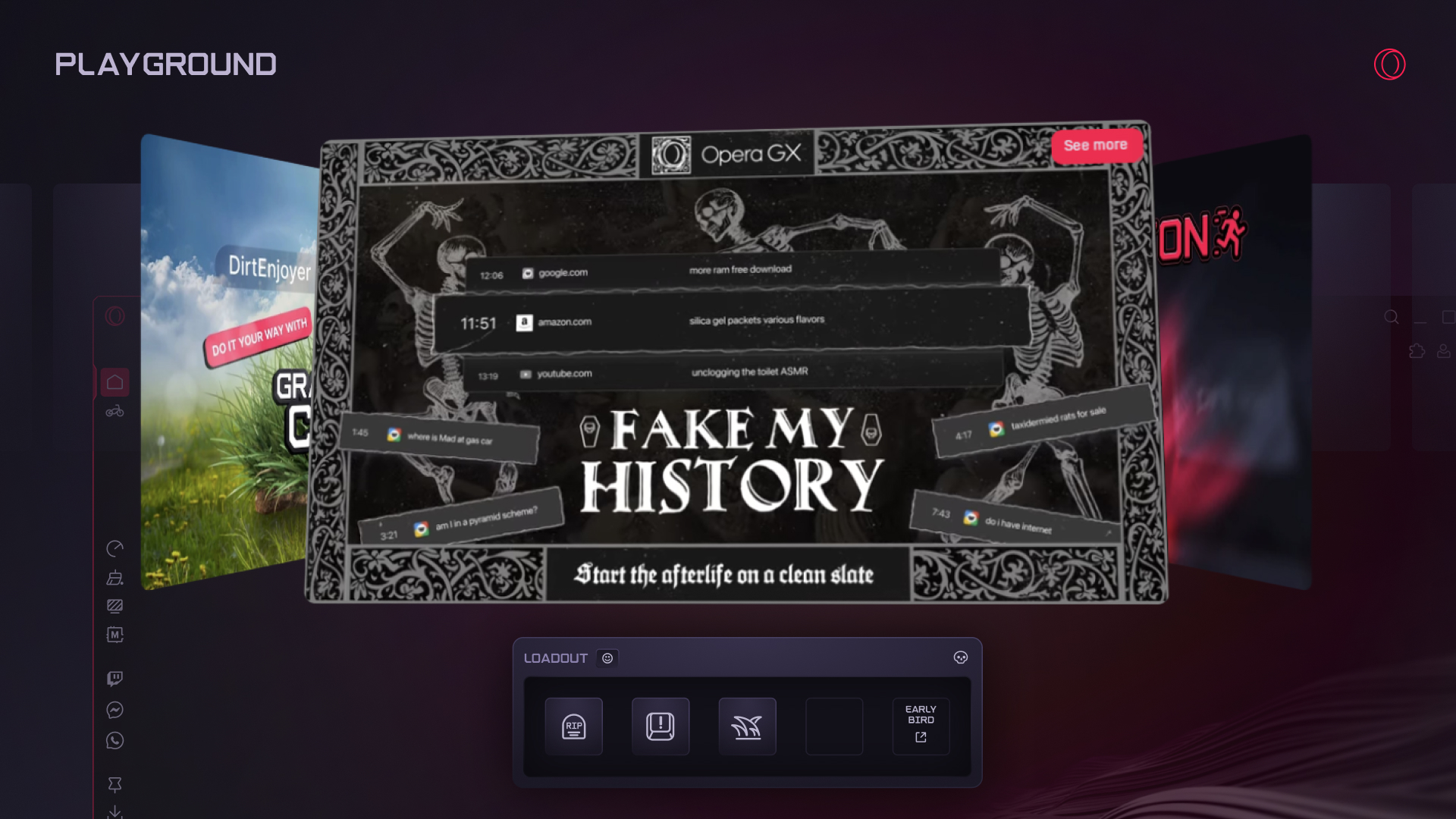
All about good – and sometimes not-so-honest – fun, the Playground is a space where you can tinker with your browser’s capabilities. It contains features like the Panic Button and Fake My History – things that no other browser would dare implement, but that we know can save the day. Every Playground feature is entirely opt-in, and they’re all grouped together in a handy hub where you can mix and match as you like.
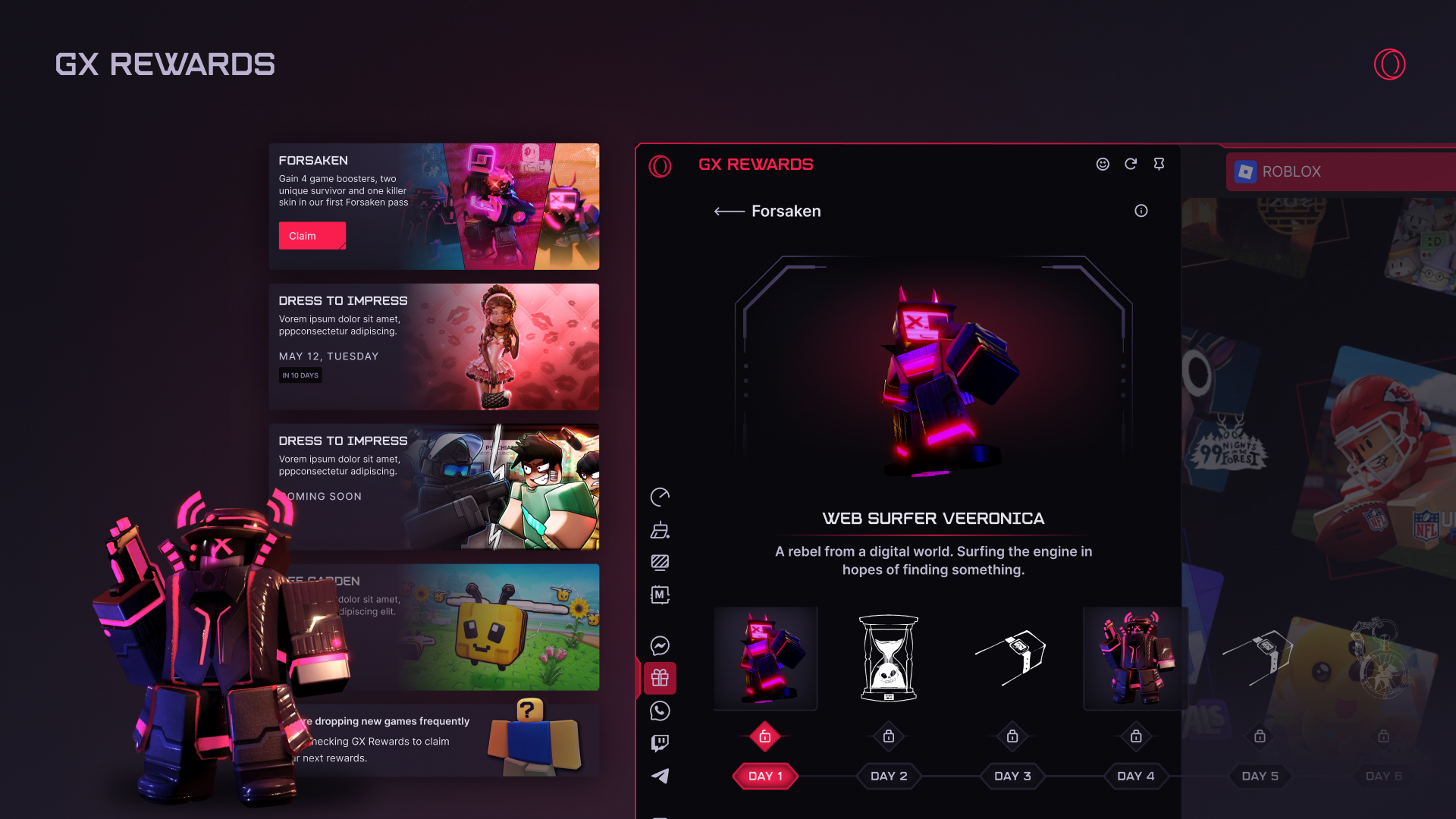
Into Roblox? Well we’ve got you covered with new, exclusive Roblox rewards. The list is long and it’s already expanding – every day, in fact – so keep your eye on it so you don’t miss a thing. You can add GX Rewards to your sidebar by clicking the dots at the bottom-right of your browser and selecting it from the list.
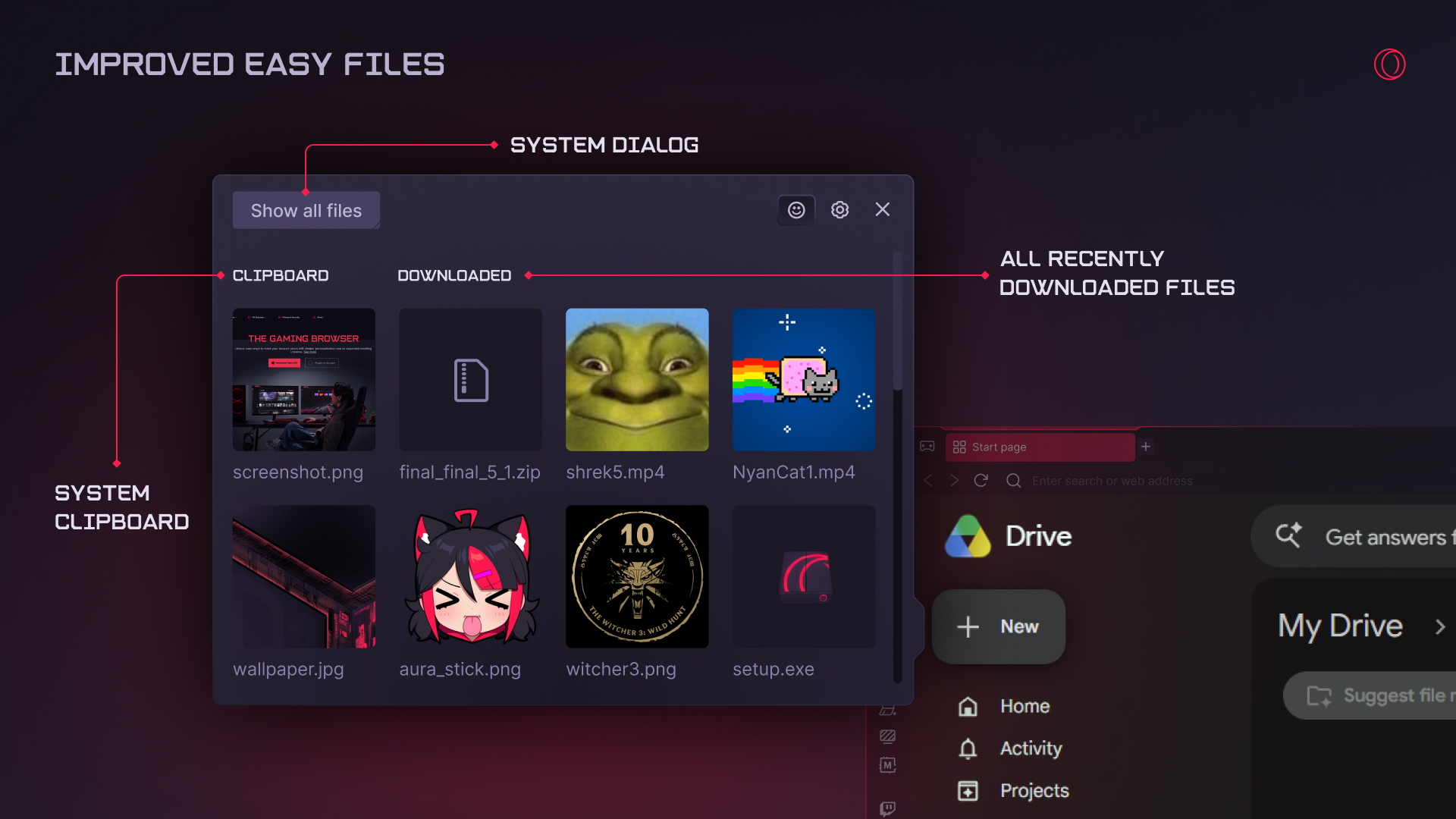
Easy Files – a file selector that allows you to upload and attach files quickly and easily – is a unique feature within our browsers, and we’ve spent some time improving its utility and aesthetic. Now:
We know you love this feature, but if for some reason you’re not using it, you can turn it on at any time in the Settings.
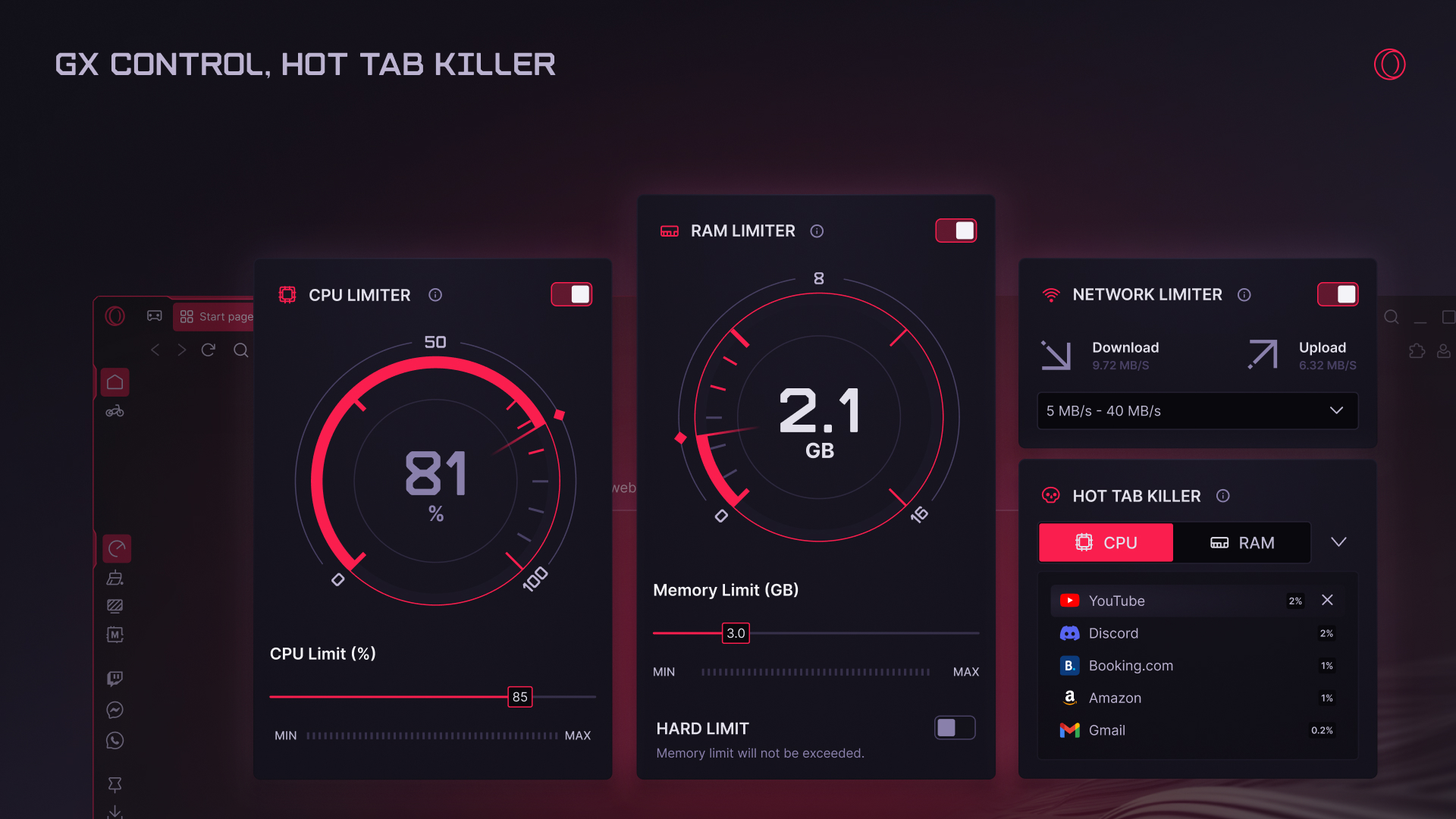
We’ve updated these two core features to improve performance and usability, deploying bug fixes, implementing tweaks to prevent configurations that will severely impact browsing, and adding more explanation and user-friendly options. We also gave the overall look and feel of both a refresher to bring them in line with other UI changes in GX.
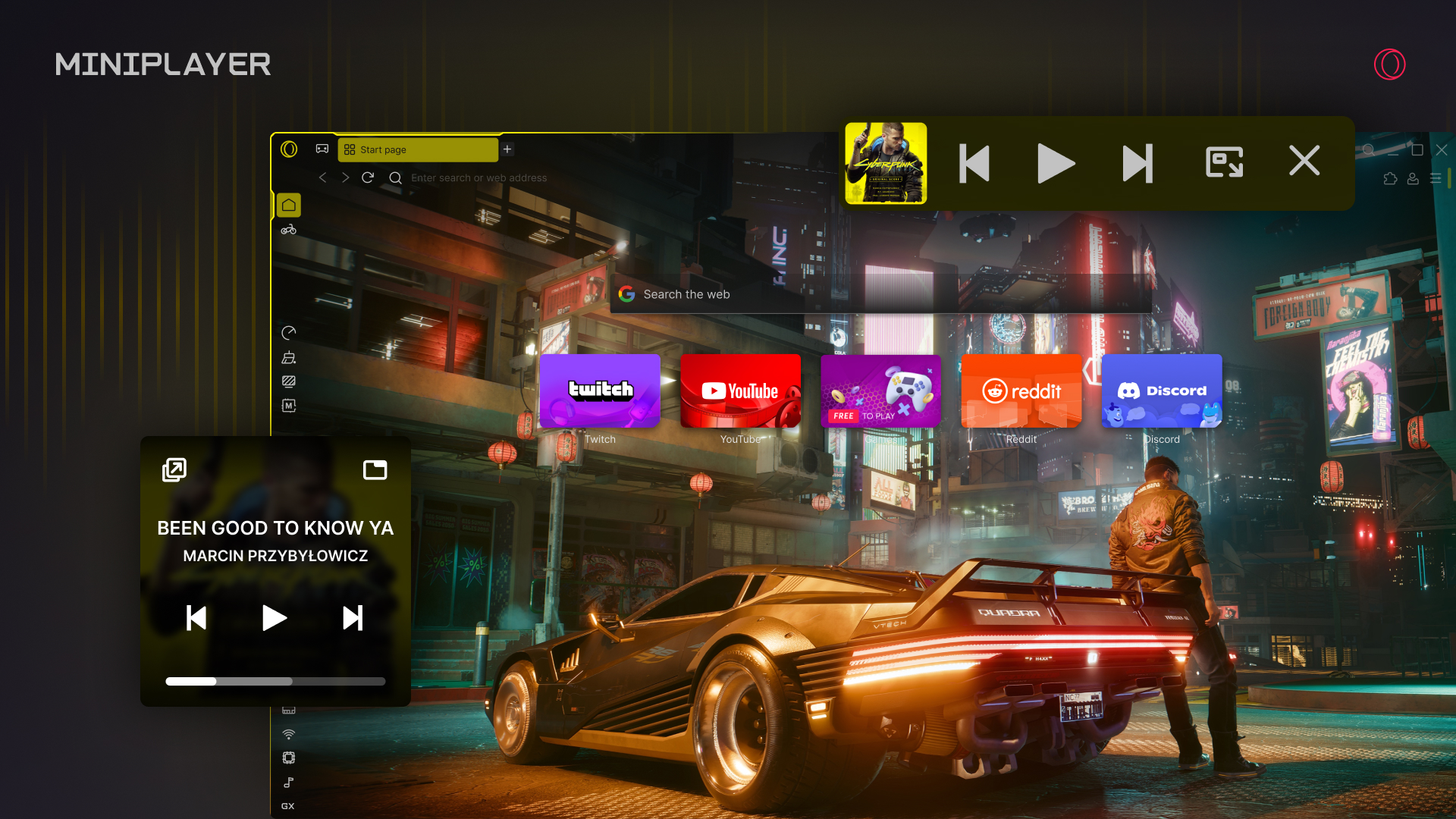
Listening to music through Opera GX has never been easier thanks to a Mini Player that we’ve recently introduced, which you might have noticed appears automatically in the toolbar whenever you start music from the sidebar player. Why do I need this, you ask? Because now, once you start music from the sidebar, you don’t need to go back into the sidebar to control what’s playing – it’s always accessible in the Mini Player in the toolbar. You can also move the Mini Player around if you like, as it forms a little floating window that you can drag and drop around the screen – super useful for when you’re at work in one application but want to quickly and easily stay on top of your tunes at the same time.
Also making your life easier, the music player knows when tabs are playing audio – so if your music will automatically pause if you start a YouTube video, for example, resuming once it’s over.
As with everything in GX, the Mini Player has so many options for personal configuration: you can modify how it looks, whether or not it’s automatic, if it should float, how quickly audio should resume, and more.
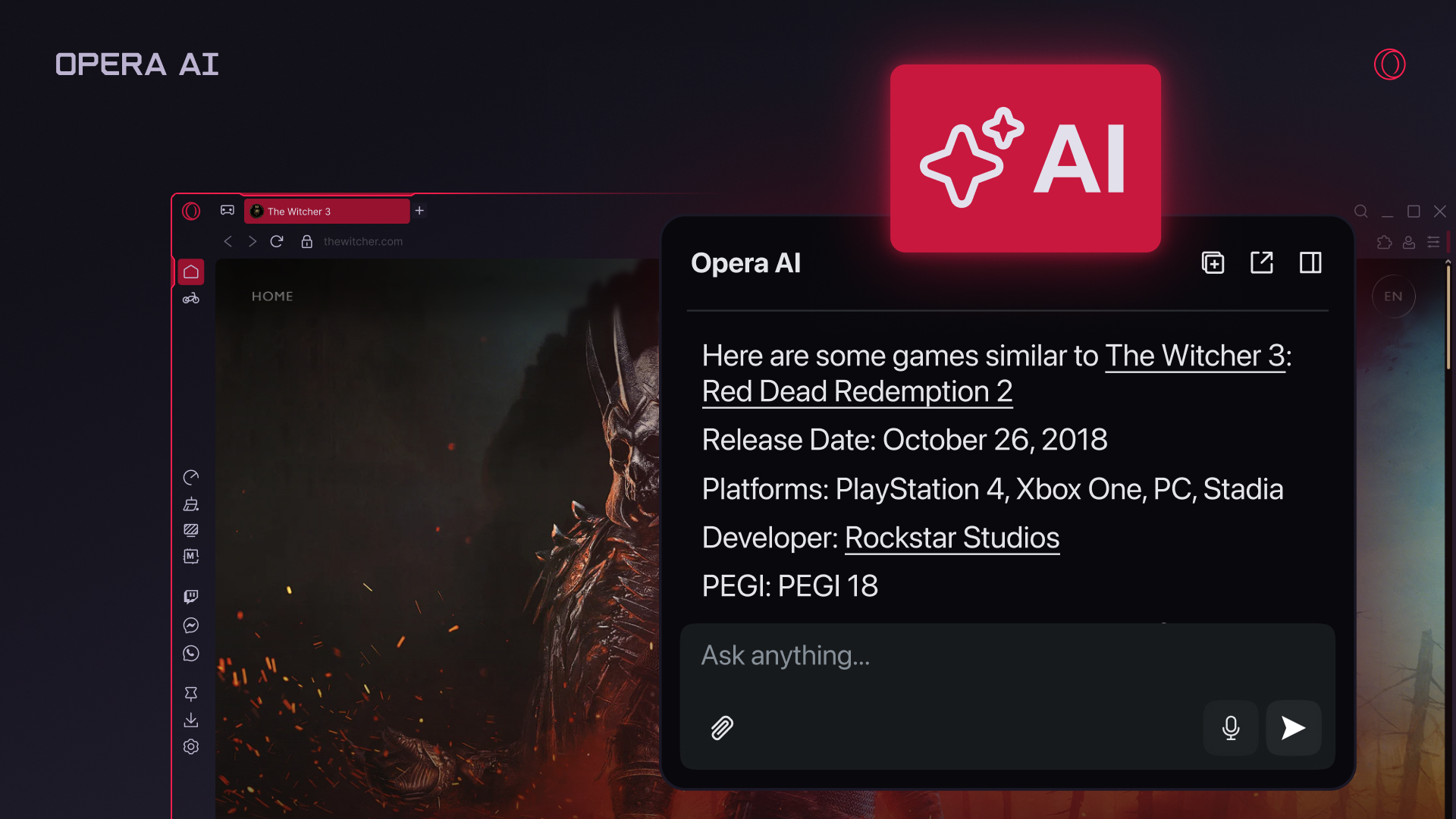
Opera GX comes with free, optional AI that has in recent months become smarter and easier to use. It’s aware of the context of your browsing session, so you can chat with it about an open web page – or even multiple pages grouped into a Tab Island – to get a summary, for example, or make a comparison across several pages. You can also use automatic follow-up questions to dive deeper without having to type a single character. Critically, web content is not sent to Opera AI automatically – you can revoke access to web pages in any chat via the switch at the top-right corner of the dialogue box.
By popular request, we’ve also recently added Google’s Gemini to the sidebar. In addition, there are improvements and features coming from Opera Neon – for instance, Browser Connector, which allows ChatGPT or Claude Code to use Opera GX to perform tasks that need access to the internet. It’s especially handy if you need to be logged into services, as in that case your credentials never leave your computer.
Again, our AI is completely optional. If you want to turn it off entirely, that’s easy to do: just flip the switch in Settings > Opera AI.
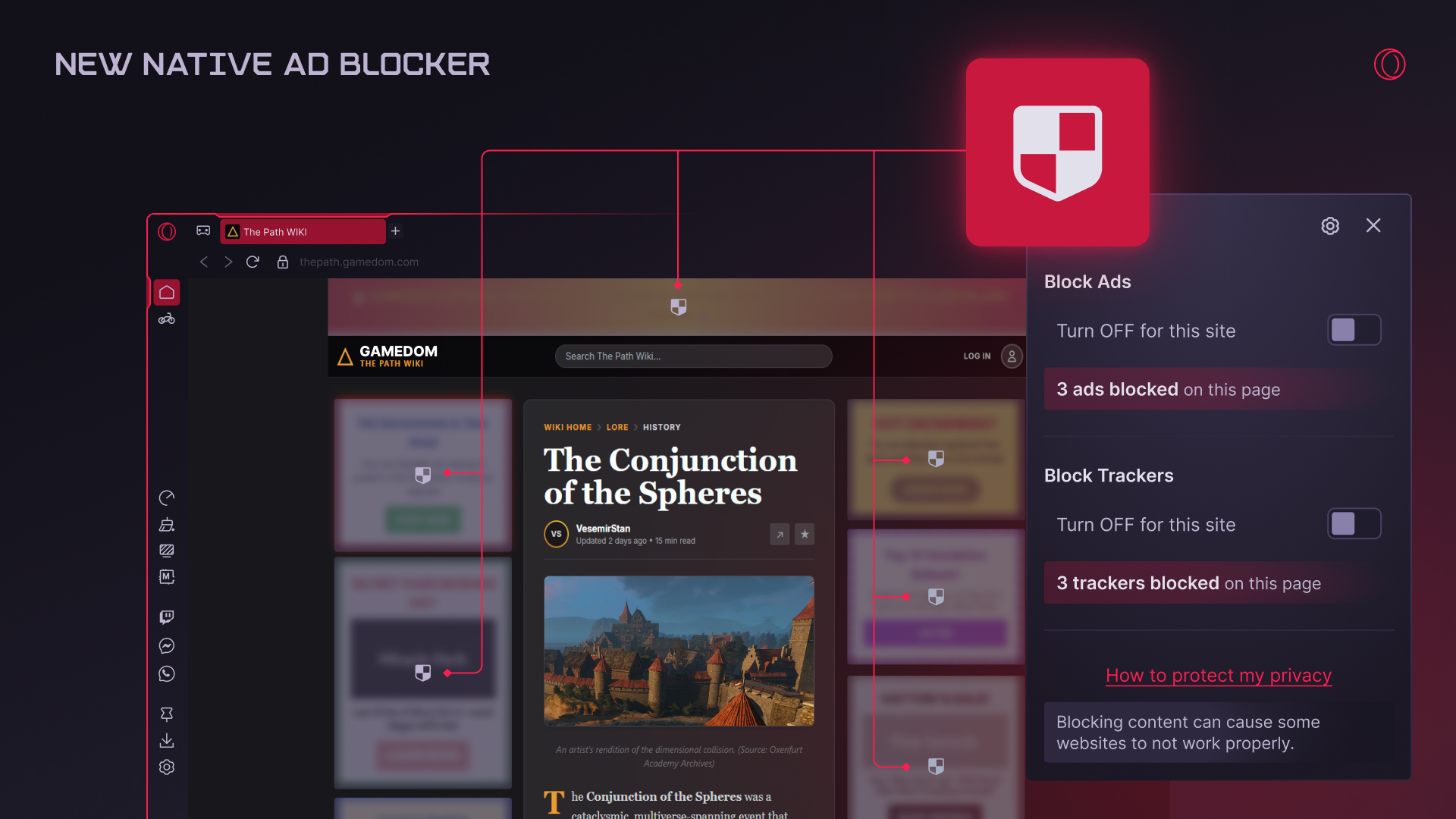
We take ad blocking seriously – that’s why Opera was the first to integrate a native ad blocker into the browser decades ago. And while some unmentioned competitors of ours are stripping back their ad blocking capabilities, we’re going in the other direction by overhauling the ad blocking engine and adding compatibility with uBlock lists and filters. So now, Opera GX features our fastest and most efficient ad blocker yet, ensuring a better browsing experience in today’s increasingly chaotic web. To read more about its capabilities – shared with our flagship browser, Opera One – click here.
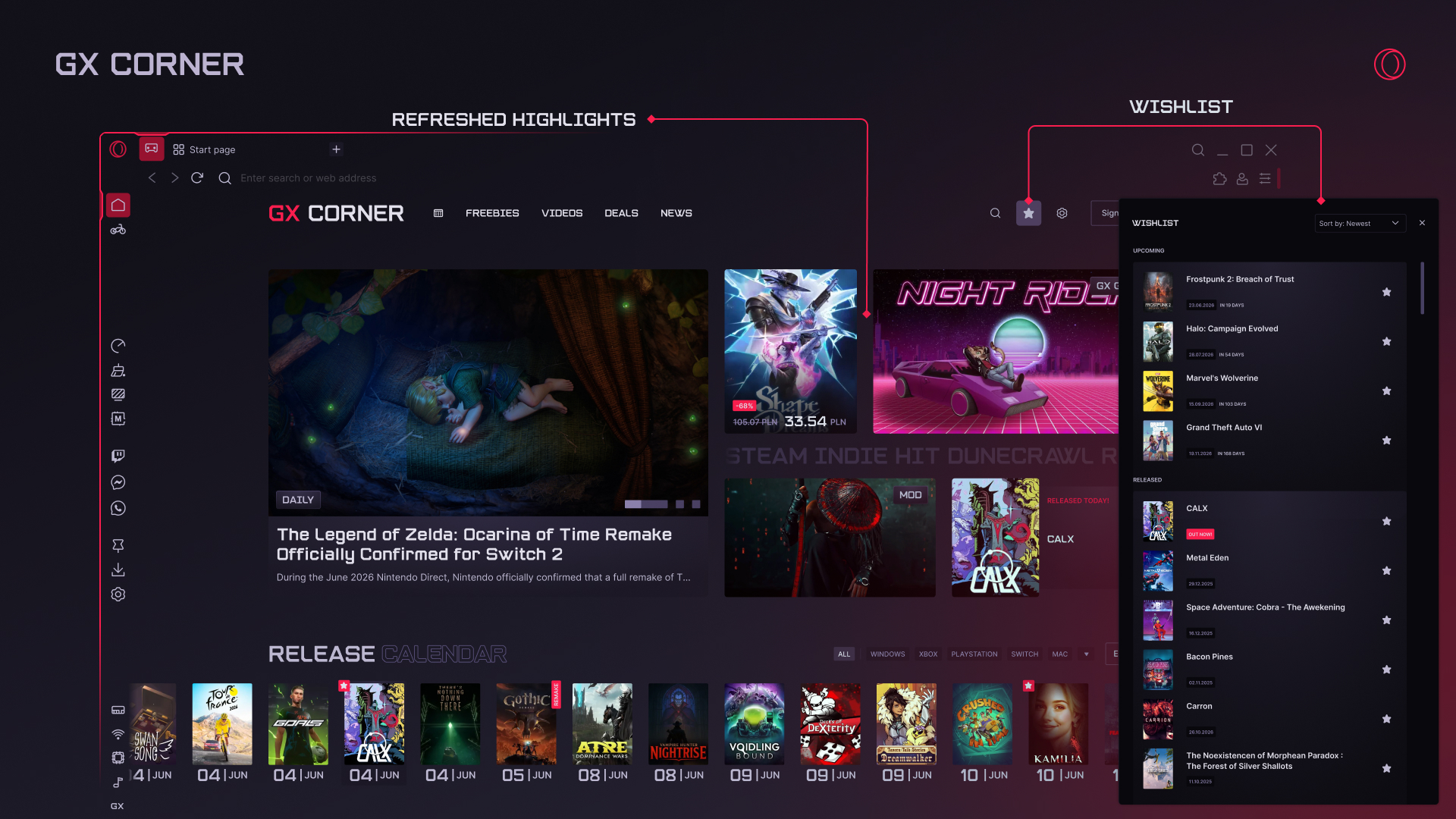
GX Corner shows you the latest in the gaming world: what’s worth knowing, what deals are out there, and even whether there’s any games available for free.
We’ve recently tweaked how things look – in particular what’s highlighted and deserves your attention. Wishlist games from the calendar to keep a track of releases, and check out the expanded calendar to see what games were recently released and are ready to be played. You can also see what the community likes with Top 10 games, take daily quizzes, and add your own YouTube feed to make the GX Corner even more personalized.
Our look is what defines Opera GX, so it’s something we pay extra attention to – simply put, we want you to have the most gorgeous browser out there. Through multiple recent updates, we have delivered significant changes and improvements to make your browsing experience better.
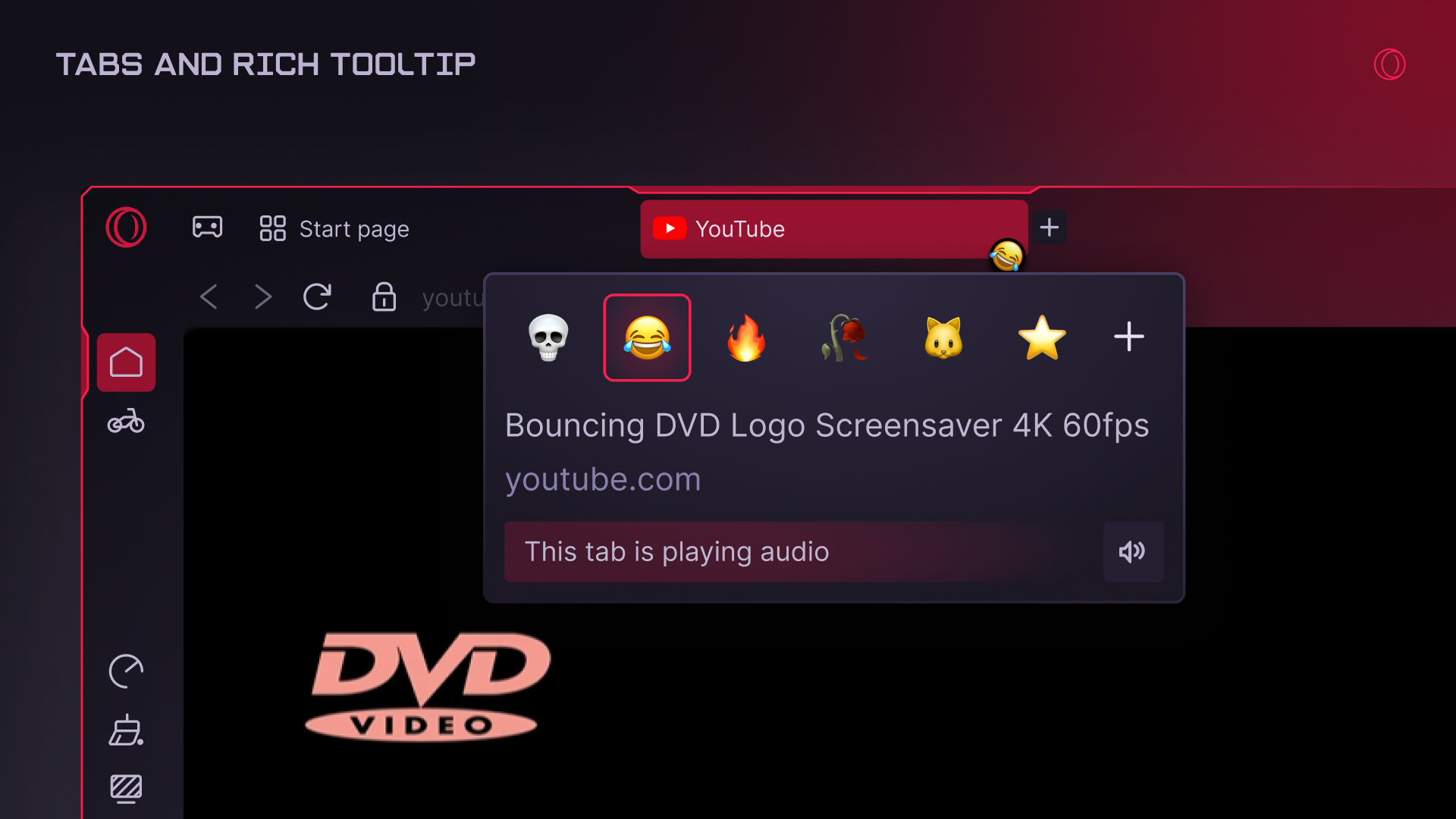
Tabs are central for any browser, and in recent updates we’ve been quietly improving the aesthetics and utility of ours. First, you might notice that the tab tooltip feels easier and more natural to use, even when it comes to implementing complex logic for certain use-cases. For example, if you’re hovering over the tooltip but accidentally go a bit outside the box, you can quickly go back over the tab again and the tooltip will appear almost instantly. Or, if you want to change the name or color of a Tab Island, you can move the mouse diagonally, in a way that feels natural, rather than having to go straight down and then across. Basically, we’ve made it more intuitive, so that you don’t have to worry about misclicks or non-perfect mouse operation – it just works in a way that feels right.
Next, we improved how comfortable it feels to open and close multiple tabs. For instance, when you’re closing lots of tabs one by one, they are now positioned in such a way that closing each one doesn’t require moving the mouse, as the X button appears right under your cursor.
Finally, we also looked at keyboard shortcuts and prevented potentially unwanted repetitions that could lead to closing more tabs than initially planned. Tabs also have more subtle animations that improve the overall experience while not being distracting.
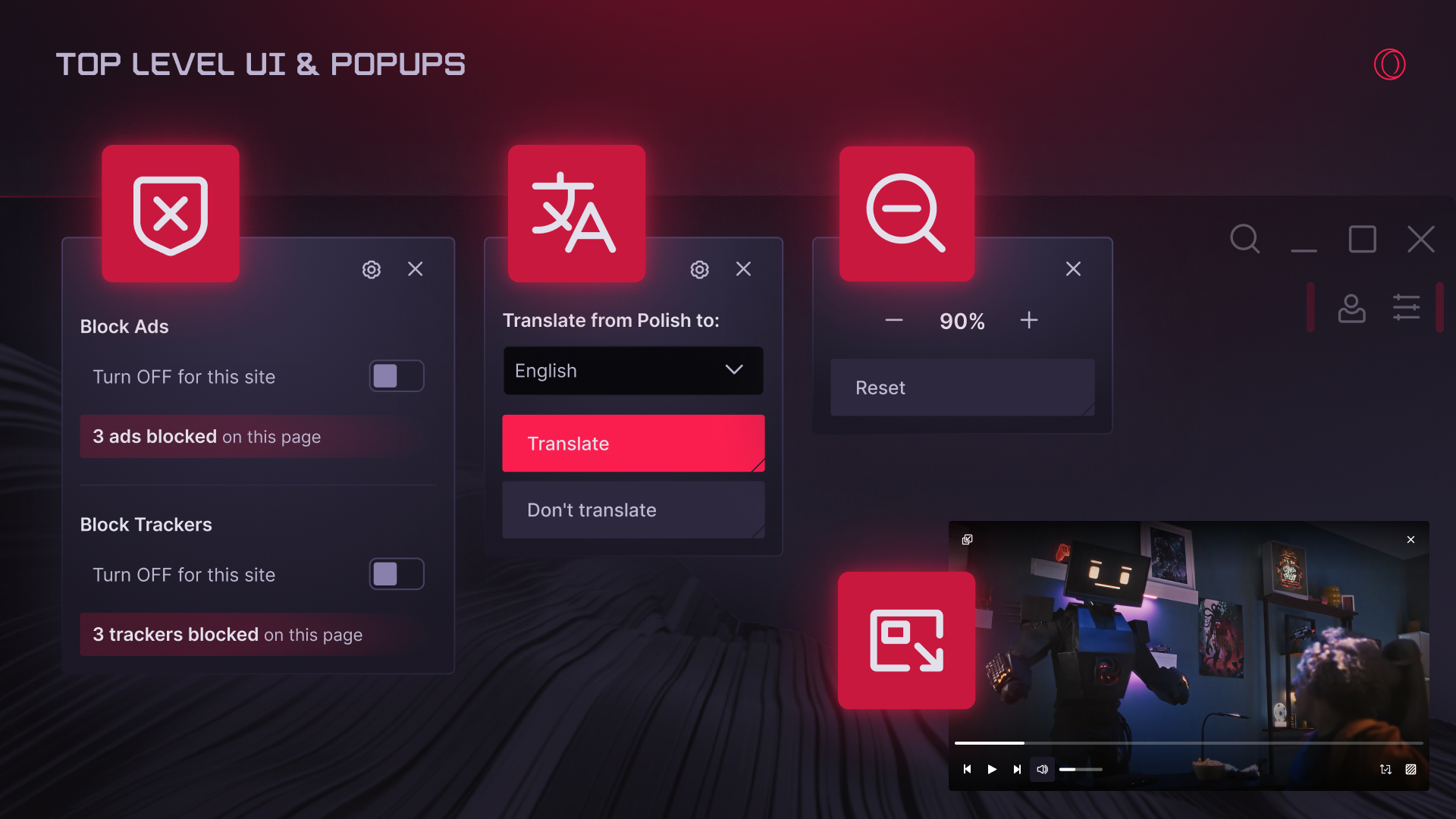
In terms of UI, we’ve recently refreshed the entire top level to ensure that Opera GX looks as good as our designers dreamed. This includes refreshed panels, like the one to pick a shader or configure items in the sidebar. Multiple pop-ups that appear during regular browsing (translations, zoom level, etc.) were also updated to make sure it matches browser design and whatever color theme you have selected.
Going further, video popout – of which we’ve heard you’re big fans – got a massive visual and usability boost. We tweaked how transparency is handled, how easy it is to control video, and the way controls interact with user input. As a result of multiple small changes, you get a much more enjoyable experience.
We cleaned up the browser UI too, removing some unnecessarily obvious tooltips – things that didn’t help, yet caused visual irritation. We also stopped showing some buttons – for example RGX and Video Pickup – to further declutter the UI. Note that these features are not removed, and you can still decide how they should behave in the Settings.
The address bar also got a small-yet-handy improvement that spares you the need to visit a web page, as the results appear right there in the browser: for example, if you type the name of a city, the current weather conditions are displayed right in the suggestions.
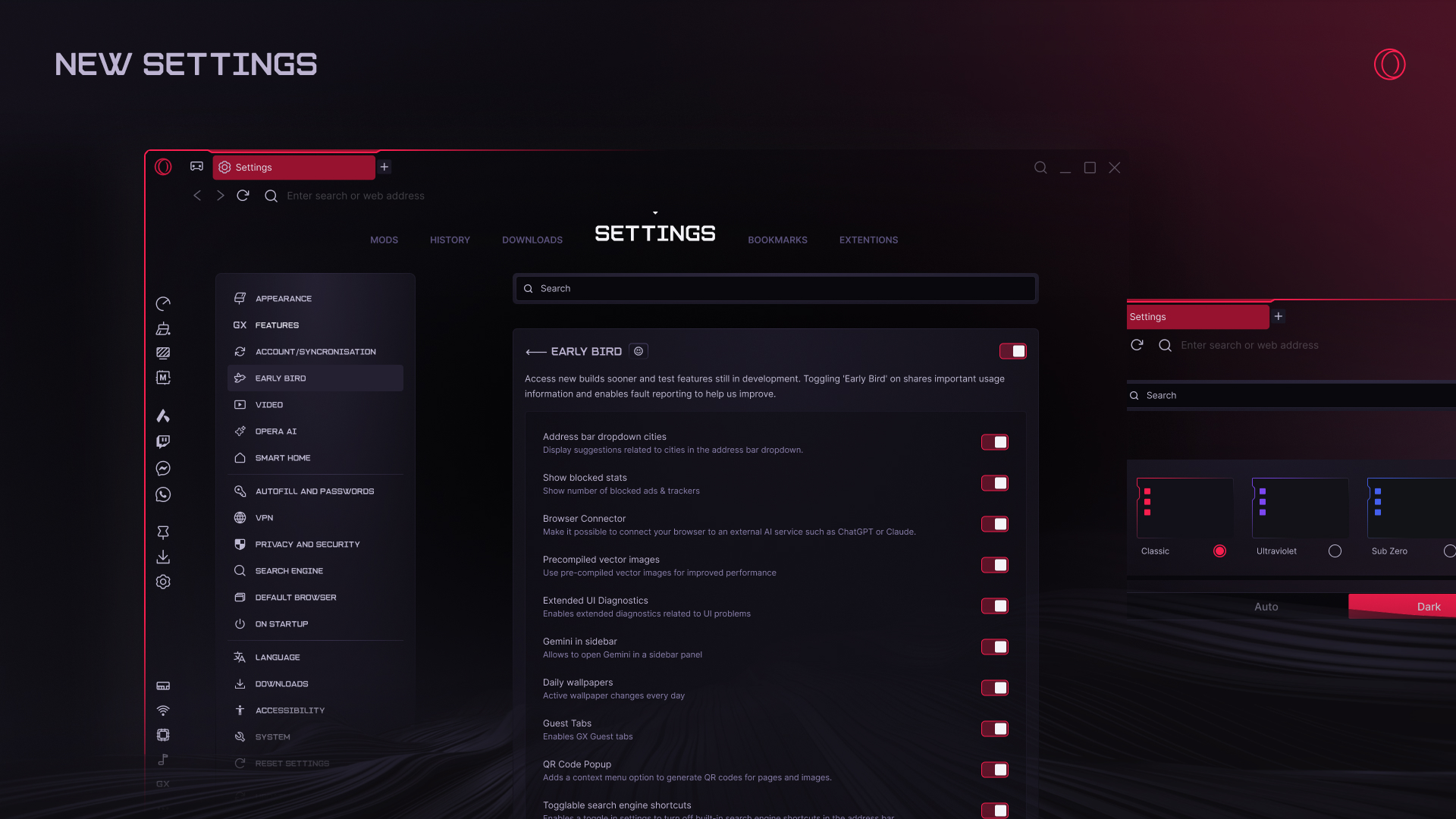
Browsers, especially GX, come with lots of configuration options. To make it easier to navigate in all that chaos, we’ve updated how the Settings and other internal pages look. In Settings, you’ll now find a convenient list of categories to navigate so you can easily find what you need (in fact, all our unique features are easier to find). And if you like playing with settings, we encourage you to take a look at Early Bird. Once you turn it on you can see what we’re testing and check out new stuff before it becomes officially available.
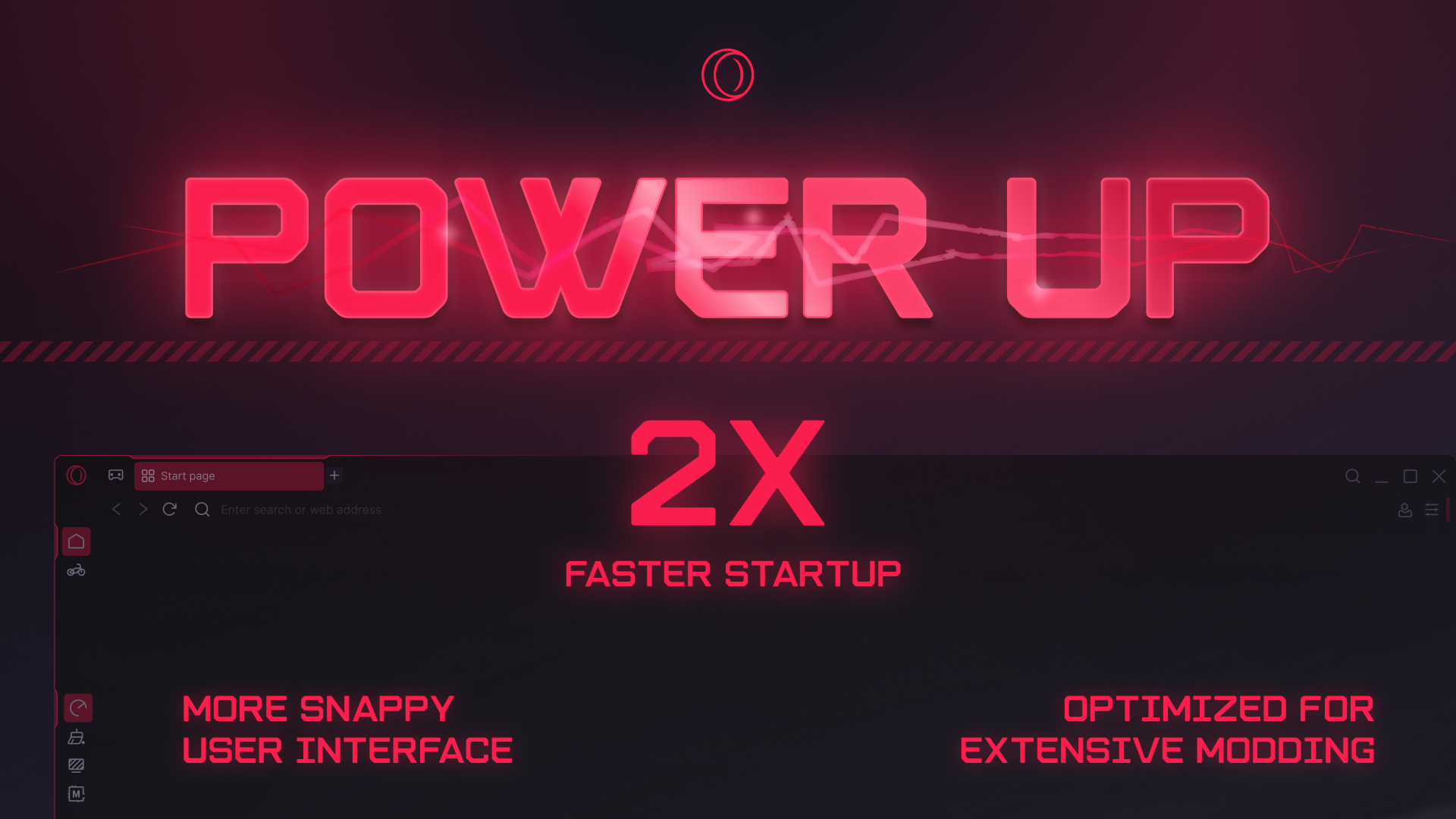
Several recent releases have included changes to help improve the performance of Opera GX. Maybe you don’t open GX every day (and we hope that if you don’t, it’s because you never close it) but when you do, you want it to launch as fast as possible. Well, we’re happy to share that now GX starts 2x faster than just a few months ago.
We also focused on UI responsiveness, especially in the most frequently used areas of the browser: tabs and top level UI buttons. The newest build triggers various actions faster, so you gain valuable milliseconds each time. It may sound insignificant, but trust us, it has a huge effect on the feeling of using GX.
For those big-time modders who chop and change and install lots of wallpapers, we have tweaked image handling to ensure that the UI is always snappy – no matter how many mods are installed.
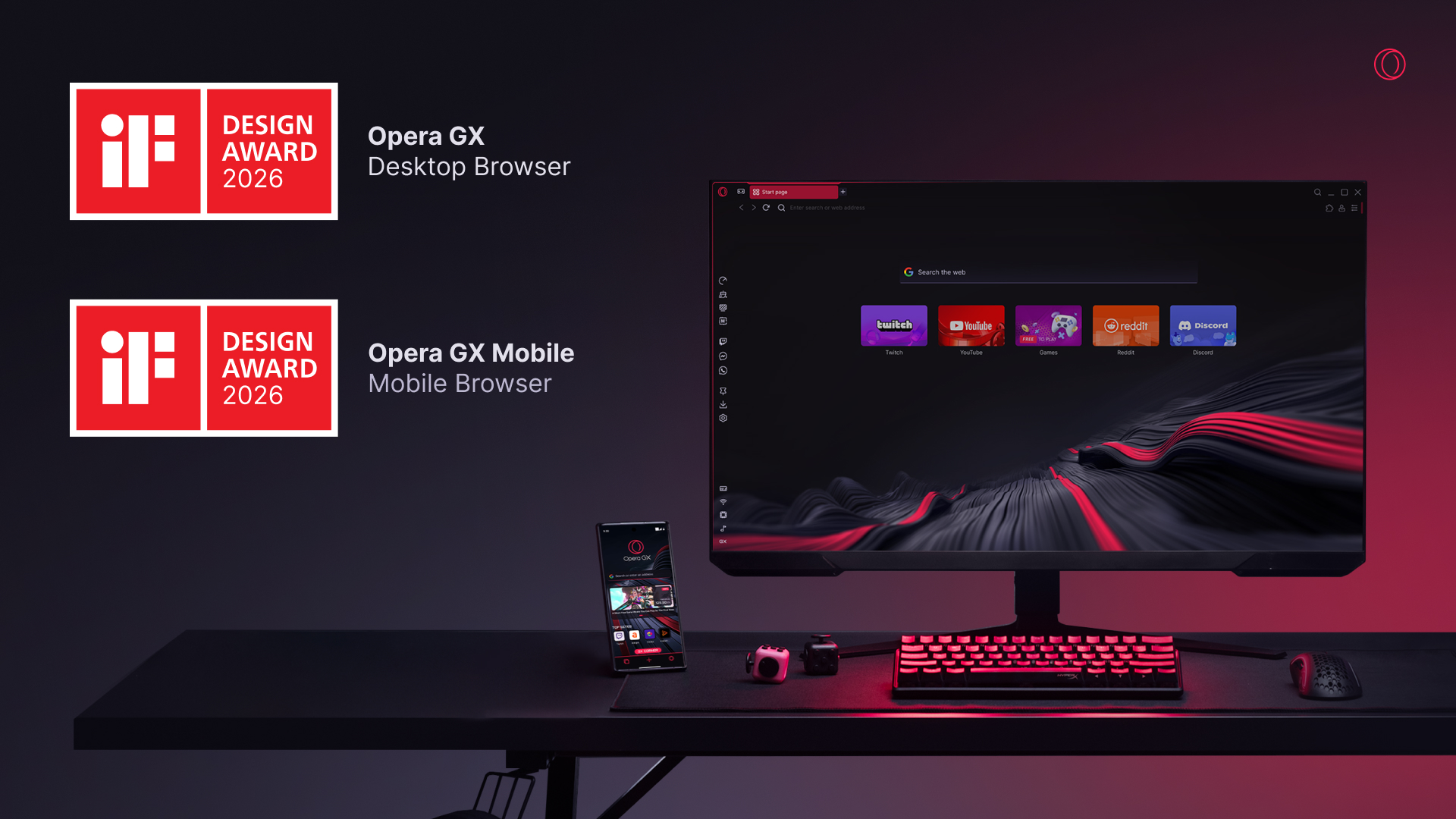
Let’s pause our admittedly lengthy stream of updates for a moment for some kudos. Did you know that Opera GX and Opera GX Mobile both won iF design awards in 2026? We are thrilled to see our efforts recognized, meeting the high expectations of iF’s jury of international experts. As of now Opera holds a total of 9 iF Awards, becoming – in the words of Frank Zierenberg, Director of the iF Design Awards – “the most successful winner from Norway in the field of digital user interfaces.”
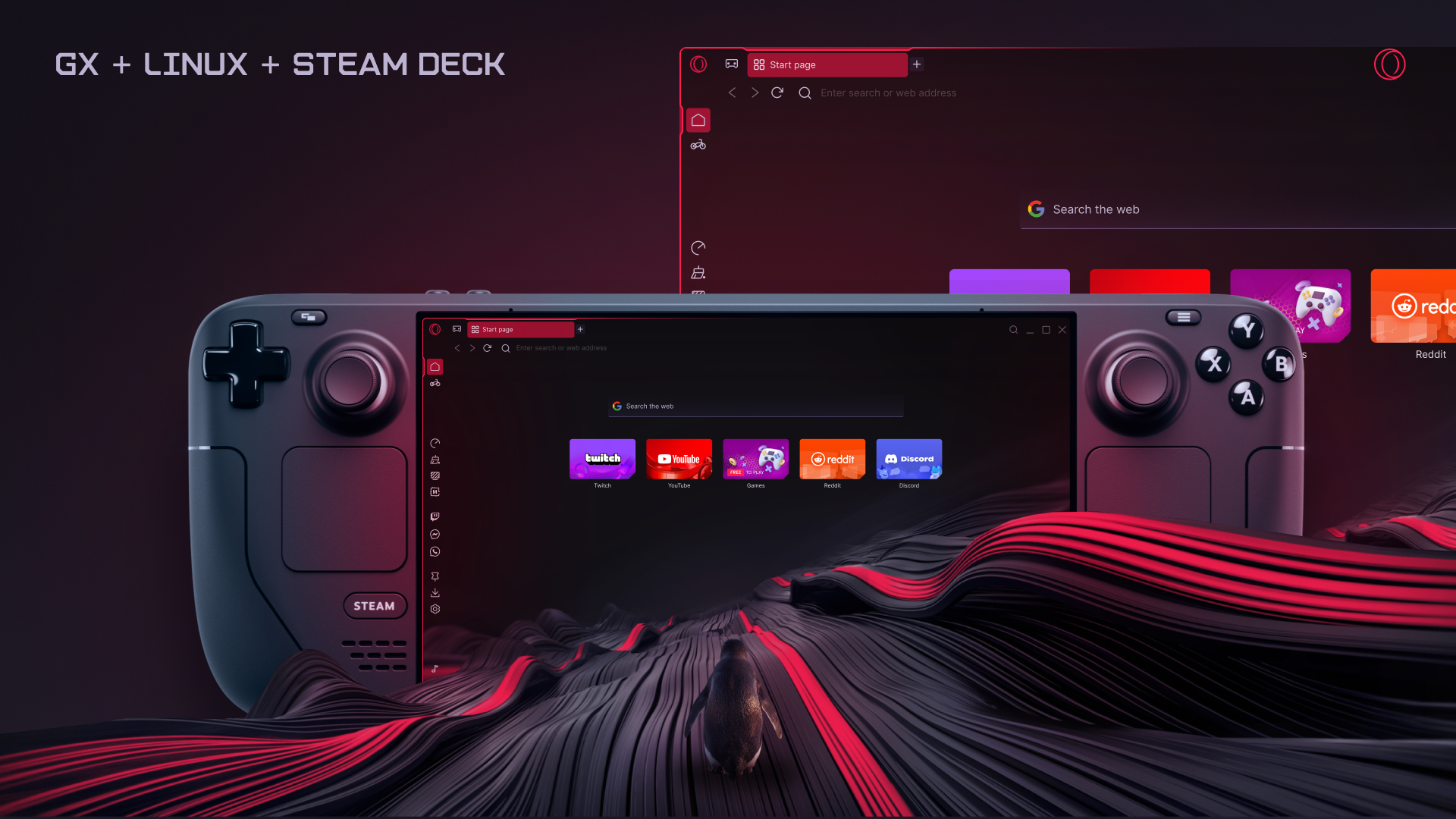
And since we have so many fans of GX across PC and Mobile, we just didn’t want to leave anyone out! That’s why this spring we published long-awaited official builds for Linux, including availability on Flathub and Snap Store. So now you can enjoy all GX has to offer on both your PC or handhelds like the Steam Deck.
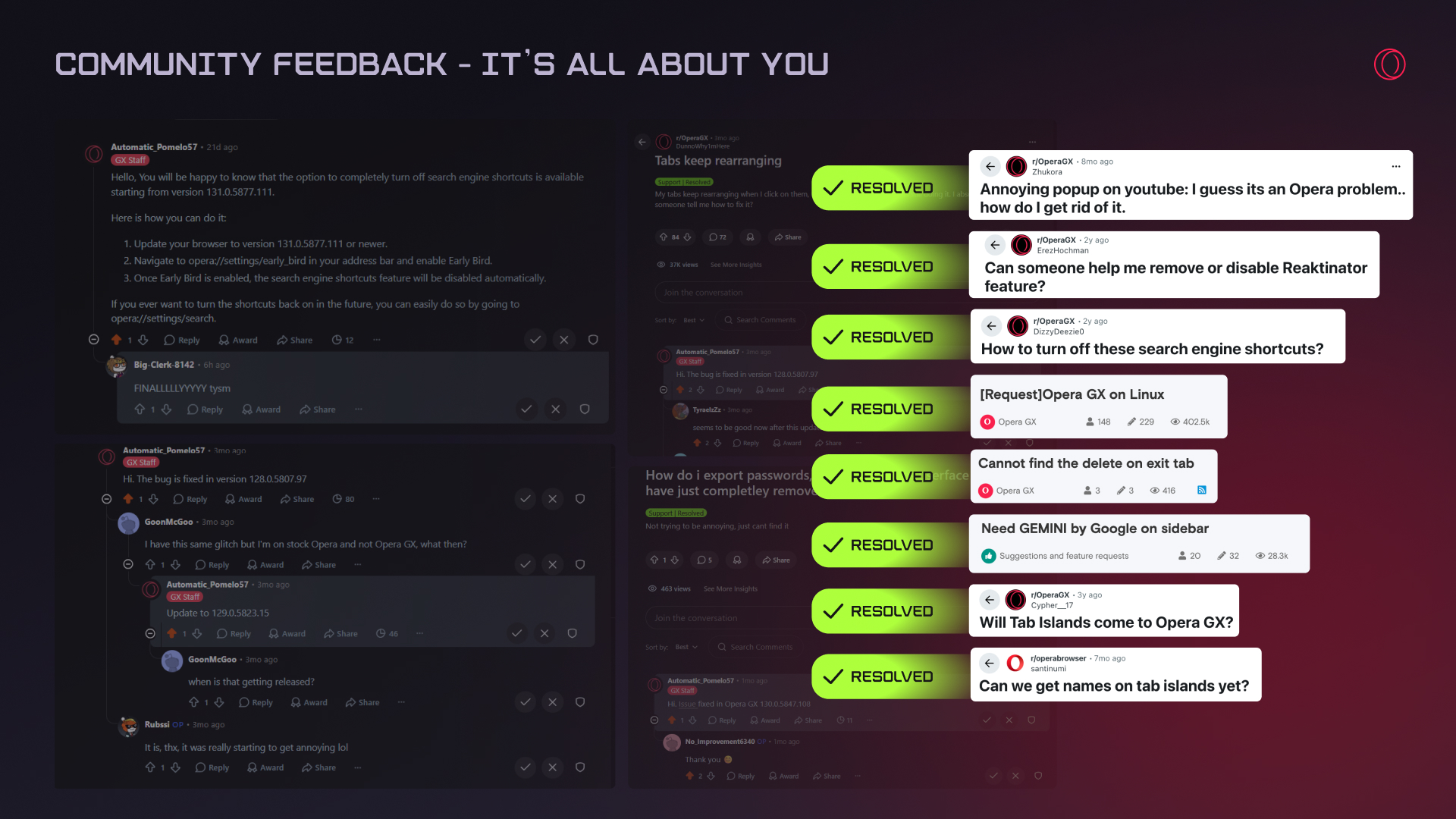
GX is a community, and your input helps us make changes. Recently we’ve made a number of tweaks that were directly inspired by your suggestions, such as:
Moreover, we fixed over 30 issues that were reported by you, such as stability problems and performance hiccups. So your feedback really makes a difference – keep it coming!
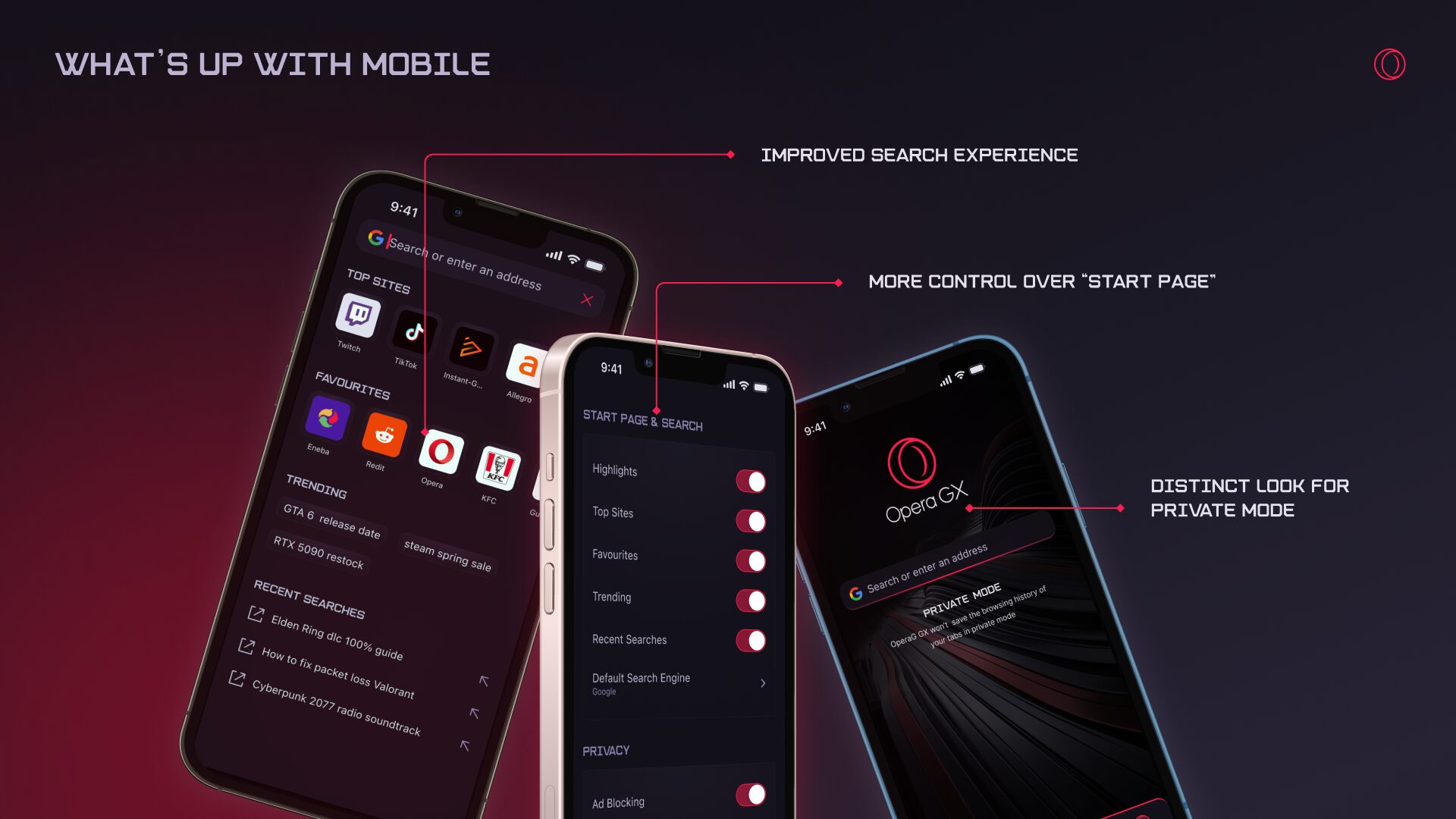
When it comes to GX Mobile, we’ve lately focused on the most important thing: reliability. We have made numerous stability improvements, as well as fixed compatibility with various sites. We also spent significant time handling security and privacy reports that came from external security researchers – because in the end, it means everything to us that you can enjoy a stable and secure browser.
Besides changes under the hood, we looked into the most commonly used areas of the browser: the home page and search experience. The home screen got a refresh, along with top sites and search input. Searching also now gives convenient access to your recent searches, trending searches, plus your favorite and top sites – all configurable in Settings. When you search, suggestions may now include images and short descriptions to give you a better preview of what to expect when you open a page with results.
Our dedication to GX is unwavering – we will literally never stop trying to make a better experience for our users. For those eager to explore our latest projects and upcoming releases, we invite you to enable Early Bird via Settings. We encourage you to share your insights, as your feedback is so important in perfecting these features during their developmental phase. Here are the latest additions ready for testing:
Enhanced Video Skip: We have added more granular configuration and tweaking options for the skip button, so you can better control where it appears and when.
Discreet Start (Windows): This update refines autostart behavior to be more seamless and less intrusive, ensuring the browser is ready exactly when you need it.
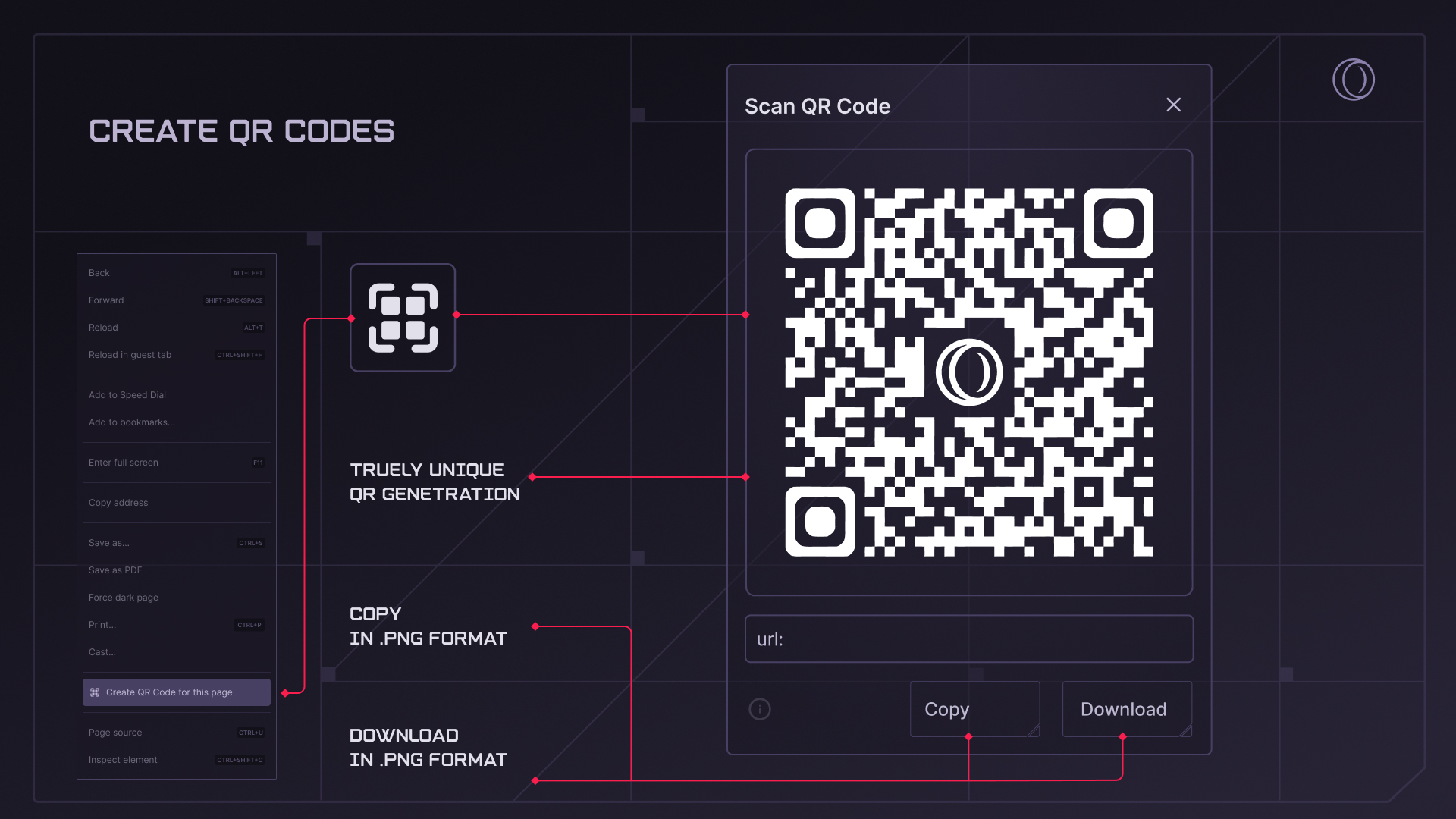
Page QR Code Generator: Effortlessly transition your browsing to mobile by scanning a generated QR code or copying it for later use.
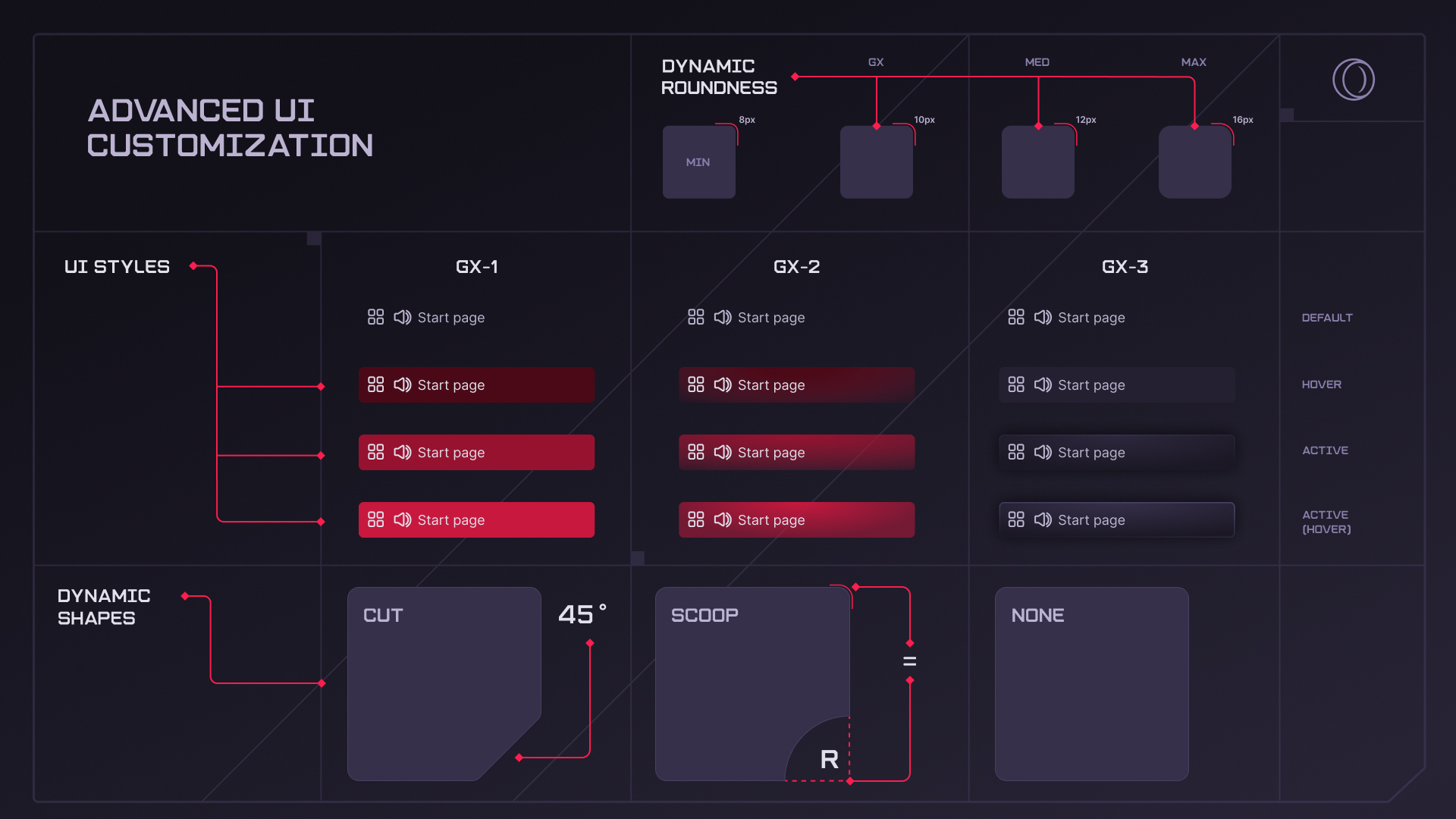
Advanced UI Customization: Personalize your experience with new settings for roundness, corner shape, and two additional coloring styles – including GX-3, which is optimized for late-night sessions.
So there you have it: an eternity of an update, but there was so much to tell you about! To recap the highlights, we have:
We hope we’ve been able to showcase all kinds of improvements and milestones, big and small, and provide a glimpse into our ongoing efforts to make GX the best browser out there.
Wishing you all a fantastic summer holiday – and happy browsing!
Source: Step into Summer with a Massive Update from GX
New and Improved in GX
We’ve been hard at work improving your favorite features, plus introducing new ones we think you’ll love.
Playground
All about good – and sometimes not-so-honest – fun, the Playground is a space where you can tinker with your browser’s capabilities. It contains features like the Panic Button and Fake My History – things that no other browser would dare implement, but that we know can save the day. Every Playground feature is entirely opt-in, and they’re all grouped together in a handy hub where you can mix and match as you like.
GX Rewards
Into Roblox? Well we’ve got you covered with new, exclusive Roblox rewards. The list is long and it’s already expanding – every day, in fact – so keep your eye on it so you don’t miss a thing. You can add GX Rewards to your sidebar by clicking the dots at the bottom-right of your browser and selecting it from the list.
Improved Easy Files
Easy Files – a file selector that allows you to upload and attach files quickly and easily – is a unique feature within our browsers, and we’ve spent some time improving its utility and aesthetic. Now:
- More files are shown in the list, so you can more easily find what you’re looking for
- The pop-up positions itself in a more convenient place on the screen
- It’s easier to select more files at once
- We improved performance, so that even heavy content will not slow down the process or drain your memory
We know you love this feature, but if for some reason you’re not using it, you can turn it on at any time in the Settings.
GX Control, Hot Tab Killer
We’ve updated these two core features to improve performance and usability, deploying bug fixes, implementing tweaks to prevent configurations that will severely impact browsing, and adding more explanation and user-friendly options. We also gave the overall look and feel of both a refresher to bring them in line with other UI changes in GX.
Mini Player
Listening to music through Opera GX has never been easier thanks to a Mini Player that we’ve recently introduced, which you might have noticed appears automatically in the toolbar whenever you start music from the sidebar player. Why do I need this, you ask? Because now, once you start music from the sidebar, you don’t need to go back into the sidebar to control what’s playing – it’s always accessible in the Mini Player in the toolbar. You can also move the Mini Player around if you like, as it forms a little floating window that you can drag and drop around the screen – super useful for when you’re at work in one application but want to quickly and easily stay on top of your tunes at the same time.
Also making your life easier, the music player knows when tabs are playing audio – so if your music will automatically pause if you start a YouTube video, for example, resuming once it’s over.
As with everything in GX, the Mini Player has so many options for personal configuration: you can modify how it looks, whether or not it’s automatic, if it should float, how quickly audio should resume, and more.
Opera AI
Opera GX comes with free, optional AI that has in recent months become smarter and easier to use. It’s aware of the context of your browsing session, so you can chat with it about an open web page – or even multiple pages grouped into a Tab Island – to get a summary, for example, or make a comparison across several pages. You can also use automatic follow-up questions to dive deeper without having to type a single character. Critically, web content is not sent to Opera AI automatically – you can revoke access to web pages in any chat via the switch at the top-right corner of the dialogue box.
By popular request, we’ve also recently added Google’s Gemini to the sidebar. In addition, there are improvements and features coming from Opera Neon – for instance, Browser Connector, which allows ChatGPT or Claude Code to use Opera GX to perform tasks that need access to the internet. It’s especially handy if you need to be logged into services, as in that case your credentials never leave your computer.
Again, our AI is completely optional. If you want to turn it off entirely, that’s easy to do: just flip the switch in Settings > Opera AI.
All-new native ad blocker
We take ad blocking seriously – that’s why Opera was the first to integrate a native ad blocker into the browser decades ago. And while some unmentioned competitors of ours are stripping back their ad blocking capabilities, we’re going in the other direction by overhauling the ad blocking engine and adding compatibility with uBlock lists and filters. So now, Opera GX features our fastest and most efficient ad blocker yet, ensuring a better browsing experience in today’s increasingly chaotic web. To read more about its capabilities – shared with our flagship browser, Opera One – click here.
GX Corner
GX Corner shows you the latest in the gaming world: what’s worth knowing, what deals are out there, and even whether there’s any games available for free.
We’ve recently tweaked how things look – in particular what’s highlighted and deserves your attention. Wishlist games from the calendar to keep a track of releases, and check out the expanded calendar to see what games were recently released and are ready to be played. You can also see what the community likes with Top 10 games, take daily quizzes, and add your own YouTube feed to make the GX Corner even more personalized.
Looks & UX
Our look is what defines Opera GX, so it’s something we pay extra attention to – simply put, we want you to have the most gorgeous browser out there. Through multiple recent updates, we have delivered significant changes and improvements to make your browsing experience better.
Tabs are central for any browser, and in recent updates we’ve been quietly improving the aesthetics and utility of ours. First, you might notice that the tab tooltip feels easier and more natural to use, even when it comes to implementing complex logic for certain use-cases. For example, if you’re hovering over the tooltip but accidentally go a bit outside the box, you can quickly go back over the tab again and the tooltip will appear almost instantly. Or, if you want to change the name or color of a Tab Island, you can move the mouse diagonally, in a way that feels natural, rather than having to go straight down and then across. Basically, we’ve made it more intuitive, so that you don’t have to worry about misclicks or non-perfect mouse operation – it just works in a way that feels right.
Next, we improved how comfortable it feels to open and close multiple tabs. For instance, when you’re closing lots of tabs one by one, they are now positioned in such a way that closing each one doesn’t require moving the mouse, as the X button appears right under your cursor.
Finally, we also looked at keyboard shortcuts and prevented potentially unwanted repetitions that could lead to closing more tabs than initially planned. Tabs also have more subtle animations that improve the overall experience while not being distracting.
In terms of UI, we’ve recently refreshed the entire top level to ensure that Opera GX looks as good as our designers dreamed. This includes refreshed panels, like the one to pick a shader or configure items in the sidebar. Multiple pop-ups that appear during regular browsing (translations, zoom level, etc.) were also updated to make sure it matches browser design and whatever color theme you have selected.
Going further, video popout – of which we’ve heard you’re big fans – got a massive visual and usability boost. We tweaked how transparency is handled, how easy it is to control video, and the way controls interact with user input. As a result of multiple small changes, you get a much more enjoyable experience.
We cleaned up the browser UI too, removing some unnecessarily obvious tooltips – things that didn’t help, yet caused visual irritation. We also stopped showing some buttons – for example RGX and Video Pickup – to further declutter the UI. Note that these features are not removed, and you can still decide how they should behave in the Settings.
The address bar also got a small-yet-handy improvement that spares you the need to visit a web page, as the results appear right there in the browser: for example, if you type the name of a city, the current weather conditions are displayed right in the suggestions.
Browsers, especially GX, come with lots of configuration options. To make it easier to navigate in all that chaos, we’ve updated how the Settings and other internal pages look. In Settings, you’ll now find a convenient list of categories to navigate so you can easily find what you need (in fact, all our unique features are easier to find). And if you like playing with settings, we encourage you to take a look at Early Bird. Once you turn it on you can see what we’re testing and check out new stuff before it becomes officially available.
Performance and Memory Improvements
Several recent releases have included changes to help improve the performance of Opera GX. Maybe you don’t open GX every day (and we hope that if you don’t, it’s because you never close it) but when you do, you want it to launch as fast as possible. Well, we’re happy to share that now GX starts 2x faster than just a few months ago.
We also focused on UI responsiveness, especially in the most frequently used areas of the browser: tabs and top level UI buttons. The newest build triggers various actions faster, so you gain valuable milliseconds each time. It may sound insignificant, but trust us, it has a huge effect on the feeling of using GX.
For those big-time modders who chop and change and install lots of wallpapers, we have tweaked image handling to ensure that the UI is always snappy – no matter how many mods are installed.
iF Awards
Let’s pause our admittedly lengthy stream of updates for a moment for some kudos. Did you know that Opera GX and Opera GX Mobile both won iF design awards in 2026? We are thrilled to see our efforts recognized, meeting the high expectations of iF’s jury of international experts. As of now Opera holds a total of 9 iF Awards, becoming – in the words of Frank Zierenberg, Director of the iF Design Awards – “the most successful winner from Norway in the field of digital user interfaces.”
Linux
And since we have so many fans of GX across PC and Mobile, we just didn’t want to leave anyone out! That’s why this spring we published long-awaited official builds for Linux, including availability on Flathub and Snap Store. So now you can enjoy all GX has to offer on both your PC or handhelds like the Steam Deck.
Community Feedback – It’s All About You!
GX is a community, and your input helps us make changes. Recently we’ve made a number of tweaks that were directly inspired by your suggestions, such as:
- Search Engine Shortcut Toggle: You now have the power to enable or disable this shortcut (which is set to off by default)
- Clear data on exit: Leave no data behind and decide what gets cleaned when you close browser
- Gemini in the sidebar
- Removal of Reaktinator: Since it was frequently flagged for shortcut conflicts, we have removed this feature from GX
- Easter Eggs: To make your browsing experience more engaging, we have hidden new easter eggs in GX. Can you find them all?
- Official Linux release
Moreover, we fixed over 30 issues that were reported by you, such as stability problems and performance hiccups. So your feedback really makes a difference – keep it coming!
What’s Up with Mobile
When it comes to GX Mobile, we’ve lately focused on the most important thing: reliability. We have made numerous stability improvements, as well as fixed compatibility with various sites. We also spent significant time handling security and privacy reports that came from external security researchers – because in the end, it means everything to us that you can enjoy a stable and secure browser.
Besides changes under the hood, we looked into the most commonly used areas of the browser: the home page and search experience. The home screen got a refresh, along with top sites and search input. Searching also now gives convenient access to your recent searches, trending searches, plus your favorite and top sites – all configurable in Settings. When you search, suggestions may now include images and short descriptions to give you a better preview of what to expect when you open a page with results.
Take a Peek at What’s Next
Our dedication to GX is unwavering – we will literally never stop trying to make a better experience for our users. For those eager to explore our latest projects and upcoming releases, we invite you to enable Early Bird via Settings. We encourage you to share your insights, as your feedback is so important in perfecting these features during their developmental phase. Here are the latest additions ready for testing:
Enhanced Video Skip: We have added more granular configuration and tweaking options for the skip button, so you can better control where it appears and when.
Discreet Start (Windows): This update refines autostart behavior to be more seamless and less intrusive, ensuring the browser is ready exactly when you need it.
Page QR Code Generator: Effortlessly transition your browsing to mobile by scanning a generated QR code or copying it for later use.
Advanced UI Customization: Personalize your experience with new settings for roundness, corner shape, and two additional coloring styles – including GX-3, which is optimized for late-night sessions.
So there you have it: an eternity of an update, but there was so much to tell you about! To recap the highlights, we have:
- Built the Playground, your one-stop shop for our more mischievous features
- Improved the performance and UI of existing features like GX Corner, Easy Files, and our built-in Mini Player
- Rolled out exclusive Roblox rewards, and overhauled the GX Calendar to make it more informative, and more personalized
- Introduced a smarter, more capable Opera AI, which is fully in your control
- Made all sorts of improvements when it comes to performance, stability, and UI
- Brought GX to Linux
- Beefed up the stability and security of GX Mobile
We hope we’ve been able to showcase all kinds of improvements and milestones, big and small, and provide a glimpse into our ongoing efforts to make GX the best browser out there.
Wishing you all a fantastic summer holiday – and happy browsing!
Source: Step into Summer with a Massive Update from GX