On normal PC, I never had any serious problems, maybe a flashing explorer or a bad task manager, but usually fixed within a week. I have not had BSOD since Vista, except caused by me.Is Canary build very buggy? Do you use this on your test pc only?


taskkill /im msedge.exe /f
taskkill /im msedgewebview2.exe /f

rem Run Wise Disk Cleaner
start "" /wait "%ProgramFiles(x86)%\Wise\Wise Disk Cleaner\WiseDiskCleaner.exe" -a -all

rem Run Wise Registry Cleaner
start "" /wait "%ProgramFiles(x86)%\Wise\Wise Registry Cleaner\WiseRegCleaner.exe" -a -all


rem Trim Some Edges - edge://settings/privacy/cookies/AllCookies
rd "%ProgramFiles(x86)%\Microsoft\EdgeUpdate\Download" /s /q
del "%LocalAppData%\Microsoft\Edge\User Data\Default\*history*." /s /f /q
del "%LocalAppData%\Microsoft\Edge\User Data\Default\AccountBookmarks" /s /f /q
del "%LocalAppData%\Microsoft\Edge\User Data\Default\arbitration_service_config.json" /s /f /q
del "%LocalAppData%\Microsoft\Edge\User Data\Default\BookmarkMergedSurfaceOrdering" /s /f /q
del "%LocalAppData%\Microsoft\Edge\User Data\Default\BrowsingTopicsSiteData" /s /f /q
del "%LocalAppData%\Microsoft\Edge\User Data\Default\BrowsingTopicsSiteData-journal" /s /f /q
del "%LocalAppData%\Microsoft\Edge\User Data\Default\BrowsingTopicsState" /s /f /q
del "%LocalAppData%\Microsoft\Edge\User Data\Default\Custom Dictionary.txt" /s /f /q
del "%LocalAppData%\Microsoft\Edge\User Data\Default\DashTrackerDatabase" /s /f /q
del "%LocalAppData%\Microsoft\Edge\User Data\Default\DashTrackerDatabase-journal" /s /f /q
del "%LocalAppData%\Microsoft\Edge\User Data\Default\default_cloud_config.json" /s /f /q
del "%LocalAppData%\Microsoft\Edge\User Data\Default\DIPS" /s /f /q
del "%LocalAppData%\Microsoft\Edge\User Data\Default\DIPS-journal" /s /f /q
del "%LocalAppData%\Microsoft\Edge\User Data\Default\Extension Cookies" /s /f /q
del "%LocalAppData%\Microsoft\Edge\User Data\Default\ExtensionActivityComp" /s /f /q
del "%LocalAppData%\Microsoft\Edge\User Data\Default\ExtensionActivityComp-journal" /s /f /q
del "%LocalAppData%\Microsoft\Edge\User Data\Default\ExtensionActivityEdge" /s /f /q
del "%LocalAppData%\Microsoft\Edge\User Data\Default\ExtensionActivityEdge-journal" /s /f /q
del "%LocalAppData%\Microsoft\Edge\User Data\Default\HubApps" /s /f /q
del "%LocalAppData%\Microsoft\Edge\User Data\Default\HubApps Icons" /s /f /q
del "%LocalAppData%\Microsoft\Edge\User Data\Default\HubApps Icons-journal" /s /f /q
del "%LocalAppData%\Microsoft\Edge\User Data\Default\InterestGroups" /s /f /q
del "%LocalAppData%\Microsoft\Edge\User Data\Default\LOG" /s /f /q
del "%LocalAppData%\Microsoft\Edge\User Data\Default\LOG.old" /s /f /q
del "%LocalAppData%\Microsoft\Edge\User Data\Default\Login Data" /s /f /q
del "%LocalAppData%\Microsoft\Edge\User Data\Default\Login Data-journal" /s /f /q
del "%LocalAppData%\Microsoft\Edge\User Data\Default\MediaDeviceSalts" /s /f /q
del "%LocalAppData%\Microsoft\Edge\User Data\Default\MediaDeviceSalts-journal" /s /f /q
del "%LocalAppData%\Microsoft\Edge\User Data\Default\Network Action Predictor" /s /f /q
del "%LocalAppData%\Microsoft\Edge\User Data\Default\Network Action Predictor-journal" /s /f /q
del "%LocalAppData%\Microsoft\Edge\User Data\Default\Network Persistent State" /s /f /q
del "%LocalAppData%\Microsoft\Edge\User Data\Default\PreferredApps" /s /f /q
del "%LocalAppData%\Microsoft\Edge\User Data\Default\PrivateAggregation" /s /f /q
del "%LocalAppData%\Microsoft\Edge\User Data\Default\PrivateAggregation-journal" /s /f /q
del "%LocalAppData%\Microsoft\Edge\User Data\Default\Reporting and NEL" /s /f /q
del "%LocalAppData%\Microsoft\Edge\User Data\Default\Reporting and NEL-journal" /s /f /q
del "%LocalAppData%\Microsoft\Edge\User Data\Default\QuotaManager" /s /f /q
del "%LocalAppData%\Microsoft\Edge\User Data\Default\QuotaManager-journal" /s /f /q
del "%LocalAppData%\Microsoft\Edge\User Data\Default\SharedStorage" /s /f /q
del "%LocalAppData%\Microsoft\Edge\User Data\Default\Shortcuts" /s /f /q
del "%LocalAppData%\Microsoft\Edge\User Data\Default\Shortcuts-journal" /s /f /q
del "%LocalAppData%\Microsoft\Edge\User Data\Default\Top Sites" /s /f /q
del "%LocalAppData%\Microsoft\Edge\User Data\Default\Top Sites-journal" /s /f /q
del "%LocalAppData%\Microsoft\Edge\User Data\Default\uu_host_config" /s /f /q
del "%LocalAppData%\Microsoft\Edge\User Data\Default\Visited Links" /s /f /q
del "%LocalAppData%\Microsoft\Edge\User Data\Default\Vpn Tokens" /s /f /q
del "%LocalAppData%\Microsoft\Edge\User Data\Default\Vpn Tokens-journal" /s /f /q
del "%LocalAppData%\Microsoft\Edge\User Data\Default\WebAssistDatabase" /s /f /q
del "%LocalAppData%\Microsoft\Edge\User Data\Default\WebAssistDatabase-journal" /s /f /q
del "%LocalAppData%\Microsoft\Edge\User Data\Default\Web Data" /s /f /q
del "%LocalAppData%\Microsoft\Edge\User Data\Default\Web Data-journal" /s /f /q
rd "%LocalAppData%\Microsoft\Edge\User Data\Default\Asset Store" /s /q
rd "%LocalAppData%\Microsoft\Edge\User Data\Default\AssistanceHome" /s /q
rd "%LocalAppData%\Microsoft\Edge\User Data\Default\AutofillAiModelCache" /s /q
rd "%LocalAppData%\Microsoft\Edge\User Data\Default\AutofillStrikeDatabase" /s /q
rd "%LocalAppData%\Microsoft\Edge\User Data\Default\blob_storage" /s /q
rd "%LocalAppData%\Microsoft\Edge\User Data\Default\BudgetDatabase" /s /q
rd "%LocalAppData%\Microsoft\Edge\User Data\Default\Cache" /s /q
rd "%LocalAppData%\Microsoft\Edge\User Data\Default\ClientCertificates" /s /q
rd "%LocalAppData%\Microsoft\Edge\User Data\Default\Code Cache" /s /q
rd "%LocalAppData%\Microsoft\Edge\User Data\Default\Collections" /s /q
rd "%LocalAppData%\Microsoft\Edge\User Data\Default\commerce_subscription_db" /s /q
rd "%LocalAppData%\Microsoft\Edge\User Data\Default\Continuous Migration" /s /q
rd "%LocalAppData%\Microsoft\Edge\User Data\Default\databases" /s /q
rd "%LocalAppData%\Microsoft\Edge\User Data\Default\DawnGraphiteCache" /s /q
rd "%LocalAppData%\Microsoft\Edge\User Data\Default\DawnWebGPUCache" /s /q
rd "%LocalAppData%\Microsoft\Edge\User Data\Default\DNR Extension Rules" /s /q
rd "%LocalAppData%\Microsoft\Edge\User Data\Default\discount_infos_db" /s /q
rd "%LocalAppData%\Microsoft\Edge\User Data\Default\discounts_db" /s /q
rd "%LocalAppData%\Microsoft\Edge\User Data\Default\Download Service" /s /q
rd "%LocalAppData%\Microsoft\Edge\User Data\Default\DualEngine" /s /q
rd "%LocalAppData%\Microsoft\Edge\User Data\Default\EdgeCoupons" /s /q
rd "%LocalAppData%\Microsoft\Edge\User Data\Default\EdgeEDrop" /s /q
rd "%LocalAppData%\Microsoft\Edge\User Data\Default\EdgeHubAppUsage" /s /q
rd "%LocalAppData%\Microsoft\Edge\User Data\Default\EdgeJourneys" /s /q
rd "%LocalAppData%\Microsoft\Edge\User Data\Default\EdgePassageEmbeddings" /s /q
rd "%LocalAppData%\Microsoft\Edge\User Data\Default\EdgePushStorageWithConnectTokenAndKey" /s /q
rd "%LocalAppData%\Microsoft\Edge\User Data\Default\EdgePushStorageWithWinRt" /s /q
rd "%LocalAppData%\Microsoft\Edge\User Data\Default\EdgeTravel" /s /q
rd "%LocalAppData%\Microsoft\Edge\User Data\Default\EdgeUserUsage" /s /q
rd "%LocalAppData%\Microsoft\Edge\User Data\Default\EdgeWallet" /s /q
rd "%LocalAppData%\Microsoft\Edge\User Data\Default\EntityExtraction" /s /q
rd "%LocalAppData%\Microsoft\Edge\User Data\Default\Extensions" /s /q
rd "%LocalAppData%\Microsoft\Edge\User Data\Default\Extension Rules" /s /q
rd "%LocalAppData%\Microsoft\Edge\User Data\Default\Extension Scripts" /s /q
rd "%LocalAppData%\Microsoft\Edge\User Data\Default\Extension State" /s /q
rd "%LocalAppData%\Microsoft\Edge\User Data\Default\Feature Engagement Tracker" /s /q
rd "%LocalAppData%\Microsoft\Edge\User Data\Default\GPUCache" /s /q
rd "%LocalAppData%\Microsoft\Edge\User Data\Default\Feedback Reports" /s /q
rd "%LocalAppData%\Microsoft\Edge\User Data\Default\File System" /s /q
rd "%LocalAppData%\Microsoft\Edge\User Data\Default\IndexedDB" /s /q
rd "%LocalAppData%\Microsoft\Edge\User Data\Default\JumpListIconsRecentClosed" /s /q
rd "%LocalAppData%\Microsoft\Edge\User Data\Default\JumpListIconsRecentWorkspacesV2" /s /q
rd "%LocalAppData%\Microsoft\Edge\User Data\Default\JumpListIconsTopSites" /s /q
rd "%LocalAppData%\Microsoft\Edge\User Data\Default\Local Extension Settings" /s /q
rd "%LocalAppData%\Microsoft\Edge\User Data\Default\Local Storage" /s /q
rd "%LocalAppData%\Microsoft\Edge\User Data\Default\Managed Extension Settings" /s /q
rd "%LocalAppData%\Microsoft\Edge\User Data\Default\MediaFoundationCdmStore" /s /q
rd "%LocalAppData%\Microsoft\Edge\User Data\Default\Nurturing" /s /q
rd "%LocalAppData%\Microsoft\Edge\User Data\Default\optimization_guide_hint_cache_store" /s /q
rd "%LocalAppData%\Microsoft\Edge\User Data\Default\optimization_guide_model_metadata_store" /s /q
rd "%LocalAppData%\Microsoft\Edge\User Data\Default\OptimizationGuideAssetStore.db" /s /q
rd "%LocalAppData%\Microsoft\Edge\User Data\Default\parcel_tracking_db" /s /q
rd "%LocalAppData%\Microsoft\Edge\User Data\Default\Password_Diagnostics" /s /q
rd "%LocalAppData%\Microsoft\Edge\User Data\Default\Pdf" /s /q
rd "%LocalAppData%\Microsoft\Edge\User Data\Default\PDF Restore Data" /s /q
rd "%LocalAppData%\Microsoft\Edge\User Data\Default\PersistentOriginTrials" /s /q
rd "%LocalAppData%\Microsoft\Edge\User Data\Default\Platform Notifications" /s /q
rd "%LocalAppData%\Microsoft\Edge\User Data\Default\PriceComparison" /s /q
rd "%LocalAppData%\Microsoft\Edge\User Data\Default\Safe Browsing Network" /s /q
rd "%LocalAppData%\Microsoft\Edge\User Data\Default\Segmentation Platform" /s /q
rd "%LocalAppData%\Microsoft\Edge\User Data\Default\SemanticEncoder.db" /s /q
rd "%LocalAppData%\Microsoft\Edge\User Data\Default\Service Worker" /s /q
rd "%LocalAppData%\Microsoft\Edge\User Data\Default\Session Storage" /s /q
rd "%LocalAppData%\Microsoft\Edge\User Data\Default\Sessions" /s /q
rd "%LocalAppData%\Microsoft\Edge\User Data\Default\Settings Search" /s /q
rd "%LocalAppData%\Microsoft\Edge\User Data\Default\Shared Dictionary" /s /q
rd "%LocalAppData%\Microsoft\Edge\User Data\Default\shared_proto_db" /s /q
rd "%LocalAppData%\Microsoft\Edge\User Data\Default\Site Characteristics Database" /s /q
rd "%LocalAppData%\Microsoft\Edge\User Data\Default\Storage" /s /q
rd "%LocalAppData%\Microsoft\Edge\User Data\Default\Sync App Settings" /s /q
rd "%LocalAppData%\Microsoft\Edge\User Data\Default\Sync Data" /s /q
rd "%LocalAppData%\Microsoft\Edge\User Data\Default\Sync Extension Settings" /s /q
rd "%LocalAppData%\Microsoft\Edge\User Data\Default\VideoDecodeStats" /s /q
rd "%LocalAppData%\Microsoft\Edge\User Data\Default\WebrtcVideoStats" /s /q
rd "%LocalAppData%\Microsoft\Edge\User Data\Default\Web Applications" /s /q
rd "%LocalAppData%\Microsoft\Edge\User Data\Default\WebStorage" /s /q
rd "%LocalAppData%\Microsoft\Edge\User Data\Default\Workspaces" /s /q


 malwaretips.com
This setup configuration may put you and your device at risk!
We do not recommend that other members use this setup. We cannot be held responsible for problems that may occur to your device by using this security setup.
On normal PC, I never had any serious problems, maybe a flashing explorer or a bad task manager, but usually fixed within a week. I have not had BSOD since Vista, except caused by me.Is Canary build very buggy? Do you use this on your test pc only?

Is it necessary to apply such rules if using a 3rd party firewall aksing for permission before any connection?I have decided to remove WFC, it was giving me too much headache. Windows Firewall with outbound allowed still honors block rules, so I am just going to block bad ports by default like:
Code:netsh advfirewall firewall delete rule name=all netsh advfirewall firewall add rule name="TCP Block" dir=out action=block protocol=TCP remoteport=1-79,81-442,444-852,854-1024 netsh advfirewall firewall add rule name="UDP Block" dir=out action=block protocol=UDP remoteport=1-442,444-1024 netsh advfirewall firewall add rule name="Brave TCP" dir=out action=block protocol=TCP remoteport=1-442,444-65535 program="C:\Users\Tairi\AppData\Local\BraveSoftware\Brave-Browser\Application\brave.exe" netsh advfirewall firewall add rule name="Edge TCP" dir=out action=block protocol=TCP remoteport=1-442,444-65535 program="C:\Program Files (x86)\Microsoft\Edge\Application\msedge.exe" netsh advfirewall firewall add rule name="Edge UDP" dir=out action=block protocol=UDP remoteport=443 program="C:\Program Files (x86)\Microsoft\Edge\Application\msedge.exe" netsh advfirewall firewall add rule name="LibreWolf TCP" dir=out action=block protocol=TCP remoteport=1-442,444-65535 program="C:\Program Files\LibreWolf\librewolf.exe" netsh advfirewall firewall add rule name="LibreWolf UDP" dir=out action=block protocol=UDP remoteport=443 program="C:\Program Files\LibreWolf\librewolf.exe" netsh advfirewall firewall add rule name="OneDrive TCP" dir=out action=block protocol=TCP remoteport=1-442,444-65535 program="C:\Program Files\Microsoft OneDrive\OneDrive.exe" netsh advfirewall firewall add rule name="IceDrive TCP" dir=out action=block protocol=TCP remoteport=1-442,444-65535 program="C:\Users\Tairi\AppData\Local\Temp\IcedrivePortable\Icedrive.exe"

I have restricted some exes (lolbins) like mshta.exe via Disallow policy. Port 80 aka http is not allowed. To partially prevent malware using legitimate processes, I have allowed only trusted IP ranges for the most vulnerable apps like svchost or discord. Process Hacker checks running processes in VirusTotal.


No need to worry, friend. What a coincidence, I also tested a WannaCry sample back in 2017. I had BDTS with folder protection similar to what MD has today. WannaCry also did not encrypt protected folders because I was using the SUA account and still had the C:\Users\Public folders protected. The process remained running but was unable to elevate system or administrator privileges on the SUA account to encrypt my files. Then I ran the test without folder protection, and it only encrypted the files of the standard account users. The admin account files remained untouched. Since I was using RBX at the time, I just reverted to a previous snapshot and I was back, just for peace of mind, but Wannacry did not spread to other machines. Coincidence or not, you think similarly to me, you like to configure and harden the operating system without relying too much on AVs. In your settings, theoretically, ransomware and malware would not be able to do much, I presume, precisely because of the configuration restrictions you imposed on your OS. For example, the malware would not be able to communicate with C2 due to your DNS and the blocking of ports commonly used and abused by malware. Here we will also consider LOLBins. If your system is applied, blocked by the firewall, the malware would also not be able to download the payload, so the malware would remain inactive. Very interesting configuration @TairikuOkami.Thanks, it would be actually interesting to see, how would this AV-less setup hold against real a malware/ransomware, but that would require someone more skilled than me. I once tested wannacry real life and it failed to do anything, since ransomware requires SYSTEM permissions and I pretty much denied that on important partitions and folders.
 I liked your approach. Sorry for the delay in answering your question, I'm as slow as a turtle when it comes to typing.
Of course not, these rules only apply to the Windows firewall. But you can still apply them if you uninstall the third-party firewall or disable it for testing purposes.Is it necessary to apply such rules if using a 3rd party firewall aksing for permission before any connection?
Same as @TairikuOkami's post number #33. I won't post here anymore, otherwise it will clutter up @TairikuOkami's thread, which is about his computer settings. Let's respect him.What ports should be allowed?
Yes, I have noticed the settings after asking you; apologies.Same as @TairikuOkami's post number #33. I won't post here anymore, otherwise it will clutter up @TairikuOkami's thread, which is about his computer settings. Let's respect him.

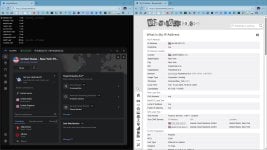
Easier to control and monitor, chromium browsers leak via default DNS, unless it is blocked.What was your reason for switching to DoT on Windows 11 over the default DoH?
 controld.com
When I used CF/CIS, I blocked all TCP ports 1-65535 on the firewall. I never did that on the Windows firewall. But it's interesting, it gives you peace of mind when you know that no ports are open or exposed to the web.
controld.com
When I used CF/CIS, I blocked all TCP ports 1-65535 on the firewall. I never did that on the Windows firewall. But it's interesting, it gives you peace of mind when you know that no ports are open or exposed to the web.
I see. It makes it easy for you to monitor it. You're still using DoH in your browser so there's that.Easier to control and monitor, chromium browsers leak via default DNS, unless it is blocked.
People mention that it has less vulnerabilities compared to widespread HTTP. Good article:
DNS-over-TLS (DoT) vs DNS-over-HTTPS (DoH): What’s the Difference?
Learn which encrypted DNS protocol is best for security, compliance, and network control in 2025.

I've been tweaking & tweaking DNS / DoH for a few days on various VMs with some "help" from chatGPT, I've learned a little. I'm no longer in the mode (or mood) to analyze w/wireshark...for most home users, properly configured DOH is considered a better solution.
 m
m


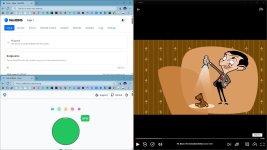
Based on these images, I can picture the moment of betrayal... You forced your pet bear into the bathtub against his will; no amount of lavender oil can mask the look in your pet bear's eyes... "Great-smelling lavender oil" cannot erase the memory of the struggle—I see a pet bear who's plotting revenge!I have just cleaned my pet bear, totally unrelated to the security, then again, it makes me feel safe, considering my life problems. I have used the Lavender oil, it smells great, but looks dashy.
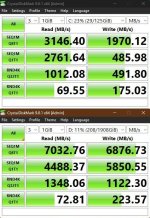
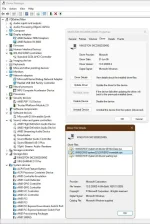
View attachment 290260 mView attachment 290262

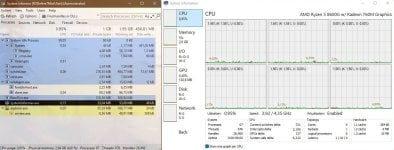
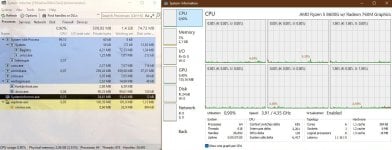
I think you mean "after seriously hacking".25H2 runs pretty light, after tweaking.
reg add "HKLM\System\CurrentControlSet\Policies\Microsoft\FeatureManagement\Overrides" /v "156965516" /t REG_DWORD /d "1" /f
reg add "HKLM\System\CurrentControlSet\Policies\Microsoft\FeatureManagement\Overrides" /v "735209102" /t REG_DWORD /d "1" /f
reg add "HKLM\System\CurrentControlSet\Policies\Microsoft\FeatureManagement\Overrides" /v "1853569164" /t REG_DWORD /d "1" /f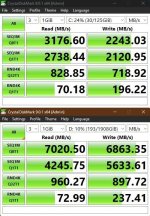
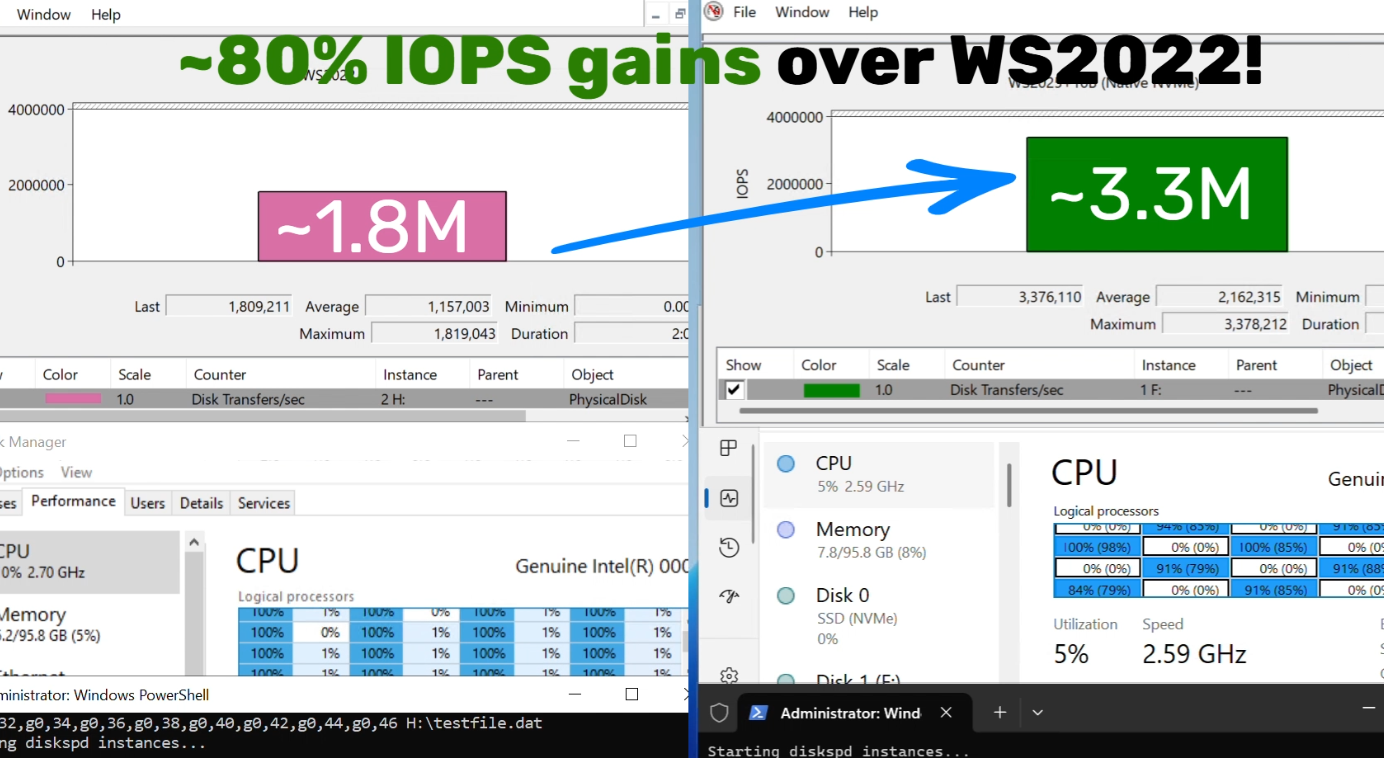
 techcommunity.microsoft.com