

Please help, every site gives the same steps and I've done them a few times already! I will do the 3 you ask for and upload them. Thank you so much!
Solved TakeItCheap virus removal
- Thread starter BritaniaRJ
- Start date
You are using an out of date browser. It may not display this or other websites correctly.
You should upgrade or use an alternative browser.
You should upgrade or use an alternative browser.
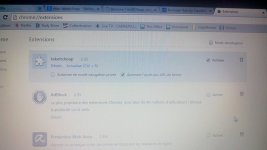
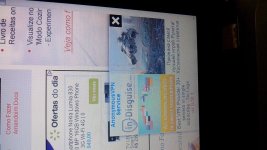
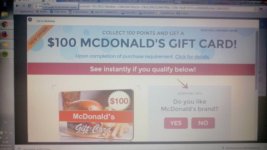
Here are a few pictures of my screen (sorry for the bad quality, sometimes I had to take the picture quickly before it dissapeared. These pics are from today and yesterday!
The one from Malwarebyte was what I got for the third scan.
The one from Malwarebyte was what I got for the third scan.
Attachments
-
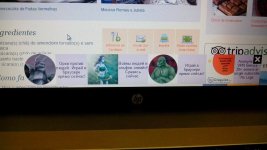 10432197_10206564487852015_1049827406_n.jpg119.1 KB · Views: 26
 -
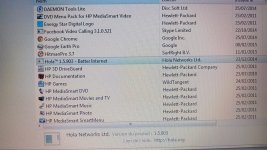 11291949_10206564488652035_1198375866_n.jpg194.8 KB · Views: 28
 -
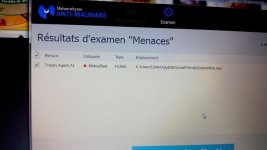 11355431_10206564487412004_1941964099_n.jpg83.3 KB · Views: 26
 -
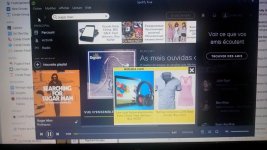 11414817_10206564485331952_1077622236_n.jpg136.2 KB · Views: 29
 -
 11419898_10206564485491956_548508821_n.jpg98.8 KB · Views: 28
 -
 11421512_10206564488452030_23511214_n.jpg149.2 KB · Views: 24
 -
 11428577_10206564485651960_692655978_n.jpg88.2 KB · Views: 24
Last AdwCleaner Log:
# AdwCleaner v4.206 - Rapport créé le 14/06/2015 à 20:22:23
# Mis à jour le 01/06/2015 par Xplode
# Base de données : 2015-06-14.1 [Serveur]
# Système d'exploitation : Windows 7 Home Premium Service Pack 1 (x64)
# Nom d'utilisateur : Julie - JULIE-HP
# Exécuté depuis : F:\Mes Documents\Telechargements\adwcleaner_4.206.exe
# Option : Scanner
***** [ Services ] *****
***** [ Fichiers / Dossiers ] *****
***** [ Tâches planifiées ] *****
***** [ Raccourcis ] *****
***** [ Registre ] *****
Clé Trouvée : HKLM\SOFTWARE\DeviceVM
***** [ Navigateurs ] *****
-\\ Internet Explorer v11.0.9600.17840
-\\ Mozilla Firefox v38.0.5 (x86 fr)
-\\ Google Chrome v43.0.2357.124
*************************
AdwCleaner[R0].txt - [7714 octets] - [11/01/2015 17:19:26]
AdwCleaner[R1].txt - [2263 octets] - [12/06/2015 19:44:11]
AdwCleaner[R2].txt - [1611 octets] - [13/06/2015 18:40:31]
AdwCleaner[R3].txt - [1237 octets] - [14/06/2015 17:05:34]
AdwCleaner[R4].txt - [986 octets] - [14/06/2015 20:22:23]
AdwCleaner[S0].txt - [7882 octets] - [11/01/2015 17:22:26]
AdwCleaner[S1].txt - [2306 octets] - [12/06/2015 19:48:14]
AdwCleaner[S2].txt - [1679 octets] - [13/06/2015 18:43:21]
AdwCleaner[S3].txt - [1302 octets] - [14/06/2015 17:11:33]
########## EOF - C:\AdwCleaner\AdwCleaner[R4].txt - [1285 octets] ##########
# AdwCleaner v4.206 - Rapport créé le 14/06/2015 à 20:22:23
# Mis à jour le 01/06/2015 par Xplode
# Base de données : 2015-06-14.1 [Serveur]
# Système d'exploitation : Windows 7 Home Premium Service Pack 1 (x64)
# Nom d'utilisateur : Julie - JULIE-HP
# Exécuté depuis : F:\Mes Documents\Telechargements\adwcleaner_4.206.exe
# Option : Scanner
***** [ Services ] *****
***** [ Fichiers / Dossiers ] *****
***** [ Tâches planifiées ] *****
***** [ Raccourcis ] *****
***** [ Registre ] *****
Clé Trouvée : HKLM\SOFTWARE\DeviceVM
***** [ Navigateurs ] *****
-\\ Internet Explorer v11.0.9600.17840
-\\ Mozilla Firefox v38.0.5 (x86 fr)
-\\ Google Chrome v43.0.2357.124
*************************
AdwCleaner[R0].txt - [7714 octets] - [11/01/2015 17:19:26]
AdwCleaner[R1].txt - [2263 octets] - [12/06/2015 19:44:11]
AdwCleaner[R2].txt - [1611 octets] - [13/06/2015 18:40:31]
AdwCleaner[R3].txt - [1237 octets] - [14/06/2015 17:05:34]
AdwCleaner[R4].txt - [986 octets] - [14/06/2015 20:22:23]
AdwCleaner[S0].txt - [7882 octets] - [11/01/2015 17:22:26]
AdwCleaner[S1].txt - [2306 octets] - [12/06/2015 19:48:14]
AdwCleaner[S2].txt - [1679 octets] - [13/06/2015 18:43:21]
AdwCleaner[S3].txt - [1302 octets] - [14/06/2015 17:11:33]
########## EOF - C:\AdwCleaner\AdwCleaner[R4].txt - [1285 octets] ##########

Hello! I live in Brasil so I just got up and have not used my computer today. Last night though all the symptoms I described were still present (white square on mozilla, takeitcheap ad on chrome, especially when i use netflix).

Please re-run Farbar Recovery Scan Tool to give me a fresh look at your system.
- Right-click on icon and select
Run as Administrator to start the tool.

(XP users click run after receipt of Windows Security Warning - Open File). - Make sure that Addition option is checked.
- Press Scan button and wait.
- The tool will produce two logfiles on your desktop: FRST.txt and Addition.txt.
I forgot to write down that I also have ads that pop up sometimes when I click somewhere on a page. Usually happens when the white box is present, but not always. And I use Adblock which use to work really well but not anymore...
In firefox. And I still had the ad in spotify. I pretty much never use chrome but last night nothing popped up.
You may also like...
-
Solved Help to remove a virus
- Started by Jone Doh
- Replies: 31
-
 Question Google "Results about you": Has any one used? How were your experiences?
- Started by Wrecker4923
- Replies: 3
-
