New Update Testing ConfigureDefenderPM (Policy Manager version)

Andy Ful

From Hard_Configurator Tools
Thread author
Verified
Honorary Member
Top Poster
Developer
Well-known
Forum Veteran
Dec 23, 2014
10,105
1
67,300
8,398
65
Poland
Testing ConfigureDefenderPM (Policy Manager version)

The main goal of this version is to better protect Microsoft Defender from attacks that could abuse Defender exclusions.
It is assumed that MD Tamper Protection is enabled.


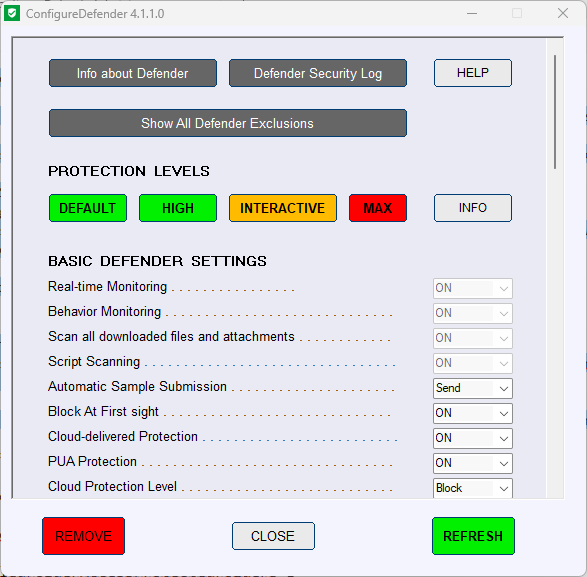
The new ConfigureDefenderPM looks similar to the previous versions, but its code has been significantly redesigned:

1. It can now work without PowerShell.
2. It uses Policy Manager settings instead of the standard/native Microsoft Defender settings.
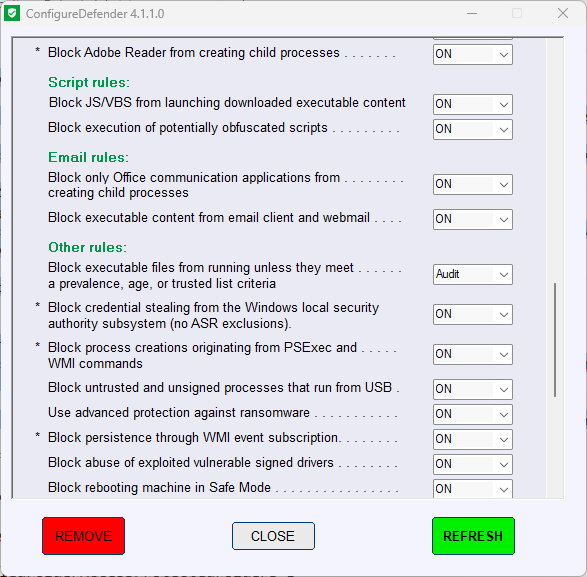
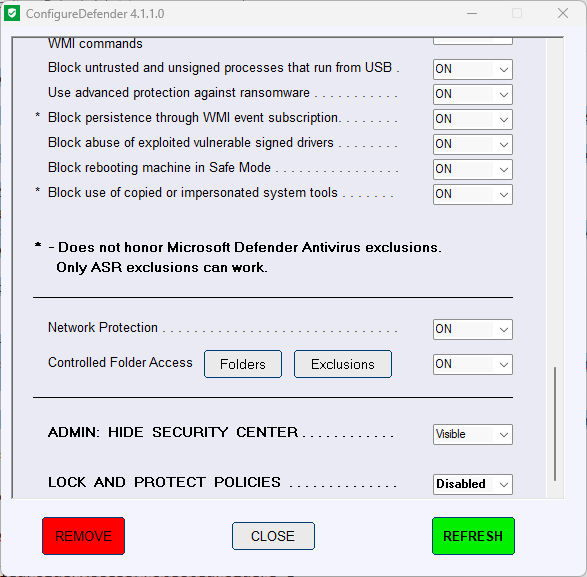
3. Users must add Defender exclusions through ConfigureDefenderPM. The Exclusions option in Windows Security Center is blocked.
4. Two new features have been added:
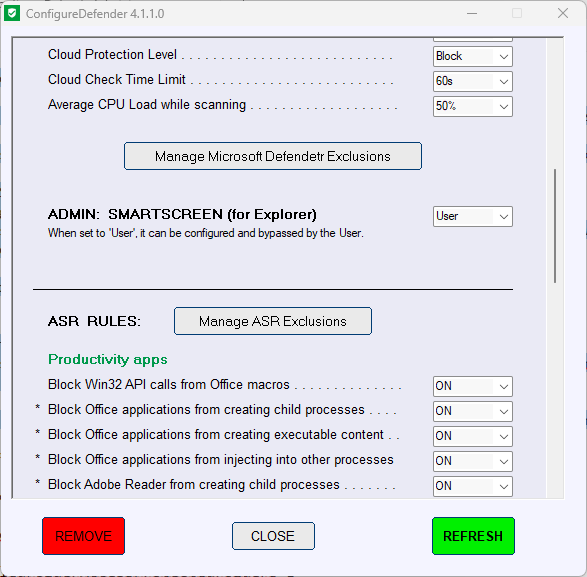
  • Manage Microsoft Defender Exclusions
  • Lock and Protect Policies
These changes help protect important Defender settings and exclusions. For example, if an attacker tries to add Microsoft Defender exclusions using PowerShell MpPreference commands, those exclusions will be ignored by Microsoft Defender.

Please use the REMOVE red button to remove the Policy Manager settings and activate the standard/native Microsoft Defender settings.
1781523183362.png


1781523213647.png


1781523231853.png


1781523261105.png
 
Last edited:
Testing ConfigureDefenderPM (Policy Manager version)

The main goal of this version is to better protect Microsoft Defender from attacks that could abuse Defender exclusions.

The new ConfigureDefenderPM looks similar to the previous versions, but its code has been significantly redesigned:

1. It can now work without PowerShell.
2. It uses Policy Manager settings instead of the standard/native Microsoft Defender settings.
3. Users must add Defender exclusions through ConfigureDefenderPM. The Exclusions option in Windows Security Center is blocked.
4. Two new features have been added:
  • Manage Microsoft Defender Exclusions
  • Lock and Protect Policies
These changes help protect important Defender settings and exclusions. For example, if an attacker tries to add Microsoft Defender exclusions using PowerShell MpPreference commands, those exclusions will be ignored by Microsoft Defender.

Please use the REMOVE red button to remove the Policy Manager settings and activate the standard/native Microsoft Defender settings.
This is an interesting hardening approach, because exclusion abuse is a common way attackers try to “blind” Microsoft Defender, and moving exclusion management away from user-writable interfaces can reduce that risk.

Security-first testing suggestions
If you’re going to test ConfigureDefenderPM, it’s safest to treat it like any other security-impacting system tool:

  • Test in a VM or non-production machine first (policy-based changes can have side effects, and you want a clean rollback path).
  • Verify the download source and integrity before running the EXE:
    • Prefer downloading from the official repository/release area.
    • Check whether the EXE is digitally signed (right-click -> Properties -> Digital Signatures). If it’s unsigned, that doesn’t automatically mean “bad,” but you should be extra cautious.
    • Submit the file hash or the file itself to VirusTotal for a multi-engine scan, and review results critically (false positives are possible for admin tools).
  • Create a restore point and/or an image backup before applying policy changes.

What to watch during testing
Because this version uses “Policy Manager” style settings (policy-enforced), a few practical checks are worth doing after applying it:

  • Confirm that exclusions added via Windows Security UI are blocked as intended, and that exclusions added via ConfigureDefenderPM are actually effective.
  • Confirm that attempted exclusion additions via PowerShell (Set-MpPreference/Add-MpPreference) do not take effect, as claimed.
  • Check for conflicts with existing management:
    • Domain/Intune-managed devices may already have Defender policies enforced; layering another policy mechanism can cause unexpected results.
    • Some security suites, hardening tools, or “tweak” utilities also set Defender policies and can override/compete.
  • Confirm normal Defender functionality still works (real-time protection, cloud-delivered protection, tamper protection behavior, updates, scans).

Rollback / safety note
The “REMOVE” button guidance is important. With policy-enforced configurations, simply changing settings in Windows Security often won’t work until the policies are removed. For anyone testing, the safest workflow is:

  • Document current Defender settings/exclusions first
  • Apply ConfigureDefenderPM changes
  • Test
  • Use REMOVE to revert to native settings when finished

Key limitation to keep in mind
This design mainly helps against attacks that rely on adding exclusions through user-accessible mechanisms (UI/PowerShell). If an attacker achieves high privileges and can modify enforced policies, disable protections, or tamper with the system at a deeper level, this still isn’t a complete substitute for overall system hardening and patching. It’s best viewed as an additional layer that reduces a specific, common abuse path.

Sources
 
Key limitation to keep in mind
This design mainly helps against attacks that rely on adding exclusions through user-accessible mechanisms (UI/PowerShell). If an attacker achieves high privileges and can modify enforced policies, disable protections, or tamper with the system at a deeper level, this still isn’t a complete substitute for overall system hardening and patching. It’s best viewed as an additional layer that reduces a specific, common abuse path.

Typical attacks with high privileges (such as modifying MD policies) are also covered. However, @Bot is right that it is best viewed as an additional layer that reduces common abuse paths.
In highly targeted attacks, any AV can be compromised (also MD with settings applied by ConfigureDefenderPM).
 
Last edited: