



@Mods major update deserves a new thread. Pushed version 11 to the Chrome Web Store (will be available in a few days).
With version 11 a few new feature are added (Ad left over cleaner) and the user interface has a simple and an advanced option. I use the simple version on my wife's laptop. The simple mode is intended for house admins who value security over the occasional empty placeholder on a website (because of the Less is More philosophy of the extension). A lot of blocking capabilities were added, only done in the less-is-more way and done smartly to provide a seamless browsing experience.
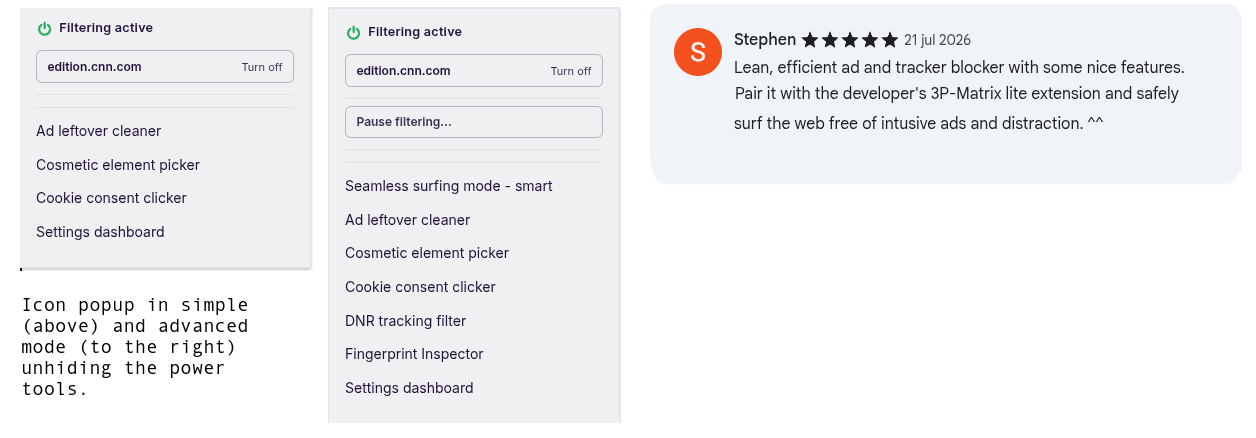
Differences with other adblockers (which only advanced power users will grasp), it does not require user script permission and drops scriptlets processing raw javascript and long parameters (reason see this post). uBD blocks advertisements and trackers. Your browser stays fast and does this without requiring user script permissions. Secure by default. Want to know what happens behind the scenes of a website. Tick "I am an advanced user" in Options to show the power tools. It brings AdGuard's power with the speed of uBlock Origin Lite. And it adds tools you won't find in other adblockers. Seamless surfing, Ad leftover cleaner, Cookie consent clicker, DNR tracking filter and Fingerprint Inspector.
SEAMLESS SURFING
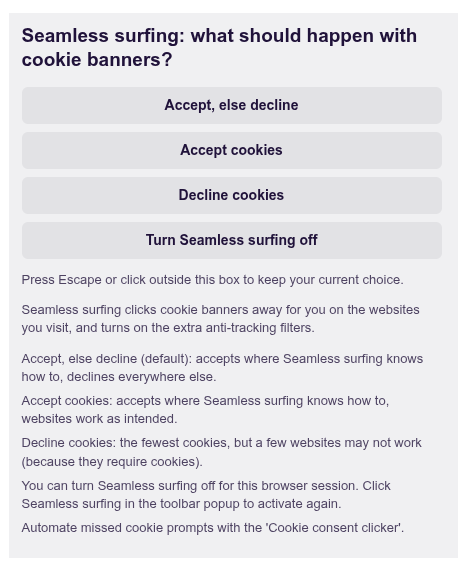
Seamless surfing tries to click away cookie banners for you and turns on extra anti-tracking filters. It is on from the start. You choose the answer: accept, decline, or accept where it can and decline everywhere else. Inspired by Ghostery's Never-Consent.
COOKIE CONSENT CLICKER
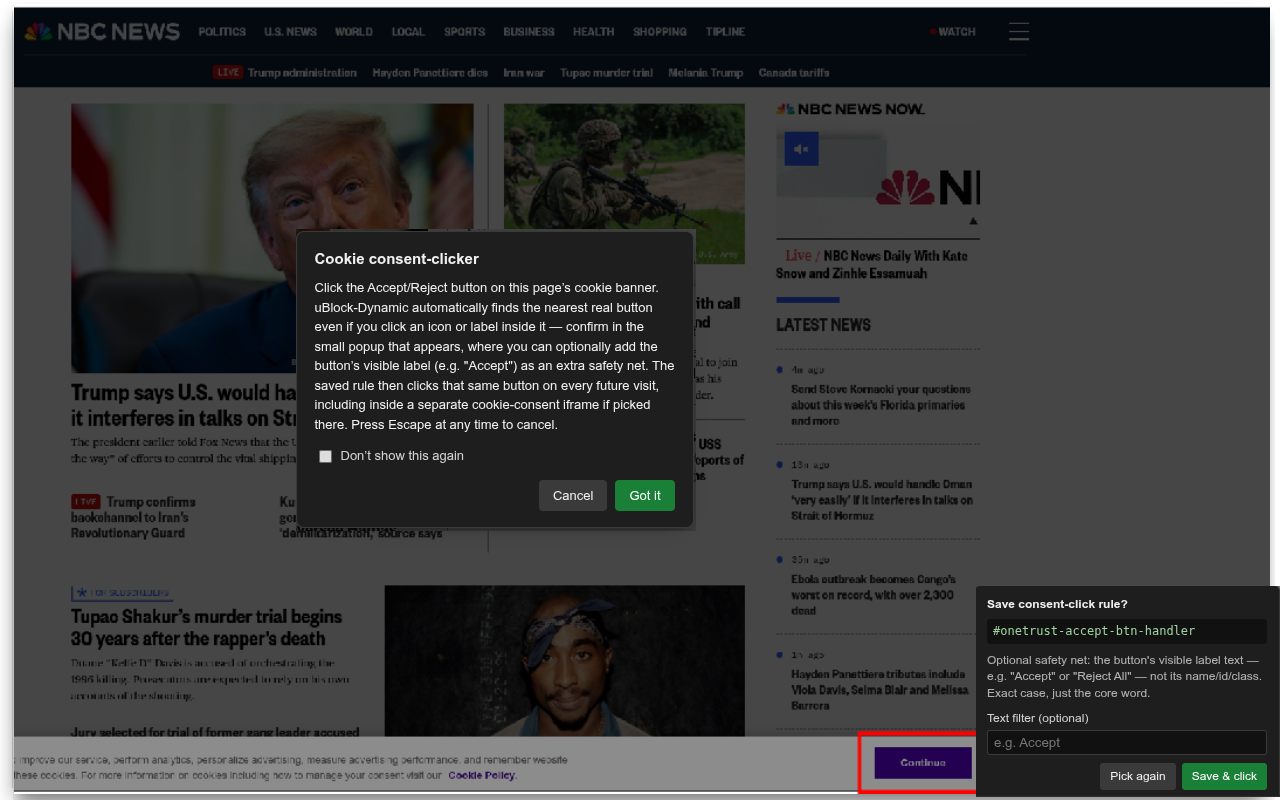
Did a cookie prompt slipped through? Click its button once. The extension remembers. Next visit, the cookie prompt is gone. Inspired by Consent-O-Matic and uses the same point and click user interface as the cosmetic element picker.
AD LEFTOVER CLEANER
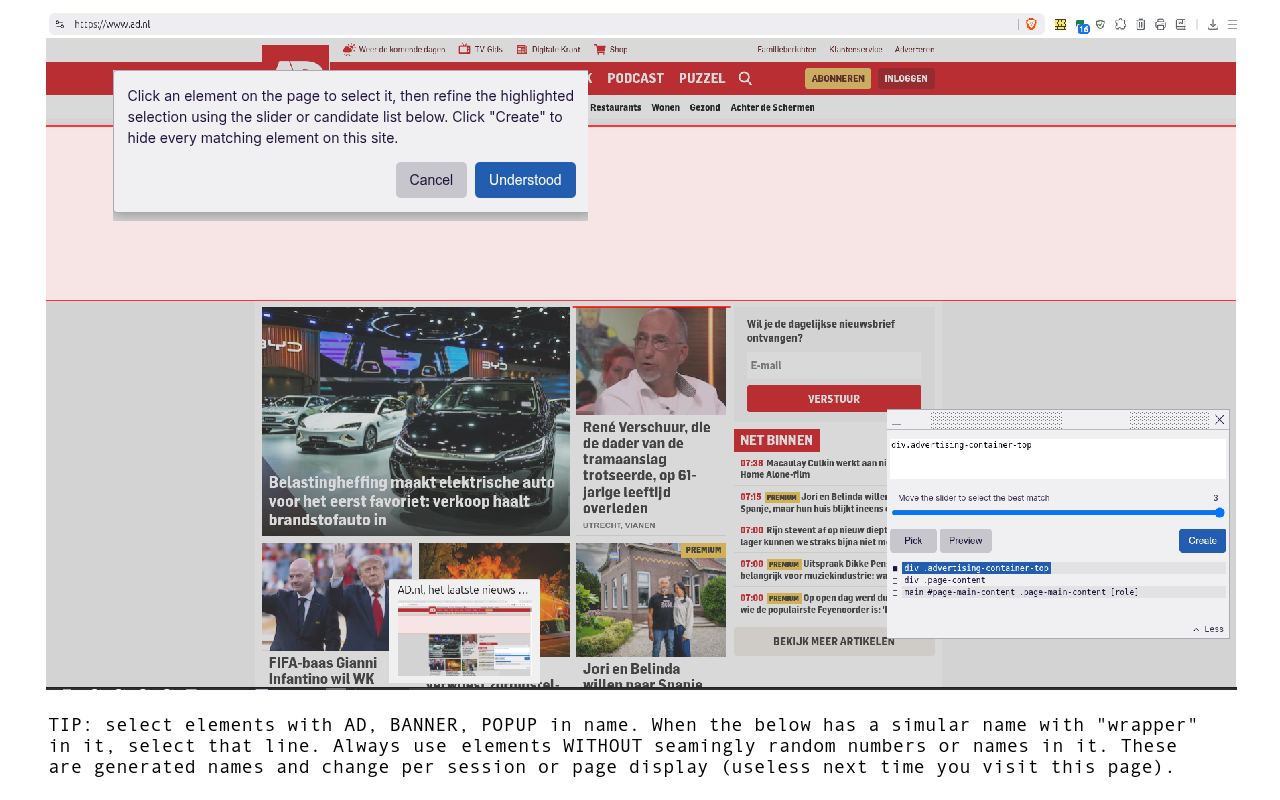
Blocked advertisements can leave empty boxes behind. Ad leftover cleans them with one clock. See what it removed. Undo it, or keep it for that site. Powered by the general hiding rules of EasyList and AdGuard only applied smart per website.

COSMETIC ELEMENT PICKER
uBlock Origin's element picker (only with a better explanation at start). Point at anything annoying. Hide empty ad place holders missed by the adblock filters and Ad leftover cleaner.
DNR TRACKING FILTER
Decide which third parties a site may load. To help you decide, it shows whether this domain is listed in the DuckDuckGo tracker databas. Block or allow everything third-party from a domain, or only its third-party scripts and frames. One switch shows what is blocked and what is allowed. Inspired by uBlock Origin's Mv2 classic (dynamic filtering) matrix.
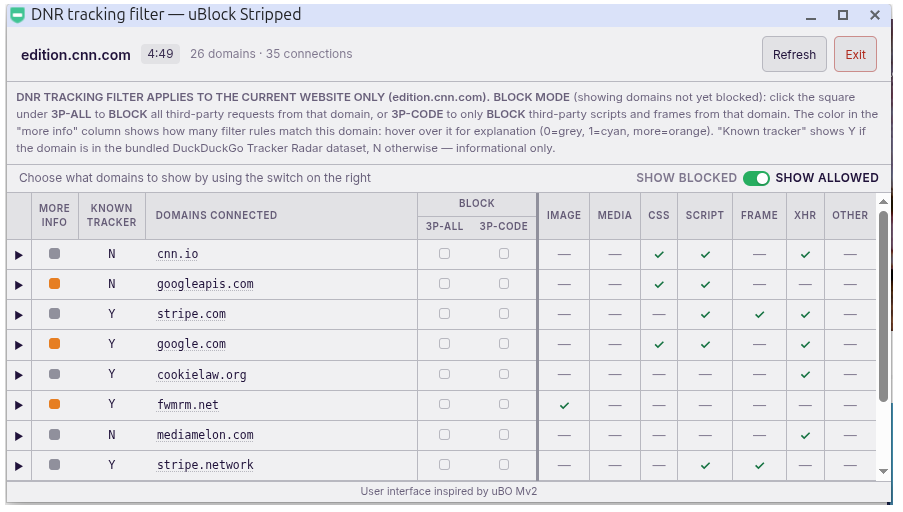
FINGERPRINT INSPECTOR
See how a site tries to fingerprint you. Block each technique with one click, or pick a level: low breakage risk, medium or all. Inspired by the work of the JShelter project, only applied on-demand per domain to prevent undesired by effects (and keep browsing fast).
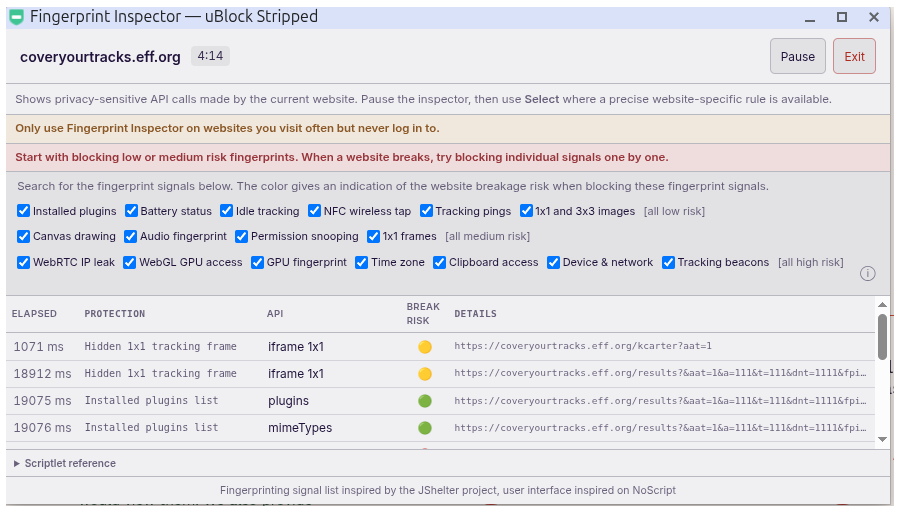
IMPORT ABP RULES
Paste your own filter rules, up to 5,000. Works with uBlock Origin Lite and AdGuard scriptlets, EXCEPT scriptlets requiring trust, accepting raw javascript or long input parameters (can all be misused). Modelled on AdGuard's user rules (and recently this mechanism was copied by uBOL ).
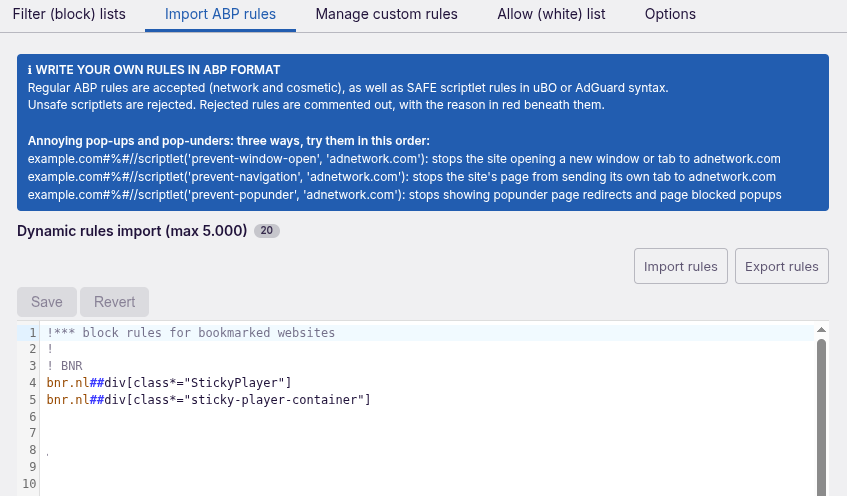
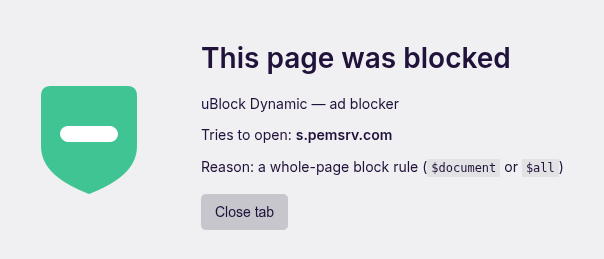
What is also new is that uBD now also has rules for popups and popunders and shows a block screen when a popup/popunder is stopped (only once)
MANAGE CUSTOM RULES
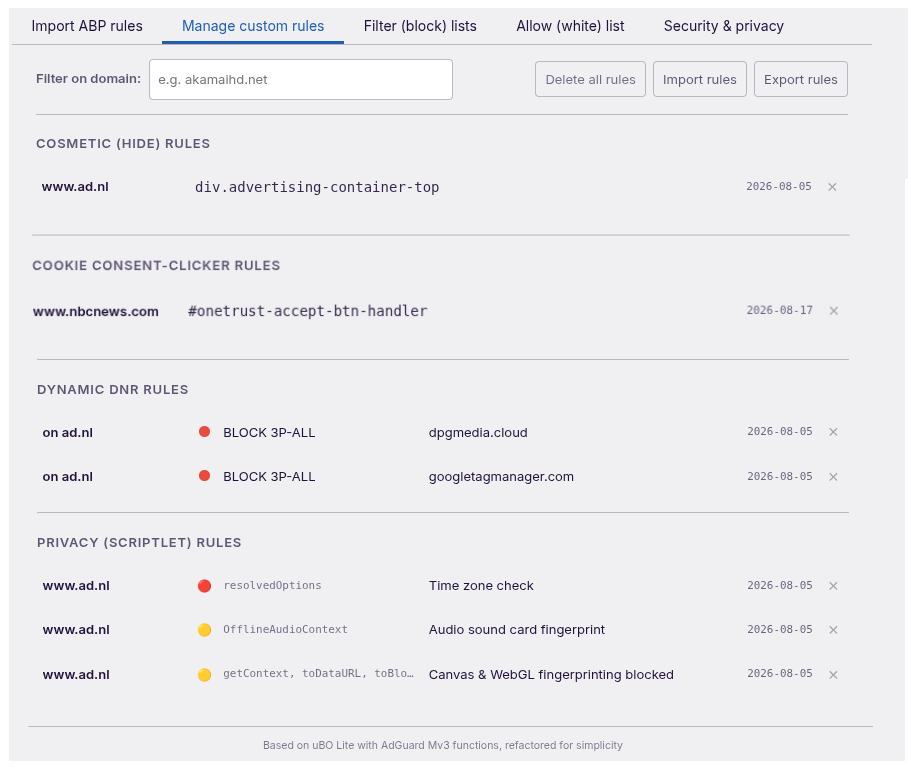
All the rules created by the power tools in one place: hiding cosmetic elements, cookie clicks, DNR tracking filter and fingerprint blocks. Type a domain to see only its rules.
FILTER (BLOCK) LISTS
Only well maintained lists from several sources are used to provide best coverage with lowest website breakage risk and lowest number of rules (less is more). Country lists from AdGuard and EasyList are combined and switch on automatically to match your browser's language (a feature inspired by AG Mv2, but recently also copied by uBOL Mv3 ). Note that uBD combines EL and AG lists, to provide you with the best of both and offers more European language specific filters. The reason for splitting filters (less is more) is to reduce the number of filter rules as much as possible. Add or remove them as you like.
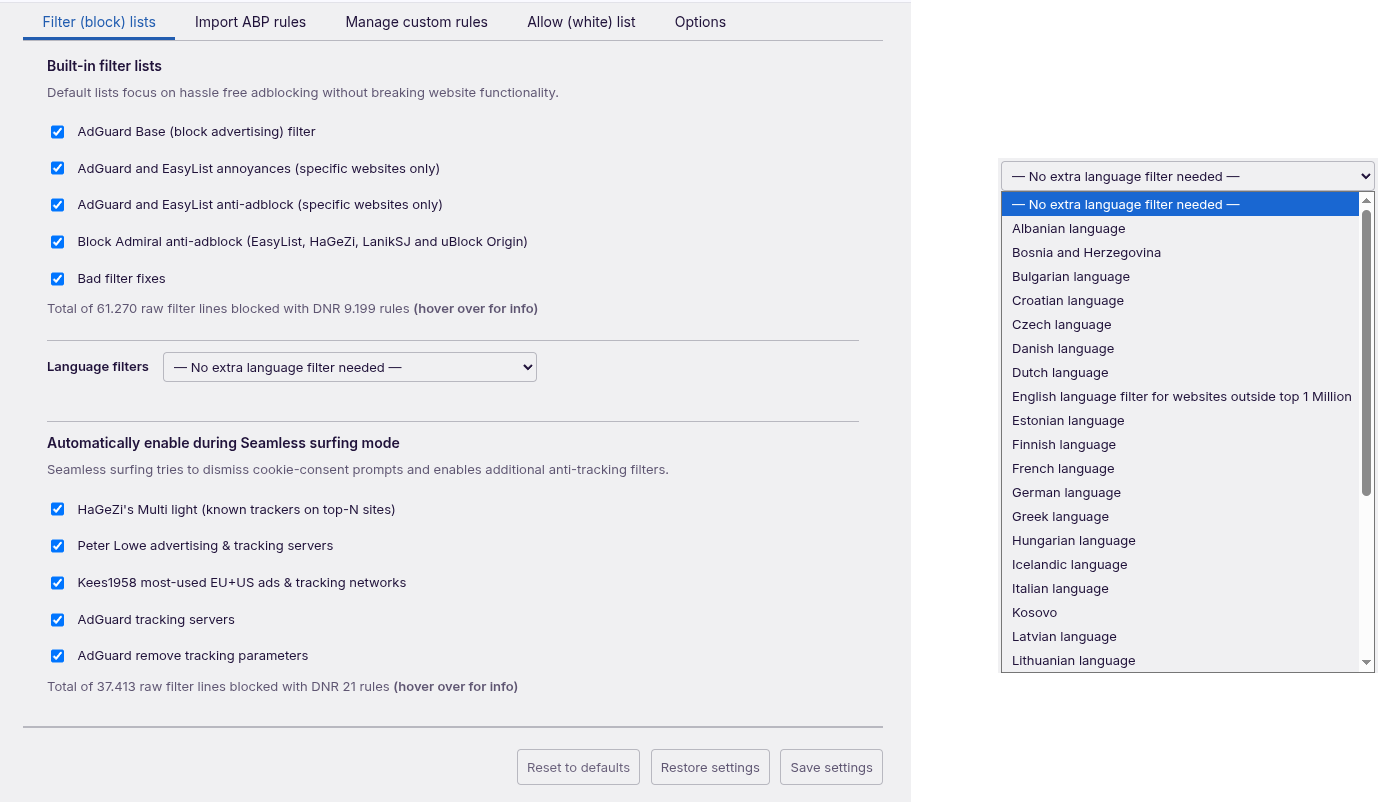
Note: language filters are not limited to top 1 million websites, that is why uBD has an English language filter list (this is to advantage of other languages because the base filter is stripped from English language domains, you probably never vist: Less is more!).
ALLOW (WHITE) LIST
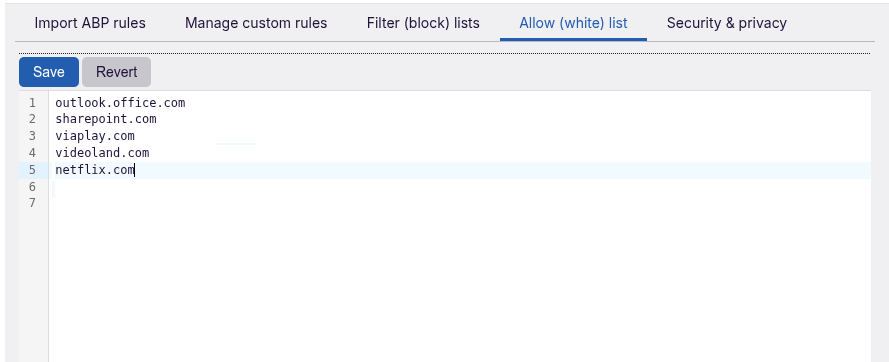
Trust a site? Paste its domain. Filtering stops there. Based on AdGuard's allowlist. This used to be an advantage over uBOL (which had seperate cosmetic and DNR and no sciptlets), but recently this mechanism was copied by uBOL Mv3 (uBD is open source and build on uBOL while adding AG functionality and coding standards, see thread on best coding practices)
OPTIONS
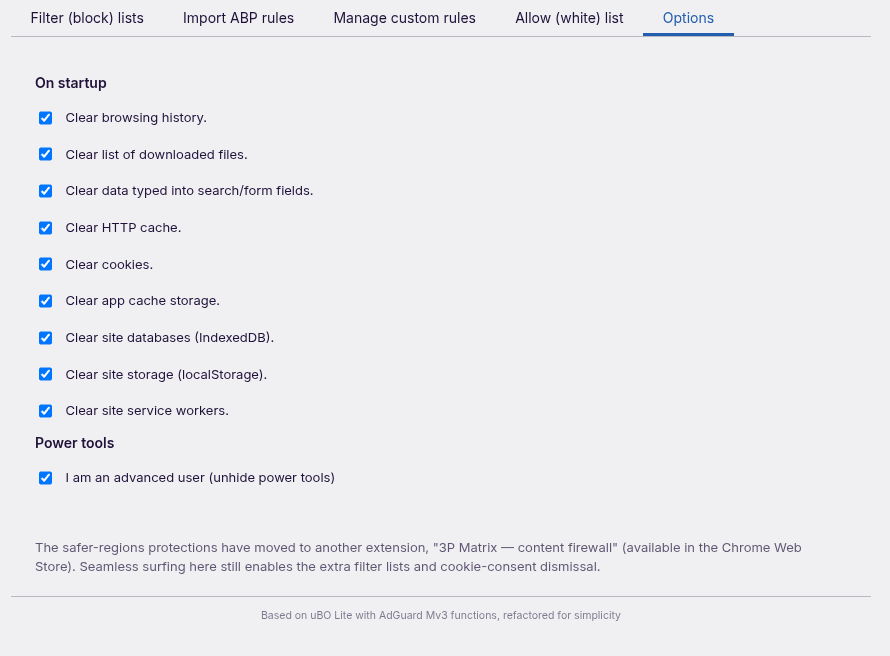
Clear history, cookies and more at browser startup. When you clear cookies on start and block third-party cookies in your browser, you don´t need to worry about tracking through cookies anymore.
As always, I made this extension for myself after I was told to !@#$%^& by uBOL mods and develop my own. It is not intended for average users. The recent additional features were requested by the company who sponsored my next holiday to Easter island (that also caused the mysterious increase up to 9000 users and drop of this extension). When you want to put uBD on you relatives PC's as house admin. Run it with advanced features. Check the websites bookmarked for empty place holder leftovers, use seamless mode in accept, else deny. Remove any leftovers manually with Cosmetic element picker and Cookie consent clicker and disable ¨I am an advanced power user¨ in options.
Open source: GitHub - Kees1958/uBol-stripped: a stripped version of uBO-lite, replacing stripped with AdGuard Mv3 capabilites
3P-licenses: uBol-stripped/THIRD_PARTY_LICENSES.md at main · Kees1958/uBol-stripped
With version 11 a few new feature are added (Ad left over cleaner) and the user interface has a simple and an advanced option. I use the simple version on my wife's laptop. The simple mode is intended for house admins who value security over the occasional empty placeholder on a website (because of the Less is More philosophy of the extension). A lot of blocking capabilities were added, only done in the less-is-more way and done smartly to provide a seamless browsing experience.
Differences with other adblockers (which only advanced power users will grasp), it does not require user script permission and drops scriptlets processing raw javascript and long parameters (reason see this post). uBD blocks advertisements and trackers. Your browser stays fast and does this without requiring user script permissions. Secure by default. Want to know what happens behind the scenes of a website. Tick "I am an advanced user" in Options to show the power tools. It brings AdGuard's power with the speed of uBlock Origin Lite. And it adds tools you won't find in other adblockers. Seamless surfing, Ad leftover cleaner, Cookie consent clicker, DNR tracking filter and Fingerprint Inspector.
SEAMLESS SURFING
Seamless surfing tries to click away cookie banners for you and turns on extra anti-tracking filters. It is on from the start. You choose the answer: accept, decline, or accept where it can and decline everywhere else. Inspired by Ghostery's Never-Consent.
COOKIE CONSENT CLICKER
Did a cookie prompt slipped through? Click its button once. The extension remembers. Next visit, the cookie prompt is gone. Inspired by Consent-O-Matic and uses the same point and click user interface as the cosmetic element picker.
AD LEFTOVER CLEANER
Blocked advertisements can leave empty boxes behind. Ad leftover cleans them with one clock. See what it removed. Undo it, or keep it for that site. Powered by the general hiding rules of EasyList and AdGuard only applied smart per website.
COSMETIC ELEMENT PICKER
uBlock Origin's element picker (only with a better explanation at start). Point at anything annoying. Hide empty ad place holders missed by the adblock filters and Ad leftover cleaner.
DNR TRACKING FILTER
Decide which third parties a site may load. To help you decide, it shows whether this domain is listed in the DuckDuckGo tracker databas. Block or allow everything third-party from a domain, or only its third-party scripts and frames. One switch shows what is blocked and what is allowed. Inspired by uBlock Origin's Mv2 classic (dynamic filtering) matrix.
FINGERPRINT INSPECTOR
See how a site tries to fingerprint you. Block each technique with one click, or pick a level: low breakage risk, medium or all. Inspired by the work of the JShelter project, only applied on-demand per domain to prevent undesired by effects (and keep browsing fast).
IMPORT ABP RULES
Paste your own filter rules, up to 5,000. Works with uBlock Origin Lite and AdGuard scriptlets, EXCEPT scriptlets requiring trust, accepting raw javascript or long input parameters (can all be misused). Modelled on AdGuard's user rules (and recently this mechanism was copied by uBOL
).What is also new is that uBD now also has rules for popups and popunders and shows a block screen when a popup/popunder is stopped (only once)
MANAGE CUSTOM RULES
All the rules created by the power tools in one place: hiding cosmetic elements, cookie clicks, DNR tracking filter and fingerprint blocks. Type a domain to see only its rules.
FILTER (BLOCK) LISTS
Only well maintained lists from several sources are used to provide best coverage with lowest website breakage risk and lowest number of rules (less is more). Country lists from AdGuard and EasyList are combined and switch on automatically to match your browser's language (a feature inspired by AG Mv2, but recently also copied by uBOL Mv3
). Note that uBD combines EL and AG lists, to provide you with the best of both and offers more European language specific filters. The reason for splitting filters (less is more) is to reduce the number of filter rules as much as possible. Add or remove them as you like.Note: language filters are not limited to top 1 million websites, that is why uBD has an English language filter list (this is to advantage of other languages because the base filter is stripped from English language domains, you probably never vist: Less is more!).
ALLOW (WHITE) LIST
Trust a site? Paste its domain. Filtering stops there. Based on AdGuard's allowlist. This used to be an advantage over uBOL (which had seperate cosmetic and DNR and no sciptlets), but recently this mechanism was copied by uBOL Mv3 (uBD is open source and build on uBOL while adding AG functionality and coding standards, see thread on best coding practices)
OPTIONS
Clear history, cookies and more at browser startup. When you clear cookies on start and block third-party cookies in your browser, you don´t need to worry about tracking through cookies anymore.
As always, I made this extension for myself after I was told to !@#$%^& by uBOL mods and develop my own. It is not intended for average users. The recent additional features were requested by the company who sponsored my next holiday to Easter island (that also caused the mysterious increase up to 9000 users and drop of this extension). When you want to put uBD on you relatives PC's as house admin. Run it with advanced features. Check the websites bookmarked for empty place holder leftovers, use seamless mode in accept, else deny. Remove any leftovers manually with Cosmetic element picker and Cookie consent clicker and disable ¨I am an advanced power user¨ in options.
Open source: GitHub - Kees1958/uBol-stripped: a stripped version of uBO-lite, replacing stripped with AdGuard Mv3 capabilites
3P-licenses: uBol-stripped/THIRD_PARTY_LICENSES.md at main · Kees1958/uBol-stripped
Last edited:


