Solved Used Antimalwarebytes premium and after removing PUPs chrome wont connect to internet. Explorer does

Cacosta

New Member
Use antimalwarebytes in the past, but decided to have the premium version for my three computers. I also have installed McAfee and found no threats since a long time. However, after running antimalwarebytes premium it found some PUPs in the registry which were quarantined. Now I cannot access internet through chrome and my purevpn addin is disabled. Other programs can access internet such as Internet Explorer, windows update, Outlook.
 

Attachments

Hello,


FRST.gif
Fix with Farbar Recovery Scan Tool

icon_exclaim.gif
This fix was created for this user for use on that particular machine.
icon_exclaim.gif

icon_exclaim.gif
Running it on another one may cause damage and render the system unstable.
icon_exclaim.gif
​

Download attached fixlist.txt file and save it to the Desktop:

Both files, FRST and fixlist.txt have to be in the same location or the fix will not work!

  • Right-click on
    FRST.gif
    icon and select
    RunAsAdmin.jpg
    Run as Administrator to start the tool.
    (XP users click run after receipt of Windows Security Warning - Open File).
  • Press the Fix button just once and wait.
  • If for some reason the tool needs a restart, please make sure you let the system restart normally. After that let the tool complete its run.
  • When finishes FRST will generate a log on the Desktop, called Fixlog.txt.

Please attach it to your reply.
 

Attachments

Hello,


FRST.gif
Fix with Farbar Recovery Scan Tool

icon_exclaim.gif
This fix was created for this user for use on that particular machine.
icon_exclaim.gif

icon_exclaim.gif
Running it on another one may cause damage and render the system unstable.
icon_exclaim.gif
​

Download attached fixlist.txt file and save it to the Desktop:

Both files, FRST and fixlist.txt have to be in the same location or the fix will not work!

  • Right-click on
    FRST.gif
    icon and select
    RunAsAdmin.jpg
    Run as Administrator to start the tool.
    (XP users click run after receipt of Windows Security Warning - Open File).
  • Press the Fix button just once and wait.
  • If for some reason the tool needs a restart, please make sure you let the system restart normally. After that let the tool complete its run.
  • When finishes FRST will generate a log on the Desktop, called Fixlog.txt.

Please attach it to your reply.

Ran the fix and everyhting is working excellent. I'm actually responding through chorme now. I'm attaching the fixlog.txt created.

I really appreciate your time and help.
 

Attachments

No more issues?

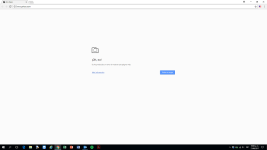
Thanks for the follow-up. Actually, the issue seems to be intermittent. In Chrome sometimes it will display the web pages an sometimes it won't. I'm attaching a screenshot.

I have also noticed that gmail won't load through outlook.

Definitely malwarebytes is blocking the program for some reason. The only work around now is either using edge explorer or disabling protection for chrome within malwarebytes.
 

Attachments

  • screenshot.png
    screenshot.png
    23.2 KB · Views: 4

Recently browsing

Members who viewed this thread in the last 5 minutes

Back
Top