Privacy News Want more privacy online? Here’s how to make yourself harder to track

Brownie2019

Level 23
Thread author
Verified
Well-known
Forum Veteran
Mar 9, 2019
1,071
5,902
2,168
Germany
A few changes to your browser, apps, and accounts can reduce the amount of information companies collect
  • Turn on your browser’s strongest tracking protections and limit third-party cookies, which can be used to follow your activity across websites.
  • Review app and device permissions, especially access to your location, contacts, microphone, camera, and photos.
  • Reduce the amount of information companies can connect to you by opting out of targeted advertising, removing unnecessary apps and accounts, and requesting deletion or opt-outs from data brokers when available.
Every click can leave a trail.

Websites, apps, advertisers, and other companies can collect information about what consumers search for, where they go, what they buy, and which devices they use. That information can be used to personalize services and advertising, but it can also be shared or sold and combined with information from other sources to build detailed profiles.

The Federal Trade Commission (FTC) says online tracking helps explain why consumers see ads tailored to their interests and why websites and apps remember their preferences. The agency advises consumers to use available privacy controls, opt out of targeted advertising and consider removing their information from data broker sites.

Completely eliminating online tracking can be difficult. But consumers can substantially reduce the amount of information they expose by changing a handful of settings and habits.

Start with your browser​

A good first stop is the privacy section of your web browser.

Cookies are small pieces of information stored by a browser. Some are useful: They can keep consumers signed in, remember preferences, or maintain a shopping cart. Persistent cookies, however, can remain for months or years and can be used to record activity over time. The FTC says browsers can be configured to warn users about cookies or limit the types they accept.

Consumers should look for settings that block or restrict third-party cookies and cross-site tracking. Browsers may also offer additional tracking-protection settings.

Clearing stored cookies periodically can remove some existing identifiers, although doing so may sign consumers out of websites or reset saved preferences.

And cookies aren't the whole story. Companies can use other techniques, including information about a device, operating system, IP address, and other characteristics, to identify or associate users and devices.

That means simply deleting cookies isn't a complete privacy solution.

Take a close look at app permissions​

Phones can provide companies with information that isn't available from ordinary web browsing, including precise or approximate location and access to cameras, microphones, contacts, and photos.

Consumers should periodically open their phone's privacy settings and review which apps have permission to access those features.

The question to ask is simple: Does this app actually need this information to provide the service I use?

The FTC recommends checking what information an app requests and limiting location sharing when it isn't necessary.

Consumers can also delete apps they no longer use. Fewer apps can mean fewer companies with opportunities to collect information from the device.

Say no to targeted advertising​

Major operating systems, websites, and online services commonly provide advertising or privacy settings that allow consumers to limit personalization.

Turning off personalized advertising doesn't necessarily mean consumers will see fewer ads. Instead, it can reduce the use of their activity or interests to decide which advertisements they see.

The FTC specifically recommends looking for options to opt out of targeted advertising as one way of reducing online tracking.

Consumers should check these settings periodically. A privacy choice made in a browser doesn't necessarily carry over to an app, another device, or a separate account.

Be stingy with personal information​

Tracking becomes more revealing when online activity can be tied to a person's identity.

Consumers can limit that connection by thinking twice before providing a phone number, date of birth, location, or other personal information when it isn't necessary.

Signing into a service can also make it easier for a company to associate activity across devices. The FTC has previously described account sign-ins as one way companies can deterministically link a consumer's different devices.

That doesn't mean consumers should avoid accounts altogether. But before creating one, it can be worth asking whether an account is actually necessary.

The goal isn't necessarily to disappear from the internet. It's to leave a smaller trail.
 
The advice is generally sound. A few practical caveats are worth adding:

Important limitations

  • Blocking third-party cookies can reduce cross-site tracking, but it does not prevent tracking through logged-in accounts, browser fingerprinting, IP addresses, mobile advertising IDs, or server-side data collection.
  • Clearing cookies removes some local identifiers but may not delete information already stored by websites, advertisers, or data brokers.
  • Private or incognito browsing mainly limits local browser history and session storage. It does not make activity anonymous from websites, internet providers, employers, or logged-in services.
  • Disabling personalized advertising usually changes how ads are selected, not whether advertising or other forms of data collection occur.
  • VPNs can hide a home IP address from visited websites, but they do not prevent account-based tracking, cookies, fingerprinting, or tracking by apps and services. The VPN provider also becomes able to observe some connection metadata.

A useful privacy routine is to review browser protections, app permissions, account privacy settings, advertising identifiers, unused applications, and data-broker opt-out options periodically. Reputable privacy-focused browsers and content blockers can help, but they may occasionally cause website compatibility problems.

The main objective is risk reduction rather than complete anonymity: provide less information, limit unnecessary access, and avoid linking every activity to the same account or device.
 
  • Like
Reactions: Halp2001
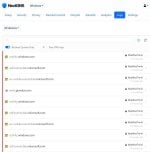
DNS is the simplest to use, like AdguardDNS takes only a fews to setup, it affects all apps, unless DOH is used. GDID supposedly uses self.events.data.microsoft.com

capture_08222026_180524.jpg

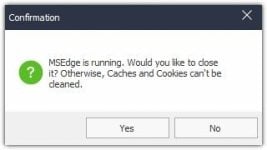
Clearing browser/cookies on exit might be problematic, the browser can not properly clear itself, when it is running. You either need 3rd party app or to do it manually.

capture_08222026_180954.jpg

Code:
taskkill /im brave.exe /f
taskkill /im chrome.exe /f
taskkill /im dllhost.exe /f
taskkill /im firefox.exe /f
taskkill /im librewolf.exe /f
taskkill /im msedge.exe /f
taskkill /im msedgewebview2.exe /f
taskkill /im rundll32.exe /f
taskkill /im tor.exe /f

rem https://kalilinuxtutorials.com/webview2-cookie-stealer
fsutil usn deletejournal /d /n c:

rem Run Wise Disk Cleaner
start "" /wait "%ProgramFiles(x86)%\Wise\Wise Disk Cleaner\WiseDiskCleaner.exe" -a -all

rem Run Wise Registry Cleaner
start "" /wait "%ProgramFiles(x86)%\Wise\Wise Registry Cleaner\WiseRegCleaner.exe" -a -all

rem Trim Some Edges - edge://settings/privacy/cookies/AllCookies
rd "%ProgramFiles(x86)%\Microsoft\EdgeUpdate\Download" /s /q
del "%LocalAppData%\Microsoft\Edge\User Data\Default\*history*." /s /f /q
del "%LocalAppData%\Microsoft\Edge\User Data\Default\AccountBookmarks" /s /f /q
del "%LocalAppData%\Microsoft\Edge\User Data\Default\Affiliation Database" /s /f /q
del "%LocalAppData%\Microsoft\Edge\User Data\Default\Affiliation Database-journal" /s /f /q
del "%LocalAppData%\Microsoft\Edge\User Data\Default\arbitration_service_config.json" /s /f /q
del "%LocalAppData%\Microsoft\Edge\User Data\Default\BookmarkMergedSurfaceOrdering" /s /f /q
del "%LocalAppData%\Microsoft\Edge\User Data\Default\BrowsingTopicsSiteData" /s /f /q
del "%LocalAppData%\Microsoft\Edge\User Data\Default\BrowsingTopicsSiteData-journal" /s /f /q
del "%LocalAppData%\Microsoft\Edge\User Data\Default\BrowsingTopicsState" /s /f /q
del "%LocalAppData%\Microsoft\Edge\User Data\Default\Custom Dictionary.txt" /s /f /q
del "%LocalAppData%\Microsoft\Edge\User Data\Default\DashTrackerDatabase" /s /f /q
del "%LocalAppData%\Microsoft\Edge\User Data\Default\DashTrackerDatabase-journal" /s /f /q
del "%LocalAppData%\Microsoft\Edge\User Data\Default\default_cloud_config.json" /s /f /q
del "%LocalAppData%\Microsoft\Edge\User Data\Default\DIPS" /s /f /q
del "%LocalAppData%\Microsoft\Edge\User Data\Default\DIPS-journal" /s /f /q
del "%LocalAppData%\Microsoft\Edge\User Data\Default\Extension Cookies" /s /f /q
del "%LocalAppData%\Microsoft\Edge\User Data\Default\ExtensionActivityComp" /s /f /q
del "%LocalAppData%\Microsoft\Edge\User Data\Default\ExtensionActivityComp-journal" /s /f /q
del "%LocalAppData%\Microsoft\Edge\User Data\Default\ExtensionActivityEdge" /s /f /q
del "%LocalAppData%\Microsoft\Edge\User Data\Default\ExtensionActivityEdge-journal" /s /f /q
del "%LocalAppData%\Microsoft\Edge\User Data\Default\HubApps" /s /f /q
del "%LocalAppData%\Microsoft\Edge\User Data\Default\HubApps Icons" /s /f /q
del "%LocalAppData%\Microsoft\Edge\User Data\Default\HubApps Icons-journal" /s /f /q
del "%LocalAppData%\Microsoft\Edge\User Data\Default\InterestGroups" /s /f /q
del "%LocalAppData%\Microsoft\Edge\User Data\Default\LOCK" /s /f /q
del "%LocalAppData%\Microsoft\Edge\User Data\Default\LOG" /s /f /q
del "%LocalAppData%\Microsoft\Edge\User Data\Default\LOG.old" /s /f /q
del "%LocalAppData%\Microsoft\Edge\User Data\Default\Login Data" /s /f /q
del "%LocalAppData%\Microsoft\Edge\User Data\Default\Login Data-journal" /s /f /q
del "%LocalAppData%\Microsoft\Edge\User Data\Default\Login Data For Account" /s /f /q
del "%LocalAppData%\Microsoft\Edge\User Data\Default\Login Data For Account-journal" /s /f /q
del "%LocalAppData%\Microsoft\Edge\User Data\Default\MediaDeviceSalts" /s /f /q
del "%LocalAppData%\Microsoft\Edge\User Data\Default\MediaDeviceSalts-journal" /s /f /q
del "%LocalAppData%\Microsoft\Edge\User Data\Default\Network Action Predictor" /s /f /q
del "%LocalAppData%\Microsoft\Edge\User Data\Default\Network Action Predictor-journal" /s /f /q
del "%LocalAppData%\Microsoft\Edge\User Data\Default\Network Persistent State" /s /f /q
del "%LocalAppData%\Microsoft\Edge\User Data\Default\PreferredApps" /s /f /q
del "%LocalAppData%\Microsoft\Edge\User Data\Default\PrivateAggregation" /s /f /q
del "%LocalAppData%\Microsoft\Edge\User Data\Default\PrivateAggregation-journal" /s /f /q
del "%LocalAppData%\Microsoft\Edge\User Data\Default\Reporting and NEL" /s /f /q
del "%LocalAppData%\Microsoft\Edge\User Data\Default\Reporting and NEL-journal" /s /f /q
del "%LocalAppData%\Microsoft\Edge\User Data\Default\QuotaManager" /s /f /q
del "%LocalAppData%\Microsoft\Edge\User Data\Default\QuotaManager-journal" /s /f /q
del "%LocalAppData%\Microsoft\Edge\User Data\Default\SharedStorage" /s /f /q
del "%LocalAppData%\Microsoft\Edge\User Data\Default\Shortcuts" /s /f /q
del "%LocalAppData%\Microsoft\Edge\User Data\Default\Shortcuts-journal" /s /f /q
del "%LocalAppData%\Microsoft\Edge\User Data\Default\Top Sites" /s /f /q
del "%LocalAppData%\Microsoft\Edge\User Data\Default\Top Sites-journal" /s /f /q
del "%LocalAppData%\Microsoft\Edge\User Data\Default\uu_host_config" /s /f /q
del "%LocalAppData%\Microsoft\Edge\User Data\Default\Visited Links" /s /f /q
del "%LocalAppData%\Microsoft\Edge\User Data\Default\Vpn Tokens" /s /f /q
del "%LocalAppData%\Microsoft\Edge\User Data\Default\Vpn Tokens-journal" /s /f /q
del "%LocalAppData%\Microsoft\Edge\User Data\Default\WebAssistDatabase" /s /f /q
del "%LocalAppData%\Microsoft\Edge\User Data\Default\WebAssistDatabase-journal" /s /f /q
del "%LocalAppData%\Microsoft\Edge\User Data\Default\Web Data" /s /f /q
del "%LocalAppData%\Microsoft\Edge\User Data\Default\Web Data-journal" /s /f /q
rd "%LocalAppData%\Microsoft\Edge\User Data\Default\Asset Store" /s /q
rd "%LocalAppData%\Microsoft\Edge\User Data\Default\AssistanceHome" /s /q
rd "%LocalAppData%\Microsoft\Edge\User Data\Default\AutofillAiModelCache" /s /q
rd "%LocalAppData%\Microsoft\Edge\User Data\Default\AutofillStrikeDatabase" /s /q
rd "%LocalAppData%\Microsoft\Edge\User Data\Default\blob_storage" /s /q
rd "%LocalAppData%\Microsoft\Edge\User Data\Default\BudgetDatabase" /s /q
rd "%LocalAppData%\Microsoft\Edge\User Data\Default\Cache" /s /q
rd "%LocalAppData%\Microsoft\Edge\User Data\Default\ClientCertificates" /s /q
rd "%LocalAppData%\Microsoft\Edge\User Data\Default\Code Cache" /s /q
rd "%LocalAppData%\Microsoft\Edge\User Data\Default\Collections" /s /q
rd "%LocalAppData%\Microsoft\Edge\User Data\Default\commerce_subscription_db" /s /q
rd "%LocalAppData%\Microsoft\Edge\User Data\Default\Continuous Migration" /s /q
rd "%LocalAppData%\Microsoft\Edge\User Data\Default\databases" /s /q
rd "%LocalAppData%\Microsoft\Edge\User Data\Default\DawnGraphiteCache" /s /q
rd "%LocalAppData%\Microsoft\Edge\User Data\Default\DawnWebGPUCache" /s /q
rd "%LocalAppData%\Microsoft\Edge\User Data\Default\DNR Extension Rules" /s /q
rd "%LocalAppData%\Microsoft\Edge\User Data\Default\discount_infos_db" /s /q
rd "%LocalAppData%\Microsoft\Edge\User Data\Default\discounts_db" /s /q
rd "%LocalAppData%\Microsoft\Edge\User Data\Default\Download Service" /s /q
rd "%LocalAppData%\Microsoft\Edge\User Data\Default\DualEngine" /s /q
rd "%LocalAppData%\Microsoft\Edge\User Data\Default\EdgeCoupons" /s /q
rd "%LocalAppData%\Microsoft\Edge\User Data\Default\EdgeEDrop" /s /q
rd "%LocalAppData%\Microsoft\Edge\User Data\Default\EdgeHubAppUsage" /s /q
rd "%LocalAppData%\Microsoft\Edge\User Data\Default\EdgeJourneys" /s /q
rd "%LocalAppData%\Microsoft\Edge\User Data\Default\EdgePassageEmbeddings" /s /q
rd "%LocalAppData%\Microsoft\Edge\User Data\Default\EdgePushStorageWithConnectTokenAndKey" /s /q
rd "%LocalAppData%\Microsoft\Edge\User Data\Default\EdgePushStorageWithWinRt" /s /q
rd "%LocalAppData%\Microsoft\Edge\User Data\Default\EdgeTravel" /s /q
rd "%LocalAppData%\Microsoft\Edge\User Data\Default\EdgeUserUsage" /s /q
rd "%LocalAppData%\Microsoft\Edge\User Data\Default\EdgeWallet" /s /q
rd "%LocalAppData%\Microsoft\Edge\User Data\Default\EntityExtraction" /s /q
rd "%LocalAppData%\Microsoft\Edge\User Data\Default\Extensions" /s /q
rd "%LocalAppData%\Microsoft\Edge\User Data\Default\Extension Rules" /s /q
rd "%LocalAppData%\Microsoft\Edge\User Data\Default\Extension Scripts" /s /q
rd "%LocalAppData%\Microsoft\Edge\User Data\Default\Extension State" /s /q
rd "%LocalAppData%\Microsoft\Edge\User Data\Default\Feature Engagement Tracker" /s /q
rd "%LocalAppData%\Microsoft\Edge\User Data\Default\GPUCache" /s /q
rd "%LocalAppData%\Microsoft\Edge\User Data\Default\Feedback Reports" /s /q
rd "%LocalAppData%\Microsoft\Edge\User Data\Default\File System" /s /q
rd "%LocalAppData%\Microsoft\Edge\User Data\Default\IndexedDB" /s /q
rd "%LocalAppData%\Microsoft\Edge\User Data\Default\JumpListIconsRecentClosed" /s /q
rd "%LocalAppData%\Microsoft\Edge\User Data\Default\JumpListIconsRecentWorkspacesV2" /s /q
rd "%LocalAppData%\Microsoft\Edge\User Data\Default\JumpListIconsTopSites" /s /q
rd "%LocalAppData%\Microsoft\Edge\User Data\Default\Local Extension Settings" /s /q
rd "%LocalAppData%\Microsoft\Edge\User Data\Default\Local Storage" /s /q
rd "%LocalAppData%\Microsoft\Edge\User Data\Default\Managed Extension Settings" /s /q
rd "%LocalAppData%\Microsoft\Edge\User Data\Default\MediaFoundationCdmStore" /s /q
rd "%LocalAppData%\Microsoft\Edge\User Data\Default\Nurturing" /s /q
rd "%LocalAppData%\Microsoft\Edge\User Data\Default\optimization_guide_hint_cache_store" /s /q
rd "%LocalAppData%\Microsoft\Edge\User Data\Default\optimization_guide_model_metadata_store" /s /q
rd "%LocalAppData%\Microsoft\Edge\User Data\Default\OptimizationGuideAssetStore.db" /s /q
rd "%LocalAppData%\Microsoft\Edge\User Data\Default\parcel_tracking_db" /s /q
rd "%LocalAppData%\Microsoft\Edge\User Data\Default\Password_Diagnostics" /s /q
rd "%LocalAppData%\Microsoft\Edge\User Data\Default\Pdf" /s /q
rd "%LocalAppData%\Microsoft\Edge\User Data\Default\PDF Restore Data" /s /q
rd "%LocalAppData%\Microsoft\Edge\User Data\Default\PersistentOriginTrials" /s /q
rd "%LocalAppData%\Microsoft\Edge\User Data\Default\Platform Notifications" /s /q
rd "%LocalAppData%\Microsoft\Edge\User Data\Default\PriceComparison" /s /q
rd "%LocalAppData%\Microsoft\Edge\User Data\Default\Safe Browsing Network" /s /q
rd "%LocalAppData%\Microsoft\Edge\User Data\Default\Segmentation Platform" /s /q
rd "%LocalAppData%\Microsoft\Edge\User Data\Default\SemanticEncoder.db" /s /q
rd "%LocalAppData%\Microsoft\Edge\User Data\Default\Service Worker" /s /q
rd "%LocalAppData%\Microsoft\Edge\User Data\Default\Session Storage" /s /q
rd "%LocalAppData%\Microsoft\Edge\User Data\Default\Sessions" /s /q
rd "%LocalAppData%\Microsoft\Edge\User Data\Default\Settings Search" /s /q
rd "%LocalAppData%\Microsoft\Edge\User Data\Default\Shared Dictionary" /s /q
rd "%LocalAppData%\Microsoft\Edge\User Data\Default\shared_proto_db" /s /q
rd "%LocalAppData%\Microsoft\Edge\User Data\Default\Site Characteristics Database" /s /q
rd "%LocalAppData%\Microsoft\Edge\User Data\Default\Storage" /s /q
rd "%LocalAppData%\Microsoft\Edge\User Data\Default\Sync App Settings" /s /q
rd "%LocalAppData%\Microsoft\Edge\User Data\Default\Sync Data" /s /q
rd "%LocalAppData%\Microsoft\Edge\User Data\Default\Sync Extension Settings" /s /q
rd "%LocalAppData%\Microsoft\Edge\User Data\Default\VideoDecodeStats" /s /q
rd "%LocalAppData%\Microsoft\Edge\User Data\Default\WebrtcVideoStats" /s /q
rd "%LocalAppData%\Microsoft\Edge\User Data\Default\Web Applications" /s /q
rd "%LocalAppData%\Microsoft\Edge\User Data\Default\WebStorage" /s /q
rd "%LocalAppData%\Microsoft\Edge\User Data\Default\Workspaces" /s /q
Code:
https://fpresearch.httpjames.space
https://lucb1e.com/randomprojects/cookielesscookies