Webroot System Analyzer

  • Thread starter Thread starter Deleted member 178
  • Start date Start date
Status
Not open for further replies.
D

Deleted member 178

Thread author
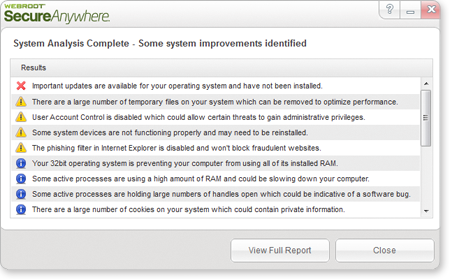
Fast, accurate diagnosis equals rapid, cost-effective remediation. Webroot® System Analyzer looks inside a problem system and gives you a quick assessment plus a detailed report on all aspects of hardware, OS and installed applications.


-Simply click web link and run application – no install or uninstall required
-Summary Analysis pinpoints areas that need attention
-Comprehensive system report provides more detailed data

Home
Untitled-25.png


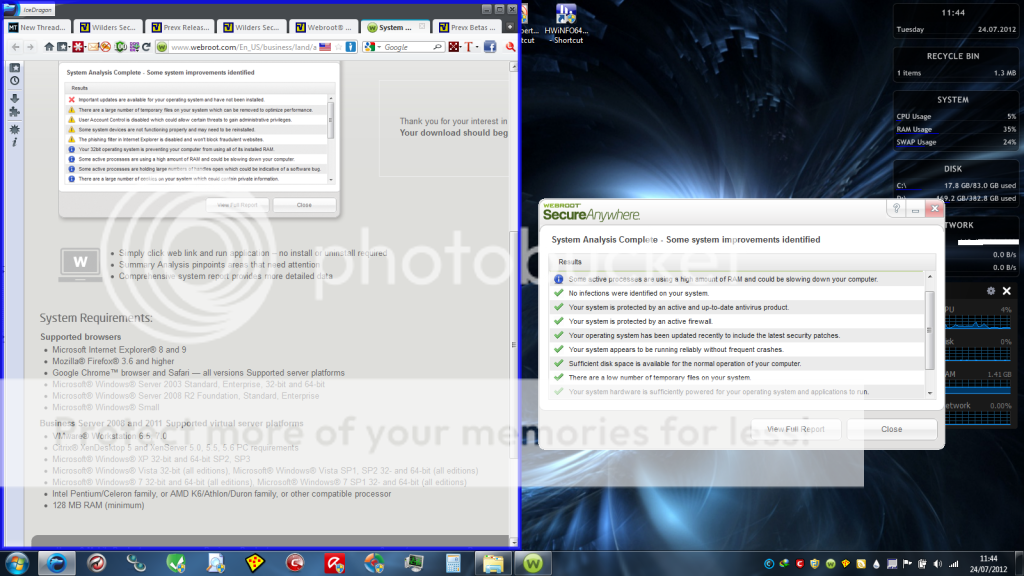
After closing my sandboxed Icedragon, and redo the scan, the warning about my RAM disappeared :D it usage fell from 35% to 21%
 
hahaha ! my love for comodo came when i was bored by ZA firewall free, started using Comodo FW v3.0
 
Umbra could you provide the full list?

Would like to see how accurate this is, anyone will to set-up a test VM to counter these?

analyzerScreenShot.png
 
this pix is from Webroot, the one tested on my real system is the other one at the left :D

the full report is just a txt file with the summary of your system config.

- Operating System
- Current Session
- User Accounts
- System Security
- System Anti-Malware Scan
- Hardware Information
- Disk Drives
- Windows Experience Rating
- Memory Devices
- Windows Updates
- System Crashes
- Recoverable Space
- Cookies
- Internet Explorer
- Active Processes
- Devices Experiencing Problems
- Functioning Devices
- Network Adapters
- Device Slots
- Display Devices
- Audio Devices
- Printers
- Installed Software
- Bootup Applications/Services
- Disk Fragmentation
 
I know, since I didn't want to crop your photo. How accurate did you find the results?
 
edited the post above

the results are very accurate, it even shows what files (and location) are fragmented.
I got one error because it didn't recognize my virtual disk, also it didnt recognize my browsers.
 
Webroot System Analyzer is actually a very nice tool and very accurate.
Before I try it, I thought it was on of those scanning tools which give you fake results then offers to sale you their product. I tried many of those kind of tools before by other security vendors.

Webroot System Analyzer didn't even display any ads, it has two links on it.
One is to install SecureAnywhere and the other goes to their homepage.

Clicking on the install SecureAnywhere link starts the online installer.

System Analysis completed in 68 seconds, I love the SysAnalyzerLog.txt which gave me a complete report of my system and everything was correct. Unlike other similar tools that I have tried that have errors in the report logs.

I would recommend this to everyone who likes to know detailed system info.

Thanks.:D
 
Also, Webroot Support will help you clean a infected PC at no charge! Via the internet! That is if you
can not remove the malware from your system, yourself!

Helpful tips from Webroot
http://www5.nohold.net/Webroot/Loginr.aspx?login=1&pid=12&app=vw&solutionid=1599

How do you like Webroot Password Manager?

Webroot SecureAnyWhere work well with BitDefender Free Edition and Comodo Firewall It been on PC's for
about two weeks with-out any problems.
 
Status
Not open for further replies.