Battle What is your favorite mobile browser in 2026?

What is your favorite mobile browser in 2026?

  • Chrome

    Votes: 8 12.9%
  • Firefox

    Votes: 16 25.8%
  • Vivaldi

    Votes: 4 6.5%
  • Opera

    Votes: 0 0.0%
  • Safari

    Votes: 5 8.1%
  • Brave

    Votes: 18 29.0%
  • Microsoft Edge

    Votes: 7 11.3%
  • Tor

    Votes: 0 0.0%
  • Others

    Votes: 4 6.5%

  • Total voters
    62
Compare list
Mobile browsers
Platform(s)
  1. Android
  2. iOS / iPadOS

Sampei.Nihira

Level 21
Thread author
Oct 14, 2025
1,005
3,552
1,967
Italy
If possible, please provide as much information as you can about your mobile browser and any extensions you use.

P.S.

I still use a smartphone today that would seem like a relic from the Stone Age to all of you.
Huawei P30 Lite.
As long as it doesn’t break, I have no interest in replacing it.
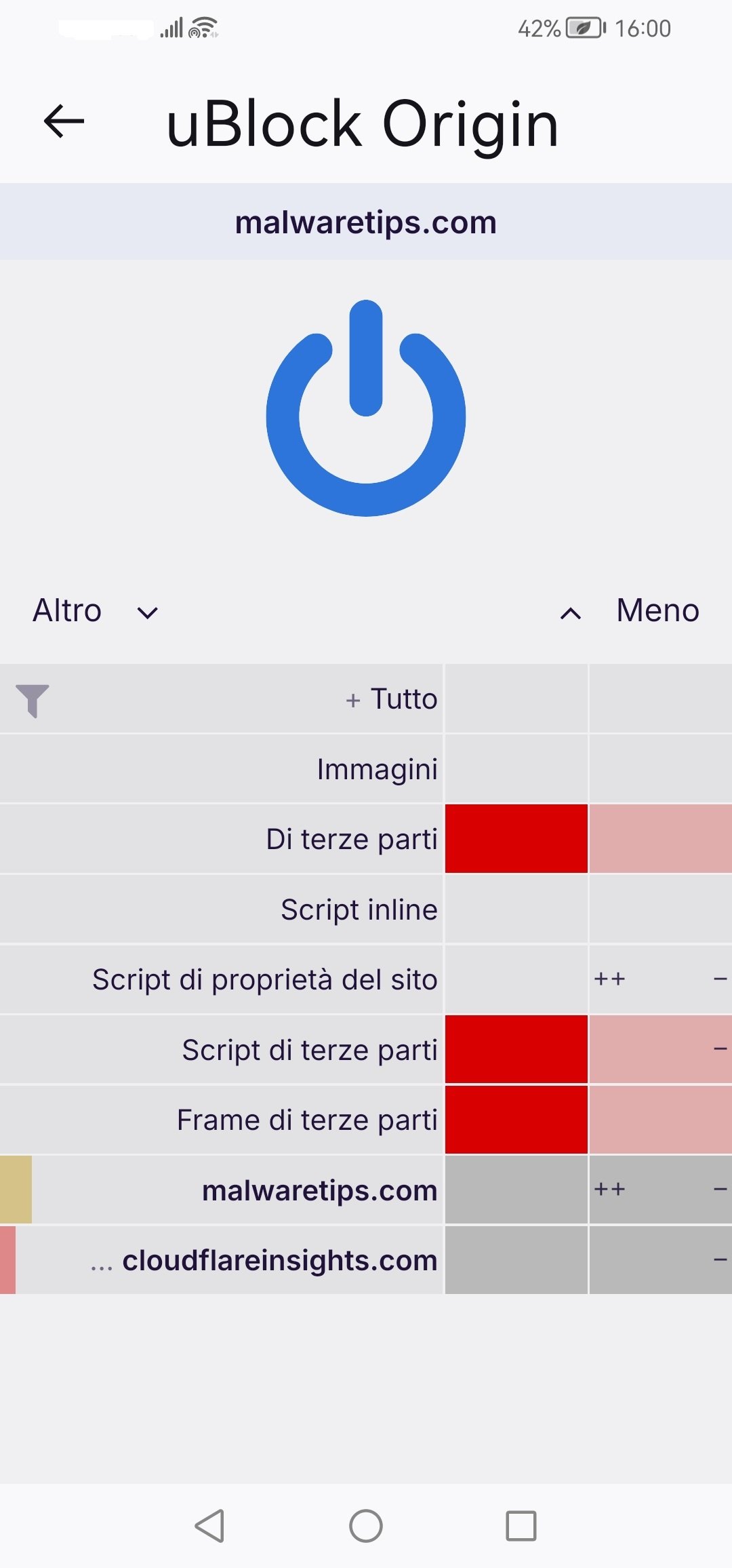
My favorite browser is Firefox, which has just one extension: uBlock Origin in Hard Mode + 9TLD.
Firefox.jpg
When @Kongo added NoScript to his desktop browser, I felt like switching extensions on my smartphone too.
But old habits die hard, so I kept using uBo.

Please forgive me; I had written the post in my native language.
I’ve corrected it now... I suppose it’s just my advancing atherosclerosis.:ROFLMAO::oops:
 
Last edited:
I'd expect you to move to a Pixel with GrapheneOS on it sooner or later since you love to tweak things.
Well, unlike Windows, Android does not need fixing. I do not mind some tracking for my benefit.
Some businesses lack data, I sure hope that my smartwatch will provide the necessary feedback.
 
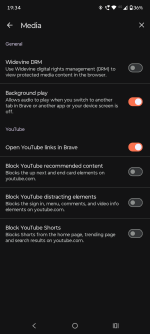
I use Brave, because there isn't a web browser that meets my needs like Firefox on desktop.

Firefox for Android and all other Gecko Android browsers are underdeveloped garbage. Chrome lacks of ad blocking support, Brave lacks of customization I need, Vivaldi is very heavy on battery and has crappy ad blocker which can't block cookie notices and Edge is literal spyware. Samsung is weird (and not private at all), DuckDuckGo lacks a lot of basic features (such as choosing a search engine).

So, if you ask me about my favorite browser for Android—I don't have it. On desktop is Firefox as it suits my needs 100%.
 
Why would Firefox be a security disaster?:unsure:
"Avoid Gecko-based browsers like Firefox as they're currently much more vulnerable to exploitation and inherently add a huge amount of attack surface. Gecko doesn't have a WebView implementation (GeckoView is not a WebView implementation), so it has to be used alongside the Chromium-based WebView rather than instead of Chromium, which means having the remote attack surface of two separate browser engines instead of only one. Firefox/Gecko also bypass or cripple a fair bit of the upstream and GrapheneOS hardening work for apps. Worst of all, Firefox does not have internal sandboxing on Android. This is despite the fact that Chromium semantic sandbox layer on Android is implemented via the OS isolatedProcess feature, which is a very easy to use boolean property for app service processes to provide strong isolation with only the ability to communicate with the app running them via the standard service API. Even in the desktop version, Firefox's sandbox is still substantially weaker (especially on Linux) and lacks full support for isolating sites from each other rather than only containing content as a whole. The sandbox has been gradually improving on the desktop but it isn't happening for their Android browser yet." Web browsing
 
I'm using Chrome now on my Pixel 8 Pro with zero extensions. I have Adguard for ads.
I used to use AdGuard for blocking ads everywhere until I found much more better and battery efficient way to block them.

In Brave, I use Brave Shields and Secure DNS pointed to my very own Cloudflare Zero Trust ad blocking DNS.
DNS blocks what it can without breaking something, Shields step in for rest and cosmetic filtering.

Regarding other apps, same DNS is set up system-wide through AdGuard app. Why not just use ad blocking capability of AdGuard you ask? The only way AdGuard can block ads in other apps is by refusing connection to ad server. No cosmetic filtering possible so it essentially works like DNS.
By using AdGuard in DNS-only mode, blocking is done on network-level by DNS and not by AdGuard. And because AdGuard has nothing to do, it doesn't use any CPU which translates to practically no battery usage.

Currently, AdGuard uses 0.00%-0.02% of battery on my device and that's only for keeping VPN connection. This is way better than using 1-5% per hour when it does filtering. It might not sound a lot, but I can really feel the difference in battery life. If that is important to you, definitely try this.
Why would Firefox be a security disaster?:unsure:
I just don't find it trustworthy. Firefox for PCs is entirely different product and I found it way more secure. Especially now when it has sandboxing level equal to Chrome.
It is a bit accegerated on Android (which is based on Linux as far as I know) because of the strenght of the OS.
Chrome is ahead in sandboxing, but to call Firefox a security disaster is over the top (food for thought and discussion :-) )
View attachment 296517 9food for di
Starting from Firefox 147, at least on Windows, Firefox has the sandboxing level equal to Chrome. I'm not sure that's the case on Android as well.


Starting Firefox 148, we got more advanced and stronger XSS protection as well. More details here:
 
Last edited:
The default security level for the Firefox sandbox is 1 (it can be raised to 2), but the concept of a sandbox in the Android environment differs from that in Windows.
And it seems to me that it’s too narrow to consider Firefox less secure than other Chromium-based browsers based solely on this one aspect.