

Anyway around it or to allow them to not go to spam ?
Why does gmail block MalwareTips emails from coming in ?
- Thread starter ng4ever
- Start date
You are using an out of date browser. It may not display this or other websites correctly.
You should upgrade or use an alternative browser.
You should upgrade or use an alternative browser.

Because Google doesn't like anything that helps users increase their privacy. 

Because Google doesn't like anything that helps users increase their privacy.
So how do i prevent it to block or put MalwareTips email in spam please?

So how do i prevent it to block or put MalwareTips email in spam please?
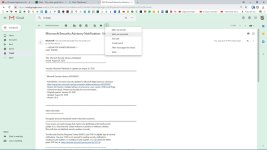
Go to your G-mail Spam folder.
Click on the email that you want to remove from Spam.
Click on "Not Spam" on the top of the email below the search bar.

How to whitelist an email address in Gmail
Whitelisting email addresses in Gmail is easy using Gmail's filters. Step by step instructions with screenshots, including whitelisting whole domains.
 downtimemonkey.com

Mark it as Important or Add a Star or select Filter those messages and create a rule.So how do i prevent it to block or put MalwareTips email in spam please?
Attachments

As I see others already gave you all the useful info, I'd like to offer you a more extreme solution: just don't use Gmail. There's so many good free and paid email providers, I really don't see what's worth sacrificing your data and accepting Google's dictatorship censorship. Not to mention those deceptive ads designed to look like mails 

I see that no one answered your question, so here is the answer you're looking for.Why does gmail block MalwareTips emails from coming in ?
The reason why so many mails from different websites go directly to spam is, well, spam. Let me explain a bit more.
Many websites (if not most of them) are hosted on shared web server. It's cheaper and the most affordable way to host a website. It's cheap because the web server isn't hosting just your website, or sending just your e-mail; it's hosting much, much more. Because the shared web hosting is so affordable, spammers are quick to abuse it; creating a fake website and sending thousands and thousands mails to random e-mail addresses. And because spammer uses the same mail server as your website, your mail will go directly to spam too.
There are other reasons why legit mails might come to spam, but I wouldn't say these are really often. Here's some of them;
- a lot of people mark mail from domain as a spam
- mail from domain comes too often, so spam filter thinks it's spam
- mail contains word(s) often used by spammers
- mail contains grammar errors
I always stick to the most popular e-mail services for a reason. When I was younger I wanted to try different e-mail services because I thought all of them are the same and that all of them should work the same—I was wrong.As I see others already gave you all the useful info, I'd like to offer you a more extreme solution: just don't use Gmail. There's so many good free and paid email providers, I really don't see what's worth sacrificing your data and accepting Google'sdictatorshipcensorship. Not to mention those deceptive ads designed to look like mails
I used some other not widely known e-mail services for a few months, just to test them. They all worked fine for a few weeks, but suddenly they stopped getting mails from Gmail, Outlook.com and Yahoo. After unable to fix the problem, or to just find out what happened with the mail and why it never arrived, I closed the account on those services and registered to Gmail and Outlook.com.
Since then, I avoid not very known e-mail services; it's just not worth the risk for me.
Last edited:
As I see others already gave you all the useful info, I'd like to offer you a more extreme solution: just don't use Gmail. There's so many good free and paid email providers, I really don't see what's worth sacrificing your data and accepting Google'sdictatorshipcensorship. Not to mention those deceptive ads designed to look like mails
I agree. I used a different email provider before but had to switch because it blocked even more legitimate stuff.
It sucks.
The reason I switched to gmail is because it blocked hardly anything legitimate and was the only thing that would work with all my platforms together well sadly.
Thanks guys that fixed the problem now MalwareTips emails come through without being labeled as spam!
You may also like...
-
 Google Brings End-to-End Encrypted Emails to All Enterprise Gmail Users
- Started by Brownie2019
- Replies: 0
-
 iCloud Calendar abused to send phishing emails from Apple’s servers
- Started by Gandalf_The_Grey
- Replies: 0
-
Technology Dell admits that PCs sell better when it does not mention AI capabilities
- Started by Gandalf_The_Grey
- Replies: 24
-
 New Update Gmail for Android makes it easier to Cc and Bcc emails
- Started by silversurfer
- Replies: 1
-
 Serious Discussion Block Common Attacks: A Beginner's Guide to Windows Firewall
- Started by Divergent
- Replies: 18