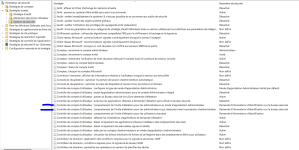
Powershell. One of most prized attacker tool. Powershell has lots of commands to turn off security. Believe it or not, Defender has powershell APIs for programs/malware to insert Exceptions into Defender so that Defender will never scan a particular file.
Powershell also has commands to access the firewall to turn rules off. So an attacker or malware can simply reconfigure your firewall to allow it to reach it's command & control server.
There are also API commands to schedule a recurring task so that the malware restarts upon reboot.
And there are API commands to modify the registry. You know the registry is the heart of Windows and almost everything is defined there. If a hacker or malware modifies stuff there Windows could be told to restart the malware whenever when Windows thinks it is only restarting a normal service.
Do you really want to allow malware to access all of this ? Without the admin account, none of this (except scheduler) is possibile. You may say that you are careful with downloads and attachments. That kills a lot of infections. But what if you are tired, rushed or just lazy that day ? Do you really want to take that chance ?
Convenience is the enemy of security. Do you really do so much admin work every single day that you have to use the admin account full time ?
Microsoft made those API's because they are meant to be used by admins. And the admin account helps hackers and malware. The only barrier that MS supports is the login. That separates attackers/malware from admin rights. And No, UAC prompt is not meant to do that. MS has said so time and time again . Microsoft Security Servicing Criteria for Windows UAC has 'intent to service' = NO.
Powershell also has commands to access the firewall to turn rules off. So an attacker or malware can simply reconfigure your firewall to allow it to reach it's command & control server.
There are also API commands to schedule a recurring task so that the malware restarts upon reboot.
And there are API commands to modify the registry. You know the registry is the heart of Windows and almost everything is defined there. If a hacker or malware modifies stuff there Windows could be told to restart the malware whenever when Windows thinks it is only restarting a normal service.
Do you really want to allow malware to access all of this ? Without the admin account, none of this (except scheduler) is possibile. You may say that you are careful with downloads and attachments. That kills a lot of infections. But what if you are tired, rushed or just lazy that day ? Do you really want to take that chance ?
Convenience is the enemy of security. Do you really do so much admin work every single day that you have to use the admin account full time ?
Microsoft made those API's because they are meant to be used by admins. And the admin account helps hackers and malware. The only barrier that MS supports is the login. That separates attackers/malware from admin rights. And No, UAC prompt is not meant to do that. MS has said so time and time again . Microsoft Security Servicing Criteria for Windows UAC has 'intent to service' = NO.
Last edited: