

Windows 10 Continuum feature

Status
Not open for further replies.

Petrovic

Level 64
Thread author
Verified
Honorary Member
Top Poster
Well-known
Apr 25, 2013
5,357
20,489
6,278
Somewhere In nowhere


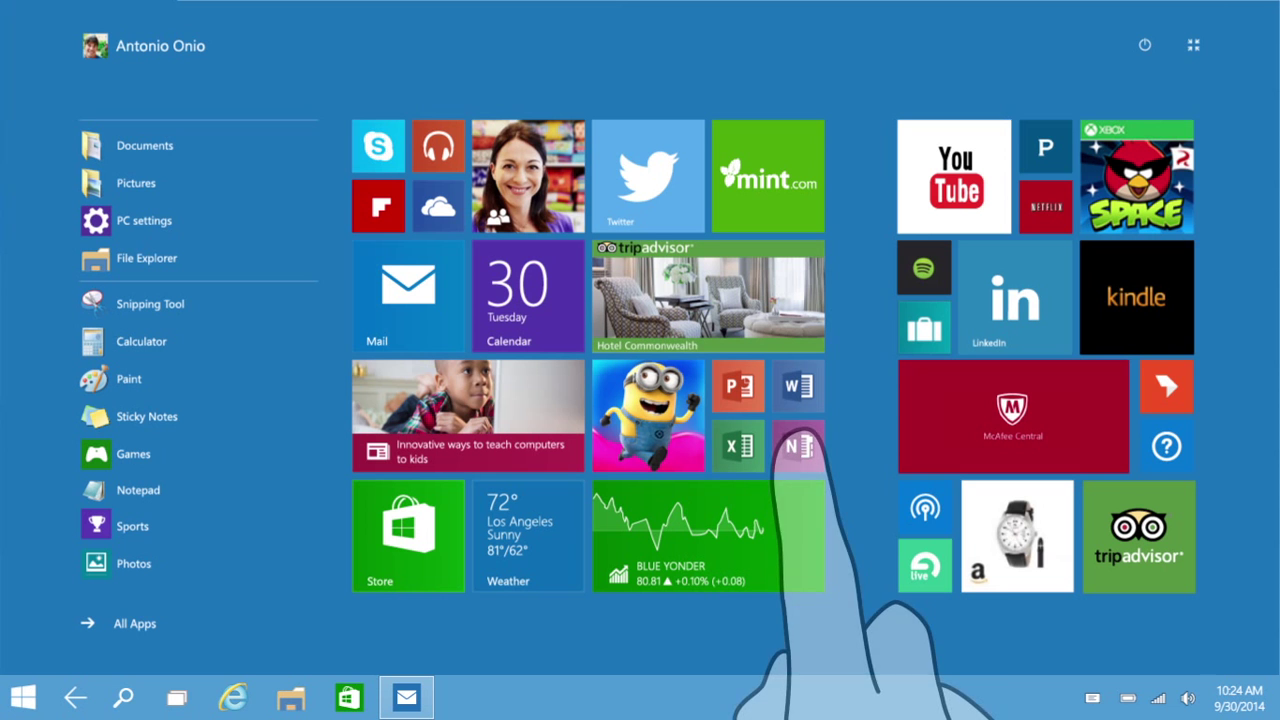
Microsoft today revealed the upcoming version of Windows named Windows 10. They demoed several new features that will be part of this upcoming Windows release. In order to make Windows 10 work smoothly across platforms, Microsoft has introduced a new feature called Continuum. This means the Windows 10interface will change depending on what device you're using. For example, if you're working with a laptop-tablet hybrid like the Surface, you'll be met with the standard desktop while using the tablet with its keyboard. Once you unplug the keyboard, however, you'll switch over to tablet mode.

When you remove the keyboard, you'll get a prompt asking if you'd like to switch to tablet mode. If you choose yes, the app you're working in (Outlook in this case) will expand to a full-screen mode. When you navigate home, you'll also be presented with the touch-friendly tiled interface rather than the desktop, since it knows you're using the tablet portion of the device.

Check out Windows 10 Continuum feature live:


Microsoft today revealed the upcoming version of Windows named Windows 10. They demoed several new features that will be part of this upcoming Windows release. In order to make Windows 10 work smoothly across platforms, Microsoft has introduced a new feature called Continuum. This means the Windows 10interface will change depending on what device you're using. For example, if you're working with a laptop-tablet hybrid like the Surface, you'll be met with the standard desktop while using the tablet with its keyboard. Once you unplug the keyboard, however, you'll switch over to tablet mode.

When you remove the keyboard, you'll get a prompt asking if you'd like to switch to tablet mode. If you choose yes, the app you're working in (Outlook in this case) will expand to a full-screen mode. When you navigate home, you'll also be presented with the touch-friendly tiled interface rather than the desktop, since it knows you're using the tablet portion of the device.

Check out Windows 10 Continuum feature live:

Finally... It took them awhile to realize that two user interfaces aren't need it at once....I have Windows 8.1, but I have never used the Metro interface as I'm on a keyboard/mouse setup, so seeing this is a good news.
 
From the video is appears to be exclusive to Surface Pro device, hope it's compatible with other devices in the future.
 
  • Like
Reactions: MrExplorer and Jack
Can I install alongside Windows 7?
You could run windows 7 in a virtual machine if you really wanted too
but if you had Windows 10, I'd just use that and drop Windows 7.
However, I'd wait until reviews actually come out on Windows 10 so you don't go wasting your time.
 
  • Like
Reactions: Jack
You could run windows 7 in a virtual machine if you really wanted too
but if you had Windows 10, I'd just use that and drop Windows 7.
However, I'd wait until reviews actually come out on Windows 10 so you don't go wasting your time.

That didn't answer my question.
 

I don't see any problem. About a year ago for testing purpose I installed Windows Xp, Vista, Windows 7, Windows 8 and Windows server 2012 on the same computer. Everything worked fine. So, I think installing two Os is not problem. But it's recommended to install Windows 7 firstly and Windows 10, then. Otherwise, the Windows 7 will erase Windows 10 bootloader and you will have to recover it
 
Status
Not open for further replies.