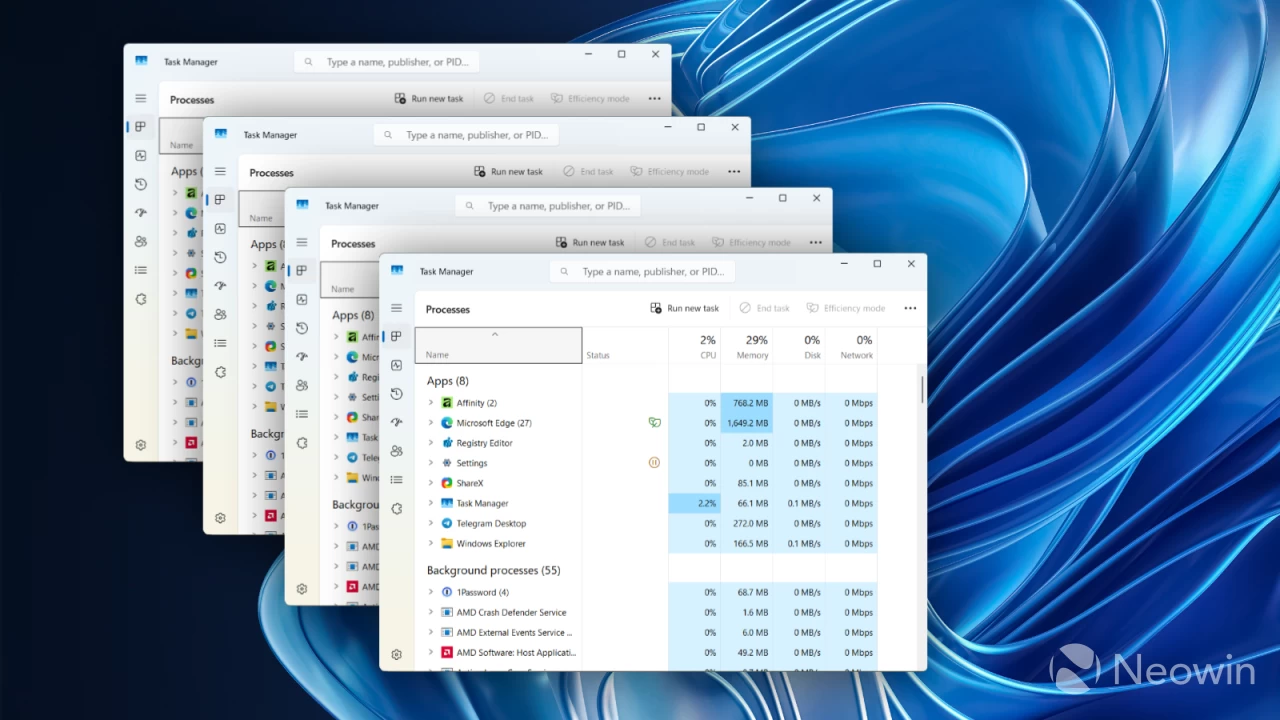
Microsoft has acknowledged a persistent bug affecting Windows 11 versions 24H2 and 25H2 that prevents Task Manager from properly terminating when users close the application.
The issue causes multiple instances of the system monitoring tool to accumulate in the background, potentially degrading device performance over time.
Background Processes Pile Up Unnoticed
The problem occurs when users close Task Manager using the standard Close button. Instead of completely shutting down, the process continues running invisibly in the background without displaying any window.
When users reopen Task Manager later, the previous instance remains active alongside the new one.
This creates multiple instances of taskmgr.exe that appear both in the Processes tab as “Task Manager” and in the Details tab under their executable name.
While a few lingering instances have minimal impact, the cumulative effect becomes problematic when many instances accumulate over extended periods.
These hidden processes consume valuable system resources including memory and processor cycles, which can slow down other applications and reduce overall system responsiveness.
Users who frequently open and close Task Manager throughout their workday are particularly vulnerable to experiencing performance degradation.
Microsoft has provided two temporary solutions while engineers investigate the underlying cause.
The first method involves manually ending the Task Manager process from within Task Manager itself.
Users need to navigate to the Processes tab, locate the Task Manager entry, select it, and choose “End Task” instead of using the Close button.
This approach ensures the process terminates completely rather than lingering in the background.
The second workaround uses Command Prompt to eliminate all running Task Manager instances simultaneously. Users can access Command Prompt through the Start menu, optionally running it as administrator for full permissions.
Executing the command “taskkill.exe /im taskmgr.exe /f” will force-close every active taskmgr.exe process, clearing out any accumulated background instances.
This method is particularly useful for users who have already accumulated multiple hidden instances and need to clean up their system quickly.
Microsoft has confirmed the issue is under active investigation but has not provided a timeline for when a permanent fix will be released through Windows Update.
Until an official patch becomes available, affected users should implement one of the suggested workarounds to prevent resource consumption and maintain optimal system performance.
The company has promised to share additional information as the investigation progresses.