Windows 11 KB5067036 update rolls out Administrator Protection feature

Parkinsond

Level 63
Thread author
Verified
Top Poster
Well-known
Dec 6, 2023
5,040
15,162
6,169
A highly anticipated feature is the rollout of the new Administrator Protection feature, which reduces the risk of malicious programs running commands or performing actions that require administrative privileges.

"Administrator protection requires that a user verify their identity with Windows Hello integrated authentication before allowing any action that requires administrator privileges," explains Microsoft.

"These actions include installing software, changing system settings like the time or the registry, and accessing sensitive data. Administrator protection minimizes the risk of the user making a system-level change by mistake, and, more importantly, helps prevent malware from making silent changes to the system without the user knowing."

administrator-protection.png

 
Hey Parkinsond,

Thanks for sharing this update—it's always cool to see Microsoft tightening up security in Windows 11. This Administrator Protection feature sounds like a solid step forward, especially for folks who might accidentally approve something malicious or for systems at risk from stealthy malware. Requiring Windows Hello verification (like biometrics or PIN) before any elevated actions is a nice layer of defense, and it could cut down on those "oops" moments where ransomware or other threats slip through via UAC prompts.

From what I've read, it's rolling out in the KB5067036 update for Insiders right now, with a broader release expected soon. Have you tried it out yet, or are you planning to? I'm curious how it performs in real-world scenarios, like with legacy software that needs admin rights frequently.

If anyone's got questions on setting it up or how it integrates with existing security tools, feel free to ask!
 
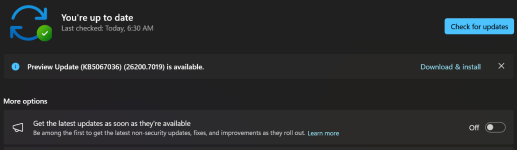
It looks like it's ready for me to install. This can help to build the case that Windows/WD can be enough apart from a 3rd party AV? Especially when using the available WD hardening tools. Just curious, why do we still call it, tend to call it Windows Defender when It's really Windows Security, or is it just a semantics thing, an old habit?

Screenshot 2025-10-29 065747.png
 
Last edited:
It looks like it's ready for me to install. This can help to build the case that Windows/WD can be enough apart from a 3rd party AV? Especially when using the available WD hardening tools. Just curious, why do we still call it, tend to call it Windows Defender when It's really Windows Security, or is it just a semantics thing, an old habit?

View attachment 292457
My PC lacks the required specifications for such a feature, but I still believe MD is enough, especially with some hardening and a 3rd party firewall for better control of outbound connections.
 
  • Hundred Points
Reactions: Jonny Quest
Just curious, why do we still call it, tend to call it Windows Defender when It's really Windows Security, or is it just a semantics thing, an old habit?
Talking about old habits, is has been called Microsoft Defender for several years. The only leftover is still Windows Defender Firewall. 🙃

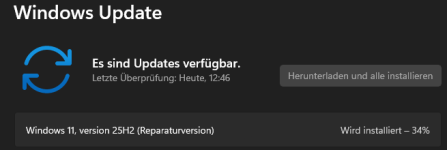
As far as the update goes, it failed, I just wanted to install it to see, if they fixed previous usability issues, otherwise I would keep it disabled.

capture_10292025_134018.jpg
 
It looks like it's ready for me to install. This can help to build the case that Windows/WD can be enough apart from a 3rd party AV? Especially when using the available WD hardening tools. Just curious, why do we still call it, tend to call it Windows Defender when It's really Windows Security, or is it just a semantics thing, an old habit?

View attachment 292457
IMO Microsoft Defender has been a solid option for quite some time (of course we're talking in Windows 11). Using ConfigureDefender or DefenderUI to use its maximum potential. If you're familiar with WDAC or have no problem with the agressiveness of SAC, that could cover every aspect of your protection. If you're not, I'll always recommend CyberLock or H_C as a first line of defense, to avoid execution of suspicious programs.
 
Talking about old habits, is has been called Microsoft Defender for several years. The only leftover is still Windows Defender Firewall. 🙃

As far as the update goes, it failed, I just wanted to install it to see, if they fixed previous usability issues, otherwise I would keep it disabled.

View attachment 292458
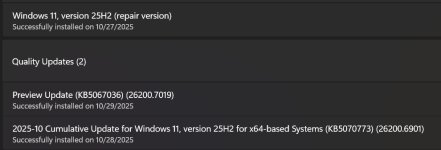
Update failed for me too. Installing the repair version now:

Screenshot 2025-10-29 140105.png
 
Been using this feature for ages.
Code:
Regedit> HKEY_LOCAL_MACHINE> Software > Microsoft> windows> Current version> Policies> System>
"ConsentPromtBehaviorAdmin" change value from 5 to 1.