



Full Story:This morning, while I was sitting down to work, I heard a notification sound from my Android phone. I did not pick it up. A few seconds later, the WhatsApp icon with a small phone icon appeared on my taskbar, and it hit me: Cross-device resume for WhatsApp is rolling out to all PCs.
I hovered over the icon, and a small card popped up. “Resume from your phone.” Below it, the WhatsApp logo and “Continue on this PC.”
I clicked it. WhatsApp opened, and it slowly started loading my chats. That’s when I remembered that this new feature is worthless, because WhatsApp for Windows is one of the slowest apps on the platform. It is a sluggish web app dressed up as a desktop client, and it eats a ton of RAM.
The idea behind the feature is brilliant, though. It is Windows 11’s version of Apple’s Handoff, which lets you start something on one Apple device, like an email or a Safari tab, and pick it up on a nearby Mac, iPhone, or iPad using Bluetooth and iCloud, with no manual syncing needed.
Microsoft calls their version Resume, and on paper, bringing it to WhatsApp should have been a practical upgrade. Instead, it exposes why WhatsApp for Windows needed fixing long before Microsoft got around to adding a shortcut that opens it faster.
WhatsApp’s Continue on this PC feature is now live for Windows 11 users, and I tested it
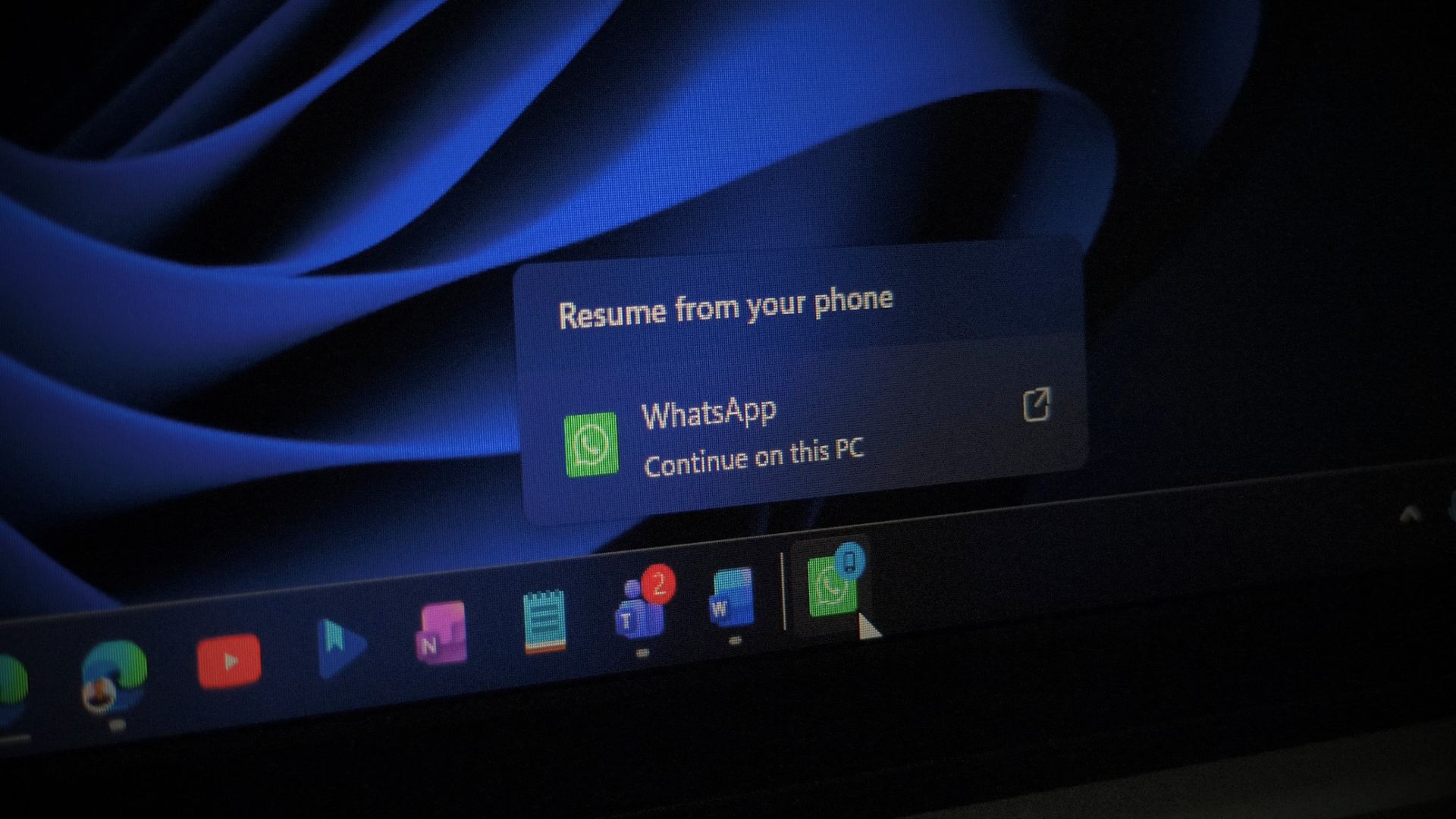
Windows 11 now supports resuming WhatsApp from Android, but you'll wait longer for the app to load
WhatsApp now supports Windows 11's Resume feature to continue Android chats on PC, but the app's slow loading kills the feature's purpose.
 www.windowslatest.com


