Battle Windows Defender vs Comodo Antivirus

toto

Level 4
Thread author
Verified
Well-known
Forum Veteran
Oct 15, 2014
164
841
268
33
Kosovo
I am currently running Windows Defender and I think it fits my needs because I only use this laptop for streaming media, Microsoft Office work, social media browsing, nothing much....
I have Comodo on a copy of Windows 10 on a virtual box just to test it, and I find it to be very light on resources.
Do you guys think that Comodo can be lighter than Windows Defender
*I just need an antivirus to sit there in case something unexpected happens, like the Ccleaner thing :P
I need the lightest of the two according to your experience.
 
I have not tried Comodo clud, if I have tried for a long time the CF with the Cs configuration, I can say it is very light. and special for 0 days
Windows Defender I do not have it installed because I use win 7 ... But my friends say that Windows Defender comsume CPU like a pig.
 
Last edited:
  • Like
Reactions: given
In the video..
Comodo IS signs detected CCleaner malware (Auto-Sandbox was not tested).
Comodo Cloud didn't detected CCleaner malware (Sample was executed & didn't run Sandboxed).

cruelsister mentioned Comodo Cloud will ALLOW but Comodo Firewall at her settings will SANDBOX.
Did you tested cruelsister's settings (no HIPS ON or extra tweaks)?
I tested with COMODO Firewall at my settings and CCleaner will be contained. Unfortunaletly, I have no screenshot. My settings are just the same of Cruelsister but the sandbox is on deny instead of run virtually in restricted mode, HIPS are ON on default-deny with no alert, there are some tweaks on the firewall in the advanced part, file reputation if OFF and I enabled HIPS command line scanning for all applications.

Here are my settings: COMODO - Maximum Security.cfgx

In this case, the HIPS didn't influence the test because I got an alert from the Container when I tried to run the sample, which was blocked on execution and quarantined due to my settings.

I tested both with cloud lookup disabled and enabled and the sample was Always blocked, because it was identified as unrecognised

With Cruelsister settings the result will be the same, because the sample will be run restricted instead of blocked on execution and the connections out will be blocked because the sample is unrecognised
 
Last edited:
  • Like
Reactions: given
I tested with COMODO Firewall at my settings and CCleaner will be contained. Unfortunaletly, I have no screenshot. My settings are just the same of Cruelsister but the sandbox is on deny instead of run virtually in restricted mode, HIPS are ON on default-deny with no alert, there are some tweaks on the firewall in the advanced part, file reputation if OFF and I enabled HIPS command line scanning for all applications.

Here are my settings: COMODO - Maximum Security.cfgx

In this case, the HIPS didn't influence the test because I got an alert from the Container when I tried to run the sample, which was blocked on execution and quarantined due to my settings.

I tested both with cloud lookup disabled and enabled and the sample was Always blocked, because it was identified as unrecognised

With Cruelsister settings the result will be the same, because the sample will be run restricted instead of blocked on execution and the connections out will be blocked because the sample is unrecognised
Your settings are more restricted or customized compared to cruelsister's.
Do you have TVL customized too i.e vendors removed?

Do you have & can provide me CCleaner malicious sample?
I would like to test with Comodo Cloud & Comodo Firewall at cruelsister's.
 
  • Like
Reactions: given
Your settings are more restricted or customized compared to cruelsister's.
Do you have TVL customized too i.e vendors removed?

Do you have & can provide me CCleaner malicious sample?
I would like to test with Comodo Cloud & Comodo Firewall at cruelsister's.
No, it's exactly the same.. The HIPS doesn't enter the game in this test. The sample is handled as unrecognised and so it's virtualised
No, I used the default trusted vendors list...
@Marko :) should have the CCleaner sample to provide you. He sent that to me
 
  • Like
Reactions: given and Marko :)
  • Like
Reactions: given and Raka Daku
No, it's exactly the same.. The HIPS doesn't enter the game in this test. The sample is handled as unrecognised and so it's virtualised
No, I used the default trusted vendors list...
@Marko :) should have the CCleaner sample to provide you. He sent that to me
Marko mentioned the thread. I downloaded the Zip file.
I have Comodo Firewall Beta 10.0.2.6350 installed.

I tried the samples with cruelsister's settings.
Samples run normal i.e NOT Sandboxed
 
  • Like
Reactions: given
Marko mentioned the thread. I downloaded the Zip file.
I have Comodo Firewall Beta 10.0.2.6350 installed.

I tried the samples with cruelsister's settings.
Samples run normal i.e NOT Sandboxed
This is so strange @cruelsister
I am quite busy right now, but I will give it an other test!
I didn't use the beta, by the way. By default, in my COMODO Firewall Piriform was not in the Trusted Vendors list
Did you run CCleaner 32 bit? Because the 64 bit version wasn't compromised..

EDIT: I realised I uploaded a screenshot of the test on the forum Malware found in official Ccleaner installers
 
Last edited:
This is so strange @cruelsister
I am quite busy right now, but I will give it an other test!
I didn't use the beta, by the way. By default, in my COMODO Firewall Piriform was not in the Trusted Vendors list
Did you run CCleaner 32 bit? Because the 64 bit version wasn't compromised..

EDIT: I realised I uploaded a screenshot of the test on the forum Malware found in official Ccleaner installers
I tried CCleaner 32 Bits first & then 64 Bits too, all run normal i.e NOT Sandboxed

Piriform Ltd is in the Trusted Vendors List in CCAV, CFW Stable & CFW Beta.

I tried CCleaner malware with CFW Stable at cruelsister's
Samples run normal i.e NOT Sandboxed
 
I tried CCleaner 32 Bits first & then 64 Bits too, all run normal i.e NOT Sandboxed

Piriform Ltd is in the Trusted Vendors List in CCAV, CFW Stable & CFW Beta.

I tried CCleaner malware with CFW Stable at cruelsister's
Samples run normal i.e NOT Sandboxed
I got the point. In the non-beta version of CFW, Piriform is not in the trusted vendors. That's why. At the time of the infection, users would have run the stable one and not get infected.
However, anyone would have allowed the blocking of the sample, considering it's just CCleaner andit would have been recognised as safe by any user
 
I am currently running Windows Defender and I think it fits my needs because I only use this laptop for streaming media, Microsoft Office work, social media browsing, nothing much....
I have Comodo on a copy of Windows 10 on a virtual box just to test it, and I find it to be very light on resources.
Do you guys think that Comodo can be lighter than Windows Defender
*I just need an antivirus to sit there in case something unexpected happens, like the Ccleaner thing :p
I need the lightest of the two according to your experience.
I'd go for defender just for the stability, lack of false positives and no 10 year old disappearing rule bug.
 
I got the point. In the non-beta version of CFW, Piriform is not in the trusted vendors. That's why. At the time of the infection, users would have run the stable one and not get infected.
However, anyone would have allowed the blocking of the sample, considering it's just CCleaner andit would have been recognised as safe by any user
I have mentioned in my last post, Piriform Ltd is in Comodo Firewall Stable i.e Non-Beta version too.
 
I have mentioned in my last post, Piriform Ltd is in Comodo Firewall Stable i.e Non-Beta version too.
This is so strange. I don't find it in my COMODO. I never touched trusted vendors list and have just re-installed it
file.PNG
 
This is so strange. I don't find it in my COMODO. I never touched trusted vendors list and have just re-installed it
View attachment 170778
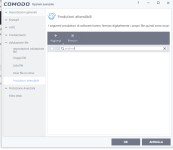
Ok.. they have removed Piriform from Trusted Vendors (removed in CFW, but not in CCAV yet)

I have CIS latest stable version offline installer. I installed & checked, Piriform is in Trusted Vendors. I checked for updates, web protection databases & recognizers updated. I checked Trusted Vendors, Piriform was removed.

It seems, after CCleaner issue, they have removed Piriform from Trusted Vendors in CFW, but not in CCAV yet. And this is the reason, CCAV allow & CFW sandbox the CCleaner malware.
 
  • Like
Reactions: TheMalwareMaster
Ok.. they have removed Piriform from Trusted Vendors (removed in CFW, but not in CCAV yet)

I have CIS latest stable version offline installer. I installed & checked, Piriform is in Trusted Vendors. I checked for updates, web protection databases & recognizers updated. I checked Trusted Vendors, Piriform was removed.

It seems, after CCleaner issue, they have removed Piriform from Trusted Vendors in CFW, but not in CCAV yet. And this is the reason, CCAV allow & CFW sandbox the CCleaner malware.
Yes, that's what I was saying, we finally agree... Just installed COMODO Firewall on a virtual machine with default settings and Piriform is not in the trusted vendors list
 
  • Like
Reactions: Raka Daku
3). Now the choice between Comodo cloud and Comodo Firewall- Here I will the malware you mentioned- the CCleaner malware-
(Please note that Comodo STILL has no definition against it, at least against the strain I used in my last video):
a. Comodo Cloud will ALLOW the CCleaner malware to run AND the attempt to connect to the malware Server will be allowed (not good at all)
b. Comodo Firewall will sandbox the malicious CCleaner and the Outbound connections will be prevented (this using Cruel Comodo). An Optimal Result.
After CCleaner issue, they have removed Piriform from Trusted Vendors in CFW, but not in CCAV yet...THIS is the reason, CCAV allow & CFW sandbox the CCleaner malware.

It's not CCAV protection design issue (CCAV protection design is the same as CFW)
Piriform present in Trusted Vendors in CFW, Cruel Comodo too will not protect from the CCleaner malware.
 
Since the question asked was specifically about Comodo Antivirus, I would say that the easy answer here as far as AV goes is for Defender.

I have never read anything good about Comodo AV, but I used Comodo Firewall for years, and liked it. Usually turned off everything but the firewall and paired it with a decent AV, typically Avast or something.
 
For instance, if I code malware (not that a Kind and Gentle person like myself would EVER consider doing such a thing), it will bypass WD as it will be a true Zero Day; however Comodo will essentially tell me to screw myself and contain the zero day thingy

Didn't you do just that earlier in the year create a bypass of Comodo when all the Comodo VS conflits stories were going about? And you created an exploit that went straight through CF. I remember because CF users on the forums were worried if you could do it others could too.
 
Comodo Cloud Antivirus - v1.14.431397.586 - BETA

Login

New:
Fileless Malware Support:

Like CIS, now CCAV also has support for file less malware. You can find related settings under "Settings-->Advanced Protection-->Miscellaneous" as "Do heuristic command line analysis...".

Password Protection:
Now you have password protection feature available and can be accessed via "Settings --> General Settings --> User Interface".

Compliant to Cloud Files Feature:
This version is fully compliant with latest Cloud Files Feature introduced in Windows 10 RS3 release.

Enhanced Virus Scope:
In this version, CCAV will be providing base support for additional events allowing VirusScope modules to detect more complex malware.

System-restart reminder upon update:
Many users update CCAV but do not re-start system and thus remains unprotected. We have introduced a reminder alert in case user does not re-start system upon update.
 
  • Like
Reactions: ZeroDay and XhenEd