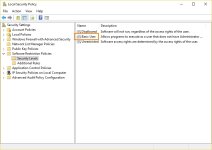
You can leave it to admin.When this SRP settings is applied, to we need to set user to SUA or we can leave it to Admin?


Open MalwareTips from your Home Screen or desktop. Follow discussions, find answers and pick up where you left off.
If you cannot find an install option, update your browser or use its bookmark option to keep MalwareTips close.
After installation, open the app and sign in. Enable push notifications in Preferences if you want alerts. On iPhone and iPad, push requires a Home Screen web app and iOS or iPadOS 16.4 or later.
Sign in to manage notificationsInstallation is optional. Your notification settings stay under your control.
 Thread starter
Windows_Security
Thread starter
Windows_Security
You can leave it to admin.When this SRP settings is applied, to we need to set user to SUA or we can leave it to Admin?


Most GP's are still there, and all rules I set pre update are still in place, mainly those that disable bloat and strengthen security of the OS.i wish i had the Enterprise version...
MS plan to remove GP from Pro version in the Anniversary update...


Also if you have applied a password to VS, then when you try to elevate using "Run As Admin" VS will require a password before allowingWhen you knowingly bypass SRP with "Run as Admin", then VS running in AUTO-PILOT mode closes any "shoot in the foot" errors made by the user because it:

I
The Reg tweak adds the new element in Explorer context menu (right mouse click) due to:
[HKEY_CLASSES_ROOT\*\shell\Run with SmartScreen\command]
@="C:\\Windows\\RunAsSmartscreen.vbs \"%1\" %*"
penTextFile("C:\Windows\Temp\AddZoneIdentifierToFile.vbs", 1)
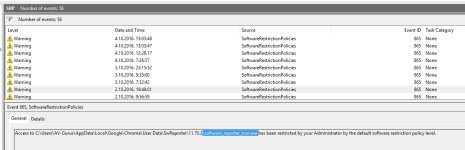

So in my case I have portable apps in C directory, should I move them to documents or downloads?Blocking User Space execution and using portable programs don't work well together.
Yyou can only run them as Admin, while you want to run programs with the lowest rights possible.
By adding a folder in user space with execution rights you are putting a hole in your defense.
I installed Portable Firefox in User folder and Ran it as Admin, it works.
I put all my portable app in one folder and then set that folder to Unrestricted in SRP.
 so I can have it when I reinstall Windows.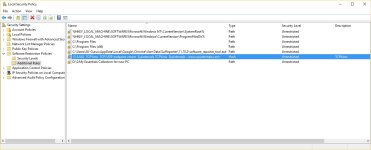
I keep my portable app on a separate disk (not on C
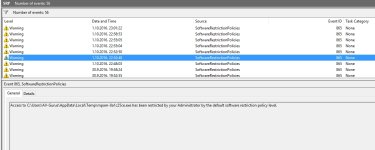
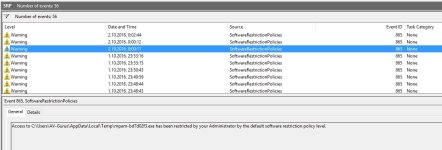
I know about that TEMP problem (Process Explorer, Zemana AM update...).
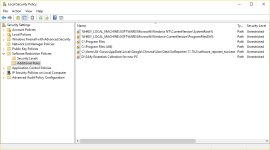
Whitelist by Hash don't know how to do that...???
I just try now (see picture) is like this OK?
View attachment 118032
Members who viewed this thread in the last 5 minutes