This month’s Patch Tuesday rollout brought us 7 security bulletins supposed to fix vulnerabilities in a wide array of applications developed by Microsoft, but unfortunately for users, two of them appear to be causing more harm than good.
Yesterday, we reported to you that KB3002339 failed to install on computers running Visual Studio 2012, but it appears that there’s one update causing even more issues to Windows 7 users.
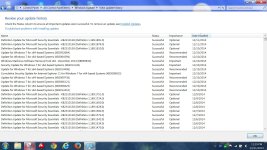
This time, KB3004394 appears to be responsible for more serious issues experienced by many users who installed it, including problems that break down the Windows Defender service completely.
Needless to say, computers relying solely on Windows Defender to protect against malware would be left unguarded, so it’s pretty clear that this botched update could really have serious consequences on some machines.
Only happening on Windows 7
Reports posted on Microsoft’s Community service reveal that the KB3004394 update causes issues on Windows 7, no matter the version.
All MMC functions, including the Event Viewer, require administrator privileges even if the logged-on user is already administrator, some users report. At the same time, the Windows Defender service fails to start with error “%%-2147023113.”
Those who tried to remove the update completely claim that everything went back to normal, so there’s no doubt that this particular item is the one causing the issues on Windows 7.
“After I install it, I can't install any other Windows Updates. I get an error message on Windows Update. I have already did some advanced troubleshooting and narrowed the problem down to KB3004394. Removing the update and rebooting allows all other updates to complete as usual,” one user posted.
How to fix it
At this point, there’s absolutely no workaround coming from Microsoft, so the only suggestions you can get right now are developed by other users who have attempted to find a resolution for this broken update.
Until Microsoft comes up with a fix, your only option is to hide the update completely and thus avoid getting it installed on your computer after removing it. This way, you can make sure that problems caused by this update are completely avoided, but keep in mind that you should enable it back once the company rolls out a fix or a revised update.
At this point, the update is still up for grabs, and downloading and installing it manually could solve the problems in some cases, so click here to get it right now and see if this makes any difference.
Yesterday, we reported to you that KB3002339 failed to install on computers running Visual Studio 2012, but it appears that there’s one update causing even more issues to Windows 7 users.
This time, KB3004394 appears to be responsible for more serious issues experienced by many users who installed it, including problems that break down the Windows Defender service completely.
Needless to say, computers relying solely on Windows Defender to protect against malware would be left unguarded, so it’s pretty clear that this botched update could really have serious consequences on some machines.
Only happening on Windows 7
Reports posted on Microsoft’s Community service reveal that the KB3004394 update causes issues on Windows 7, no matter the version.
All MMC functions, including the Event Viewer, require administrator privileges even if the logged-on user is already administrator, some users report. At the same time, the Windows Defender service fails to start with error “%%-2147023113.”
Those who tried to remove the update completely claim that everything went back to normal, so there’s no doubt that this particular item is the one causing the issues on Windows 7.
“After I install it, I can't install any other Windows Updates. I get an error message on Windows Update. I have already did some advanced troubleshooting and narrowed the problem down to KB3004394. Removing the update and rebooting allows all other updates to complete as usual,” one user posted.
How to fix it
At this point, there’s absolutely no workaround coming from Microsoft, so the only suggestions you can get right now are developed by other users who have attempted to find a resolution for this broken update.
Until Microsoft comes up with a fix, your only option is to hide the update completely and thus avoid getting it installed on your computer after removing it. This way, you can make sure that problems caused by this update are completely avoided, but keep in mind that you should enable it back once the company rolls out a fix or a revised update.
At this point, the update is still up for grabs, and downloading and installing it manually could solve the problems in some cases, so click here to get it right now and see if this makes any difference.