



For those use YogaDNS as service mode :
I always want to know if the service is running but the problem is that : there is no indicator statut and it's impossible to show a systray icon related to a service.
Solution create a powershelll script for checking "active service", then create related task scheduler.
Finally a shield icon indicate if the service is active or not.
Attached script in *.txt, rename-it to *.ps1
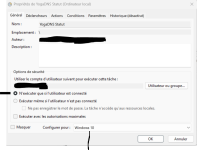
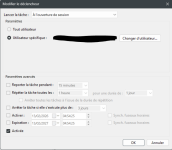
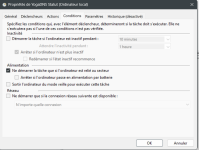
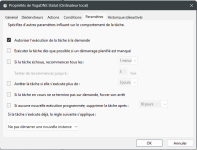
Step by step task parameters (Create a Task NOT a basic task)
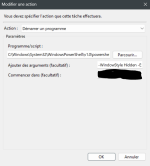
For the action Tab is :
Action : Start Program
Programme/script : C:\Windows\System32\WindowsPowerShell\v1.0\powershell.exe
Arguments : -WindowStyle Hidden -ExecutionPolicy Bypass -File "C:\YOUR PATH\YoDNS.ps1"
Begin : C:\YOUR PATH\YogaDNS\

I always want to know if the service is running but the problem is that : there is no indicator statut and it's impossible to show a systray icon related to a service.
Solution create a powershelll script for checking "active service", then create related task scheduler.
Finally a shield icon indicate if the service is active or not.
Attached script in *.txt, rename-it to *.ps1
Step by step task parameters (Create a Task NOT a basic task)
For the action Tab is :
Action : Start Program
Programme/script : C:\Windows\System32\WindowsPowerShell\v1.0\powershell.exe
Arguments : -WindowStyle Hidden -ExecutionPolicy Bypass -File "C:\YOUR PATH\YoDNS.ps1"
Begin : C:\YOUR PATH\YogaDNS\






