

You’ve likely seen the ads—bold headlines claiming you can make hundreds of dollars daily by simply following a “3-step Wi-Fi trick.” No experience needed. No selling. No social media. Just a few minutes of your time and a smartphone. The system promises fast, passive income, and it sounds like the answer to your financial struggles.
But is it real? Or is this yet another trap designed to exploit those who are looking for a legitimate way to earn online?
In this comprehensive investigation, we expose the 3-Step Wi-Fi Trick scam, how it works, what to watch out for, and what to do if you’ve already been caught in its web. This article will arm you with everything you need to protect yourself and your finances.
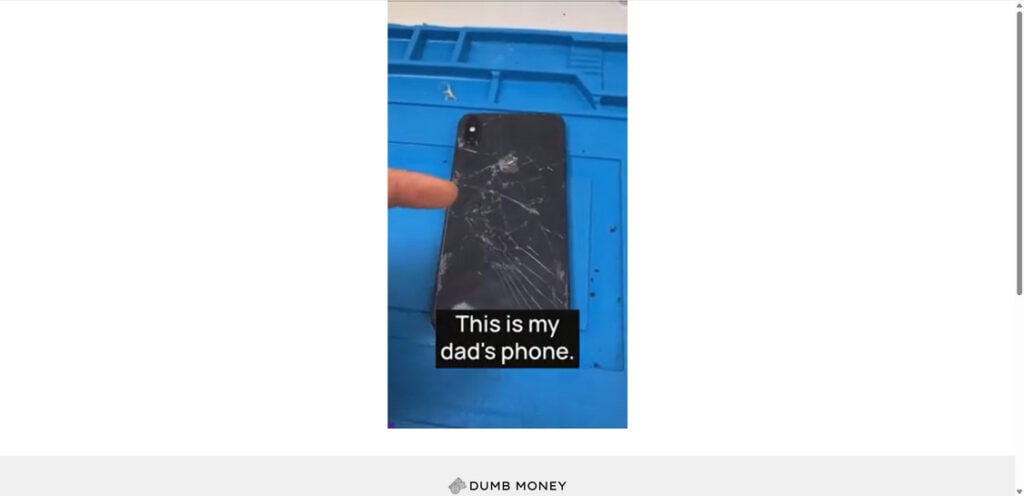
Scam Overview: What Is the 3-Step Wi-Fi Trick Scam?
The “3-Step Wi-Fi Trick” is not a revolutionary money-making method—it’s a recycled scam tactic that’s been repackaged and marketed under numerous names. You might also find it being sold as “Cash Loophole,” “Automatic Cash Machine,” “Pocket-Sized ATM,” or “WiFi Profits App.” Despite the different branding, the core scam remains the same: lure users in with emotional stories, fake urgency, and false promises, and then extract money for worthless digital products.
Key Characteristics of the Scam
- Promises of daily income ($100+ per day) for just minutes of work
- Claims of “no experience required” and “no selling involved”
- Fake testimonials, often using AI-generated faces or stock images
- A countdown timer or message claiming limited availability
- Vague language like “secret system” or “hidden method”
- No company address or contact information
- Payment gateway through Digistore24 or similar platforms
Who They Target
These scams primarily target financially vulnerable individuals:
- Stay-at-home parents
- Retirees
- Unemployed or underemployed workers
- Students looking for side income
- Gig workers burned out by hustle culture
The emotional appeal of “taking control of your life” or “breaking free from your 9–5” is strong enough to override skepticism.
The Outcome
Users pay an upfront fee (usually $47 to $67) to access the “system,” only to find outdated PDFs, generic affiliate marketing tutorials, or recycled YouTube videos. Some users report hidden fees, unauthorized charges, or aggressive upsell tactics pushing additional programs for hundreds of dollars.
How the Scam Works
Step 1: Enticing Ads
The scam begins with emotionally charged advertisements on platforms like Facebook, Instagram, or YouTube. These ads often use fake success stories, including actors or AI-generated avatars pretending to have made thousands using the system. Phrases like “no selling,” “no crypto,” and “no experience needed” are common hooks.

Step 2: Fake Landing Page
Clicking the ad takes users to a professionally designed webpage—often filled with urgent language, countdown clocks, and testimonial videos. The page might be hosted on a site like cashloophole.com or use random domain names to obscure its identity. Despite the flashiness, there’s usually no clear information about the company or creators.
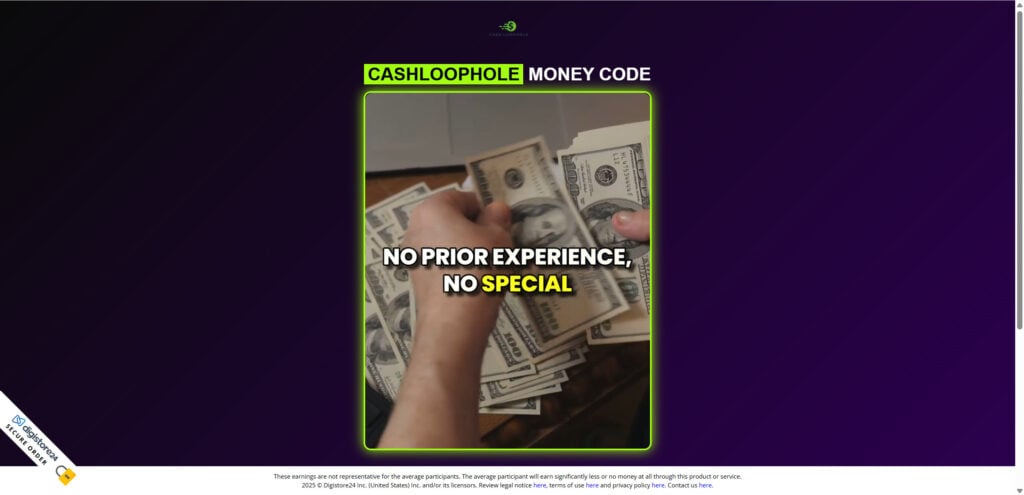
Step 3: Emotional Manipulation
A video autoplays, narrating a story of someone escaping poverty or hardship thanks to this miracle method. You’ll hear that big tech or major companies “don’t want you to know” this trick, making it feel exclusive and urgent. However, it never actually explains what the trick is or how it generates income.
Step 4: The One-Time Offer
Next, you’re prompted to pay a one-time fee—usually around $67. This is said to give you full access to the “system” or “app.” In reality, it’s a gateway into a much larger funnel.
Step 5: Upselling and Recurring Charges
After the initial payment, users are bombarded with upsells. You may be offered “premium access,” coaching sessions, or exclusive tools for hundreds of dollars. Many victims report hidden recurring charges on their credit cards that are difficult to cancel.
Step 6: Worthless or Recycled Content
Once inside, the “system” consists of basic affiliate marketing advice or outdated PDFs. You might receive a few links to low-quality video tutorials or tips that are freely available on YouTube.
Step 7: Vanishing Act
After a few months—or once negative reviews start surfacing—the website disappears, reemerging later under a new name with the same playbook.
What to Do If You’ve Been Scammed
1. Cancel Future Payments
Immediately log in to your payment provider (such as PayPal or your bank) and cancel any active subscriptions or scheduled charges associated with the scam.
2. Request a Chargeback
Contact your credit card issuer to file a dispute. Explain the nature of the scam and provide any documentation—screenshots, receipts, and email communications—that support your case.
3. Report the Scam
File official complaints with:
- Federal Trade Commission (FTC): reportfraud.ftc.gov
- Internet Crime Complaint Center (IC3): ic3.gov
- Better Business Bureau (BBB): bbb.org
These reports help authorities track and shut down scam networks.
4. Protect Your Digital Identity
Change your email, account, and financial service passwords. Monitor your bank and credit statements closely. Set up alerts for any unusual activity.
5. Warn Others
Share your experience online via scam forums, Reddit, Trustpilot, and social media. Your voice might help someone else avoid the same mistake.
The Bottom Line
The 3-Step Wi-Fi Trick scam is yet another digital trap preying on those who seek financial freedom. Promising effortless earnings for just a few minutes of work a day, it uses fake testimonials, emotional stories, and misleading urgency to push low-value or nonexistent content.
No real business model works this way. Making money online is possible—but it takes time, effort, and knowledge. If a system refuses to explain what it does until after you pay, it’s almost always a scam.
Stay alert, trust your instincts, and always research before you click or pay. The best way to beat scams like the 3-Step Wi-Fi Trick is to expose them—and now, you know exactly how they work.
FAQ: 3-Step Wi-Fi Trick Scam
What is the 3-Step Wi-Fi Trick scam?
It’s a fraudulent scheme disguised as an easy way to earn money online by tapping your phone for just a few minutes a day. Scammers use names like “Cash Phone,” “Cash Loophole,” “WiFi Profits App,” and others to push the same misleading system, usually in exchange for an upfront payment.
Do any of the systems like Cash Loophole or WiFi Profits actually work?
No. These systems do not generate real income. They are typically filled with outdated advice or generic content freely available online, and the only people profiting are the scammers running the campaigns.
How much do they charge?
Victims are often charged $47 to $67 initially. Many users report recurring unauthorized charges and upsells for additional products or “premium access.”
What do I actually get after paying?
You usually get access to a low-quality member’s area filled with basic PDFs or YouTube links about affiliate marketing. There is no real product, tool, or business model involved.
Why are these scams always rebranded with new names?
To avoid exposure and negative reviews. Once a scam name gets flagged or banned, it’s quickly relaunched under a new name but follows the same formula and content.
Can I get a refund if I fell for it?
Yes, but you must act fast. Contact your bank or card issuer to file a dispute. Provide evidence showing that the product was deceptive or did not match the advertising claims.
Is this illegal?
Yes, many aspects of these scams—false advertising, unauthorized charges, selling personal data—can violate consumer protection laws. Reporting the scam to consumer agencies helps authorities investigate.
What should I do if I shared personal or payment information?
Immediately monitor your bank accounts for suspicious activity. Change your passwords, and consider placing fraud alerts on your credit report.
How can I avoid scams like this in the future?
Look for these red flags:
- Big earnings promised for little or no effort
- No clear explanation of how the system works
- Fake testimonials or reviews
- No company contact info
- Pushy urgency tactics like countdowns or “limited spots”
Are there any real ways to make money with your phone?
Yes, but they require real work—freelancing, online tutoring, content creation, or selling goods/services. Anything that claims you’ll earn while doing nothing should be treated with extreme skepticism.

Join the discussion
0 commentsShare your experience or ask a question about this article.
Discussion
Start the conversation
Have a question or something useful to share? Add the first comment.