

It starts innocently enough — a video ad claiming you can earn hundreds of dollars from your phone in just 30 seconds. You’re told there’s a “secret phone ritual” that generates income daily, automatically, and requires zero experience. The pitch seems harmless, maybe even exciting. After all, who wouldn’t want to earn $500/day doing almost nothing?
But beneath the flashy headlines and dramatic backstories lies a web of manipulation, false promises, and deceit. This so-called “30-second phone ritual” is nothing more than a rebranded online scam, one that’s fooling thousands into paying for a worthless system.
In this comprehensive exposé, we’ll unpack the scam in full: what it is, how it works, who’s behind it, and what to do if you’ve already been tricked. If you’re here looking for answers — or searching for truth behind those viral videos — keep reading.
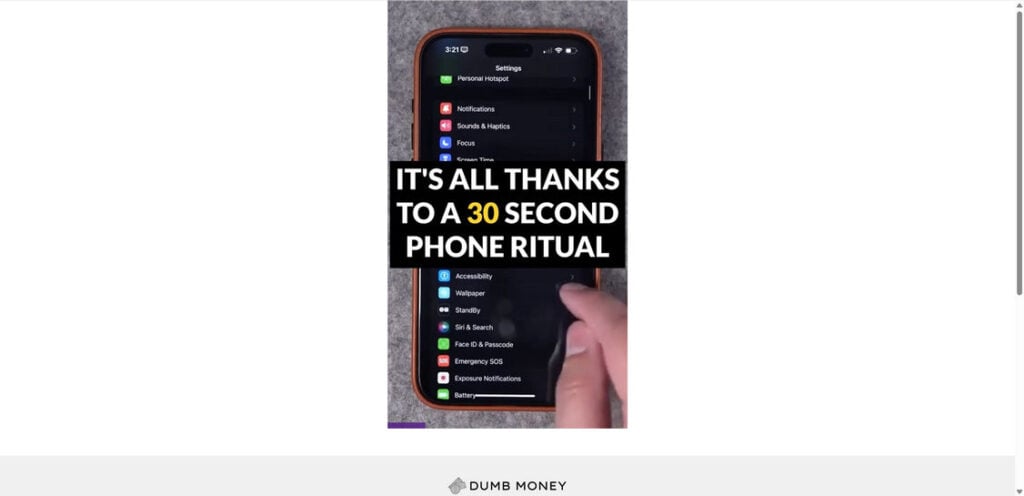
Scam Overview: What Is the “30-Second Phone Ritual” Scam?
The “30-second phone ritual” scam is a deceptive marketing ploy designed to sell generic digital products under the illusion of a breakthrough income system. It typically goes by names like Dumb Money System, WiFi Profits, Mobile Money Formula, or similar buzzword-heavy titles. While the names may change, the script remains the same: a flashy promise of passive income with no effort, hidden behind a paywall.
Core Claims
- Earn $100s or even $10,000+ per month using your phone
- Takes just 30 seconds a day
- Requires no experience or technical skill
- Involves no selling, no products, no inventory
- You can start immediately
These claims are repeated across various platforms including:
- TikTok
- Sponsored articles and videos on YouTube
The “Narrator” and Characters
Most variations of this scam are narrated by a person with a generic name like Matt Scott or Mike Daniel Smith. These names aren’t linked to any real people or verified business figures. Their backstories are fabricated — full of vague struggles, “news segments,” and sudden success.
They often mention dramatic scenes like someone paying for groceries or a senior citizen finding wealth through a “phone hack.” These scripted scenes are designed to build emotional connection and trust.
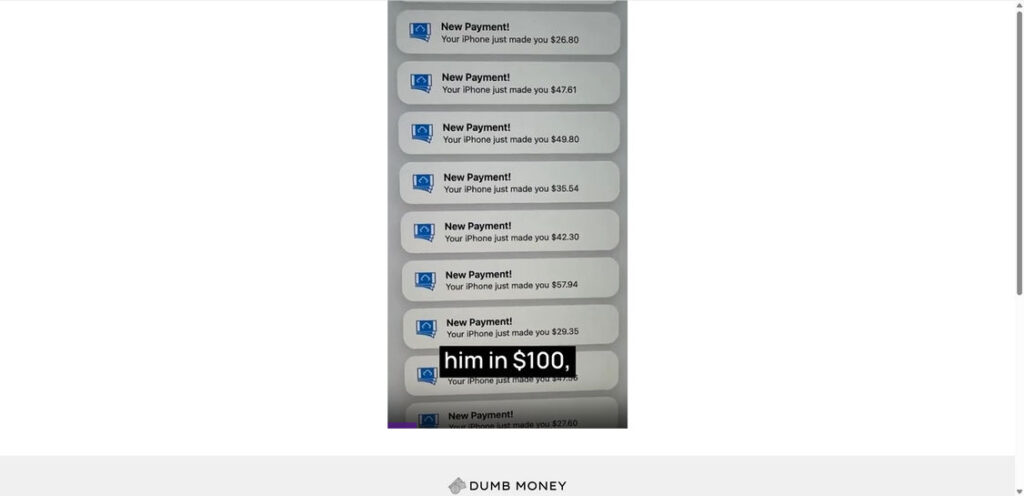
Visual Gimmicks
The scam often uses:
- Footage of a cracked iPhone receiving fake payment notifications
- Countdown timers implying urgency
- News-style lower thirds and overlays to imply credibility
- Screenshots showing exaggerated payments like $57.94 or $42.30
All of these are fabricated or taken out of context. None are backed by verifiable proof.
What You’re Actually Buying
Once you’re funneled through the ad and sales video, you’re asked to pay around $67 through platforms like Digistore24. In exchange, you receive access to a “course” or “members’ area.”
Here’s what you typically get:
- Rehashed affiliate marketing guides
- Basic advice on signing up for referral programs
- Vague tips about using AI tools like ChatGPT
- Links to platforms like ClickBank, Amazon Associates, or YouTube
This is information that’s already free on thousands of websites, YouTube videos, and blogs.
Why It’s a Scam
- False Advertising: There is no magic “30-second ritual.” The course content does not match the promises made in the ads.
- Fake Testimonials: The actors, voices, and identities shown are not verified. Many are stock images or paid spokespeople.
- No Real Income Proof: There is no trackable evidence of users making consistent income from this system.
- Lack of Transparency: No business address, no creator bios, no customer support.
- Recycled Playbook: This is just a new version of past scams like WiFi Profits, 1K A Day Fast Track, or The Commission Plan.
How the Scam Works
Step 1: Bait Ads
You’ll first see the scam via a flashy ad or promoted video. The common formats include:
- Cracked phone receiving “payment notifications”
- Elderly people or struggling families suddenly discovering the “ritual”
- Stories that sound like they were pulled from viral news headlines
They use emotionally manipulative storytelling to lure you in — fear of poverty, hope for financial rescue, or fear of missing out.

Step 2: Fake Landing Page
After clicking the ad, you’re taken to a landing page. These pages mimic secure or legitimate websites and use:
- Fake CAPTCHA screens
- “Limited access” messages
- Claims that the video might be “taken down soon”
- Quotes from news outlets (which are never actually linked or verified)
The goal is to create a sense of urgency and legitimacy.
Step 3: Long-Form Sales Video
Once you “verify” you’re not a robot, you’re shown a 20 to 30-minute video. The narrator gives a vague story:
- “I was broke.”
- “I met someone who shared a secret.”
- “Now I make $10,000/month.”
Throughout the video:
- No real method is shown
- No step-by-step guide is explained
- No platform or company is ever named until the very end
This is all by design. The video is engineered to wear down your skepticism with repetition, emotion, and urgency.
Step 4: Paywall via Digistore24
Eventually, the narrator says: “Click the button below before it disappears.” This leads to a checkout page powered by Digistore24.
The price ranges between $47 and $67, usually promoted as a “limited-time deal.”
Digistore24 is a legitimate platform, but it hosts both ethical and unethical vendors. They do not verify the accuracy of claims made by sellers.
Step 5: Delivery of Useless Content
Once purchased, you receive access to:
- Basic training on affiliate marketing
- Referrals to free or freemium tools
- Advice you can find for free with a simple Google search
There is no system, no automation, and certainly no “ritual” that works in 30 seconds.
Step 6: Dead-End Support and No Refunds
Despite claims of a 60-day money-back guarantee, many users report that:
- Emails go unanswered
- Refund requests are ignored
- Digistore24 refers you back to the seller, who vanishes
By the time users realize they’ve been scammed, it’s often too late.
What To Do If You’ve Fallen Victim to the Scam
If you’ve already paid for this system, here’s a step-by-step guide on what to do next:
1. Request a Refund from Digistore24
- Go to https://www.digistore24.com/en/home/support
- Provide your transaction ID and email
- File a refund request clearly stating you were misled
2. Dispute the Charge with Your Bank
- Call your credit card provider or bank
- Explain that you were misled by false advertising
- Request a chargeback (preferably within 30–60 days of purchase)
3. Report the Scam
- FTC (US): https://reportfraud.ftc.gov
- Better Business Bureau: https://bbb.org
- Trustpilot or ScamAdviser: Leave an honest review
- Reddit and Quora: Share your experience to help others
4. Secure Your Devices
- Run antivirus and anti-malware scans
- Clear your browser cookies and cache
- Change passwords on accounts used during the transaction
5. Educate and Warn Others
- Share your story with friends or on social media
- Post honest reviews wherever you can
- Help others avoid the same trap
Frequently Asked Questions About the 30-Second Phone Ritual Scam
What is the 30-second phone ritual scam?
The 30-second phone ritual scam is a deceptive marketing scheme that promises users fast, passive income by completing short “rituals” on their phone. In reality, it leads to the sale of an overpriced and generic online course offering no unique value.
Is Dumb Money the same as the 30-second ritual?
Yes. Dumb Money is one of several names used to promote this scam. Others include Mobile Money Formula, WiFi Profits, and similar titles. All are part of the same misleading system with identical claims and marketing tactics.
Does the 30-second ritual actually work?
No. There is no real method or system that delivers the kind of results promised in the ads. Users receive outdated tutorials and free information repackaged as a “secret system.”
Who is behind this scam?
The individuals claiming to be “Matt Scott” or “Mike Daniel Smith” are likely fictional or aliases. There is no verifiable information about the creators. The operation relies on anonymity to avoid accountability.
Is it really just $67?
Yes, the scam typically asks for a $67 one-time fee, though prices may vary. It is often promoted as a “limited-time deal” to pressure users into buying quickly without thinking critically.
What do you get after paying?
Buyers receive access to a members’ area containing basic content on affiliate marketing, referral links, and general advice already available for free. There are no tools, platforms, or systems that match the hype from the advertisements.
Can I get a refund?
You can attempt to get a refund through Digistore24, the payment processor used by the scam. Some users have success, while others report being ignored. It’s best to act quickly and clearly state your reason for requesting a refund.
How can I avoid scams like this in the future?
Look for the following red flags:
- Over-the-top income claims
- No clear explanation of the system
- Fake urgency and countdown timers
- Vague testimonials with no real names
- No contact information or refund process
What should I do if I already paid?
Request a refund from Digistore24, file a chargeback with your bank, report the scam to the FTC, and warn others online. You can also run security scans and change any passwords you used during checkout.
The Bottom Line
There is no such thing as a “30-second phone ritual” that automatically generates wealth. What’s being sold here is a glorified YouTube tutorial — overpriced, overhyped, and underdelivering.
Whether it’s called Dumb Money, Mobile Income, WiFi Profits, or anything else, it’s just a scam with a fresh coat of paint. The only people making money from these systems are the ones selling them.
Always do your research, look for verifiable proof, and remember:
If it sounds too good to be true, it probably is.
Would you like a downloadable PDF version of this article or a summary version for social media use?

Join the discussion
0 commentsShare your experience or ask a question about this article.
Discussion
Start the conversation
Have a question or something useful to share? Add the first comment.