

The download page looks polished. Its button appears to point toward a real project, and returning to the page later may produce an ordinary installer or the correct destination.
Fake download ads are using that inconsistency as cover. For the selected visitor, the first click can be intercepted and sent through a hidden chain that ends somewhere very different.
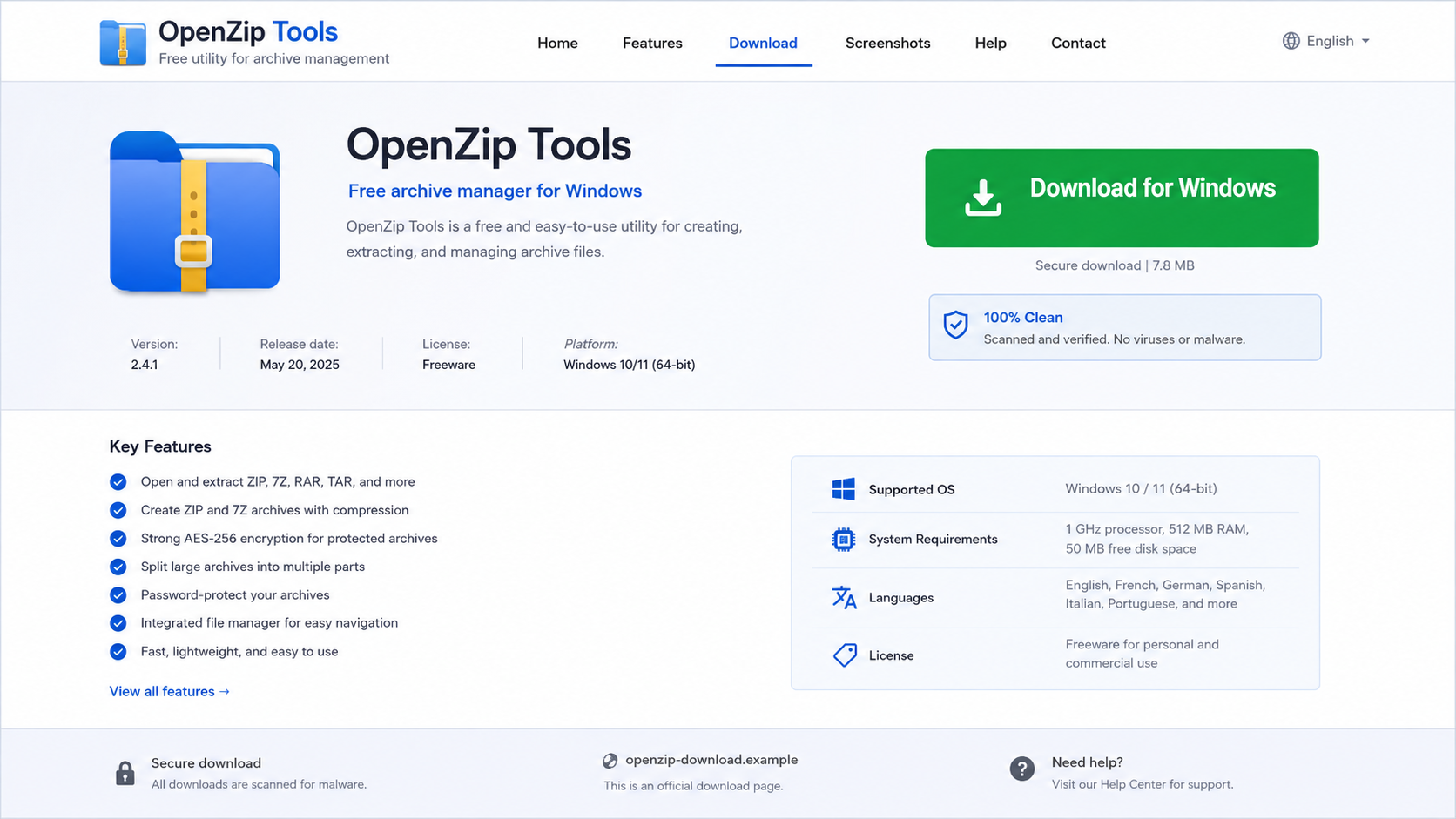
A researcher who refreshes the page may no longer see the same behavior. A security scanner in a data center may receive harmless content. A person arriving from the right country and browser can receive the dangerous branch.
That makes the page unusually convincing. The visible site is only the front door, while a Traffic Distribution System decides what happens behind it.
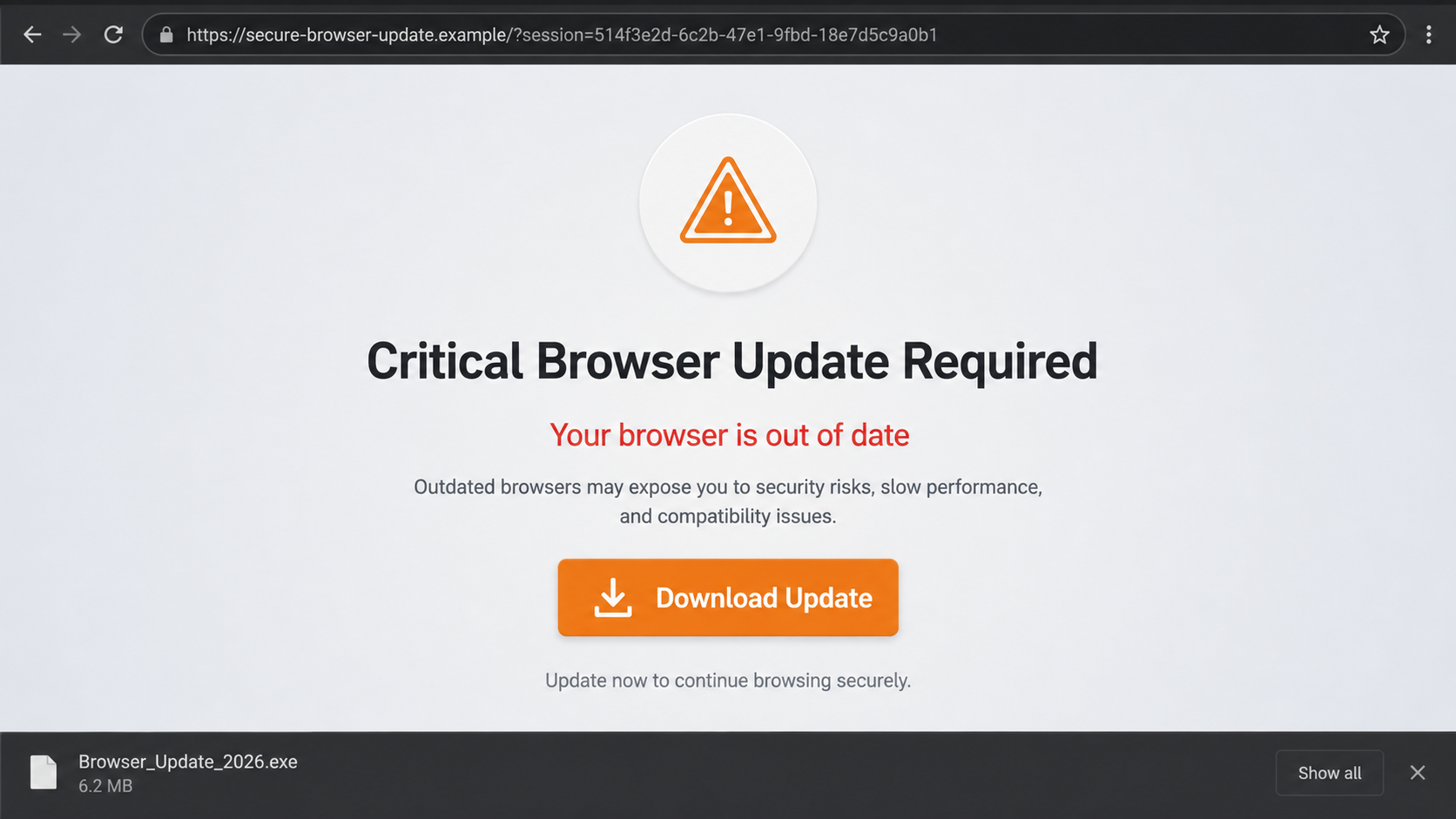
The result may be an offer wall, an unwanted application, a fake update, a credential page, or malware built to steal browser data and cryptocurrency.
Overview
The fake project site captures high-intent search traffic
Criminal and deceptive operators build websites that resemble popular freeware and open-source project pages. They promote them through search manipulation, advertising, links, and other traffic sources.
Check Point Research documented more than 100 active sites using shared scripts in one ecosystem. The lookalikes included pages for technical tools such as Ghidra, dnSpy, gRPCurl, GUIFormat, and other utilities.
The first eligible click is silently replaced
The visible download link may retain a legitimate-looking destination. JavaScript loaded through CloudFront can still capture the click or mouse action, cancel the expected navigation, and hand the visitor to a Traffic Distribution System.
The routing layer can consider:
- country and IP address;
- desktop or mobile device;
- browser family and fingerprint;
- VPN or data-center indicators;
- whether the visitor clicked before;
- frequency limits stored in the browser;
- campaign and advertising rules.
Different visitors can receive different outcomes
Some sessions observed by researchers ended with legitimate software or potentially unwanted applications. Other branches delivered malware, including RemusStealer, AnimateClipper, and the SessionGate framework.
That qualification matters. The research did not claim every click delivered malware. It established that the shared routing ecosystem repeatedly sent selected users to malicious payload infrastructure.
Why the Page Can Look Clean During a Second Check
Ordinary scam pages show the same lie to nearly everyone. Gated traffic systems are designed to avoid that predictability.
The browser can store a marker after the first eligible interaction. Later clicks may follow the original link or display benign content. A frequency cap can also prevent the dangerous branch from appearing again for hours.
Filtering happens on the server side too. A visitor using a known VPN, security scanner, data-center IP address, unusual language, or unsupported device may be screened out.
This creates a frustrating report. The victim says a download button produced malware. A colleague opens the same page and reaches a legitimate project. Both observations can be accurate.
The FBI issued a separate warning about malicious Traffic Distribution Systems in June 2026. It described phishing emails, poisoned search results, fraudulent ads, and compromised legitimate sites as routes into these systems.
The FBI also warned that the final destination can be a fake financial login, software update containing malware, or infrastructure used to gain access that is later sold to other criminals.
How the Fake Download Ads Scam Works
Step 1: A lookalike page is built around a real tool
The site copies the project’s name, purpose, screenshots, and documentation. It may link to a real repository in several places so casual checks appear reassuring.
The operator chooses software people want immediately, including utilities, developer tools, media programs, and security applications.
Step 2: Search results or ads deliver ready-to-click visitors
The site competes for searches containing download, Windows, installer, or the project name. Sponsored placement and search poisoning can move it above the official source.
The visitor arrives with a task already in mind and looks for the largest Download button.
Step 3: A remote script watches for the first interaction
The page loads a staging script from shared infrastructure. Check Point found scripts hosted through Amazon CloudFront, a legitimate content-delivery service that does not make the campaign legitimate.
On one browser the trigger may be a click. On another it may activate on mouse-down before the expected link opens.
Step 4: The TDS profiles and routes the visitor
The Traffic Distribution System evaluates the session and selects a branch. It can reject analysts, limit repeat delivery, or send different regions to different campaigns.
The redirect passes through intermediate domains so the fake project’s source code does not reveal the final destination directly.
Step 5: The victim receives a decoy, unwanted app, or malware
One branch may install ordinary software with extra offers. Another may deliver a short-lived executable tied to that browser and IP address.
Researchers observed credential theft, cryptocurrency transaction manipulation, browser data theft, and multi-stage loaders among the malicious outcomes.
Step 6: Benign behavior frustrates investigation
Returning from the same device may produce the real link, a harmless installer, or nothing. Automated sandboxes can also receive a decoy experience.
The inconsistency is not evidence that the first report was mistaken. It is one of the routing system’s defenses.
Company, Address, and Fulfillment Checks
The project name is not proof of project ownership
Open-source names are easy to copy onto a polished page. Find the official repository or publisher page through documentation you already trust.
Compare maintainers, release notes, signatures, and the links listed by the real project.
The address may differ by only one memorable word
Lookalike domains often contain words such as app, official, download, setup, or Windows. Familiar vocabulary can hide the fact that the registered domain is unrelated.
Search position and a valid HTTPS certificate do not establish ownership.
Real support does not force an unrelated update
A project download should not suddenly require a browser update, extension, survey, notification permission, or different installer manager.
Close the page if the route changes purpose after the click.
A traceable release has checks beyond the button
Established projects often publish release hashes, code signatures, repository tags, or store listings. Those checks connect the file to a maintainer.
A filename such as SetupFile followed by random digits provides no comparable assurance.
Warning Signs Around a Software Download
- The domain is not linked from the project’s verified repository.
- The page ranks highly but has little history outside search results.
- Hovering shows one address while the click opens another.
- A second tab, blank tab, or long redirect chain appears.
- The site demands a browser update before providing the requested tool.
- The downloaded filename is generic or contains random digits.
- The file lacks the signature expected from the publisher.
- Repeated visits behave differently without a clear reason.
For open-source software, the safest route is usually the repository linked by the maintainers. For commercial software, use the publisher’s typed address or official app store.
If a project publishes hashes, compare the downloaded file before running it. A matching name and icon are not enough.
What the Observed Malware Branches Can Do
The danger is not limited to an annoying bundle. Check Point researchers followed selected branches to several malware families with different ways to make money from one installation.
RemusStealer was described as an information stealer targeting data from more than 20 browsers. Its interests included password managers, cryptocurrency wallets, authentication tools, extensions, and other applications.
That means changing one password may not be enough. Browser cookies can keep sessions alive, stored credentials can expose many services, and wallet extensions can reveal high-value targets.
AnimateClipper targets cryptocurrency transactions. Clipboard-monitoring malware can replace a copied wallet address with one controlled by the attacker.
The change may be difficult to notice because cryptocurrency addresses are long. A victim who checks only the first and last characters can still approve the wrong destination.
SessionGate uses several stages and extensive checks. Researchers observed it delivering potentially unwanted applications, while the framework’s gated design made full analysis and reproduction difficult.
The delivery process can include:
- a short-lived download tied to one session;
- a decoy installer that appears ordinary;
- encrypted modules retrieved after server checks;
- environment tests that avoid analysis systems;
- silent downloads selected by remote configuration;
- a benign fallback when validation fails.
This is why an antivirus scan of the visible installer is only one piece of evidence. The file may contact servers later, retrieve another stage, or behave differently outside the intended campaign route.
Check Point counted more than 5,000 VirusTotal submissions across relevant samples. Some individual SessionGate samples reached roughly 2,000 to 3,500 submissions.
Submission counts are not victim counts, but they show that the files were encountered broadly. Visibility appeared across several countries rather than one small target group.
Why Official Hosting Does Not Make the Chain Official
The campaign used services such as CloudFront and public cloud storage during parts of the route. Criminals regularly place malicious content on legitimate infrastructure because those domains are fast, familiar, and less likely to be blocked immediately.
The hosting provider is not necessarily the page operator or malware author. A trusted platform can be abused just as an email service or social network can.
Judge the complete chain: who published the project, where the click went, which file arrived, whether it is signed, and whether its hash matches the official release.
A recognizable cloud hostname in the middle of the chain does not answer those questions.
The same rule applies to code repositories. A fake page may link to a genuine repository for documentation while replacing only the download action. Check that the release file itself came from the verified maintainer.
Browser status text is useful but not conclusive when scripts can intercept the event. After clicking, read the new address before accepting a download.
If the final page changes from a utility to an update, survey, extension, or unrelated offer, the route has already failed the trust test.
Organizations should maintain approved software catalogs for frequently used tools. That gives employees a known source and reduces the need to search under pressure.
What to Do if You Have Fallen Victim to This Scam
- Do not run the file again. Disconnect the affected device from sensitive work if the installer executed. Keep the filename, source URL, download time, and browser history for investigation.
- Run a full security scan. Malwarebytes can detect many credential stealers, unwanted applications, and downloader components. Use a second trusted scanner if the device held business or financial accounts.
- Remove suspicious extensions and permissions. Review browser add-ons, notification permissions, downloads, startup items, and installed applications. Do not assume deleting the original installer removes everything it launched.
- Change important passwords from a clean device. Start with email, password managers, banking, work accounts, and cryptocurrency services. End active sessions and replace exposed authentication tokens where supported.
- Protect cryptocurrency accounts and wallets. If a clipboard hijacker or stealer may have run, verify every destination address on a separate trusted screen. Move assets only after the clean environment and recovery seed are secured.
- Monitor financial and business accounts. Check for new devices, forwarding rules, password resets, advertising charges, and transfers. Contact the relevant provider immediately about unauthorized activity.
- Block the route and report it. Report the ad, search result, domain, and downloaded file to the platform and the FBI’s IC3. AdGuard can block many known malicious ads and redirect domains before they load, but download only from verified sources.
- Consider rebuilding a high-risk system. If a confirmed infostealer ran on a device used for administration or finance, professional incident response or a clean operating-system reinstall may be safer than relying on one removal result.
Frequently Asked Questions
Why did the same link look safe when I checked again?
The campaign can record the first click, apply frequency limits, and route repeat visitors differently. It may also screen out VPNs, scanners, and data-center addresses.
Does the padlock mean a download page is official?
No. HTTPS encrypts the connection to the domain you opened. It does not prove that the domain belongs to the software project named on the page.
Can the visible link point to a real repository?
Yes. Researchers found that the original destination could remain in the link while JavaScript intercepted the first interaction and opened a different TDS-controlled route.
Does every visitor receive malware?
No. Observed outcomes included benign software, unwanted applications, offer pages, and malware. The confirmed risk is selective malicious delivery through the same routing ecosystem.
Where should I download open-source tools?
Use the repository or release page linked by the project’s verified maintainers. Check signatures or published hashes when available, especially for administrative and security tools.
What if I downloaded the file but never opened it?
Delete it without executing it and run a scan of the Downloads folder. Risk is lower if the file never ran, but also review whether the page installed an extension or requested browser permissions.
The Bottom Line
Fake download ads can hide a selective delivery system behind an ordinary-looking project page. The first click may be diverted even when the visible link appears legitimate, while later checks receive harmless content.
Start from the verified publisher or repository, not the highest result. If a download click changes purpose, opens a redirect chain, or demands an unrelated update, close it before running anything.








