


A credit of $14,845.33 would get anyone’s attention. An email that says it’s waiting on your signature makes it sound like money you could miss by doing nothing.
Before signing, look at how the notice describes the payment. A card credit and a document request are two different things to verify.
Overview
The alleged credit depends on a signature
The American Express merchant credit approval scam claims $14,845.33 is waiting to be applied to a card.
It says the recipient must approve an agreement before the credit can complete.
The subject asks for approval of a merchant credit. Inside, the message borrows American Express and Adobe Acrobat branding and describes an authorization step.
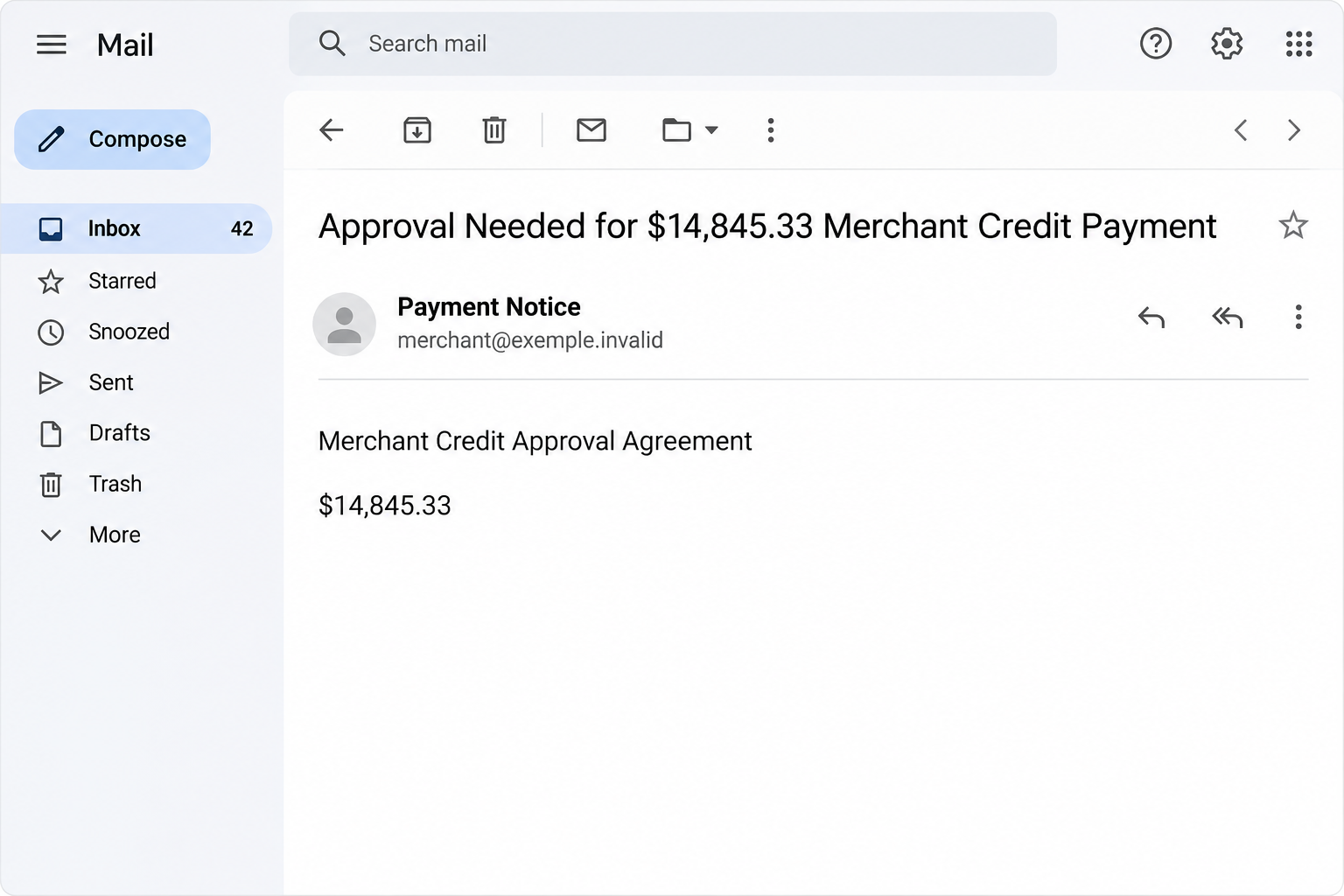
The picture above reconstructs the opening warning and its amount. It isn’t an American Express balance, a payment receipt or a captured Adobe signing request.
The combination is persuasive partly because both brands provide real services. Their names in one email aren’t evidence that they sent it or that the credit exists.
The message borrows an e-signing process without proving there is one
People sign real agreements through Adobe Acrobat Sign. That fact doesn’t establish that this email came through the service or that Amex created a document for the recipient.
The wording combines an e-signature request with a claim about the card’s available balance. It also says a one-time verification step may be needed.
The suspicious destination was reported offline. We can’t confirm which fields it displayed, whether it ever delivered a code prompt, or whether anyone completed a transaction through it.
The documented danger is the bogus request to authorize a credit through an unverified route. Don’t treat a guessed next screen as part of your own incident.
A credit claim should connect to account activity you can verify
A merchant refund, an account adjustment and a pending authorization are not interchangeable. If you’re expecting money back, start with the purchase and your real account.
If nothing is expected, a large amount isn’t a reason to search for a way to claim it. Ask the issuer what actually exists before sharing any information.
Look for a short chain of evidence:
- A real purchase, return or dispute that could explain the amount.
- Confirmation from the merchant through a channel you already trust.
- A corresponding record or case number in your verified card account.
- Instructions you received from American Express through a route you opened independently.
How the American Express Merchant Credit Approval Scam Works
Step 1: It presents money as already on the way
Rather than asking for a payment upfront, the email says a large credit has already been issued. It makes your next action sound like collecting something you own.
A specific amount can make the message resemble the result of a financial process. There’s a difference between a precise number and a verified account adjustment.
The notice can feel especially believable when you have a pending return, charge dispute or company expense issue. The sender doesn’t have to know about any of those events.
Compare the amount and the reason with your actual records. If they don’t match, don’t help the email find a new story by telling the sender which refunds you expect.
Step 2: Two recognizable names make the request feel routine
The message uses Amex to make the payment claim credible. It uses Adobe styling to supply a familiar explanation for why the reader is being asked to review a document.
Someone used to signing business documents may recognize the shape of the request before asking why a card credit needs this particular signature.
An actual electronic signature workflow can be independently verified with the organization that sent it. A pasted logo does not establish a real Adobe workflow.
If you handle company expenses, use finance or the account administrator as the first point of contact. Don’t sign just because the title sounds relevant to your job.
Step 3: An agreement blurs the line between reading and authorizing
The email frames the action as reviewing and approving a merchant credit agreement. That makes the button seem like a place to learn more.
But you don’t have to follow a signature request to verify a claimed credit.
The merchant can confirm the transaction through existing purchase records, and the issuer can check account activity.
An approval, an acknowledgment and a transfer are different actions. You should know which one you’re being asked to take before providing a signature, password or code.
If there is a real agreement for a business you manage, ask who initiated it and where your authorized team is expected to see it. Use the established workflow.
Step 4: The possibility of a one-time check makes a later prompt seem familiar
The message prepares you for identity verification. Someone who has seen legitimate verification during a banking session might not pause when the email mentions it.
That doesn’t mean the recorded site actually requested or captured a code. Its landing page wasn’t available to verify.
If you receive a code while somebody is talking to you, read what your own bank or app says the code is for. Never share it with an unsolicited contact.
Don’t approve a prompt simply because the caller says it will deliver money. End the interaction and use the official issuer route to ask what was attempted.
Step 5: The actual risk depends on the information you gave away
The email alone does not credit your account, charge your card or give the sender access. What happened next matters.
If you supplied a password, address account access. If you gave card details or approved a transaction, tell the issuer about that exposure separately.
If you signed or uploaded a document while following the request, record what it contained. The issuer or your business can help work out what the disclosure may affect.
A later report that a real credit did post doesn’t settle the identity of the sender. Information about a genuine refund can still coexist with a fraudulent email.
How to Confirm a Real American Express Credit
Match the credit to an actual purchase or case
Start with the transaction you believe the email refers to. Open the merchant’s order history or your expense system without using the link.
If the merchant processed a return, ask for the date, amount and reference through its established support channel. Keep its confirmation for comparison with the card account.
Look at your American Express app or account for what actually posted. A real dispute status or account adjustment has its own verified route.
If you find only an expected adjustment that hasn’t posted, ask the issuer what it sees. Don’t resolve a missing record by signing paperwork from the email.
Separate the card account from a merchant processing account
A person who buys with an Amex card and a business that accepts Amex payments can have very different records. A generic label such as merchant credit doesn’t identify either.
If the card belongs to your employer, report the notice to the person who administers it. They may have information you cannot see in your own expense view.
If you operate a business, contact your merchant services provider through an existing dashboard or statement. Don’t provide processing credentials to prove that the email relates to your company.
Choose the contact for the account you actually use. A general mail template cannot tell you who is authorized to settle a merchant payment.
Notice what a real accounting record can and cannot prove
A posted credit tells you something specific about the account. It doesn’t give an outside message permission to request a verification code or send you to another login.
An available balance can change for more than one reason. Rather than matching a total by eye, look for the individual item or ask the issuer to help identify it.
If the receipt shows a credit back to a specific purchase, keep that record.
It can be valuable if a later message makes a conflicting claim about where the money went.
Keep return, dispute and payment records separate
A merchant might tell you it approved a return while the issuer is still waiting for an adjustment to post.
That gap doesn’t create a separate contract for you to sign.
If you opened a dispute, ask the issuer about that case rather than opening a second one based only on the email. Describe any merchant refund that has actually posted.
An ordinary refund can be smaller than the original purchase if it covers only some items.
Find out what the merchant says it refunded before treating a difference as evidence of fraud.
For several business purchases, ask the account owner to reconcile amounts from the original records. The signature request cannot do that work for you.
When a company handles cards for several employees, don’t share an image of the full statement in a team chat.
Send only what’s needed through the approved expense or fraud system.
Wait for an answer from the merchant or issuer you contacted. The person who sent the email doesn’t need to know which real purchase matches, or doesn’t match, their story.
What to Do If You Fell Victim
-
Stop the signing or approval process.
Close the email or page. If you only opened it and submitted nothing, report the message and check the real card account directly.
Preserve the notice and note the time if you need to report it. Don’t forward a working link to a coworker who might confuse it with a genuine contract request.
Don’t revisit the destination to see whether it is online. What you remember entering is the useful part of the incident report.
-
Contact American Express if you shared credentials or gave out a code.
Use the number on the card or the official American Express security page to find the right route for your account.
Explain whether you entered a user ID and password, supplied a code, or approved an unexpected prompt. Tell the issuer whether you still control your contact information.
Change an exposed password through the verified account and replace any reused copies. Ask about unfamiliar devices, recent sessions and changes made under your name.
-
Treat card data or a real charge as a separate problem.
Tell your issuer which card details you entered and report unfamiliar payments. Ask about card controls or replacement instead of guessing which charge belongs to the scam.
Keep the relevant dates, amounts and case references. The advertised $14,845.33 is not evidence that a charge or credit of that size exists.
If somebody tells you to move funds to protect a credit or refund, stop and call the issuer yourself. Don’t authorize a second transaction to undo the first.
-
If you signed or uploaded anything, identify the information it contained.
Tell your employer, the card issuer or the appropriate authority what you sent. Handle copies through a secure channel rather than adding sensitive documents to the original email.
Check whether you supplied an identity document, company information or banking details beyond your card. Those exposures may require different reporting.
If a later message led you to install something, tell the person handling the incident. A credit email alone isn’t evidence of device infection.
-
Verify the actual refund or dispute once the account is secure.
Compare your real statement with the merchant receipt or case information. If a credit is still missing, resolve it through the normal process.
Report the impersonation following Amex’s official instructions. If the message reached a business mailbox, let your finance or security team know to look for similar requests.
Save the official case number somewhere separate. Future messages quoting the old amount should not be allowed to replace the support route you verified.
Frequently Asked Questions
Is the $14,845.33 American Express credit real?
It was the amount in a fake approval email. The message is not a statement or an award. Check the actual card account to find any genuine credit.
Was the email really sent through Adobe Acrobat Sign?
The message borrows Adobe Acrobat branding. That does not confirm it came through Adobe or that a genuine sender created an agreement for you.
Do I need to sign the document to check my refund?
No. You can ask the merchant and the card issuer independently about a genuine transaction or dispute. Don’t use the email’s agreement as your access route.
Did the fake page definitely ask for a one-time code?
The email mentioned a verification step, but the destination was reported offline. If you actually shared a code or approved something, explain that to the issuer.
What if the real card account also shows a credit?
Check its date, amount and source in your account. A real credit doesn’t authorize a separate email to request your password, signature or banking code.
Does opening the email mean I approved anything?
No. Reading the message is not an account approval. If you entered details or took an action later, report the specific step you completed.
The Bottom Line
Don’t sign or approve the $14,845.33 credit through this email. Check any genuine merchant refund or dispute inside your verified account.
If you entered credentials, card details or a code, tell American Express what you shared. Don’t wait to see whether the amount from the email appears.

Join the discussion
0 commentsShare your experience or ask a question about this article.
Discussion
Start the conversation
Have a question or something useful to share? Add the first comment.