


A friend asks why your account sent them a file, but you can’t find any reason you would have sent it. Then you notice a security alert on your PC.
An Arkanix detection can leave you with several different problems to sort out. It helps to put the computer and the accounts on separate to-do lists.
Overview
The stealer can reach more than saved passwords
Kaspersky’s Securelist analysis describes Arkanix as Windows malware capable of gathering browser information, cryptocurrency wallet data and information from other apps.
What makes the finding useful for a reader is the difference between those kinds of access.
A copied password, an active account session and a wallet’s recovery secret don’t expire together.
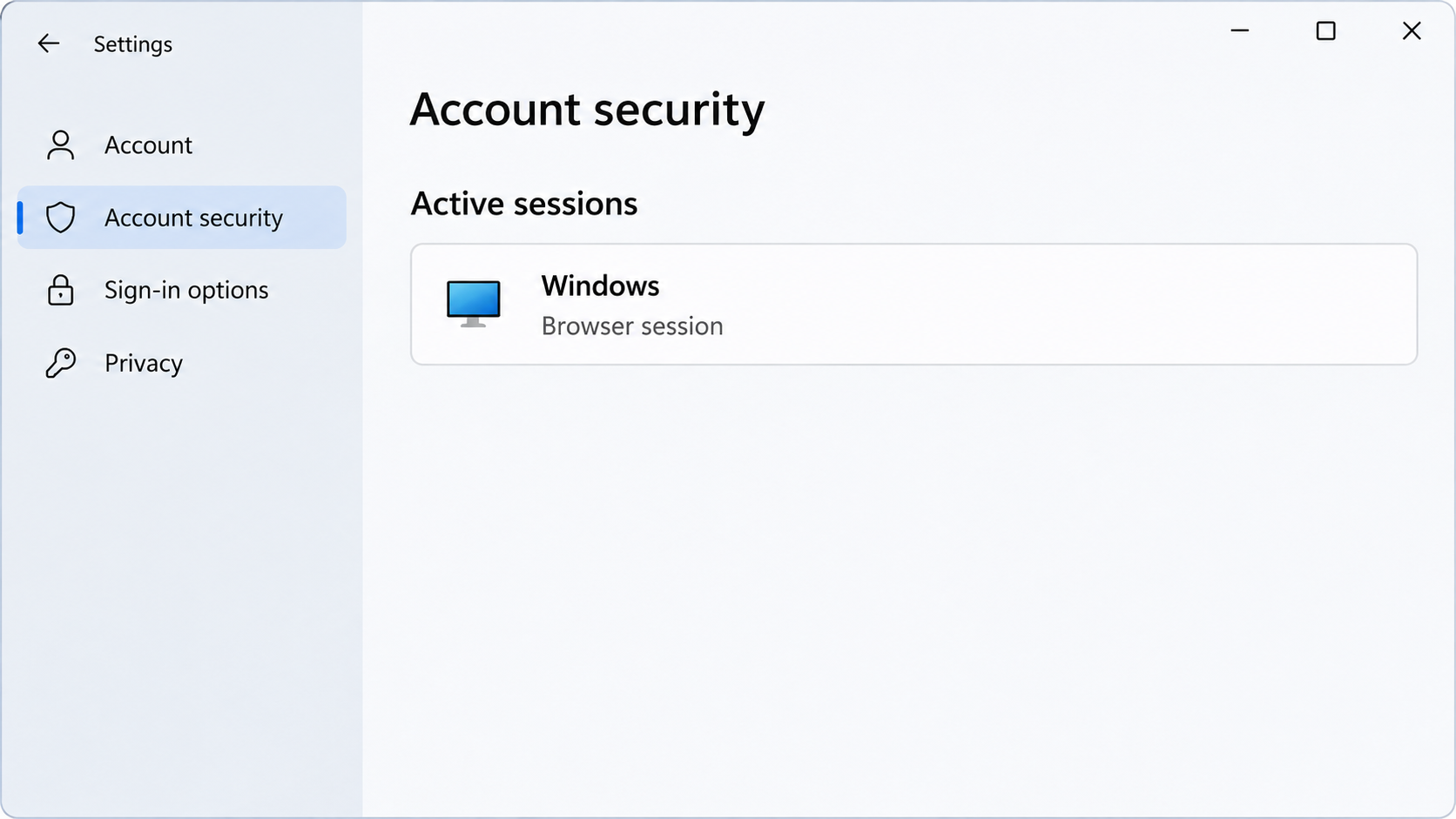
The account view above is a reconstruction. It shows the sort of session you might review on an unaffected device, not one captured from a real Arkanix incident.
Different builds don’t mean the same result on every computer
Researchers described more than one version, including a Python version and a separate native Windows build with additional features. Not every sample included the same components.
Potential targets included browsers, Discord or Telegram data, and some VPN and gaming account information.
The list of things malware can look for is not a record of what it took.
Sort your first decisions by the evidence you have:
- A detection gives you a time and an affected device to investigate, not a full inventory of stolen records.
- Messages or payments you didn’t make are account events worth verifying with those providers.
- A file found but prevented from running is not equivalent to a confirmed infection with additional components.
The AI claim is not the main security decision
Securelist pointed to traces consistent with possible AI assistance during development.
That is an assessment about how some of the software may have been written, not proof of every author’s method.
Whether the program was written with assistance doesn’t change your first response. A copied session can remain useful to someone else until the service stops accepting it.
The researchers discussed a commercial malware offering and changes to the project. The operation’s availability does not establish whether a copy already downloaded to your PC can still run.
Where an Arkanix Detection Can Lead
A changed password may not cover everything the browser held
Imagine you took your laptop offline and your inbox still received an unfamiliar sign-in notification.
The service is reachable from another device, even though your Windows PC cannot reach it anymore.
That is one reason containment isn’t the end of the problem. The access you need to close now may be on the service’s side rather than in a Windows setting.
Find the sessions screen from a trusted browser or the official app.
Check which devices and connections are present, then remove what shouldn’t be there and record changes that need investigation.
A surprising location may reflect a normal VPN or a mobile carrier. Treat it as a clue to compare with dates, device names and account changes, not proof by itself.
Discord activity can put other people in the path
The research documents code designed to collect Discord access and use accounts to send messages.
If your account did that, a friend may trust the account even while the sender is someone else.
Use a separate channel to tell people which message to ignore.
If you have access to the chat, you can record the date and context without sending recipients a copy of the file.
If a community has been affected, notify its moderators through a channel you know.
They may need to remove a post or warn members before they can assess who clicked it.
Avoid exposing unrelated chats when you share evidence. A screenshot can contain names, private messages and invitation links that have nothing to do with the incident.
Saved VPN, gaming and wallet access need their own follow-up
Possible theft of VPN login details is different from an attack on the service that operates the VPN.
Ask the provider or workplace team to review sign-in access if that account was present.
Gaming accounts can hold stored payment methods, gift balances or trade access.
Check purchases or trades and report them through the platform, not through someone who contacts you with a recovery offer.
With cryptocurrency, ask yourself what the PC held.
A browser extension, an exchange session and a copy of recovery words may all be in scope, but each needs a different response.
If you aren’t sure which items were available to the malware, don’t go looking for them on the suspect computer.
Ask the relevant provider how to verify exposure from a trusted device.
Make an access list you can work through without the PC
Start with accounts that can reset other accounts. An inbox with an unfamiliar forwarding rule can keep revealing notifications even after you recover its password.
Write the service names on a separate device or on paper, not the passwords or recovery codes. Put a question beside each one: what could this particular computer reach?
- For an inbox, check recent sign-ins, delegates, forwarding rules and the recovery contact against what you actually configured.
- For a browser profile, list accounts you kept signed in as well as those with passwords saved in the browser.
- For a work VPN, tell IT which profile you used. They can investigate server-side access that won’t show up in your Windows history.
- For an exchange or payment app, look for changes to destinations, payout settings and recent account activity in addition to completed transfers.
Closing a browser session and removing an authorized app are different jobs. The first stops a particular login from working; the second removes access you granted to another application.
If you’re locked out, gather the last date you used the account and any relevant receipts. Share them through the service’s official recovery form.
Keep account evidence and computer evidence separate
A Discord warning and a Windows detection might be related, but one doesn’t prove the other caused it. Put the date, time and time zone beside both.
Record which service displayed each alert before you close it. That detail makes it easier to tell a real security notification from a follow-up attempt to get your recovery credentials.
If you receive a second message claiming that someone already investigated your PC, don’t assume it comes from the provider. Start a new conversation through its own help center.
Tell a responder whether the alert appeared before or after you ran the file. A blocked download and an account sending messages by itself call for different decisions.
What to Do if Arkanix Was Detected on Your PC
-
Keep sensitive activity off the affected Windows computer. Disconnect Wi-Fi and Ethernet if malware appears to have run. If it’s a managed PC, contact the team responsible for it.
Write down the original detection and whether the program blocked or quarantined anything. Don’t erase logs or restart the machine until the organization says it’s appropriate.
-
Protect the accounts that control password recovery. Use a device you trust for your primary email, identity account and any password manager where a session could have been exposed.
Inspect recovery addresses, connected devices and recent activity. Close sessions you don’t recognize where the service allows and reset exposed passwords before working through less central accounts.
-
Recover Discord separately if it sent unusual messages. Open the verified app or site and reset the password from a clean device, then enable or review multi-factor authentication.
In Discord, open User Settings > Authorized Apps and deauthorize unwanted apps. Read Discord’s compromised-account guidance if your address changed or you can’t regain access.
Don’t share tokens, passwords or backup codes with people in DMs. A caller claiming to represent support isn’t a substitute for the service’s official recovery process.
-
Review software and services outside your browser. Include VPN, game libraries and messaging tools you used during the relevant period.
Inform an administrator about any workplace remote access tied to the PC.
If a provider supports session revocation, use it in addition to changing the password. Check recent purchases, payments or permission changes and save case numbers for activity you have reported.
-
Treat an exposed wallet secret as a separate incident. Use the legitimate wallet provider’s recovery instructions on a clean device.
Don’t enter a seed in a site offering to check it.
If money moved, preserve transaction records and contact the exchange or other relevant platform directly. A Windows scan can’t reverse a transfer or revoke a compromised wallet seed.
How to Remove Arkanix Stealer From Windows
Step 1: Keep the detection details and distinguish what was blocked
On your own PC, use the scanner history to see the file or behavior it named. Note whether it was prevented from running, removed later or simply detected.
If the record names an exact item, use that finding as your starting point. Don’t hunt random temporary files or unknown processes in a way that might damage Windows.
For a workplace computer or a case involving remote access, stop before deleting anything. Let the appropriate administrator tell you what information needs to be kept.
Step 2: Check for a verified unwanted program or other changes
Open Settings > Apps > Installed apps, then locate any unwanted program you can tie to the finding. Use its menu to uninstall the confirmed item and acknowledge the prompts.
A stealer might not show up as an ordinary app. If you see nothing in Installed apps, move on to the scanner rather than removing software based on appearance.
Review unknown extensions only in browsers you used on the device. In Chrome, open the menu and use Extensions > Manage Extensions, then remove a confirmed unwanted entry.
Step 3: Use the Windows setup file from a trusted device
Download the Malwarebytes Windows installer from a clean computer and use a safe transfer method if you can. Keep it separate from the files the scanner flagged.
Start the verified installer, review the publisher when Windows prompts and follow the setup instructions. If you cannot establish the source, cancel rather than allowing the application to make changes.
If setup needs network access, ask a responder how to proceed without exposing the computer. Don’t return to regular browsing just to obtain a scanner.
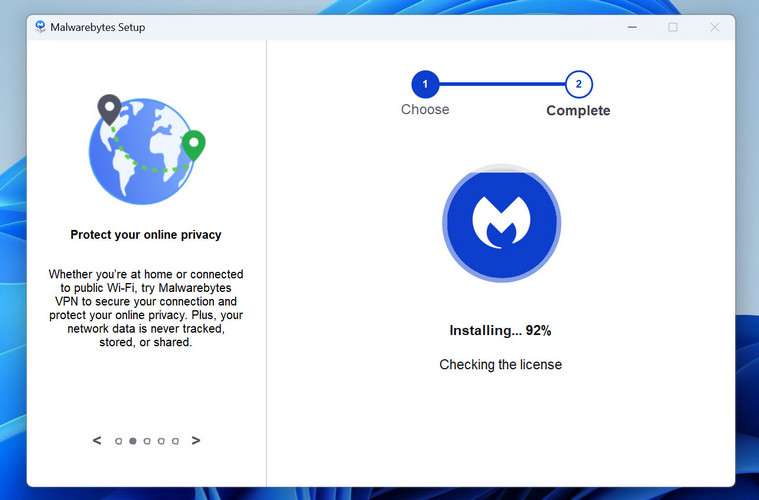
Step 4: Run a manual scan and follow the detection through a restart
Use Start to find Malwarebytes and open its dashboard. Locate the Scanner card, select Scan and return to the results when the process finishes.
Choose quarantine for verified detections, record what the software removed and restart if requested when it is safe to do so. Then check scan history and investigate any recurring result.
If the tool finds something different from Arkanix, keep the names separate when asking for help. One detection doesn’t account for what an unfamiliar additional component may have done.
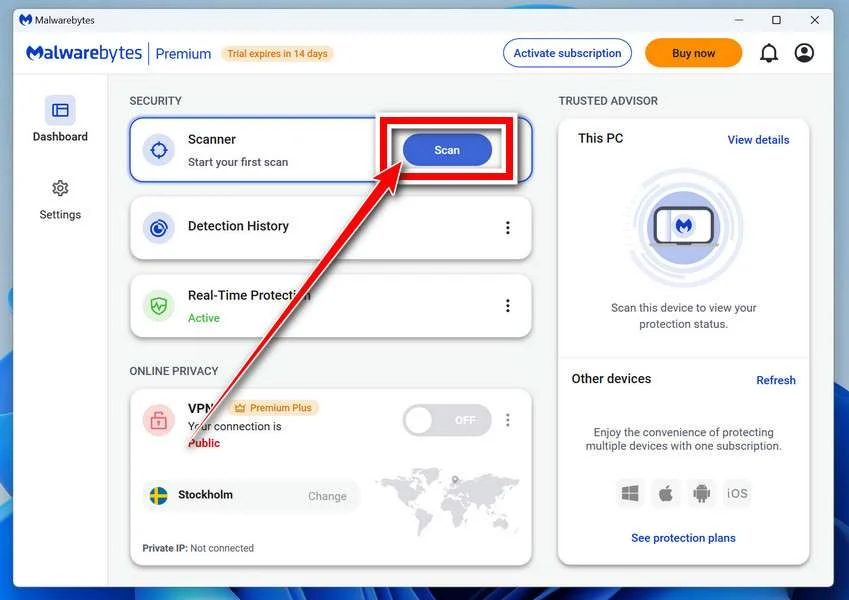
The Malwarebytes Premium Windows offer is an optional affiliate link. Installing paid protection is not necessary for the manual scan or for requesting account recovery.
Step 5: Decide what you can safely put back
Avoid restoring old installers, browser profiles or unknown downloaded files to a recovered PC. Confirm backup contents first, especially if the first infection’s source still isn’t clear.
When you are clear to reconnect, apply security updates through Settings > Windows Update. Check the affected browser and verify that no identified unwanted extension or program has come back.
Use the MalwareTips Windows removal boards or trusted local support if findings return or remote access is suspected. A clean installation may be safer than repeated individual fixes.
Frequently Asked Questions
Is Arkanix definitely malware written entirely by AI?
The researchers found signs consistent with assistance, not proof that a model produced all the code.
The practical decision depends on what the program was capable of doing on your PC.
Was every Arkanix sample able to control a computer remotely?
The variants and optional capabilities differed. Ask which component your security product detected and don’t assume that one name proves a particular remote-control tool ran.
Does enabling multi-factor authentication revoke a stolen session?
Multi-factor authentication doesn’t necessarily end current sessions. Review the account’s security controls and end sessions you don’t recognize where the provider allows it.
Did Discord or my VPN install the malware?
Being a data target or being used for messages is not evidence that a service delivered the infection.
Use your own execution history and the actual alert to investigate the source.
How can I tell if the token was copied?
You may not be able to tell from a home scan. Look for account activity, use supported recovery controls and ask the provider what session information it can confirm.
Does a clean Windows scan mean it is safe to use my old wallet?
It doesn’t show whether the wallet’s recovery information was copied. Use the wallet provider’s guidance from a separate device before you depend on a potentially exposed secret again.
The Bottom Line
If Arkanix was detected after running on Windows, disconnect the computer and check access from a trusted device. Secure mail and identity first, then the services your PC could reach.
Use the removal guide and verify that findings don’t recur before normal use. Get trusted help when remote access is possible or you can’t work out what ran.

Join the discussion
0 commentsShare your experience or ask a question about this article.
Your progress
Did these steps help?
Let us know how the guide worked for you.
Describe what you see and the step you reached. Keep passwords and other private information out.
Discussion
Start the conversation
Have a question or something useful to share? Add the first comment.