


The file came from a contact you already knew. It arrived with a greeting, not a strange account name or the kind of warning that usually makes you pause.
Before you decide what to do about the message, work out whether it ever ran on a computer. That answer separates two very different situations.
Overview
Eternidade reached Windows through familiar WhatsApp conversations
LevelBlue SpiderLabs documented Eternidade Stealer in a campaign aimed at people in Brazil. A companion worm abused compromised WhatsApp access to send malicious attachments to contacts.
The banking Trojan operated on the Windows side of the incident. A message appearing in the phone app tells you where it was delivered, not which device ran its contents.
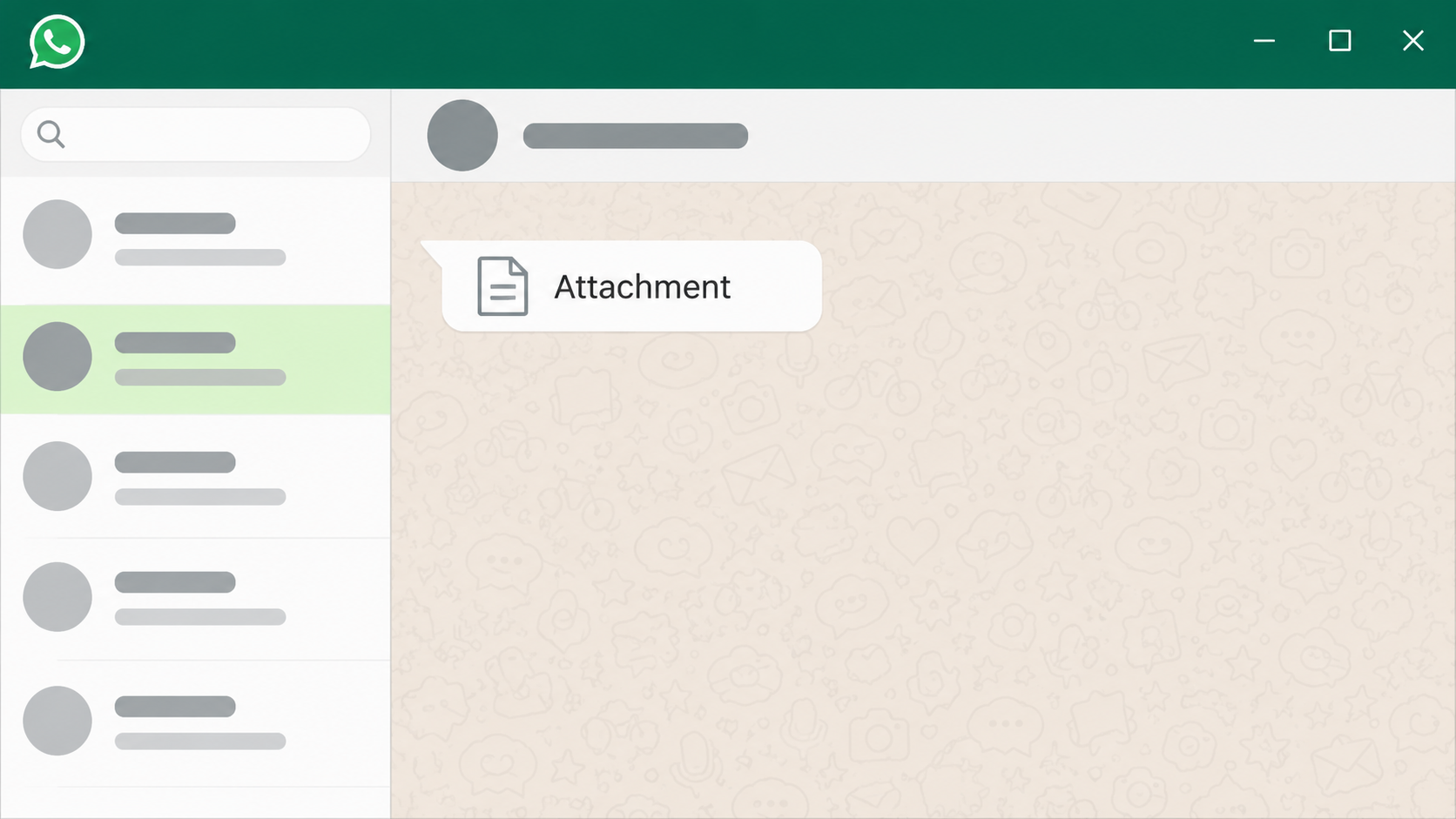
The image above reconstructs the attachment stage without a sender, filename or link. It lets you recognize the context without reproducing a working message or identifying a real contact.
A message from a real account isn’t always from its owner
Researchers reported that messages could use the recipient’s name and an ordinary greeting. It could feel like a continuation of a conversation, even when the account owner hadn’t sent it.
Don’t make the decision based only on the avatar or existing message history.
If a file feels out of character, verify it by talking to the person through a separate route.
Keep these cases separate when you decide what needs attention:
- Receiving or seeing the message doesn’t itself show that Eternidade ran on your computer.
- Saving an attachment is different from opening it in a way that executes a script or program.
- Unexpected messages leaving your account justify a separate review of linked devices, even if you haven’t seen unexplained banking activity.
The money problem may not appear in WhatsApp
The reported malware was built to target activity associated with financial services used in Brazil.
A malicious prompt could appear in the context of a genuine service after the computer was infected.
Seeing an ordinary bank website in your browser doesn’t answer whether the Windows device is safe. Contact the provider using another device before entering new credentials or approving anything else.
The delivery method and the final objective matter separately. One account can be abused to distribute a file while a different service ends up dealing with the attempted financial theft.
How the Eternidade WhatsApp Scam Works
Step 1: A conversation supplies the credibility
You expect a stranger to introduce themselves, but a friend or business contact can send a file without explanation. This attack took advantage of a history that was already there.
The sender might not know anything has gone wrong. A familiar name in a personal chat is not a guarantee that the person is the one making the request.
Before opening a file, ask the person what it is over a channel you already use with them. Don’t take a reassuring reply in the same chat as independent verification.
Step 2: The attachment crosses from messaging into Windows
The file in the documented chain was a script disguised in the context of an ordinary message. Its role was to start other software when executed on the computer.
If you only saw the message on a phone, don’t infer a Windows infection.
If you opened the attachment on a PC, record how you opened it and whether Windows launched anything.
Windows can hide extensions in File Explorer, making a script look less obvious than it should. Don’t rely on an icon, and don’t reopen the file to find out.
Step 3: The campaign can turn one conversation into many
The worm component was designed to use access to WhatsApp and pass messages onward. That means recipients might hear from somebody they know rather than from an unknown number.
When you secure the messaging account, check for conversations you didn’t start.
Pay attention to attachments or follow-up requests you don’t recognize instead of assuming everything sent from your account is legitimate.
Warn the people who received the suspicious message, but do it from a trusted channel.
They need the message time and a simple request not to open it, not a forwarded copy.
Step 4: Finance-related activity creates a different exposure
The original investigation described a banking component that looked for activity associated with targeted services.
Once the PC was affected, a prompt could appear when the reader expected to see their bank.
That isn’t the same thing as a bank itself being compromised. It means the computer may be presenting a screen or collecting information that the user attributes to the bank.
If you notice a payment that wasn’t yours, act on the bank record. Save the transaction details and don’t use the suspicious computer to ask for a reversal.
How to Check Your WhatsApp Activity From a Trusted Phone
Open the actual WhatsApp app on a phone you trust. From Android, use the menu and select Linked devices; from iPhone, open Settings > Linked Devices.
Select a device you do not recognize and choose Log out.
Repeat for any questionable sessions, or for all linked devices if you’re uncertain which were on the affected Windows PC.
If you can’t open the account or it asks for re-registration, rely on WhatsApp’s own recovery route rather than a code sent through chat.
Never read registration codes to someone offering help.
After you’ve regained access, review the recent conversation list and verify legitimate links afresh. You can always add your own devices back later when you can authenticate them.
Don’t treat an empty linked-device list as proof that no message was sent.
A session may already have ended; check what contacts received and compare the time with your device findings.
What the Bank Needs to Know About a Pix Transfer
Don’t wait for the Windows cleanup to finish before you contact the bank. Use its own app from an unaffected device or call the number you normally use.
Brazil’s central bank says a suspected fraudulent Pix transfer can be reported through the institution’s recovery procedure up to 80 days after the payment. Report it much sooner if possible.
Record the transaction reference shown on the receipt, the date, the amount and the recipient details available to you. Explain whether you sent it yourself or found it later.
Use the bank’s private fraud channel for receipts. Your WhatsApp group doesn’t need a screenshot that includes your balance, full account details or other people’s payments.
The procedure is not a promise that the money will return. Ask the bank separately about new transfers, changed limits and whether your access should be reissued.
If the account isn’t in Brazil or the payment wasn’t Pix, use your own institution’s fraud process. The central bank’s Pix deadline isn’t a general card dispute rule.
What to Do if You Have Fallen Victim to This Scam
-
If you launched the file, get the Windows device offline. Turn off Wi-Fi or unplug the Ethernet cable. Use another device for recovery and contact workplace IT first if applicable.
Keep the message and detection timeline private. A record of what happened is useful; forwarding the original attachment creates unnecessary risk for whoever receives it.
-
Protect your messaging account and contacts. Use a trusted phone to check for unfamiliar linked devices.
If attachments went out without your approval, contact recipients through a trusted route and ask them not to run anything.
Tell them which message you mean and when it went out. Don’t accuse a contact who forwarded it of being responsible without first checking whether their account was misused too.
-
Call your bank through its confirmed contact route. State how the incident started, what you typed or approved and which payment or account change you don’t recognize.
Ask the bank to review online sessions, device enrollment and transfers. If you’re still using a clean phone, complete security checks only in its already verified bank app.
-
Ask about the Pix dispute option if a Pix transfer is involved. Banco Central do Brasil advises calling the bank quickly or using the dispute function in its app.
In your bank’s Pix or transaction area, select the suspicious transfer and look for the fraud dispute option. If you cannot find it, use the bank’s published fraud-support contact.
Give the transaction identifier and explain what was unauthorized. Ask whether the Special Return Mechanism, or MED, applies. It is not a promise that the funds are recoverable.
-
Keep the financial report separate from device cleanup. Preserve the bank case number and statement, and follow its instructions on additional records.
Consider reporting the incident to the applicable police authority.
If you also use an exchange or self-custody wallet, check them independently. Bank dispute processes don’t reverse blockchain transfers or change a compromised wallet recovery secret.
How to Remove Eternidade Stealer From a Windows PC
Step 1: Identify the profile and time of execution
On a personal PC, start with the Windows user who opened the file.
Write down the message time and what the computer displayed, leaving an employer’s evidence to its response team.
Check the download list without opening the attachment again. If no identifiable program appears in Settings > Apps > Installed apps, don’t assume that means nothing ran.
Remove a confirmed unwanted package through its Uninstall action when it has a listing. Don’t start by deleting system files, unrelated banking apps or your entire WhatsApp history.
Step 2: Check relevant app and browser settings
Open your browser’s extensions menu and look for anything unapproved that appeared with the incident. In Chrome, use Extensions > Manage Extensions to view the list.
If an extension is confirmed as unwanted, choose Remove and approve the browser confirmation. If a work policy manages it or it reappears, stop and get authorized help.
Don’t sign back into WhatsApp Web while checking the browser. Closing or clearing a tab isn’t a substitute for ending an active session from the trusted phone.
Step 3: Install a verified Windows scan tool
Obtain the Malwarebytes scanner for Windows through a trusted device rather than searching for the package on the affected PC.
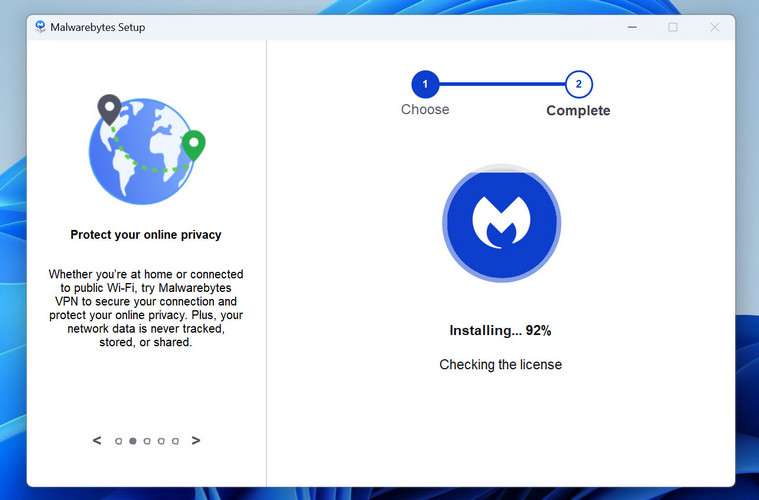
Move the verified setup file to the computer if you have a safe means of transfer. Launch it and verify the publisher before completing setup through the application prompts.
If connectivity is required, ask your technician how to reconnect safely. Don’t switch off antivirus or download an installer suggested in a forwarded WhatsApp message.
Step 4: Quarantine what the scan identifies
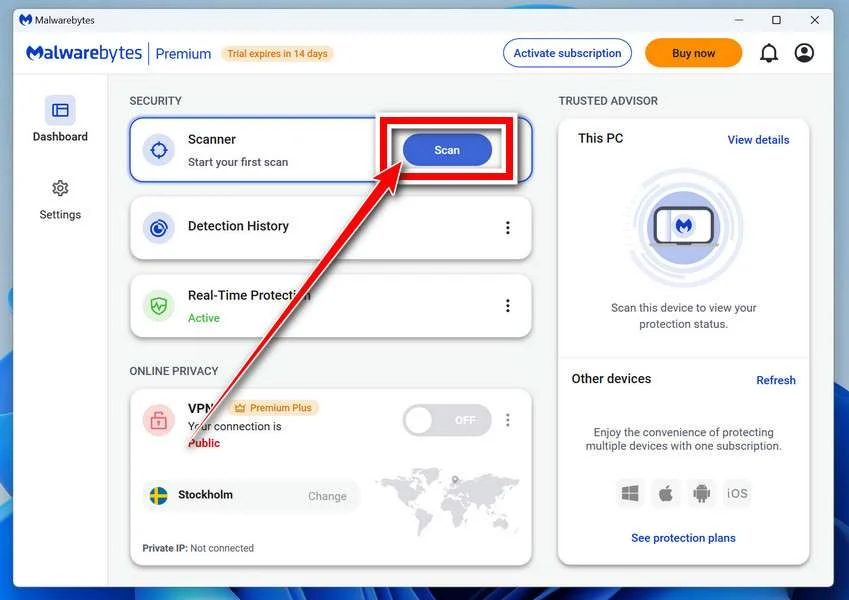
On the PC, find Malwarebytes in the Start menu. In the Scanner card, select Scan and wait until the program shows the result list rather than a progress screen.
Review the results, quarantine the confirmed threat and restart when prompted if you are cleared to do so. Open the scan history after restarting and check for anything unresolved.
If the app flags a second component, note its name and location too. The messaging worm and the banking stealer are separate parts of the reported operation.
The optional Malwarebytes Windows protection offer is an affiliate link. The manual scan, bank report and review of linked devices don’t require a purchase.
Step 5: Don’t relay the same attachment from a recovered computer
Once you’re cleared to use the PC, install available fixes through Settings > Windows Update. Use official app routes to restore anything you need, leaving suspect downloads out of the restore.
If unwanted entries recur or you still can’t tell what ran, use the MalwareTips recovery boards or authorized support before signing in again.
A technician may recommend reinstalling Windows.
Confirm access to your recovery accounts and known-good backups before that step, and don’t restore the old attachment as part of a quick file transfer.
Frequently Asked Questions
Does opening the WhatsApp conversation install Eternidade?
No, the documented chain depended on executing an attachment on Windows. A chat opening on its own does not establish that execution, even when the message contains a harmful file.
Why would my real contact send a suspicious attachment?
They may not have sent it themselves. A compromised session can produce a message inside a genuine conversation, so verify with the person by another route.
Can I just delete the message for everyone?
Deleting a message doesn’t end a compromised linked session or undo a program that someone already ran. Secure the account, warn recipients and handle any affected PC separately.
Should I use Pix MED for every unexpected transaction?
Use the bank’s verified process for your actual payment method. MED applies to qualifying Pix cases, and filing a request does not guarantee that the money will be returned.
Is the Windows infection gone if new WhatsApp messages stopped?
No conclusion follows from a pause in messages. Review linked sessions anyway and verify Windows using a trustworthy cleanup process, especially before using financial services on that PC.
Can I still use the same phone to recover the account?
If your trusted phone only received the message and isn’t otherwise implicated, you can check linked devices there. Don’t perform recovery on the Windows computer that ran the file.
The Bottom Line
Don’t open an unexpected file merely because the WhatsApp contact is real. The Eternidade campaign used that familiarity to reach Windows computers and put financial accounts at risk.
If you ran the attachment, disconnect the PC and review linked devices from a trusted phone. Contact the bank independently about any unusual payment before returning to normal use.

Join the discussion
0 commentsShare your experience or ask a question about this article.
Your progress
Did these steps help?
Let us know how the guide worked for you.
Describe what you see and the step you reached. Keep passwords and other private information out.
Discussion
Start the conversation
Have a question or something useful to share? Add the first comment.