


Your phone was out of your hands for a while. When you get it back, every familiar app is still there, and the device seems to work normally.
If something about the encounter troubles you, don’t use that same phone to ask for advice. The safest first move doesn’t depend on proving what’s installed.
Overview
ResidentBat was discovered after someone took physical custody of a phone
RESIDENT.NGO and Reporters Without Borders investigated a Belarusian journalist’s Android phone after a visit to a security service office. The phone had been out of the journalist’s sight.
The journalist noticed a warning and removed one unwanted app. The investigation found a second malicious app still on the phone, using the appearance of Adobe Reader.
The researchers attributed the case to the Belarusian KGB with high confidence.
They identified physical access as central to this incident; some details about how access was obtained remained a hypothesis.
A familiar display name can’t identify a trusted app
The installed spyware was not the genuine document reader.
A familiar label or an ordinary icon can hide a different app, and legitimate software should not be removed based on name alone.
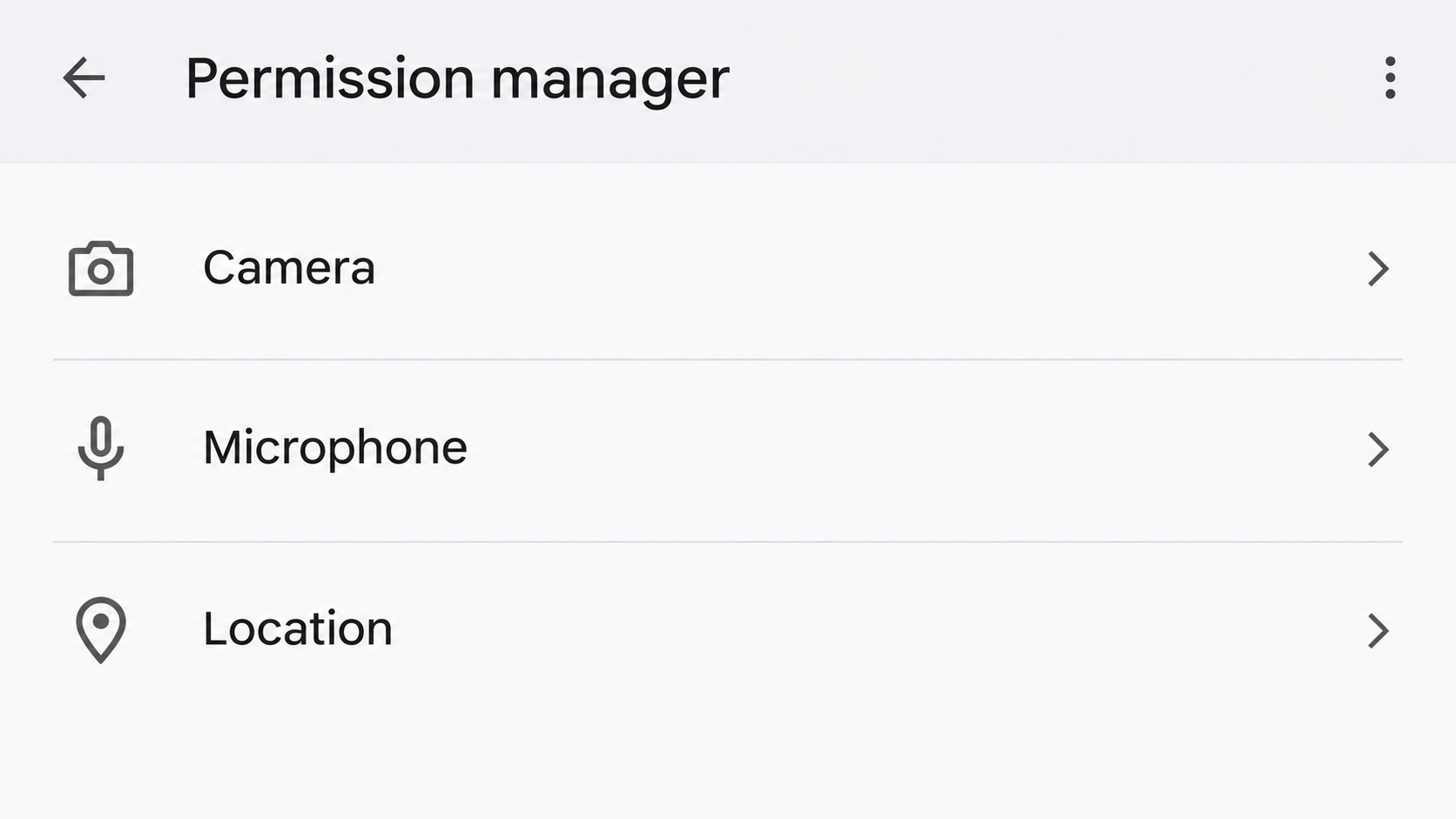
The reconstructed permissions view above shows the types of access worth checking when it is safe. It isn’t proof of any particular installation, and the listed permissions have legitimate uses.
Use a few separate questions rather than relying on how the phone feels:
- Was the phone out of your control in circumstances that could put you or someone else at risk?
- Is there a verified warning, confirmed unfamiliar app or permission change you can tie to the event?
- Do you have another device and a safe route to contact someone trained to help?
The immediate risk can be to people, not just data
The research describes access to material such as messages, app screens, calls, files and location. That can expose other people’s contact details and conversations, not only the owner’s activity.
An app that can read a message after the phone displays it doesn’t need to break the message’s encryption in transit.
Changing messaging apps on the same phone doesn’t address that concern.
The case also involved software capable of remotely wiping a phone.
Don’t make the suspect device your only copy of essential information, and don’t erase evidence before asking someone qualified to advise you.
How ResidentBat Put the Android Phone at Risk
Step 1: The phone leaves its owner’s control
The documented incident began in person, not with a link the journalist opened. The device was held during an encounter with authorities, creating a different risk from ordinary email phishing.
Knowing what actually happened helps support decide where to look. A borrowed phone, a managed work device and a seized phone are not interchangeable situations.
If writing about an encounter could expose you, keep that record off the suspect phone.
You can plan what to share and how to share it with a trusted adviser later.
Step 2: The phone comes back looking familiar
Spyware doesn’t need to replace the home screen to cause harm. In the documented case, the targeted person removed an unwanted application without knowing that another remained.
That makes a useful distinction: uninstalling the first thing you see is not a reliable way to establish that everything else is normal.
Work from identifiable evidence and the device’s history.
The trusted app’s name is part of the disguise, not evidence that its publisher was involved. Avoid communicating the finding as a warning against the genuine app.
Step 3: Android access lets the unwanted software observe activity
The researchers linked the spyware to abuse of normal Android permissions. Some affected capabilities depend on Android version and what access the particular installation was granted.
Permission to use a microphone is not itself suspicious.
The important question is why a specific app has access, whether you approved it and whether it belongs on the phone at all.
On a potentially monitored phone, resist the instinct to open an old chat to see if it looks unusual. That can put more material in front of the same device.
Step 4: A quick change can interfere with your safety plan
Removing surveillance software can be useful, but it may also change what the person monitoring the device observes.
Ask about personal safety and evidence before changing a phone held in sensitive circumstances.
You might decide not to use the phone at all until a specialist sees it. Do not depend on it as your only way to reach that specialist.
The right order depends on the environment you’re in. If changing the phone now could put you at risk, move communications elsewhere and get help deciding which action can wait.
Make a Safety Plan Before Changing the Phone
Decide whether other people are affected
For a reporter, the first question may be who can safely be contacted, not which app to remove. Think about sources, colleagues and family members whose details may be visible.
Use a different device and a previously agreed way to reach a trusted colleague. Avoid sending a new group message that identifies everyone who might be affected.
If someone else needs warning, share only what lets them take action. They may need a different contact method rather than details of an interview, location or investigation.
Plan for the time you won’t have the device
Check how you would reach essential accounts without that handset. Some services may send approvals only to the old phone or rely on a recovery method you no longer control.
Speak to a specialist before changing a phone number, removing access or replacing equipment if the change itself might draw attention. The right sequence depends on the person’s situation.
Don’t simply copy every installed app and setting to another device. A specialist can help you work out which contacts and files you need and how to recover them safely.
Keep the device history private and useful
A timeline can include the last time you had the phone, when it was returned and what you noticed afterward. You don’t need to name sources to document those events.
Keep that record somewhere the suspected phone can’t access. If all your devices share an account, confirm with your adviser that your notes won’t sync back to the handset.
A safety plan is not the same as a diagnosis. You can arrange a secure way to work and communicate while someone qualified assesses whether there is evidence of infection.
What to Do if You Suspect ResidentBat on Your Phone
-
Stop using that Android phone for sensitive conversations. Use a separate device you independently trust. Don’t sign into an account on the suspect phone to tell people what you discovered.
Think about whether turning the phone off or removing an app could increase your risk. If you’re unsure, avoid changing it until you have advice and somewhere safe to communicate.
-
Use an appropriate private support channel. Journalists, civil society groups and human rights defenders can contact the Access Now Digital Security Helpline from another device.
Explain when the phone was out of your control and what you’ve noticed since. Ask what to preserve and how to share records without identifying people unnecessarily.
-
Protect the people whose details were on the device. Make a private list on a trusted device of accounts, contacts and conversations that could be exposed.
Check with the responder before sending a broad warning. A newsroom or organization might have a better way to notify sensitive contacts without revealing which conversations mattered.
-
Review accounts independently of the phone cleanup. Where appropriate, use a trusted device to end suspect sessions, change exposed passwords and check recovery details.
Look at how each account receives sign-in codes. If you only have access through the suspect phone, ask the provider or responder to help you avoid locking yourself out.
-
Keep the original device or suitable records if advised. A screenshot of a warning can be useful, but it is not the same as a forensic examination.
Don’t upload a device backup, unknown APK, contact list or log to a public checker. Ask which files are needed and use the specialist’s private transfer instructions.
How to Remove ResidentBat From Android When It Is Safe
Step 1: Agree on when to start and what to keep
If the phone was seized or a suspected monitor could harm you, follow the advice of a digital safety specialist.
Start the consumer steps only when doing so won’t put you at risk.
On an employer-managed phone, get approval before making changes. Where evidence matters, write down the time and warning using a different device and keep the original as directed.
If advised to isolate the phone, enable airplane mode and confirm Wi-Fi remains off. Make sure you still have a separate way to reach people who need to help.
Step 2: Check app details and permissions without launching unknown software
In Android Settings, open Apps and show the full list. Select the suspected item to see app details and the access it has, without opening the item itself.
Search Settings for Permission manager to check camera, microphone and location access if relevant. Check for permissions that belong to the verified unwanted app rather than changing every app.
An unfamiliar entry can be a work component or an assistive service. Record it for support if you can’t check the software’s actual identity.
Step 3: Revoke only the identified spyware’s control
Use Settings search to open Accessibility, then look at enabled installed services. Turn off the identified spyware service, keeping genuine screen readers and authorized work capabilities intact.
If Uninstall is unavailable, search for Device admin apps. If the verified malicious app is enabled there, deactivate that app only and confirm the warning.
Then reopen that app’s page under Settings > Apps, choose Uninstall and confirm that it disappears. If Settings closes or the app returns, stop and follow up with your specialist.
Step 4: Use a trusted scan only after evidence is handled
When it is safe to reconnect, open Play Store, tap your profile and select Play Protect. Verify protection is enabled, then run the check.
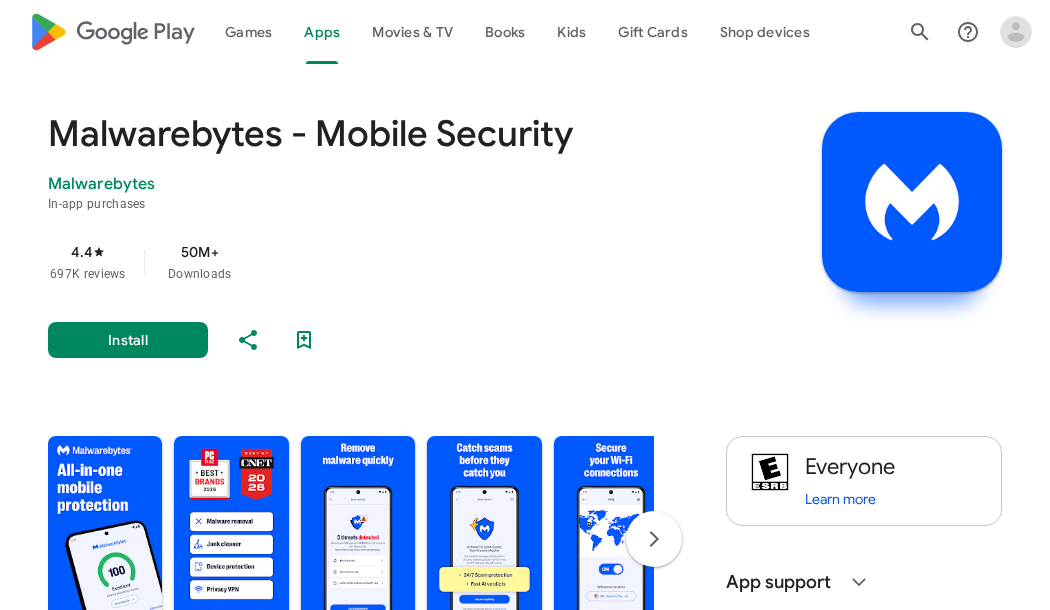
If a second scanner is appropriate, find Malwarebytes in Google Play and confirm the developer. Choose Install, then open it from the listing.
The official listing helps you avoid choosing an unofficial APK. If your phone can’t use Play Store, ask the responder for an alternative they trust.
Step 5: Review detections and check the same permissions afterward
In Malwarebytes, select Device and tap Scan now. The scan picture below shows the vendor’s progress view, not a detection found on a ResidentBat victim’s device.
After the check, open the results and use Android’s uninstall confirmation for a verified unwanted app. You may need to restart and check the app and service lists again.
If alerts recur, don’t keep rerunning scans in place of an examination. The MalwareTips mobile help forum can assist with ordinary cases; keep high-risk details with your trusted specialist.
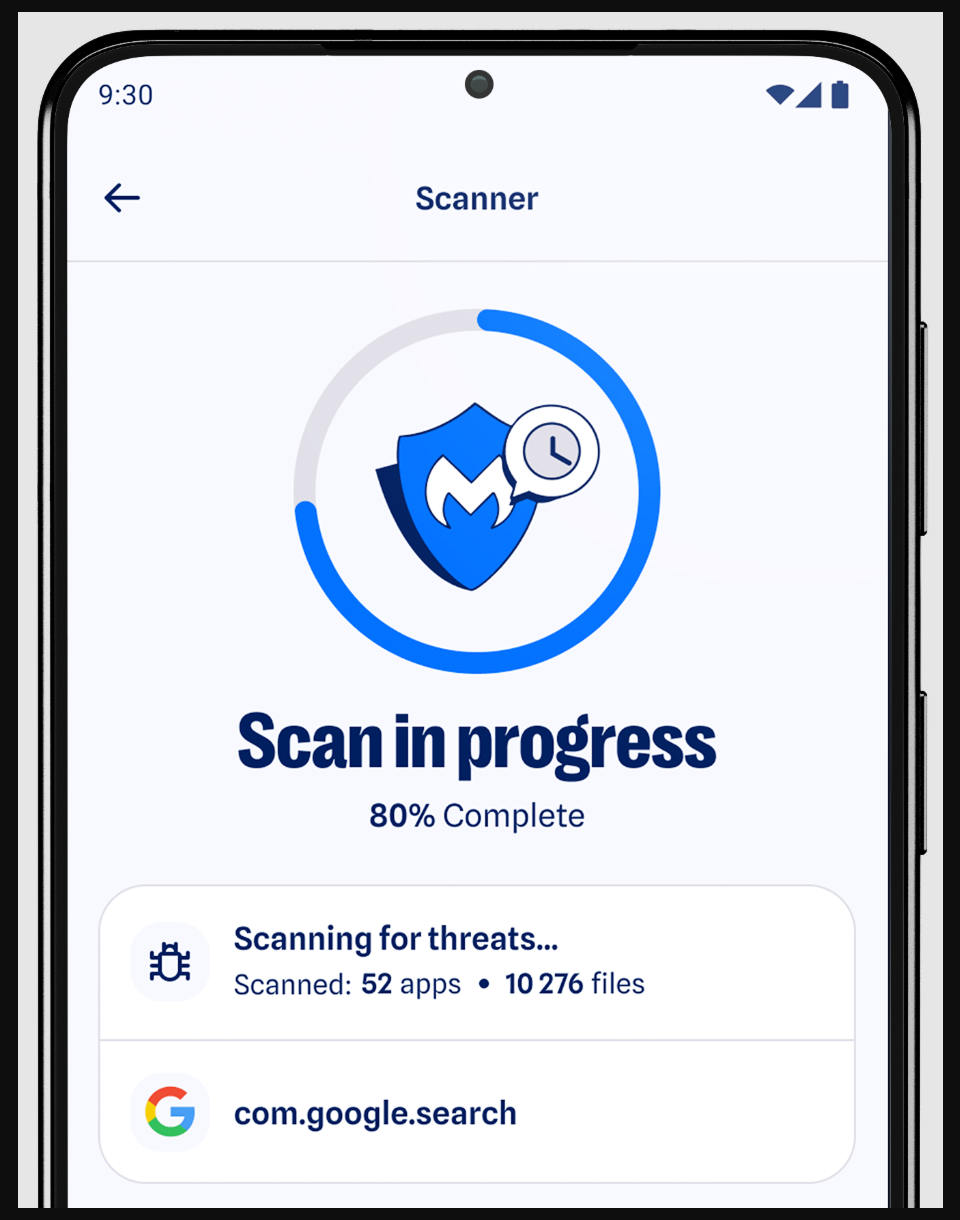
The optional Malwarebytes Android offer is an affiliate link. Using a scanner does not prove the phone was never monitored or that information already taken is safe.
Step 6: Set up a trusted replacement when the scope remains uncertain
A responder may advise a replacement phone or a factory reset after evidence is collected. A reset erases local data and should be planned around safe backups and account access.
Don’t restore a whole app set from the suspect phone as a shortcut.
If you rebuild, use supported updates, reinstall known apps from verified sources and use a new screen lock.
Ask how to reconnect communication and recovery accounts without exposing the new device.
Recovery is complete only to the extent that you can trust the device and the accounts it uses.
Frequently Asked Questions
Did the real Adobe Reader install ResidentBat?
The researchers identified spyware disguised as a reader, not an attack by the genuine publisher. A display name alone can’t tell you whether the installed package is authentic.
Can ResidentBat read an encrypted conversation?
The reported spyware could capture information the device was already displaying. That is different from breaking encryption in transit between the people using the messaging service.
Does a dead battery or warm phone establish infection?
No, many normal activities consume battery and produce heat. The physical-access history, verified alerts and professional findings carry more weight than one common device symptom.
Should I wipe the phone before contacting anyone?
Not if that would endanger you, destroy important evidence or lock you out of your accounts. Move sensitive communication off the phone and ask for help from a separate device.
Can I trust a clean scan after physical seizure?
A clean result is useful but can’t prove what happened while the phone was elsewhere. Follow a specialist’s advice if the custody event or other evidence remains concerning.
Can I safely send the suspect app to a colleague?
Don’t forward suspected spyware through ordinary chats or email. Give a responder the incident details first and use their secure evidence process if they request a copy.
The Bottom Line
If your Android phone was out of your control in a high-risk encounter, don’t use it for confidential calls or messages.
From a safe device, contact someone who understands targeted surveillance. Preserve what they need before removing software or erasing anything.
A confirmed app can be removed, but your recovery also needs to account for sensitive information the phone may have exposed.

Join the discussion
0 commentsShare your experience or ask a question about this article.
Community experiences
Did this happen to you?
Your experience could help someone recognize the same scam. Submit a private report for our team to review.
I experienced this tooReports are reviewed before publication. Sharing publicly is always your choice.
Discussion
Start the conversation
Have a question or something useful to share? Add the first comment.