


You searched for a familiar tool and landed somewhere that looked like its developer’s GitHub page. There was a project description, a product name you knew and a download.
The page itself may have looked completely ordinary. What mattered was who owned the repository and what happened when you followed its instructions.
Overview
The GitHub page was real, but the publisher was not
BoryptGrab is a Windows information stealer distributed through fake software download routes. A convincing branch of the campaign used repositories that impersonated companies people already trusted for their software.
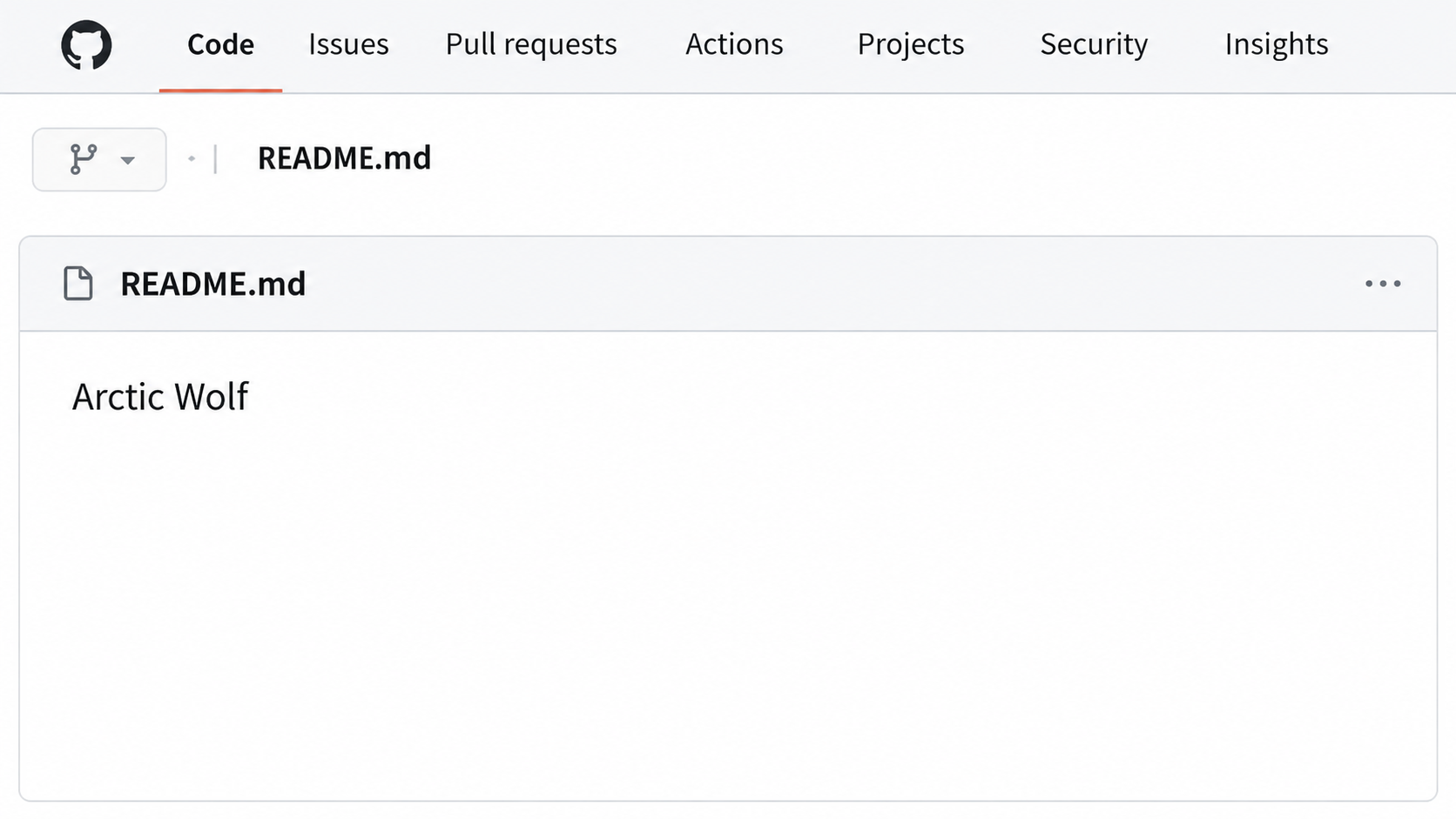
Arctic Wolf’s bulletin describes a lookalike GitHub page speaking in the company’s name. GitHub removed that page after it was reported, but the broader problem isn’t confined to one imitation.
The reconstructed README excerpt above illustrates that point of confusion. It neither shows an active repository nor provides a way to obtain the software.
A developer platform isn’t a publisher seal
GitHub hosts code and documentation from millions of people and organizations. A page can be on the genuine platform without belonging to the business it names.
There’s also a difference between the company named in a README and the account that owns the repository.
The large lettering often tells you much less than the small account name.
When a download could affect your computer or your employer’s, check the path in this order:
- Start from the vendor’s verified site and find the official distribution instructions for the exact product.
- Compare the repository owner, not just the project title, if those instructions direct you to GitHub.
- Stop if the download leaves the documented route for an unfamiliar page or asks you to make an unexplained security exception.
The malware’s name doesn’t tell you everything that ran
Trend Micro documented the BoryptGrab family and observed possible additional malware in some delivery chains. Arctic Wolf later analyzed a related variant that did not include that same follow-on behavior.
Don’t assume every infection contains a backdoor. At the same time, the first scanner result may not tell you whether anything else ran.
The researchers describe potential exposure including browser data, wallet information, messages and files.
What happened on your computer depends on what ran, what it could access and what investigators can verify.
How the Fake GitHub Download Scam Works
Step 1: A search result appears to answer your exact question
Imagine you’re replacing a utility before a deadline. A search result names the software and offers a free copy, so it feels more useful than a generic brand homepage.
The malicious repositories were designed to come up in those searches. A recognizable name in the result tells you what the page is associated with, not who created it.
A promoted or top-ranked result doesn’t transfer the vendor’s reputation to whoever runs the page. Open the official product site separately rather than using search ranking as a trust decision.
Step 2: Familiar documentation makes you lower your guard
Some of these pages presented themselves as ordinary documentation. The visual style made the next link look like part of a normal setup, even though the actual vendor wasn’t involved.
Arctic Wolf identified a page impersonating its business and pointing away to the malicious download.
A legitimate company or project can be impersonated without its own downloads or systems being compromised.
Even old project names can be reused in new impersonations.
Save the exact owner and date when reporting a suspicious page, rather than assuming everyone searching the name saw the same thing.
Step 3: A second page offers a Windows archive
The documented lure took people from a repository to a separate download route that supplied a ZIP. It didn’t need to ask them to submit a password in the browser.
What changed the risk was running the software inside. A folder containing several plausible files is not a bundle you should test when you cannot verify its origin.
A familiar company name inside the package doesn’t make the archive legitimate. It’s the publisher’s own distribution method, not a filename, that establishes where a real copy should come from.
Step 4: The exposure can outlast the Windows session
A stealer can copy browser information while the PC is signed in. If someone takes an active session, the account may remain exposed until the provider invalidates that session.
This isn’t just an email problem. A wallet, work service, messaging account or payment profile you used on the same computer may require its own investigation.
If the download was on a shared workstation, tell the people who administer it.
A single user’s password reset won’t address another browser profile or business service with access from that machine.
How to Check a GitHub Download Without Running It
If a vendor points to GitHub, follow the link from the vendor’s own help or product site. Look at who owns the repository, not just the project name.
A matching name in a file list doesn’t resolve a mismatch in ownership. Check that the real maintainer publishes a release for your product and the Windows version you use.
Be especially careful when a supposed guide says you need a separate troubleshooting package. Ask the vendor about that specific file through a support address you already trust.
If you need to report a deceptive page, use the address recorded in your history without revisiting it. Send it privately to the platform or your security team.
On a work computer, let IT verify the official replacement. Deleting a suspicious shortcut and installing a legitimate tool won’t explain whether the first program changed the computer.
Decide Which Situation You’re In
Visiting the README and closing it isn’t the same as running a program.
Record the page for a report if you can do so without going back to the suspicious site.
If an archive downloaded but you never opened or ran its contents, don’t investigate it by running the program. On a personal computer, you can remove the unopened download.
A work administrator may prefer you leave the archive in place while they collect evidence.
Ask first, and don’t upload the file to a public forum or send it to someone casually.
If you ran any program in the archive, take the more cautious route. Don’t wait for a stolen account, broken browser or visible remote control window before starting containment.
If someone else used the machine, ask what they remember in plain terms. Whether they saw a folder, extracted it or launched an application makes a difference to the response.
Go by the time and actions you can establish.
An old browser download entry might be unrelated, while a recent login alert might tell you more about what happened after execution.
What to Do if You Have Fallen Victim to This Scam
-
Stop that PC from communicating with the internet. Remove its network cable or turn off Wi-Fi.
Contact your workplace security team from a different device if this was a managed machine.
Tell them the vendor name, repository owner if known, download time and whether anything was launched. Leave files and logs in place if the team wants to investigate before cleanup.
-
Use a trusted device to protect the accounts you reached from Windows. Start with email and work identity because they can authorize access to other services.
In each provider’s security settings, review devices and sign out other sessions where possible. Change your password, inspect recovery contacts and remove unfamiliar access before signing into sensitive services again.
-
Treat wallet and exchange issues as separate problems. If a wallet secret may have been accessible on the PC, don’t assume signing out everywhere will make a copied secret expire.
Use the real provider’s recovery instructions on the trusted device. An exchange may restrict withdrawals, but a self-custody provider cannot invalidate somebody else’s copy of your recovery phrase.
-
Tell people if your account sent unexpected messages. Ask them not to run anything they received during the affected period. Use a second channel if you haven’t regained reliable control.
Save the relevant message dates without circulating the malicious file itself. If a work identity was used, let the organization’s responders decide what to tell other account holders.
-
Report the impersonating repository without reopening it. Use GitHub’s official reporting route and the trusted vendor’s security contact. Give the product name and page details from your existing records.
If you noticed an unauthorized charge, report it through the provider as well. Removing the repo may prevent new downloads, but it won’t correct an earlier account action.
How to Remove BoryptGrab From Windows
Step 1: Preserve what you need before fixing the PC
On your own PC, note which Windows user ran the package and which browsers were open. Don’t reconnect the computer just to check an online account.
The ZIP and detection names may help identify the exact variant. If support is handling the incident, ask what it wants preserved before emptying downloads or restarting.
If this computer may be a work foothold, let the organization handle forensic collection. Moving personal and business files together to an untrusted drive can create a second problem.
Step 2: Inspect installed software without reopening the ZIP
In Windows, go to Settings > Apps > Installed apps. Look near the installation date for entries you can match to the incident, using the security alert or an authorized technician.
For an identified unwanted app, open its options, choose Uninstall and confirm that Windows is removing the correct item. A stealer may not have a normal app entry at all.
Don’t delete a signed program, library or system directory solely because a similar name appears in a report. Let the scan or responder identify the actual unwanted file.
Step 3: Install a verified scanner from a safe source
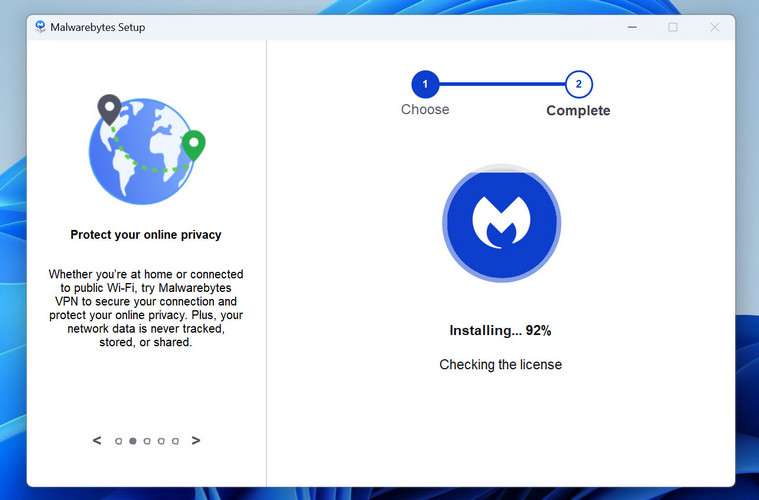
Get the Malwarebytes Windows setup program through a trusted device. If practical, transfer that verified installer separately rather than visiting download sites through the affected browser.
Open the setup package, confirm the publisher and finish the setup. If it needs network access before you can safely reconnect, arrange a supported connection with a trusted technician.
Keep the original lure and scanner apart. A page that brought you here can’t authenticate the security product it offers you afterward.
Step 4: Read the scan report and address every finding
Launch Malwarebytes through the Start menu. In the dashboard’s Scanner area, choose Scan and wait for the results. Don’t rely on progress alone to tell you what was found.
Review the results and quarantine threats identified by the scanner. If it requests a restart, follow that instruction when it’s safe to do so, then open the report again.
If it identifies a second piece of malware, record that result independently. Some variants have different capabilities, so make the cleanup decision based on your findings, not the campaign name.
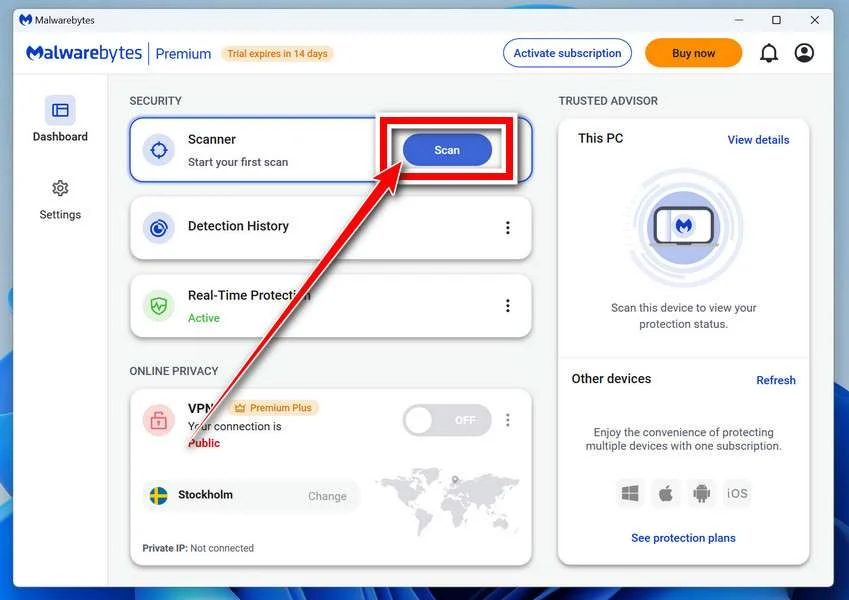
The optional Malwarebytes Premium offer is an affiliate link for ongoing protection. You don’t have to buy it to begin a manual scan or contact account providers.
Step 5: Check the browser and verify the computer before use
Open the extensions manager for browsers you actually used. In Chrome, go through Extensions > Manage Extensions; in Edge, choose Extensions > Manage extensions.
On a personal device, remove only an extension identified as unwanted and confirm that it stays gone.
If a managed setting prevents a change, ask the administrator instead of disabling policies.
After reconnecting when appropriate, install Windows security updates from Settings > Windows Update. Restore software from the vendor’s original distribution route, not from the same archive.
For recurring detections or suspected remote access, keep the PC away from sensitive work. Use the MalwareTips removal boards or trusted help to plan cleanup or a known-good rebuild.
Frequently Asked Questions
Was GitHub itself infected in the BoryptGrab campaign?
The documented deception used content hosted on GitHub and a separate malicious download route. It doesn’t establish a compromise of GitHub or the legitimate companies the repositories impersonated.
Should I look for the removed Arctic Wolf page to check?
Don’t look for a copy or archived download. Compare the information you already have with the vendor’s official notice and use trusted support if you launched an unknown package.
Is a downloaded ZIP the same as an infected PC?
Not in the documented route, which relied on running the contents. Don’t execute it to verify that distinction. Report the archive or remove the unopened file as appropriate.
Does every BoryptGrab finding include TunnesshClient?
No, an additional backdoor was associated with some earlier chains. A related variant studied later differed, so investigate particular detections and symptoms instead of assuming what was installed.
Why check active sessions if I changed my passwords?
Services differ in how they handle existing sessions after a reset. Use their security settings to invalidate suspicious sessions explicitly where possible and check recovery details for changes.
Can a clean scan tell me which files someone took?
A scan checks for detectable threats on the computer, not a complete history of exposure. Use available logs, account alerts and expert help when you need to assess past access.
The Bottom Line
Don’t install a Windows package because a GitHub page carries a familiar brand name. Verify the owner and the download route with the real publisher before running anything.
If you executed the package, isolate the PC and protect exposed accounts elsewhere. Use the illustrated removal guide and get help if another threat appears or the first detection returns.

Join the discussion
0 commentsShare your experience or ask a question about this article.
Community experiences
Did this happen to you?
Your experience could help someone recognize the same scam. Submit a private report for our team to review.
I experienced this tooReports are reviewed before publication. Sharing publicly is always your choice.
Discussion
Start the conversation
Have a question or something useful to share? Add the first comment.