


A notice about an expired certificate can stop a website owner in the middle of almost anything. The fear is that customers are already seeing a warning.
Before you touch the renewal button, find out which system actually manages that certificate.
Overview
The message names a real problem
The cPanel SSL certificate expired email scam starts with a plausible maintenance alert. It says a certificate has expired and warns that secure access to the domain could suffer.
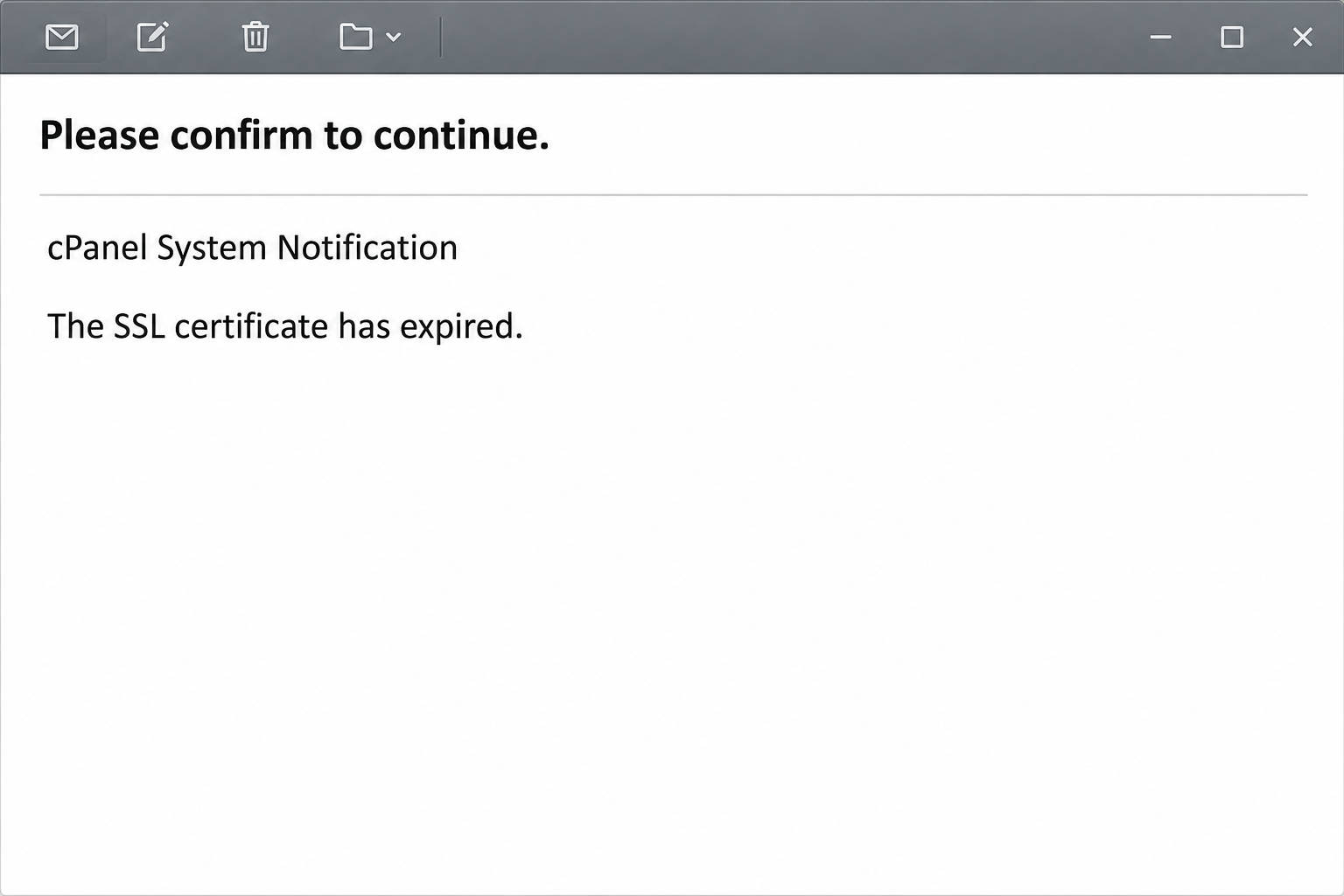
The subject asks you to confirm something before continuing. The body presents itself as an automatic cPanel notification and offers an “Activate SSL Certificate” button.
That sounds like a routine job for someone who owns a website. It also arrives in a setting where a single owner might handle hosting, billing and email.
Nothing in the alert establishes the certificate status of your domain. The screen above recreates the notice without showing the real recipient or the unsafe destination.
A real certificate can expire whether or not a phishing message arrives. You need not choose between disregarding the email and checking the site independently.
The button opens webmail instead of certificate management
The reported button led to a copy of a Roundcube webmail login, not to the owner’s hosting panel. It asked for an email address and password.
Roundcube is a legitimate email client, and cPanel is a legitimate hosting control panel. The notice borrows both names to send you to an unrelated page.
The copied page was hosted on a legitimate cloud storage service. A service can host a customer file without reviewing it as an approved cPanel product or workflow.
That distinction helps if the browser shows an encrypted connection. Encryption may protect the conversation with the page owner while doing nothing to establish that owner’s identity.
No certificate change was documented as part of the scam. The risk shown by the reported page was disclosure of credentials, not damage to a certificate through clicking.
Check the hostname before checking the certificate
A certificate applies to a particular hostname or set of hostnames. The main website, checkout and mail login can all use different services and dates.
You might discover that a genuine visitor warning affects only one name. Checking the wrong address and seeing a healthy certificate would not settle what visitors see elsewhere.
For a cPanel-managed site, the real SSL/TLS Status documentation is a better starting point than the link in the email.
- Use the known hosting panel or contact the provider through your established account.
- Look up the exact website or service named in the warning.
- If a CDN or managed proxy is responsible, ask which certificate visitors actually receive.
- Keep hosting access, webmail access and billing responsibilities separate while you investigate.
How the cPanel SSL Certificate Scam Works
Step 1: An ordinary renewal becomes an interruption
An owner knows that an expired certificate can trigger a browser warning. A person scheduled to launch a sale may feel pressure to get ahead of customer complaints.
The message says continued secure access depends on activating a replacement. It asks you to click, without requiring you to look up the certificate you think you are fixing.
This can feel especially urgent after an unrelated hosting change. A domain move or a new developer makes the story plausible, but it does not identify the sender.
Instead of treating “expired” as a fact, check the same hostname with your own provider. If you do not manage the site, pass the concern to the person who does.
Step 2: The email borrows the shape of a system alert
The sender uses cPanel language and describes itself as automatic. The instructions are brief, and most of the space is devoted to one supposed remedy.
A real system message can be short and machine-generated too. The issue is not how many lines the alert has, but whether the proposed action matches your real workflow.
Your host might run automated renewal, manage certificates elsewhere or require a manual request from an account administrator. Those options all begin outside the email.
If monitoring and billing are managed by different teams, use whichever contact owns certificate changes. Forwarding the email for confirmation does not require forwarding its button as an action.
Step 3: The supposed renewal changes into a mail sign-in
Following the reported button brought up a Roundcube-style screen. It is the kind of page many customers see after opening webmail from their hosting account.
That resemblance makes the change of job easy to overlook. You started with a website certificate, yet you are asked for the password to one mailbox.
A hosting provider may offer both systems, but the mailbox password does not make a random page a valid certificate manager. Return to the dashboard you already use.
If your password manager does not recognize the site, do not enter the password manually to get around its hesitation. Treat autofill as a clue, not authentication.
Step 4: A submitted password creates a new problem
A working password can let someone attempt access through the real service. Success still depends on whether the password is current and what protections your provider applies.
The mailbox can hold client details, password reset messages or access to pending invoices. A compromised address can lend credibility to another request sent later in your name.
A website’s public certificate might still be perfectly healthy while the mailbox needs recovery. These are two independent checks, even though the original alert connects them.
Hosting access also needs separate attention if the same password was reused there. Ask your provider which credentials unlock which service before deciding that one reset covers all accounts.
Step 5: Routine service checks can reveal the mismatch
Look at the certificate status in the real dashboard and ask which organization manages it. This usually tells you more than inspecting the wording of the email.
If a customer sees a browser warning, collect the affected address and the visible error from that customer. Do not ask them to bypass the warning to gather better information.
A proxy may present a certificate to visitors while a separate connection goes back to your web server. The visible issue and the origin issue can have different causes.
If the dashboard is inconclusive, keep the website incident with your host and the suspected phishing with your email or security team. One finding should not cancel the other.
What to Do if You Have Fallen Victim to This Scam
-
Identify which screen received your information.
If you only read the notice, do not follow the renewal button for a second look. Use the genuine provider to check whether there is anything to renew.
If you typed a password, note whether it belonged to webmail, the hosting panel or an account where you reuse the same secret.
Save the original email privately for your provider or administrator. Do not send the password itself, even if a support form allows you to include notes.
-
Check the named hostname through your real host.
Open the customer area through a bookmark or a familiar address. Check the correct hostname rather than the first certificate on a list.
If there is a genuine expiration or renewal failure, ask who controls the certificate and the approved way to fix it. Do not reuse the emailed button.
For a site managed by someone else, give the owner the exact affected service and ask how visitors should verify when service has returned.
-
Secure a mailbox password that might be exposed.
Replace it through your provider’s verified route. Contact the administrator if the mailbox is shared, managed centrally or no longer accepts your normal credentials.
Ask about active sessions, saved app access and changes made since the alert. Resetting the password is important even when no unauthorized messages have appeared.
If you used the password in the hosting panel, handle that account separately. Tell hosting support what was exposed before making independent changes to active customer services.
-
Check the way your mail is delivered.
Ask the provider or team to review mailbox forwarding, filters and unexpected delegates. Some settings may be managed on the server rather than visible in Roundcube.
Check recent outgoing mail for altered quotes or payment details. Open a new conversation with a trusted contact if a customer asks about an instruction you did not send.
If money moved, involve your finance team and the sending institution promptly. The certificate dashboard cannot answer questions about a wire or an invoice change.
-
Verify related services without improvising a fix.
A certificate alert does not authorize a password reset for every web account. Prioritize services with a reused credential or unusual activity.
If a real technical alert persists after the mail issue is contained, test it using the host’s instructions. Record which hostnames work and which still show warnings.
Do not disable browser protection as a workaround. Ask your provider for a service-specific repair and let affected staff know which account channels remain safe to use.
-
Protect the next administrator who gets the alert.
Report the exact message through your provider or the workplace security channel. Include the subject and arrival time so another copy can be recognized.
Give site owners a bookmarked entry point to manage certificates. Staff who handle only mail should know who to contact instead of signing into an unfamiliar page.
Keep one private record of actions taken. That can help a colleague see what changed if another person reports the same email after your team has acted.
When the Email Reaches Someone Who Only Handles Mail
A marketing assistant can receive an alert for a domain without having access to the tools that manage it. That is a reason to escalate, not attempt the renewal.
Send the site manager the domain and the substance of the warning in your own words. Leave out the link and make clear that the notice arrived unexpectedly.
If a developer asks which certificate the message refers to, give them the hostname exactly as you normally use it. Avoid describing mail and web access as a single service.
A managed storefront may give you a certificate status in its own dashboard. Start there if your host does not control the address customers actually visit.
Is the Browser Warning Real?
If you see a certificate warning while entering a familiar address yourself, treat it as a separate technical signal. Do not use the notice to explain the symptom.
Check the exact name and whether others see the same warning. A time-setting problem on your own device and a server certificate issue are different possibilities.
Someone in another office might reach a different service or hostname than you do. Send the provider the actual warning and address, without bypassing the browser’s protection.
A genuine repair belongs in the system that issued or serves the certificate. There is no need to demonstrate the fix from a webmail login reached by an email.
Frequently Asked Questions
Is the cPanel SSL certificate expired email real?
This version of the notice is phishing. Its button opens a copied mail login instead of a trusted certificate management screen.
A real certificate expiry is still possible. Look up the domain separately, and ask your own host about any warning you can reproduce through a familiar route.
Can an expired certificate prevent people from reaching my site?
Some visitors may get a browser warning or an application may refuse to connect. The effect depends on the affected service and its configuration.
That technical possibility explains why the email sounds credible. The message itself cannot tell you which certificate your visitors are being served.
Why does a cPanel email lead to Roundcube?
The version described here borrows the Roundcube look to make a mail credential request familiar. General connections between cPanel hosting and webmail do not authenticate that page.
Certificate status is not repaired by giving a mailbox password to an unfamiliar website. Use the host’s real account or ask its support team for help.
Can a legitimate cloud provider host the bad page?
A genuine hosting service can be used to store a deceptive page. A recognizable platform name in the address does not grant the page authority over your account.
Check whether the address is actually your established hosting or mail portal. If you do not recognize it, return through the route you normally trust.
Does opening the email mean the site was hacked?
Opening the message does not show that either your website or mailbox was taken over. Find out whether anyone submitted credentials or saw unauthorized changes.
A visible problem on the website should still go to the host. Do not let the phishing notice decide the diagnosis for you.
What if I cannot find SSL/TLS Status in cPanel?
A provider can manage certificates for you or limit which tools customers see. Contact the host through a known route and ask who controls the service.
Do not assume the emailed link is the missing control. A company that manages your hosting should be able to explain where its authorized procedure begins.
The Bottom Line
Do not activate a certificate through this email. The reported button goes to a copied webmail sign-in, which has no business taking your credentials for a renewal.
Verify the certificate with your host independently. If you entered a password, secure the affected account even if your website has been working normally the whole time.

Join the discussion
0 commentsShare your experience or ask a question about this article.
Community experiences
Did this happen to you?
Your experience could help someone recognize the same scam. Submit a private report for our team to review.
I experienced this tooReports are reviewed before publication. Sharing publicly is always your choice.
Discussion
Start the conversation
Have a question or something useful to share? Add the first comment.