


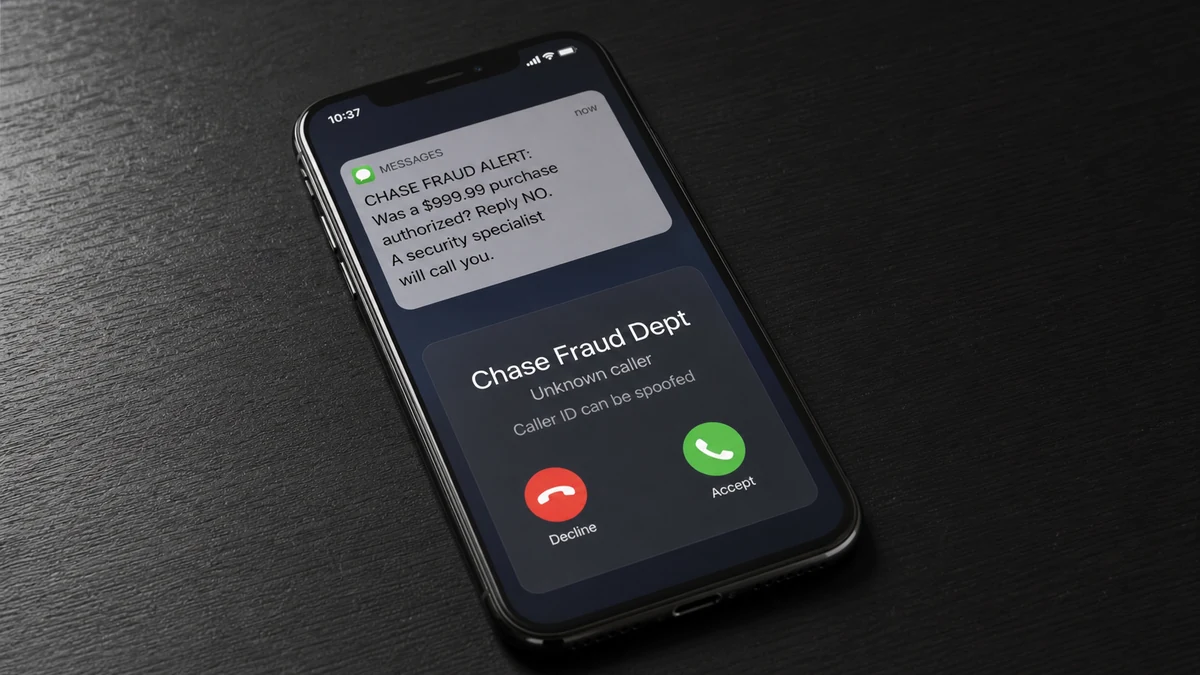
The caller knows you bank with Chase. They say a $999.99 purchase is waiting for approval and send a screenshot that appears to show your account.
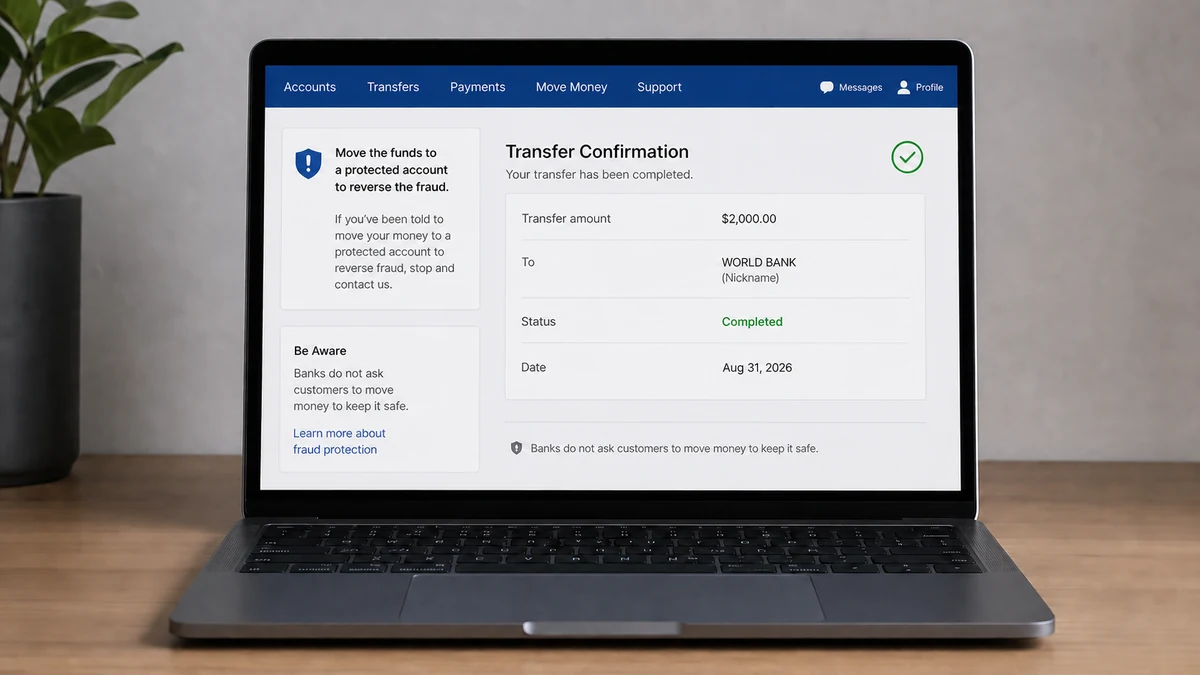
Then comes the part designed to keep you from thinking: move $2,000 to a “protected” destination while the fraud team fixes everything.
Overview
The fake alert creates a second, real transaction
A reported case involved a 76-year-old Chase customer who received a call about an alleged $999.99 charge. The supposed fraud representative then instructed him to move $2,000 into a destination described as “World Bank.”
The customer reportedly wanted to call Chase himself. The operator said that was unnecessary because he was already speaking with Chase and reinforced the story by sending an account screenshot.
The first charge is the bait. Whether it exists or not, the scammer’s goal is to persuade the customer to authorize a new transfer. That second transaction sends real money away under the false promise that it will be protected.
Chase says it will not ask customers to move money this way
Chase’s official scam guidance warns about callers and texters who impersonate the bank and tell customers to transfer money to prevent or reverse fraud.
A bank can block a card, reject a pending transaction, restrict an account, or open a fraud case on its own systems. It does not need a customer to create a $2,000 transfer so a smaller charge can be canceled.
The screenshot is evidence of information, not identity
The image may be fabricated, copied from an email, taken during remote access, or assembled from information exposed in an earlier phishing attempt. Even genuine account details do not prove the sender works for Chase.
Watch for this combination:
- An unexpected caller announces a large purchase or security emergency.
- Caller ID displays the bank’s name or a familiar number.
- The caller knows personal or account information.
- You are discouraged from hanging up and calling the bank yourself.
- A screenshot is offered as proof of the caller’s authority.
- You must transfer money to make existing money safe.
- The requested transfer is larger than the charge being questioned.
The safest response is to end the call. Open the official app yourself or call the number printed on the back of your card. Do not use a number sent in the alert.
How the Fake Chase Fraud Alert Scam Works
Step 1: The caller poses as the fraud department
The call may appear to come from Chase because telephone numbers can be spoofed. The operator uses bank language, supplies a case number, and may already know the customer’s full name, address, or last four card digits.
The conversation begins like a real security check. A calm voice asks whether the customer recognizes a transaction and praises them for answering quickly.
Step 2: A believable charge creates urgency
An amount such as $999.99 is large enough to cause alarm but common enough to resemble a laptop, phone, hotel, or online purchase. The scammer may name a familiar merchant so the charge feels plausible.
Once the customer says the purchase is unauthorized, the caller becomes the person who appears to be helping. That small agreement pulls the victim deeper into the invented case.
Step 3: Personal information makes the story feel proven
Names, addresses, phone numbers, banks, and partial card details can come from data leaks, stolen mail, compromised email, previous phishing, or public records. More sensitive information may come from malware or remote access.
The operator may send a screenshot containing real details. The right question is not “How do they know this?” but “Did I initiate this contact through a channel I trust?”
Step 4: The caller prevents independent verification
If the customer suggests calling the bank, the operator says the secure session will end, the charge will clear, or another department will not see the case. This is the scam’s critical control point.
A genuine fraud case will still exist after you hang up. A real employee can add notes and let you reconnect through the verified number on your card.
Step 5: Money must be moved to a “safe” place
The destination may be called a secure account, reserve wallet, temporary holding account, or protected balance. In this story, the label was reportedly “World Bank.” The reassuring name does not change who controls the recipient.
Because the customer personally authorizes the payment, it may initially look like an ordinary transfer instead of stolen credentials. That makes immediate, accurate reporting especially important.
Step 6: The operator stays on the line during payment
The scammer may tell the victim which buttons to press, ask them to read screens aloud, or request screen sharing. Some operators persuade victims to install legitimate remote-support software, then watch the banking session directly.
Any request to share a one-time code, display a bank screen, or install remote-access software should end the interaction immediately.
Step 7: The first transfer creates another emergency
After the payment, the caller may say it is pending, sent to the wrong department, or needs a matching transfer. A fake supervisor or investigator may join the call and request more money.
If the victim stops cooperating, a supposed recovery agent may contact them later. The second approach often uses details from the first call to appear credible.
What “World Bank” Means in This Story
The World Bank is a real international development institution. Nothing in the reported account establishes that the organization contacted the victim, received the transfer, or had any involvement in the call.
“World Bank” may have been a recipient nickname, payment description, app label, or wording supplied by the scammer. Without the bank’s transaction record, it should not be treated as the verified identity of the final beneficiary.
Scammers choose names that sound official because victims glance at them while under pressure. A prestigious label can make an unfamiliar destination feel like part of a government or banking process.
Save the exact transaction details: recipient name, account or routing information, payment handle, phone number, wallet address, and reference. Those identifiers are more useful to Chase and investigators than the label spoken during the call.
The mismatch in the amounts is another clue. There is no logical reason to risk $2,000 in order to stop a $999.99 purchase. The transfer is not a reversal; it is a separate payment.
How the Caller May Know Real Account Details
A compromised email inbox can reveal bank alerts, receipts, balance notifications, card messages, and monthly statements. Search access gives a criminal enough context to sound like an employee without breaching the bank itself.
Earlier phishing may also be involved. A fake login page can collect credentials and redirect the victim to the real Chase site, leaving the impression that nothing happened. The attacker may later use the stolen session to view activity or prepare a convincing screenshot.
Remote-access software is more serious. If the victim previously installed a support tool, the operator may be watching the real account and moving the pointer while claiming to investigate. Disconnect that device from the network and contact the bank from a clean one.
Some images are simply edited. A browser can change text displayed locally, and a mobile banking screen can be recreated with design software. Logos and familiar colors are easy to copy.
If the caller showed accurate private information, tell Chase exactly what they knew. Secure the linked email account, phone account, and devices as well as the bank login. The fraudulent transfer may be only one part of the compromise.
How to Check a Fraud Alert Without Helping the Caller
Hang up without debating the operator. If they call back repeatedly, let the calls go unanswered. Open the Chase app from your own device or type chase.com into the browser. Do not tap a link from the message or use a search ad for support.
Review pending and posted transactions. If the alleged charge is absent, tell the real bank about the impersonation anyway. If it is present, dispute it through the authenticated app or verified phone line. Its existence still does not authenticate the caller.
Never approve a login prompt or read a verification code to someone who called you. A code may be authorizing a new device, changing a password, or completing the very transfer the caller claims to stop.
For a frightened family member, a simple phrase helps: “A real bank can wait while we call back.” Stay with them, use the number on the card, and ask the bank to review recent beneficiaries and transfers.
If the caller objects to that pause, the objection is useful evidence. Security does not require secrecy from family members or prevent a customer from visiting a branch.
Company, Address, and Fulfillment Checks
The incoming call is not authenticated
Caller ID, an employee number, and a Chase logo can all be copied. Authentication begins only after the customer ends the incoming contact and reconnects through a number or app they already trust.
The destination label is not proof of ownership
A payment screen may show a nickname or business-like description. Ask Chase to identify the actual transfer rail and beneficiary information. Do not assume an official-sounding label belongs to the organization it resembles.
The operator’s “support” depends on continued control
A scammer keeps the customer on the line, discourages family involvement, and treats every pause as dangerous. Real bank support does not collapse when a customer independently verifies the case.
The promised protection is never visible at Chase
A legitimate hold, card lock, or dispute should appear through the bank’s real systems. If the only proof of protection comes from screenshots and spoken assurances supplied by the caller, the customer has not confirmed where the money went.
What to Do if You Have Fallen Victim to This Scam
- Call Chase immediately. Use the number on the back of the card or the official app. Say that an impersonator induced the transfer and ask for the fraud and wire-transfer teams.
- Request a recall or freeze. Provide the amount, time, destination, transaction number, and beneficiary details. A fast report may help the receiving institution stop the funds.
- Do not send a second payment. The caller may say the first transfer can be recovered only by matching, verifying, or taxing it. End all contact.
- Preserve evidence. Save call logs, voicemails, texts, screenshots, recipient information, remote-access software names, and everything the caller knew about the account.
- Secure online banking from a clean device. Change the password, review trusted devices and contact details, replace exposed cards, and remove unfamiliar transfer recipients.
- Secure email and phone accounts. Revoke unknown sessions, change reused passwords, enable strong multi-factor authentication, and ask the mobile carrier about unauthorized SIM or forwarding changes.
- Remove remote access safely. Disconnect an affected computer from the network. Scan it with Malwarebytes, but consider professional review or a trusted rebuild if banking was exposed. A clean scan does not guarantee that stolen sessions are invalidated.
- Block known malicious pages. AdGuard can help prevent connections to many scam and advertising domains, but it cannot authenticate an incoming bank call or reverse a transfer.
- Report the crime. File reports with ReportFraud.ftc.gov, IC3.gov, and local police when appropriate. Give investigators the true beneficiary details, not only the “World Bank” label.
- Watch for recovery scammers. Do not pay anyone who promises guaranteed recovery or claims to be assigned to the case without verification through Chase.
Frequently Asked Questions
Would Chase ask me to move money to stop fraud?
No. Chase warns that requests to transfer money to prevent or reverse fraud are a scam sign. Hang up and contact the bank through the card or official app.
Can caller ID really show the Chase number?
Yes. Caller ID can be spoofed, so a familiar number does not authenticate the caller. Initiate a new call yourself using a trusted number.
How could the scammer show my account information?
The details may come from email compromise, phishing, malware, remote access, stolen statements, or an edited image. Tell the real bank exactly what was exposed.
Was the actual World Bank involved?
Nothing in the reported story shows that. The phrase may have been only a payment label or part of the scammer’s script. The bank must trace the actual beneficiary.
Can I report a transfer that I personally authorized?
Yes. Explain that the authorization was obtained through bank impersonation and false claims. Recovery is not guaranteed, but immediate reporting gives the institutions the best chance to act.
Should I trust a caller who knows my case number?
No. The same group can reuse its own case number, and stolen data can be shared. Verify any follow-up by contacting Chase through an official channel you initiate.
The Bottom Line
A fake Chase fraud alert does not need to steal your password if it can persuade you to move the money yourself. The caller’s screenshot, case number, and knowledge of the account are there to keep you inside that conversation.
End the call and start over through the number on your card. A genuine bank can protect funds without sending them to a new account, and a real fraud case will still be there after you verify it independently.

Join the discussion
0 commentsShare your experience or ask a question about this article.
Discussion
Start the conversation
Have a question or something useful to share? Add the first comment.