


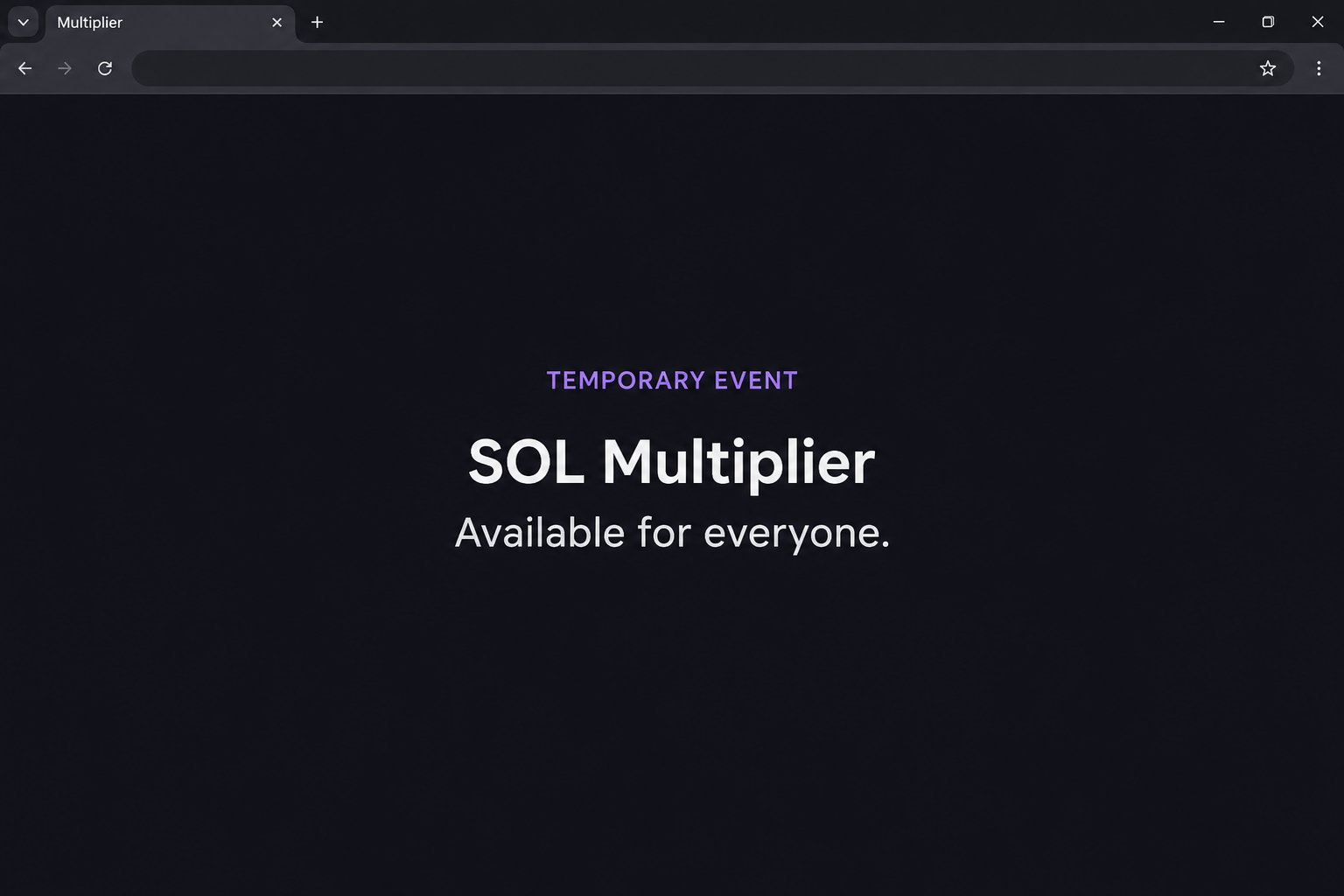
A page announces an official SOL multiplier and says it’s available to everyone. A “Temporary Event” label gives you a reason to make up your mind quickly.
Before looking for a return estimate, ask what would actually make your balance increase. The answer should be more substantial than a claim on the page.
Overview
The offer presents itself as a short-lived Solana event
The fake Solana SOL Multiplier page borrows Solana’s branding and promises to multiply the amount of SOL you hold. It frames the promotion as an official event open to everyone.
The documented site was on solgamez[.]top, not Solana’s own website. The page uses a SOL price badge, a prominent invitation to get started, and claims about its platform.
It also displays Solana Foundation branding in the footer. That appearance does not establish any involvement by the Foundation or anyone who operates part of the network.
The image recreates the event heading, not an actual offer or result. It doesn’t show an authorized return, the genuine Solana website, or a usable wallet control.
The wallet request is visible, but a payout is not
The documented sequence goes from the multiplier page to a list of wallets. It shows the beginning of a connection flow rather than a completed transfer or a verified reward.
That distinction is important both ways. Seeing a wallet menu does not prove assets moved, and it does not provide evidence the site can increase your balance.
A page can list transactions, statistics, or support links without showing a reliable record of its own activity. A polished interface isn’t proof of real transactions.
It is also possible to check the legitimacy of a real promotion without connecting. If its only proof comes after you authorize the request, leave it unverified.
Solana staking has a different purpose and a different record
Solana’s staking documentation describes variable rewards for delegating SOL to validators who help run the network. The amount depends on factors including inflation and validator performance and commission.
That’s not the same as an online event offering to multiply balances. If you are trying to work out which one you saw, look for the following differences:
- A network staking position can be checked through the wallet and the relevant stake account.
- A projected amount is not an actual reward and doesn’t tell you where an advertised increase comes from.
- A market price badge shows a quoted price, not proof that anyone was paid.
- A genuine explanation of staking identifies the delegation process rather than relying on a vague temporary event.
- The decision to connect a wallet belongs after verification, not before it.
Why the Pitch Works Even Without a Promised Rate
The words “official” and “available for everyone” do a lot of work. They suggest that the benefit is authorized and that no special participation record is necessary.
The price badge makes the page feel connected to a live market. Even a correct price cannot verify the promotion alongside it.
A busy FAQ and background statistics can have a similar effect. They make the reader feel as if other people are using the service without supplying a trustworthy transaction record.
None of those details explains how an increase would happen. A reasonable description of returns should tell you what activity produces them and what can affect the result.
The event label shifts attention away from that question. When someone feels late, a quick connection can seem easier than taking time to check the claim.
How the Fake Solana SOL Multiplier Scam Works
Step 1: The page borrows the name of the network
The main heading describes the offer as official. The footer adds familiar branding, even though the address belongs to a separately named site.
Solana is the network being referenced, not the party identified as operating this page. Anyone can display the name or make a graphic that resembles its branding.
If the page came from a social post, verify the announcement through a first-party source. Don’t assume the poster had permission to speak for Solana.
Step 2: The presentation makes the offer look active
A price badge, apparent statistics, and references to live transactions create the impression that something is already happening. They encourage you to focus on timing rather than legitimacy.
The captured page doesn’t establish whether those numbers correspond to real activity from the service. A changing figure on the site isn’t the same as a record you can verify.
Even an independent price quote would say nothing about the offer. It would describe SOL’s market value, not an increase in the number of units in your wallet.
Step 3: A temporary event turns verification into a supposed delay
When a promotion suggests that everyone can take part, you may expect a simple decision. The short-lived framing makes it feel as if checking first could cost you the opportunity.
A genuine opportunity should still survive basic questions about who offers it, what it requires, and where the advertised benefit is documented. Don’t let a label answer those questions.
There is no need to send a small amount as a test. A website’s response to a test payment would not authenticate it or make another payment safe.
Step 4: The main action opens a wallet selector
In the captured sequence, proceeding from the event page brings up a menu of wallets. The menu lists familiar providers to make the interaction feel ordinary.
A connection can share account information and allow the app to request further actions. Your risk depends on what the app requested and what you approved.
The record does not show a completed payout or an actual victim’s approval. If you signed something, look at the real wallet and network instead of trusting the page’s story.
Step 5: The figures on the page stop being useful after you act
If you already interacted, take note of what you sent or authorized. A page saying “success” would not prove that your SOL balance actually increased.
Check an unfamiliar change on the right network and in your own account. A change in the USD quote is different from a change in SOL units.
Your evidence may be a connection, a transaction, or something you typed. Preserve those distinctions when you ask for help, because they point to different next steps.
How to Check Whether Anything Happened to Your SOL
Start with the number of SOL units
Check the balance inside the wallet you already trust. If the display defaults to $ values, look for the underlying quantity so you can compare the right number.
A lower $ value might reflect a change in the market rather than an outgoing transfer. Compare units and transaction history before deciding that your wallet was drained.
If you recently moved SOL into a stake account, that can change what appears as immediately available. Check any stake accounts you already know about before mistaking them for theft.
If your wallet displays several accounts, compare the public address with the one that actually appeared when you interacted. Not every entry in the app concerns that account.
Keep a real network record separate from the advertised return
Look for a genuine transaction entry and its identifier. Write down which change you expected to see and which one you actually found.
A pending or failed transaction is not the same as a confirmed outgoing transfer. Ask your provider about unclear records before making another transaction to fix what you see.
If a stranger tells you to add SOL so an old payout can finish, stop. Verify the activity independently instead of accepting an explanation from the person offering the reward.
The FTC’s guide to cryptocurrency scams describes guaranteed returns as a warning sign. This guide is about avoiding the imitation, not choosing an investment.
What to Do if You Have Fallen Victim to This Scam
-
If you didn’t approve anything, close the page. Leave the selector alone and verify any claims about Solana through its published information.
If an advertisement or message sent you there, report it through that service. Describe the multiplier pitch without sharing a clickable link with other potential targets.
-
If you connected a wallet, inspect that wallet’s connections. End the unfamiliar session and make a note of which account you used.
Check whether you did anything after connecting. Keep a rejected wallet prompt separate from one you actually accepted.
-
If you signed a request, review the account’s activity. Look for changes involving SOL and tokens held in the same account.
Phantom’s scam response guide distinguishes suspicious connections, token approvals, and key compromise. Use the real support instructions for whichever wallet you chose.
-
If you sent a payment, keep the original transfer record. Note the transaction ID, destination, time, network, and amount in SOL.
If an exchange or provider handled part of the transfer, contact it through verified support promptly. Don’t send another payment to try to recover the first one.
-
If you gave away a recovery phrase or key, treat that wallet as exposed. Follow first-party guidance for securing remaining assets in a fresh wallet.
Don’t use the old address for future receipts merely because it has not changed yet. An exposed key remains a risk after the site is closed.
-
Report any loss using records from your own account. Save the advertisement or message separately from confirmed transfer details.
The FBI’s cryptocurrency guidance explains useful evidence for US readers. Elsewhere, report through the relevant local authority and ignore unsolicited offers of recovery.
How to Check a Claimed SOL Increase Yourself
Compare balances for the same address
Note the number of SOL units in one wallet. Compare that count with the earlier record for the same address, rather than comparing a wallet to an exchange summary.
If you moved SOL between accounts you control, the outgoing side can look like a loss until you check the receiving side. Use your own records to identify both addresses.
A large change in the quoted USD value can happen without a transfer. Cross-check the unit balance and actual activity before deciding what happened to your holdings.
If you’re expecting staking rewards, check the relevant stake account. Don’t use a third-party event site’s display to decide whether the stake account received a reward.
Verify a payment request without making another payment
You might be told a small fee will release an advertised balance. That figure isn’t evidence anything is waiting, and your payment would be a separate transfer.
A real network fee is part of a transaction you can review through your wallet. It doesn’t prove the sender represents Solana or that you qualify.
A transaction you already made can be checked separately. Find it by starting with the wallet or exchange you used, rather than a link included with the offer.
If you don’t see a matching transfer, don’t authorize one to make a record appear. If you see one, note the amount, time and whether you recognize the destination.
When someone claims to have been paid, a screenshot alone cannot show the source of their funds. Find independent project information before concluding that their story applies to you.
This check helps when a promotion makes your real balance seem complicated. You can find out where your SOL actually is without returning to the dashboard that made the promise.
If the affected wallet is shared, tell the other account holder what you approved. Ask them to pause new payments until you check its history together.
If you need help comparing records, share only the public transaction identifier or a redacted screenshot. A helper doesn’t need a recovery phrase to inspect public activity.
Frequently Asked Questions
Is the SOL Multiplier an official Solana service?
The documented page uses Solana branding but sits on a separate address. Don’t treat the words “official” or “Temporary Event” as confirmation that Solana authorized it.
Is staking the same thing as multiplying SOL?
Staking involves delegating SOL to help run the network and can earn variable rewards. That has nothing to do with a third-party promise to multiply your wallet balance.
Does the displayed price establish that the service is real?
A price can be shown without any relationship to the network’s operators. It doesn’t establish that the site can produce a payout or protect the funds it requests.
Does viewing the wallet menu mean SOL moved?
No, the menu itself is not an outgoing transfer. If you approved a request or typed sensitive information afterward, check those actions separately.
Should I send a small amount to check whether it works?
No, a test payment still exposes actual funds. Check the offer through the real organization or wallet provider without paying anybody.
Can a recovery service undo a completed transfer?
A stranger cannot promise to undo a confirmed blockchain transaction. Share the transaction details with verified support or the appropriate authorities, and don’t pay an unsolicited recovery fee.
The Bottom Line
Leave the fake SOL Multiplier page without signing anything. Solana documents staking and its variable rewards, but a branded multiplier page isn’t evidence of an official program.
If you connected, signed, or sent funds, check the account directly. Use the actual wallet and transaction records to decide what to protect, preserve, and report.

Join the discussion
0 commentsShare your experience or ask a question about this article.
Community experiences
Did this happen to you?
Your experience could help someone recognize the same scam. Submit a private report for our team to review.
I experienced this tooReports are reviewed before publication. Sharing publicly is always your choice.
Discussion
Start the conversation
Have a question or something useful to share? Add the first comment.