


You remember collecting points through Infrared, and a page says your IR allocation is ready to check. Even the menu looks like the platform you used.
There really was an Infrared token launch, which makes the offer worth a closer look. Start with what you remember doing and where that activity took place.
Overview
The clone starts with a real token launch
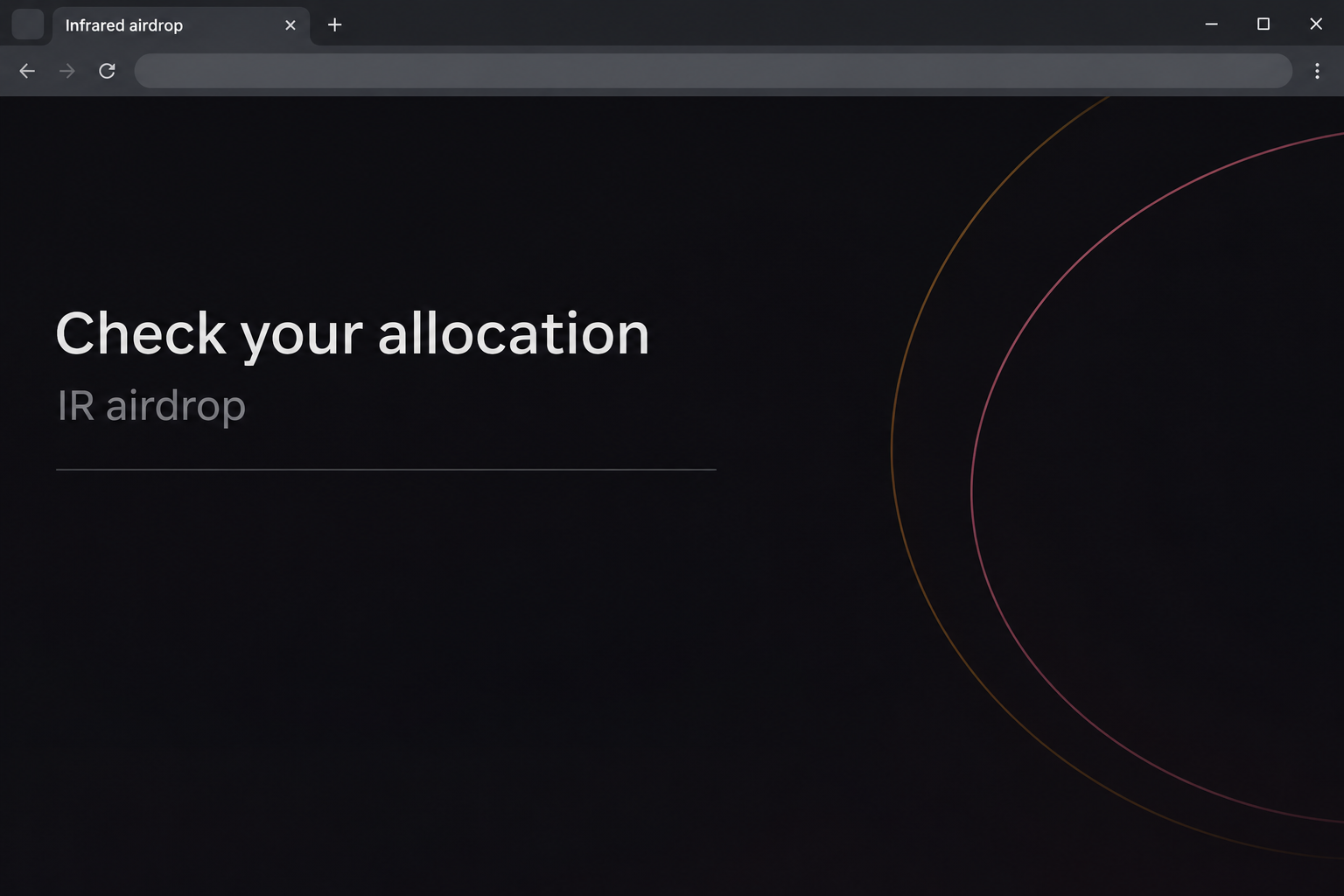
The fake Infrared IR airdrop page offers to check an allocation and let you claim tokens. It copies the protocol’s name and navigation, including terms associated with Berachain staking.
The documented imitation appeared on infrared-finance[.]pro. The additional word separator and different domain ending matter even if the page otherwise looks like the real product.
The image recreates a small part of the claim screen. It does not show an authentic allocation, a real wallet balance, or an active control.
IR is a real token issued by the Infrared project. The question is whether this specific page belongs to the project and whether the distribution it describes is actually available.
The original announcement tells you where old claims belonged
Infrared’s December 2025 launch announcement described a real distribution. For the on-chain route, it directed users to the Infrared website rather than a separately named promotion.
It also named a different route for people who participated through certain centralized exchanges. Those users were told to check the accounts where they had participated.
The announcement gave January 1, 2026, at 00:00 UTC as the deadline for that on-chain campaign. That old notice does not prove claims are open now.
A new page can reuse the original launch graphics or button without reopening anything. Look for a new first-party announcement before assuming an old deadline has changed.
An allocation check and wallet authorization are different decisions
The captured page proceeds to a wallet selector. It does not independently show an authorized transfer, an allowance, or a loss for a particular person.
When you compare a claim with your own records, keep these questions separate:
- Which verified campaign, if any, did you take part in?
- Did you earn protocol points, participate through an exchange, or interact with an on-chain distribution?
- Where did the official notice say your participation would be reflected?
- Which address and chain did you actually use for it?
- Did the imitation only show a selector, or did you authorize something in your wallet?
Why the Clone Feels Familiar to Berachain Users
Infrared is a protocol built around staking and related tools on Berachain. Its token documentation distinguishes IR, the governance token, from assets such as BERA, BGT, iBERA, and iBGT.
Those are separate things despite often appearing together on the same dashboard. Seeing iBERA or iBGT in a real account doesn’t by itself establish an IR allocation.
Infrared also describes a points program built around activity in the protocol. Points aren’t the token unless the relevant program explains the link.
The imitation needs that ecosystem to look familiar. It can display the same menu names and still be unable to verify any participation or distribute anything.
If you used Infrared through another service, check the history of that activity where it happened. A picture of a familiar protocol doesn’t show which address was involved.
How the Fake Infrared IR Airdrop Scam Works
Step 1: An old distribution gives the promotion a believable starting point
The offer is plausible because a real IR launch happened. Someone who used the protocol around that time might remember the announcement without remembering its exact claim route or deadline.
A lookalike doesn’t need to invent a token. It can take a genuine name and change where the reader is asked to go.
Look for the date on the first-party notice. A recently shared link may point to text from an old launch, and sharing it again doesn’t extend the original period.
Step 2: The imitation suggests an allocation already exists
The opening asks you to check an allocation and claim it. That phrasing implies you’re retrieving something already earned, rather than deciding what to let a new site do.
The copied navigation provides context but not proof. A site can display several real product names without knowing anything about your activity in those products.
If you want to verify your participation, start with the address or exchange account you used at the time. Showing a familiar logo isn’t equivalent to showing your record.
Step 3: The destination moves off the verified project site
The sample uses a separate domain that keeps the brand’s words but changes the address as a whole. The difference remains important when the browser shows a secure connection.
A browser’s connection indicator does not say who built the page. It doesn’t verify whether a project authorized a claim or whether wallet requests are safe.
You can compare the address against the original announcement without proceeding. There’s no need to open the imitator again to check whether an allocation is still displayed.
Step 4: The page asks the wallet to become involved
A wallet chooser appears behind the allocation pitch. Its list of providers looks routine if you regularly use decentralized services.
That menu doesn’t explain what a visitor will be asked to allow. Check the actual wallet prompt, its origin, and its network rather than relying on the page’s heading.
If you don’t recognize why a request would move something out of your account, do not approve it. An offer of incoming tokens cannot explain away an outgoing action.
Step 5: Your own records decide whether there was an exposure
The recorded sequence doesn’t settle what every visitor signed. A connection, an allowance, and a transaction are different events and require different checks.
A connection alone may reveal a public address without transferring anything. An authorization to spend may remain even after you close or disconnect from the site.
If you used different wallets for different networks, don’t check the one that is easiest to reach and assume the others are safe. Identify the address actually involved first.
How to Reconcile an Old IR Allocation
Start with the original participation route
If you participated through one of the exchanges named in the launch notice, check its account records. An email or landing page outside that account cannot confirm a credit.
A bank statement or a fiat deposit isn’t the same as a token distribution entry. Look for the specific asset and transaction or distribution details in your exchange history.
If a credit is missing, contact the real platform through its existing support process. Do not use an unofficial claim form to reconcile an exchange account.
For an on-chain claim history, begin with the wallet address you actually used. Confirm the network and any known distribution, rather than relying on the balance shown by a copy.
Don’t use a different reward to prove this one
Ordinary staking rewards, points, and the historical launch distribution are separate. An account might show one of them while having nothing left to claim from another.
The program’s deadline matters for the launch airdrop. It does not automatically close other services or prove that every notice about IR is fraudulent.
If someone says they can reopen a missed allocation for a fee, ask where that exception is documented by the project. Don’t send a fee while checking that story.
A legitimate announcement can describe a network fee that applies to an authorized action. That is different from sending a private payment to someone promising to unlock an old allocation.
Compare token identity before interpreting a record
A ticker is a label, not enough to identify a crypto asset on its own. The official documentation explains which token belongs to the project.
If an unfamiliar token with the same letters arrives, don’t assume it is the missing distribution. Review it through a provider you already trust and avoid any embedded redemption links.
A new message may tell you token activity proves that the claim page worked. Compare the network record with the official distribution route before accepting the explanation.
What to Do if You Have Fallen Victim to This Scam
-
Leave the page if you haven’t accepted a wallet request. If you want to check an allocation, start with the project’s announcement or your own exchange history.
Save any useful screenshot you already have, without reopening the lookalike. Nothing on the phone or desktop needs to stay open for that report.
-
Find the wallet address and chain you used. Open your wallet directly and look for unfamiliar sites in its connection list.
Disconnect it if it appears in your wallet’s connected sites. Record which account was linked before assuming every account under the same app was involved.
-
Review any authorization beyond the connection. For an EVM wallet, MetaMask’s allowance guidance explains the difference between an app session and a token approval.
Check the affected network using guidance for the real wallet. An approval may need a separate revocation even after the browser connection ends.
-
If a recovery secret was shared, protect the wallet independently of permissions. Contact verified support for help replacing compromised access and moving any trusted assets still available.
Do not accept a message offering to preconfigure the replacement wallet for you. The new recovery material should be yours alone.
-
If you find an unexpected transaction, keep its network record. Note the action, time, chain, public address and identifier when those details are available.
Report suspected theft to the appropriate local authority. The FBI’s cryptocurrency guidance is useful for readers in the United States.
-
Treat any follow-up that offers to restore a lost allocation as unverified. Use the project or exchange’s actual support route to check prior participation.
Don’t provide recovery material or pay someone who contacts you unsolicited. The name of the project and the old claim deadline are both easy to copy.
What If You Can’t Find the Original IR Distribution?
Check dates before looking for a second claim page
An archived launch announcement can still be useful after a claim window ends. It tells you what was offered then, not what is available now.
If the date on a new message differs from the original window, look for a separate announcement from the project. A screenshot of the first launch cannot establish an extension.
Find out which action the launch expected from your participation route. That matters if you signed up through an exchange but a new page requests an unrelated wallet address.
Check the account that did the qualifying activity
A genuine rewards query can be empty if you check the wrong account. Look up which address you originally used or which exchange account registered for the offer.
If you saved the old wallet address, its public history may be enough to look up past transfers. You don’t need to reconnect the wallet to a promotional page.
Keep copies of any records that identify the account, the token and the network. Leave out credentials if you ask official support about a discrepancy.
If you found an incoming transfer, compare its date with the program window. Treat that as one piece of evidence, not proof that a later claim site is connected.
You might finish the check without finding a reward. An unresolved allocation isn’t a reason to authorize a contract you didn’t find through the project.
If a new offer promises to settle your old account, compare its instructions with the original route again. An unsuccessful search doesn’t make the offer credible.
Avoid using an old link copied into a ticket to contact the project again. Start at the official site if you need to reopen a support conversation.
Frequently Asked Questions
Was Infrared’s original IR airdrop real?
Yes, Infrared published instructions for an original IR distribution. That launch does not authorize the lookalike or prove that it can issue a legitimate reward.
Can I still rely on the December launch page to claim?
The original notice gave January 1, 2026, at 00:00 UTC as the deadline. Use it to verify the historical terms, not to infer a new claim is open.
Do Infrared points automatically mean I have IR to withdraw?
Points describe activity in the protocol’s program. Check the distribution terms and your own participation record before treating them as an unlocked IR balance.
Which page should I use if I participated through an exchange?
Start with the exchange account where you took part. The launch announcement tells participants in the named exchange route to check the account rather than use another claim site.
Did selecting a wallet mean I transferred my tokens?
A wallet selector does not prove a transfer. Inspect the activity and permissions of the actual address if you continued beyond choosing a wallet.
Does a displayed IR token prove a reward was legitimate?
A ticker alone cannot identify the source of a distribution. Check the asset and network against official information and don’t use links attached to unfamiliar tokens.
The Bottom Line
Don’t use the fake Infrared IR claim page. Check the original launch terms and your participation through the real project or the exchange you actually used.
If you interacted with the lookalike, review the exact wallet and network involved. End the unfamiliar connection and inspect any approval or transfer before doing anything else.

Join the discussion
0 commentsShare your experience or ask a question about this article.
Community experiences
Did this happen to you?
Your experience could help someone recognize the same scam. Submit a private report for our team to review.
I experienced this tooReports are reviewed before publication. Sharing publicly is always your choice.
Discussion
Start the conversation
Have a question or something useful to share? Add the first comment.