

A blue plug-in box promises to make an ordinary car use less fuel without changing the engine. The appeal is obvious whenever filling the tank feels expensive.
Fuel Phase packages that promise inside a remarkably simple gadget. Understanding what such a device can realistically influence is the important part.
Overview
Fuel Phase is marketed as an effortless efficiency upgrade
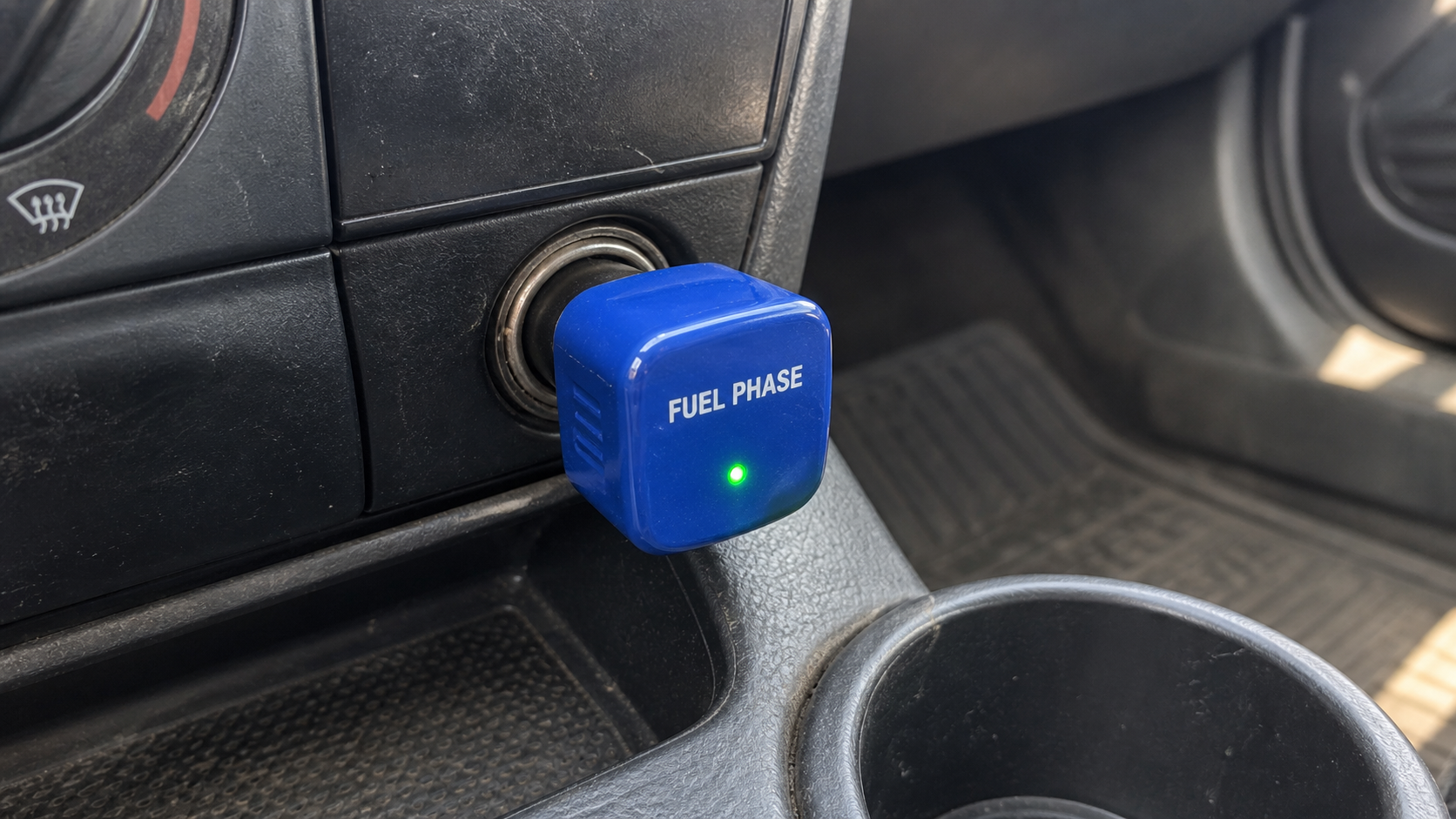
The product is a compact electronic device intended for a vehicle’s 12-volt accessory socket.
Its marketing says the unit optimizes electrical flow and helps combustion become more efficient.
Drivers are told installation requires no tools, mechanic, software, or permanent modification.
A small indicator light suggests that the device is operating after connection.
The physical simplicity makes the claimed savings feel accessible to nearly every vehicle owner.
The engineering explanation remains frustratingly vague
Modern fuel delivery is managed through sensors, engine controls, injection timing, emissions systems, and software calibrated for a specific vehicle.
A socket accessory has access to low-voltage electrical power, not direct control over fuel injection or combustion geometry.
The seller does not provide convincing independent testing showing how its box changes those systems.
Phrases about stabilization and optimization sound technical, yet they do not identify a measurable mechanism.
An illuminated light only confirms that electricity reaches the device. It does not demonstrate reduced fuel consumption.
Our verdict is an unproven gadget promoted with misleading confidence
Fuel Phase appears to be a real item that buyers can order, rather than a completely imaginary product.
That distinction does not validate the strong economy claims used to sell it.
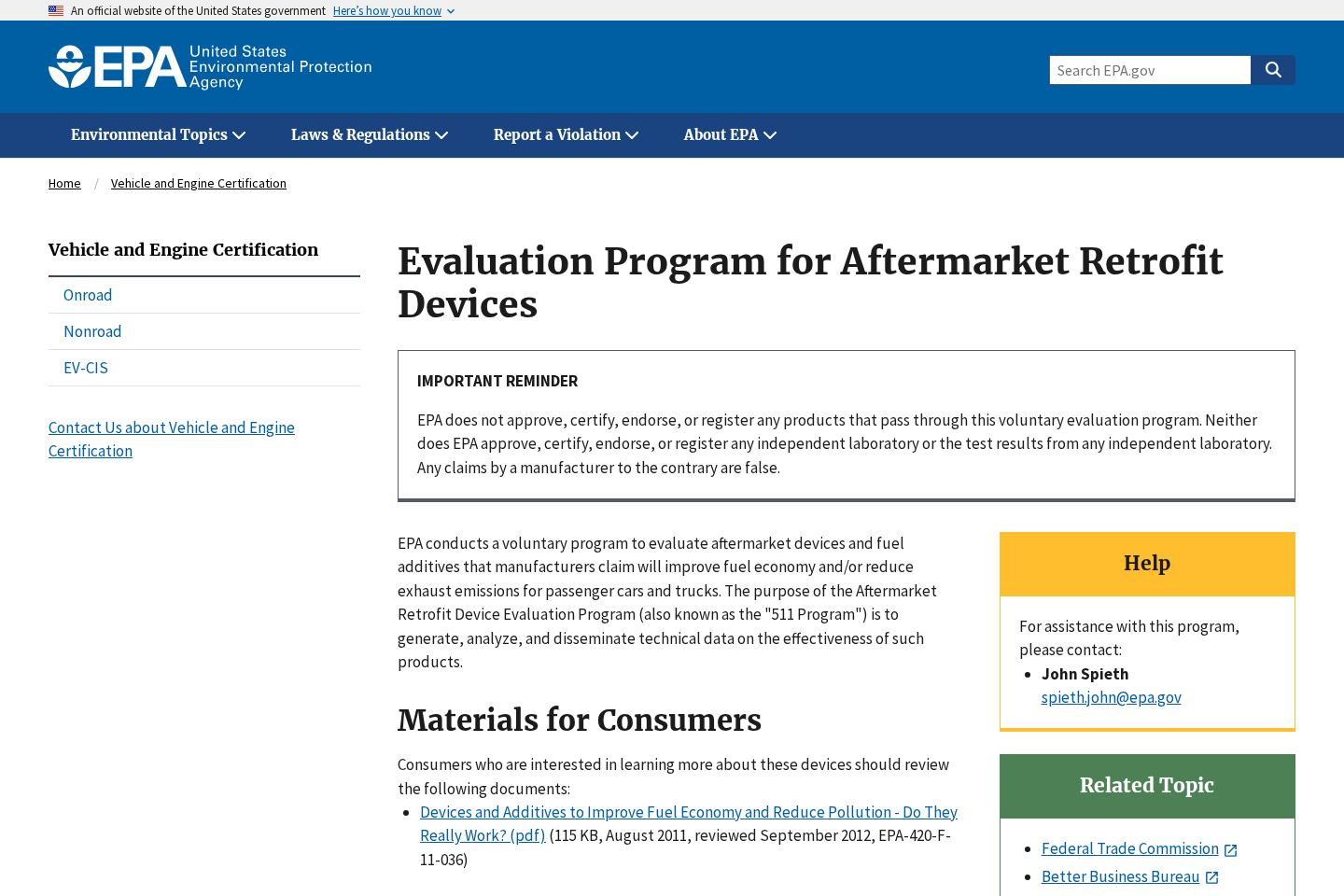
The United States Environmental Protection Agency does not approve, certify, or endorse aftermarket fuel-saving products through its evaluation program.
The central concerns are easy to summarize:
- No robust independent vehicle testing substantiates the advertised improvement.
- The proposed electrical explanation lacks enough detail for technical scrutiny.
- Similar socket devices have appeared under numerous interchangeable brand names.
- On-page testimonials are not a substitute for controlled fuel-economy measurements.
- A glowing indicator can create confidence without proving any engine effect.
- Claimed savings can be influenced by route, weather, traffic, and driving style.
- Discounts and bundle pricing encourage quantity before one device is evaluated.
- Refund value depends on exclusions, postage, responsiveness, and return handling.
What a 12-Volt Socket Can Actually Do
The accessory outlet was designed to supply power for equipment inside the vehicle.
It can run chargers, cameras, navigation units, tire inflators, coolers, and properly rated electronics.
The outlet connects to the vehicle’s electrical system through wiring and a fuse.
It does not ordinarily give a generic accessory permission to rewrite engine-control software.
Legitimate diagnostic tools communicate through dedicated vehicle interfaces and supported protocols.
Even those tools require appropriate software, vehicle knowledge, and careful calibration.
Fuel use depends heavily on speed, acceleration, load, tire pressure, aerodynamics, temperature, terrain, and mechanical condition.
Any device claiming repeatable savings should be tested while those variables are controlled.
A driver cannot reliably prove effectiveness by comparing one tank with another.
A tailwind, shorter warm-up, lighter traffic, or different pump shutoff can change the result.
Dashboard economy estimates are useful trends, but they are not laboratory instruments.
Careful testing would compare identical vehicles or repeated routes, use accurate fuel measurement, and disclose uncertainty.
It would also explain the circuitry and the exact pathway connecting that circuitry to combustion.
Fuel Phase marketing offers confident conclusions without publishing that level of evidence.
Until credible testing appears, buyers should treat the promised economy benefit as unsubstantiated.
What EPA Testing Means and Does Not Mean
The EPA maintains a voluntary program for evaluating aftermarket retrofit devices.
Manufacturers can seek testing under defined procedures, but participation does not automatically create an approval.
The agency explicitly states that it does not approve, certify, or endorse such commercial products.
A seller suggesting “EPA approved” status would therefore misrepresent the program.
Older EPA evaluations also show why controlled analysis matters for fuel-saving claims.
Many devices failed to produce meaningful improvements when examined under standardized conditions.
The absence of Fuel Phase from an evaluation list does not alone prove that every unit is fraudulent.
It means buyers lack that particular independent evidence and should not infer government validation.
A company could commission testing through reputable automotive engineers or accredited laboratories.
Useful results would identify the vehicle models, mileage, maintenance, fuel, temperature, route, protocol, and statistical uncertainty.
Graphs without underlying measurements cannot be independently checked.
Likewise, customer statements such as “I fill up less often” contain too many uncontrolled factors.
Claims should also address emissions, diagnostic faults, warranty concerns, and electrical compatibility.
A tiny universal box supposedly benefiting gasoline, diesel, older, and newer vehicles needs an especially clear explanation.
Different powertrains operate through different control strategies. One unspecified electrical effect cannot simply be assumed to optimize them all.
How the Fuel Phase Sales Funnel Works
Step 1: Rising fuel costs create the perfect opening
Advertisements reach drivers who feel that routine travel consumes more of their household budget.
The message frames fuel waste as a hidden technical problem rather than ordinary operating cost.
A simple plug-in fix then appears more attractive than maintenance, route changes, or replacing a vehicle.
Emotional relief arrives before the engineering claim receives scrutiny.
Step 2: Technical language gives the box a purpose
The copy refers to electrical stability, optimized combustion, or improved engine performance.
These phrases sound specific while avoiding a circuit diagram or measurable control pathway.
An animation may show energy moving smoothly after installation.
Visual motion cannot establish that a vehicle consumes fewer measured gallons.
Step 3: Easy installation removes the buyer’s hesitation
No mechanic, wiring, application, or vehicle-specific setup is supposedly necessary.
The device promises to begin working merely by occupying the accessory socket.
That convenience broadens the audience beyond technically experienced drivers.
It also discourages questions about how the product communicates with the engine.
Step 4: Testimonials replace controlled comparisons
The page highlights drivers who report fewer fuel stops, smoother operation, or noticeable savings.
Readers receive conclusions without complete trip logs, weather data, maintenance records, or calibrated measurements.
Star ratings shown by the seller can appear independent even when their collection method is unclear.
A genuine testimonial still cannot isolate the device from normal mileage variation.
Step 5: The discount rewards buying several units
Multi-unit packages suggest outfitting multiple family vehicles or sharing extras with friends.
A per-device price becomes prominent, while the total expense receives less attention.
Timers and stock notices encourage checkout before independent comparison.
A cautious buyer should test one returnable unit before considering volume, assuming the claim remains interesting.
Step 6: The guarantee carries practical conditions
A headline refund promise can feel risk-free until postage, deadlines, authorization, packaging, or restocking conditions appear.
Customers must follow the exact return policy rather than simply mailing the gadget back.
International return destinations can cost nearly as much as a low-priced device.
Support responsiveness determines whether the written guarantee works in practice.
Step 7: The same concept reappears under new branding
Visually similar plug-in savers have circulated under many names and package designs.
Changing a label does not create a new electrical principle.
When branding rotates faster than independent testing develops, the marketing story becomes the durable product.
Buyers should compare circuitry and evidence, not assume each renamed case represents fresh technology.
How to Test a Fuel-Economy Claim Fairly
Begin by establishing a baseline across several full tanks, not a single favorable commute.
Record odometer distance and actual fuel added at the pump.
Use the same vehicle, driver, fuel grade, tire pressure, route pattern, and filling method.
Note unusual traffic, towing, weather, air-conditioning use, and long idle periods.
Divide measured distance by measured fuel rather than relying solely on the dashboard estimate.
Install the device without changing maintenance, driving style, or route at the same time.
Continue for enough tanks to reduce the influence of ordinary variation.
Then remove it and repeat the observation if practical.
A genuine effect should appear consistently and exceed the noise within the measurements.
The process still cannot match a professional laboratory, but it is stronger than remembering fewer station visits.
Stop immediately if the accessory becomes hot, smells unusual, causes a fuse failure, or interferes with other equipment.
Consult the vehicle manual regarding socket power limits and whether the outlet remains energized while parked.
A continuously powered accessory can drain a battery regardless of any fuel claim.
Do not open unknown electronics while connected because internal capacitors or poor assembly may create hazards.
Most importantly, do not delay necessary engine maintenance because a gadget promises to correct inefficiency electronically.
Company, Address, and Fulfillment Checks
Find the business that actually takes payment
Compare the Fuel Phase footer, legal terms, payment page, invoice, and statement descriptor.
A product label may be separate from the company responsible for refunds and data handling.
Record the complete legal name and jurisdiction before placing an order.
When these details are absent or inconsistent, enforcing a guarantee becomes harder.
Do not mistake a shipping depot for headquarters
Search the listed street location and suite using maps and company records.
A fulfillment warehouse can pack items for many unrelated online brands.
Virtual offices and mailbox services provide an address without proving engineering, testing, or management occurs there.
The return destination may also differ completely from the contact-page location.
Test telephone and email support early
Ask whether one device is compatible with your exact year, make, model, engine, and socket configuration.
Request the technical documentation and refund requirements in writing.
A knowledgeable seller should answer concrete questions without relying entirely on broad efficiency language.
Unanswered email or disconnected service lines are meaningful warnings before payment.
Trace the hardware, not merely the label
Generic fuel-saving boxes can be mass-produced in China or another manufacturing market and relabeled by resellers.
Chinese production does not inherently make a device unsafe, yet anonymous manufacturing removes useful accountability.
Look for electrical ratings, manufacturer identification, safety certification that can be independently verified, and model-specific instructions.
A printed logo and green light reveal nothing about component quality or internal protection.
Practical Ways to Reduce Fuel Use
Correct tire pressure reduces rolling resistance and supports safe handling.
Follow the vehicle manufacturer’s maintenance schedule for oil, filters, ignition components, and emission-system faults.
Remove unnecessary heavy cargo and roof equipment when it is not needed.
Smooth acceleration and anticipating traffic can reduce waste without obstructing other drivers.
Excessive speed often increases aerodynamic drag sharply, particularly during highway travel.
Combine short errands when possible because repeated cold starts can be inefficient.
Avoid prolonged idling where local rules, safety, and operating conditions permit.
Use the correct fuel grade specified by the manufacturer rather than assuming premium always creates savings.
Investigate warning lights promptly. A malfunctioning sensor or tire issue can affect both safety and efficiency.
Plan routes with real traffic information instead of relying on a miraculous accessory.
Track mileage over time. A sustained change can indicate driving patterns or a maintenance problem.
Ask a qualified technician about unusual consumption before purchasing an unproven electrical remedy.
These measures are less exciting than a plug-in promise, but their mechanisms are understandable and testable.
They also improve the vehicle without depending on a seller-controlled testimonial.
No technique should compromise safety, ignore mechanical faults, or encourage distracted driving for a slightly better dashboard number.
Questions Fuel Phase Should Answer
Which specific circuit inside the device changes a measurable vehicle parameter?
How does that circuit communicate beyond receiving power from the accessory outlet?
Which gasoline, diesel, hybrid, or model-year systems were included in testing?
Who performed the tests, and did the seller pay or control the analysis?
Were fuel quantities measured directly, or were dashboard estimates used?
How many vehicles, tanks, and comparison runs produced the advertised figure?
What confidence interval separates the claimed benefit from normal variation?
Did testing examine emissions, fault codes, battery drain, heat, and electrical interference?
Can customers inspect a complete report rather than selected charts and testimonials?
Does the warranty cover socket damage or only replacement of the inexpensive accessory?
Why should one universal design improve powertrains with fundamentally different controls?
Clear answers would not guarantee performance, but avoiding them makes the advertised certainty difficult to justify.
What to Do if You Have Fallen Victim to This Scam
- Disconnect the unit safely. Remove it according to the vehicle manual, especially if it becomes hot, smells burned, or affects other electronics.
- Document the advertised promise. Save efficiency figures, technical explanations, guarantee wording, bundle selection, invoice, and delivery packaging.
- Measure before accusing. Keep mileage and fuel receipts so your complaint distinguishes disappointment from a documented lack of performance.
- Request a return in writing. Follow the stated deadline and obtain authorization before sending the device to any address.
- Preserve shipping proof. Photograph the packed item and retain tracking, delivery confirmation, and every support response.
- Challenge unresolved misrepresentation. Ask the card issuer about dispute rights when the seller refuses its guarantee or bills an unauthorized amount.
- Reject fake refund assistance. Never install remote-access software or send gift cards to someone claiming to resolve this purchase.
- Scan after a suspicious support session. Malwarebytes can check the computer if an unknown agent obtained access or supplied a download.
- Block malicious follow-up advertising. AdGuard may reduce deceptive redirects and cloned stores, but cannot validate automotive claims.
- Report precise conduct. Tell consumer agencies what was promised, delivered, charged, and refused rather than labeling every plug-in accessory criminal.
Is Your Device Infected? Run a Free Malware Scan
Slow performance, constant pop-ups, or strange behavior? These are classic signs of a malware infection. The fastest way to find out is to scan your device with Malwarebytes Free — one of the most trusted malware removal tools available.
The free version detects and removes the most common threats, including:
- Adware — the cause of those annoying pop-ups
- Browser hijackers — unwanted redirects and changed homepages
- Trojans and spyware — hidden programs stealing your data
- Potentially unwanted programs (PUPs) — software you never asked for
👉 Select your device below — Windows, Mac, or Android — then follow the simple steps to download Malwarebytes, scan your system, and remove any threats it finds. The scan usually takes 5 to 20 minutes.
Run a Malware Scan with Malwarebytes for Windows
Malwarebytes is one of the most popular and trusted anti-malware tools for Windows — and it’s completely free for removing infections. It catches threats that many antivirus programs miss, including adware, browser hijackers, and trojans. Follow the steps below to scan and clean your PC in just a few minutes.
Download Malwarebytes
Click the button below to download the latest version of Malwarebytes for Windows from the official source. The free version is all you need — it will scan your computer and remove adware, browser hijackers, and other malicious software at no cost.
Download MalwarebytesOfficial installer for Windows 11 and 10. Your download starts right away.Want real-time protection? See Malwarebytes Premium Malwarebytes Free for WindowsScans and removes malware at no cost
-
Install Malwarebytes
When the download finishes, open your Downloads folder and double-click the MBSetup file. If Windows shows a User Account Control pop-up, click “Yes” to allow the installation.

Follow the On-Screen Prompts to Install Malwarebytes
The setup wizard will walk you through a few quick screens:
-
Choose where you’re installing the program — “Personal Computer” or “Work Computer” — then click Next.

-
Malwarebytes will now install on your device. This usually takes under a minute.

-
When installation is complete, the “Welcome to Malwarebytes” screen will open automatically.

-
On the final screen, click Open Malwarebytes to launch the program.

-
Enable “Scan for Rootkits”
Before scanning, turn on rootkit detection so Malwarebytes can find even the most hidden threats. Click the Settings gear icon on the left side of the screen.

In the settings menu, find “Scan for rootkits” and click the toggle so it turns blue.

Done? Click “Dashboard” in the left pane to return to the main screen.
Start the Scan
Click the blue Scan button. Malwarebytes will automatically update its virus database and start checking your computer for malware.

-
Wait for the Scan to Finish
The scan checks your entire system for browser hijackers and other malicious programs, so it can take 5 to 20 minutes depending on your computer. Feel free to do something else — just check back occasionally to see the progress.

-
Quarantine the Detected Threats
When the scan is done, you’ll see a list of everything Malwarebytes found — malware, adware, and potentially unwanted programs. Click the “Quarantine” button to remove all of them at once.

Malwarebytes will now remove the malicious files and registry entries and move them safely into quarantine.

-
Restart Your Computer
Some threats can only be fully removed after a reboot. If Malwarebytes asks you to restart, click Yes. Once you’re logged back in, Malwarebytes has finished removing the threats it found.

That’s it — your Windows PC is now clean of trojans, adware, and other malware, and should be back to running smoothly.
If you are still having problems with your computer after completing these instructions, then please follow one of the steps:
- Run a computer scan with ESET Online Scanner
- Ask for help in our Windows Malware Removal Help & Support forum.
Run a Malware Scan with Malwarebytes for Mac
Malwarebytes for Mac is a free on-demand scanner that removes the malware other security software tends to miss — adware, browser hijackers, and unwanted programs included. Cleaning an infected Mac with Malwarebytes has always been completely free, and it’s our go-to recommendation. Follow the steps below to scan and clean your Mac in just a few minutes.
-
Download Malwarebytes for Mac
Click the button below to download the latest version of Malwarebytes for Mac.
Download MalwarebytesOfficial installer for macOS. Your download starts right away.Want real-time protection? See Malwarebytes PremiumMalwarebytes Free for MacScans and removes malware at no cost -
Open the Malwarebytes setup file
When the download finishes, open your Downloads folder and double-click the setup file to begin the installation.

-
Follow the On-Screen Prompts to Install Malwarebytes
The Malwarebytes for Mac Installer will guide you through a few quick screens. Click “Continue” and keep following the prompts until the installation completes.



When the installation is complete, Malwarebytes opens to the Welcome to Malwarebytes screen. Click “Get started“.
-
Select “Personal Computer” or “Work Computer”
Malwarebytes will ask what type of computer you’re installing it on. Click either Personal Computer or Work Computer, whichever applies.

-
Start the Scan
Click the “Scan” button. Malwarebytes will automatically update its detection database and begin checking your Mac for malware.

-
Wait for the Scan to Finish
Malwarebytes will scan your Mac for adware, browser hijackers, and other malicious programs. This can take a few minutes, so feel free to do something else — just check back occasionally to see the progress.

-
Quarantine the Detected Threats
When the scan is done, you’ll see a list of everything Malwarebytes found. Click the “Quarantine” button to remove all the threats at once.

-
Restart Your Mac
Malwarebytes will now remove all the malicious files it found. Some threats can only be fully removed after a reboot — if Malwarebytes asks you to restart, allow it. Once you’re logged back in, your Mac is clean.

That’s it — your Mac is now free of adware, rogue browser extensions, and other potentially harmful software.
If you are still experiencing problems while trying to remove a malicious program from your computer, please ask for help in our Mac Malware Removal Help & Support forum.
Run a Malware Scan with Malwarebytes for Android
Malwarebytes for Android automatically detects and removes dangerous threats like malware and ransomware so you don’t have to worry about your most-used device being compromised. Aggressive detection of adware and potentially unwanted programs keeps your Android phone or tablet running smooth.
-
Download Malwarebytes for Android.
You can download Malwarebytes for Android by clicking the link below.
Get Malwarebytes for AndroidOpens Google Play in a new tab.Want real-time protection? See Malwarebytes Premium for AndroidMalwarebytes for AndroidScans your phone and removes malware at no cost -
Install Malwarebytes for Android on your phone.
In the Google Play Store, tap “Install” to install Malwarebytes for Android on your device.

When the installation process has finished, tap “Open” to begin using Malwarebytes for Android. You can also open Malwarebytes by tapping on its icon in your phone menu or home screen.

-
Follow the on-screen prompts to complete the setup process
When Malwarebytes will open, you will see the Malwarebytes Setup Wizard which will guide you through a series of permissions and other setup options.
This is the first of two screens that explain the difference between the Premium and Free versions. Swipe this screen to continue.
Tap on “Got it” to proceed to the next step.
Malwarebytes for Android will now ask for a set of permissions that are required to scan your device and protect it from malware. Tap on “Give permission” to continue.
Tap on “Allow” to permit Malwarebytes to access the files on your phone.
-
Update database and run a scan with Malwarebytes for Android
You will now be prompted to update the Malwarebytes database and run a full system scan.

Click on “Update database” to update the Malwarebytes for Android definitions to the latest version, then click on “Run full scan” to perform a system scan.

-
Wait for the Malwarebytes scan to complete.
Malwarebytes will now start scanning your phone for adware and other malicious apps. This process can take a few minutes, so we suggest you do something else and periodically check on the status of the scan to see when it is finished.

-
Click on “Remove Selected”.
When the scan has been completed, you will be presented with a screen showing the malware infections that Malwarebytes for Android has detected. To remove the malicious apps that Malwarebytes has found, tap on the “Remove Selected” button.

-
Restart your phone.
Malwarebytes for Android will now remove all the malicious apps that it has found. To complete the malware removal process, Malwarebytes may ask you to restart your device.
That’s it — your Android phone is now clean — no more malicious apps, adware, or browser redirects.
If you are still having problems with your phone after completing these instructions, then please follow one of the steps:
- Restore your phone to factory settings by going to Settings > General management > Reset > Factory data reset.
- Ask for help in our Mobile Malware Removal Help & Support forum.
Stay Protected: Block Ads and Malicious Sites
Now that your device is clean, keep it that way. Most infections start with a malicious ad or a fake download button — so blocking them at the source is your best defense.
We recommend AdGuard, which blocks malicious ads, phishing pages, and dangerous redirects before they can reach you.
👉 Download AdGuard and browse safely
Frequently Asked Questions
Is Fuel Phase a completely fake product?
A physical device appears to be sold. The serious problem is the absence of persuasive independent evidence for the advertised fuel savings.
Can a 12-volt accessory reprogram my engine?
A generic power-socket device does not normally access engine calibration. The seller must prove any claimed pathway with credible technical testing.
Does EPA registration mean a fuel saver is approved?
No. The EPA says its evaluation program does not approve, certify, or endorse commercial retrofit products.
Why might mileage appear better after installation?
Traffic, temperature, route, driving behavior, tire pressure, load, and fill level can all change results between tanks.
Are all similar blue plug-in devices identical?
Not necessarily, but shared casings and vague descriptions justify comparing circuitry and test evidence instead of trusting a new label.
What should I do if Fuel Phase becomes hot?
Disconnect it safely, inspect the socket, stop further use, and consult a qualified technician if damage or electrical problems appear.
The Bottom Line
Fuel Phase is best understood as a real plug-in gadget carrying fuel-economy claims that remain unsupported by convincing independent testing.
A light in the socket cannot prove lower consumption. Demand measurable engineering evidence, inspect the refund conditions, and favor established maintenance over promotional shortcuts.

Join the discussion
0 commentsShare your experience or ask a question about this article.
Discussion
Start the conversation
Have a question or something useful to share? Add the first comment.