


A notice about email settings can be easy to brush past, especially if your mail app has been acting up. The technical language makes it sound routine.
One reported message goes a little further. It gives you a specific number of messages to worry about and asks you to act before you’ve seen them.
Overview
What the message says about your inbox
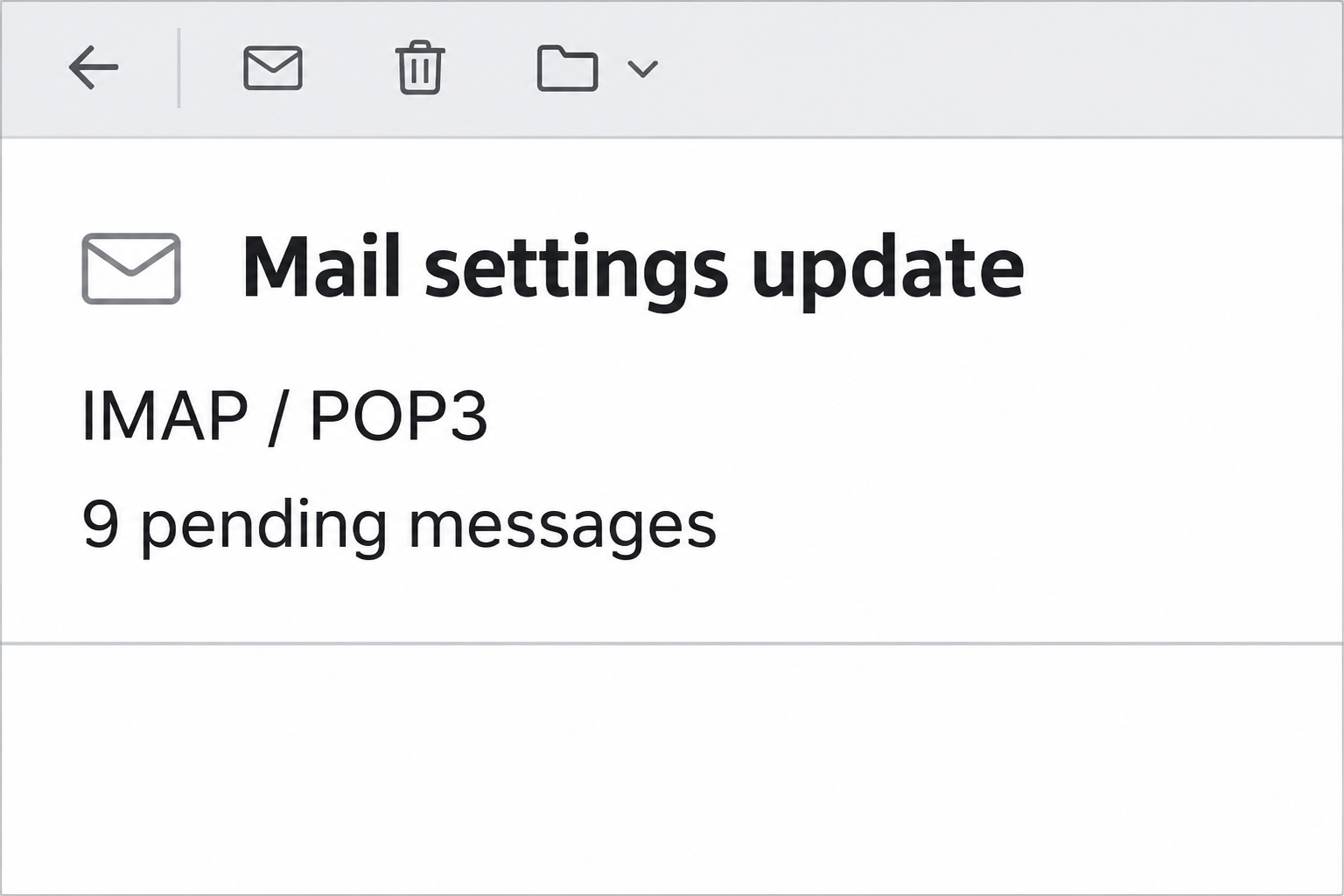
The email claims that your provider is changing its IMAP and POP3 settings. It says a server update has left nine messages pending and asks you to review your account.
Security and performance updates get a mention too. Those words make a request to visit a website sound like the ordinary maintenance that goes on behind an email account.
The exact message was reported under the subject “Your Account Requires Attention.” That’s a broad subject, so use the supposed mail configuration and nine-message claim to recognize this version.
The visual above recreates the reported mail notice without a sender, link, or form. It isn’t a capture of your provider’s inbox or proof that messages are missing.
What those abbreviations actually mean
IMAP lets a mail client synchronize messages and folders with a server. That’s why an email you read in one app can show as read in another.
POP generally retrieves mail into a client, with behavior that depends on how the account is configured. Some setups leave a copy on the server, while others don’t.
Neither abbreviation tells you who sent the message. Anyone can use those terms without having a role in running your email service.
Real changes do happen. A provider might stop supporting a particular sign-in method, require you to add an account again, or change how a mail client connects.
The difference is where you confirm the change. Your provider’s help site, your organization’s IT support, or the mail app you already use gives you an independent starting point.
What to look for before you leave your inbox
The reported link took readers to a page designed to collect their email sign-in details. It wasn’t an interface for inspecting messages waiting on a mail server.
You don’t need to visit the link to check the claim. A warning that arrives by email can’t stop you from opening webmail at its normal address.
- Note whether the message is naming an account you actually use with a separate mail app.
- Check whether the same issue appears in official webmail or only inside the email.
- Treat the promised message count as a claim, not a figure verified by your inbox.
- Ask your administrator about changes through a familiar internal support channel when work mail is involved.
This version is about an email password, not a confirmed malware download. The advice changes if another page asked you to install software or run something on your device.
How the Scam Works
Step 1: Give an ordinary inbox problem a technical name
Webmail can receive a warning while a desktop client struggles to sync. When you’re already seeing that kind of glitch, a server change sounds plausible.
The sender uses familiar infrastructure terms to suggest access to information the recipient can’t easily inspect. There’s no need to know what IMAP means for that to sound convincing.
The note also offers a reason for the change. Better performance and security sound like benefits your provider might announce, not things a scammer is asking you to buy.
Try reading the message without its technical nouns. What remains is an unexpected request to leave your inbox and sign in somewhere the sender has chosen.
Step 2: Turn nine imagined messages into a reason to hurry
Unread messages are already in your inbox. The email implies that messages are being held elsewhere, where you can’t see them without taking action.
That matters if you’re waiting for a customer reply, a receipt, or a document. The pressure comes from what might be missing, not from a threat of immediate punishment.
A specific count feels more credible than a vague complaint about slow mail. But the email offers no independently verifiable delivery record or authenticated notice tied to your actual account.
When real mail seems delayed, confirm it with the sender through a separate channel. Ask them whether they sent anything and get the approximate time without replying to the warning.
Step 3: Make the next screen look like a normal sign-in
The reported button opened an imitation email sign-in page. A password prompt sat on top of a dimmed Google-style sign-in screen even though the address wasn’t Google’s.
A few device and browser details appeared in the prompt. Those details made the screen look tailored to the visitor, but they couldn’t authenticate the website.
The same message began with a generic greeting and named no specific email provider in its main account notice. The destination nonetheless asked for a Gmail password.
A familiar logo or tidy sign-in box doesn’t show who controls the page. Even an email address already filled in can come from information the sender already has.
Don’t try a test password in the form. The page could record what you type before showing a result, and the test won’t tell you anything about your inbox.
Open the provider’s site directly in a fresh tab. Any real sign-in request there is separate from the link you received.
Step 4: Use the email account as a way into other services
A stolen mailbox password can expose messages, attachments, address books, and password-reset emails. The same account may be where you receive alerts about sign-ins or purchases.
Someone could read old conversations to learn whom you trust. They might then impersonate you in a real thread rather than sending another strange message from an unknown address.
If you reuse your mail password, the risk reaches beyond your inbox. A different service cannot know that you entered its password in a form intended to look like webmail.
An account may also contain changes that keep benefiting someone after the password is replaced. A forwarding rule is one reason to inspect your settings after you regain access.
How to Check Whether Your Mail Is Really Stuck
Compare webmail with the app that isn’t syncing
Open a new tab and use the webmail bookmark or address you already trust. If you use company mail, open it through your organization’s normal login page.
Find your inbox and look for recent messages. If a message appears on the web but not on your computer, you have a client problem to troubleshoot separately.
Send yourself a brief, non-sensitive test message from another account you can access. Check official webmail first, then compare it with the app that seemed behind.
If the message appears only in webmail, record your app and its error. Use your provider’s setup documentation or pass those details to your administrator.
If it arrives nowhere, check the address you typed and the sender’s inbox for a non-delivery notice. A failed delivery can point to a different problem than a stalled sync.
Verify changes where the provider describes them
Go to your mail provider’s help site independently. Search its documentation for the name of your app, the account type, and any error shown inside the app.
For example, Google’s Gmail IMAP guidance explains the distinction between connecting a mail client and entering credentials through an unsupported setup. Other providers have their own supported paths.
Don’t change incoming or outgoing server names based on an unexpected email. If you’re managing business mail, confirm the exact hostname and approved sign-in process with your administrator.
Do not remove a POP account until you know where its older downloaded messages are stored. Depending on the setup, the server might not hold a second copy.
If the app failed after a confirmed provider change, follow the official reconnection instructions. Check that you can send and receive mail afterward.
Check for a wider problem without touching the old account
If more than one person has trouble, ask a colleague whether normal webmail works for them. Don’t send them the suspect link to compare what happens.
Use a status page you know belongs to the provider if it offers one. Real service disruptions can coincide with phishing, so an outage doesn’t authenticate an email.
For a shared mailbox, tell its owner what isn’t arriving before changing setup. Another user may still be able to check the missing message using an approved app.
Once you have the facts, keep the mail delivery problem and the phishing report separate. They may need different support teams even if you discovered them together.
What to Do If You Fell for the IMAP or POP3 Email Scam
-
Stop using the page opened from the email. Close it without entering another password, approving a sign-in, or following any instructions it displays after an error.
If you did nothing beyond reading the email, use your mail app’s phishing-report option. Your provider’s report action can help its filters recognize related messages.
If you opened the link but didn’t enter anything, check whether the browser started a download. Don’t open an unexpected file to see what it contains.
-
Recover the mailbox through a route you trust. On a device you trust, open the normal provider app or type its known address in a fresh browser tab.
Change the mail password if you entered it on the imitation page. Pick a new one that isn’t used for another application or website.
If someone changed the password before you could act, use the provider’s account recovery process. For work or school mail, call your help desk using its existing contact details.
If your password was reused, replace it on other accounts too. Start with services that can move money or reset access elsewhere.
-
Check sessions, recovery options, and access granted to apps. Open the provider’s security settings and review devices or sessions, then sign out anything you can’t account for.
Look at recovery email addresses, phone numbers, and recently added sign-in methods. Remove unauthorized changes and enable two-step verification if your account still lacks it.
Check connected apps, app passwords, or delegated access where the provider supports them. If you’re not sure whether an access grant belongs to work, ask your administrator first.
Make sure you can still sign in after the changes. Record your newly verified recovery method without storing its recovery codes in the same mailbox.
-
Inspect where your mail goes and which replies were sent. Open the provider’s web settings, then check forwarding addresses, filters, inbox rules, and any delegates.
Look for a rule that sends mail elsewhere, skips the inbox, or deletes certain alerts. Record suspicious settings and remove the ones that weren’t authorized.
Review Sent, Trash, and archived items around the time of the exposure. A quiet inbox isn’t proof that nobody read a message or sent a reply.
If you discover messages you didn’t send, warn affected contacts through another channel. For invoices or bank details, call the known contact before anyone acts on an altered request.
-
Match the remaining steps to what you actually shared. A password needs an account response, while an executed file or an installed app can require a device response too.
For a work device, share the email, timeline, and actions you took with security staff. Don’t forward the message widely or reopen the attachment to create proof.
If you entered card details on a later page, use your issuer’s app or the number on the card to report exactly what you shared.
Keep a record of changes and report numbers. Watch for follow-up messages that use your exposure as a pretext to offer paid help or request another login.
Frequently Asked Questions
Is there anything wrong with using IMAP or POP?
No, they are ways for an email client to retrieve messages. A notice mentioning them must still be verified through the organization responsible for your mail.
Make the decision based on where the requested change is documented and where it asks you to sign in, not on the protocol names alone.
Does the sender actually know I have nine pending messages?
The reported message uses that figure as part of its story. It isn’t a verified measurement of your account and doesn’t tell you which messages supposedly failed.
Your webmail, an independent test message, and your administrator’s delivery records can give you better evidence than the number printed in the email.
Can opening the message alone reveal my password?
Reading the email does not submit a password to the imitation form. If it loaded remote images, that can have privacy implications, but it isn’t the same as signing in.
If a link or download led to other actions, tell your administrator which actions you took. The details help them assess the right kind of exposure.
Will enabling two-step verification remove someone’s current access?
Two-step verification can help protect later sign-ins, but it doesn’t undo everything that happened while your account was exposed. Check active sessions and connected access too.
If the attacker added a rule or delegate, you may have to remove it separately. Use your provider’s account settings or ask your administrator to review them with you.
Should I just delete the mail app and install it again?
That won’t remove a stolen password from someone else’s hands. It can also make recovery harder if you have local mail that isn’t on the server.
If the problem is genuinely limited to that app, first confirm where your messages are stored and whether the provider supports your setup. Then follow its directions for the client.
Can my employer confirm whether this notice is real?
Your support team can tell you if the organization actually announced a settings change. Give them the subject and the time you received it without clicking the links again.
If you signed in through the suspect page, say so straight away. A work mailbox incident may involve shared calendars, vendor conversations, or files that other people rely on.
The Bottom Line
Don’t use the link in the IMAP or POP3 optimization email. Open webmail the way you usually do, then check whether an independently verified mail problem exists.
If you entered your password, change it through the real provider. Review active sessions and forwarding settings even if you can still receive mail normally.

Join the discussion
0 commentsShare your experience or ask a question about this article.
Community experiences
Did this happen to you?
Your experience could help someone recognize the same scam. Submit a private report for our team to review.
I experienced this tooReports are reviewed before publication. Sharing publicly is always your choice.
Discussion
Start the conversation
Have a question or something useful to share? Add the first comment.