

An AI tool that reads a chart in seconds sounds useful, especially when markets are moving faster than a beginner can think.
SnapTrader AI sells that feeling of clarity. The real decision begins with its performance language, renewal terms, and non-refundable subscription.
Overview
What SnapTrader AI Offers
SnapTrader AI is a subscription service that analyzes uploaded trading charts and produces patterns, entry ideas, exit levels, and risk suggestions.
The website says it supports different trading styles and markets. It presents the tool as decision support rather than a broker.
Users remain responsible for placing trades. The published terms explicitly say its analysis is informational and does not constitute financial advice.
That distinction matters. A polished trade plan is still an algorithmic output, not a guaranteed market outcome.
Why the Offer Attracts Attention
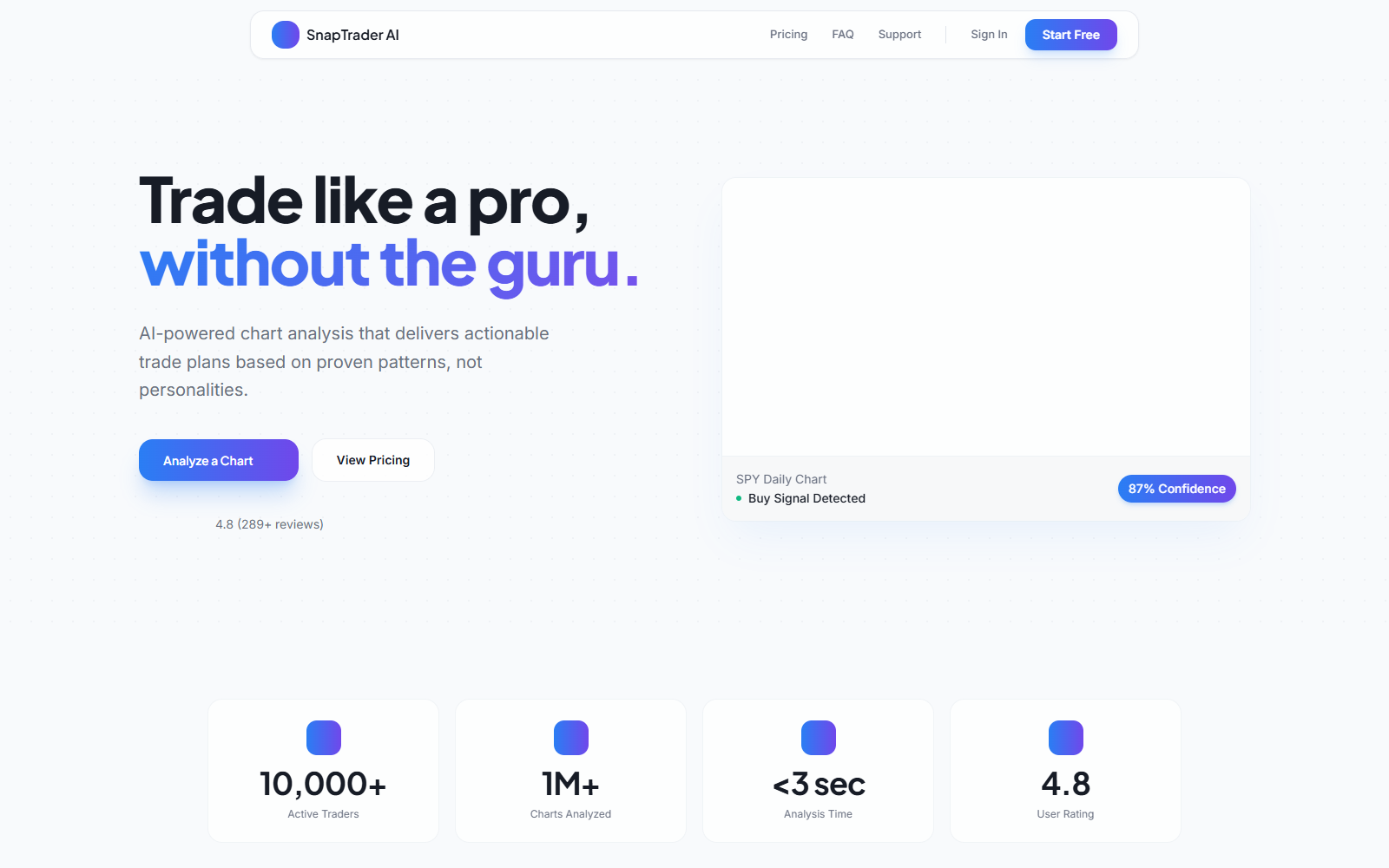
The page presents fast analysis, high confidence scores, more than 10,000 active traders, and over one million charts analyzed.
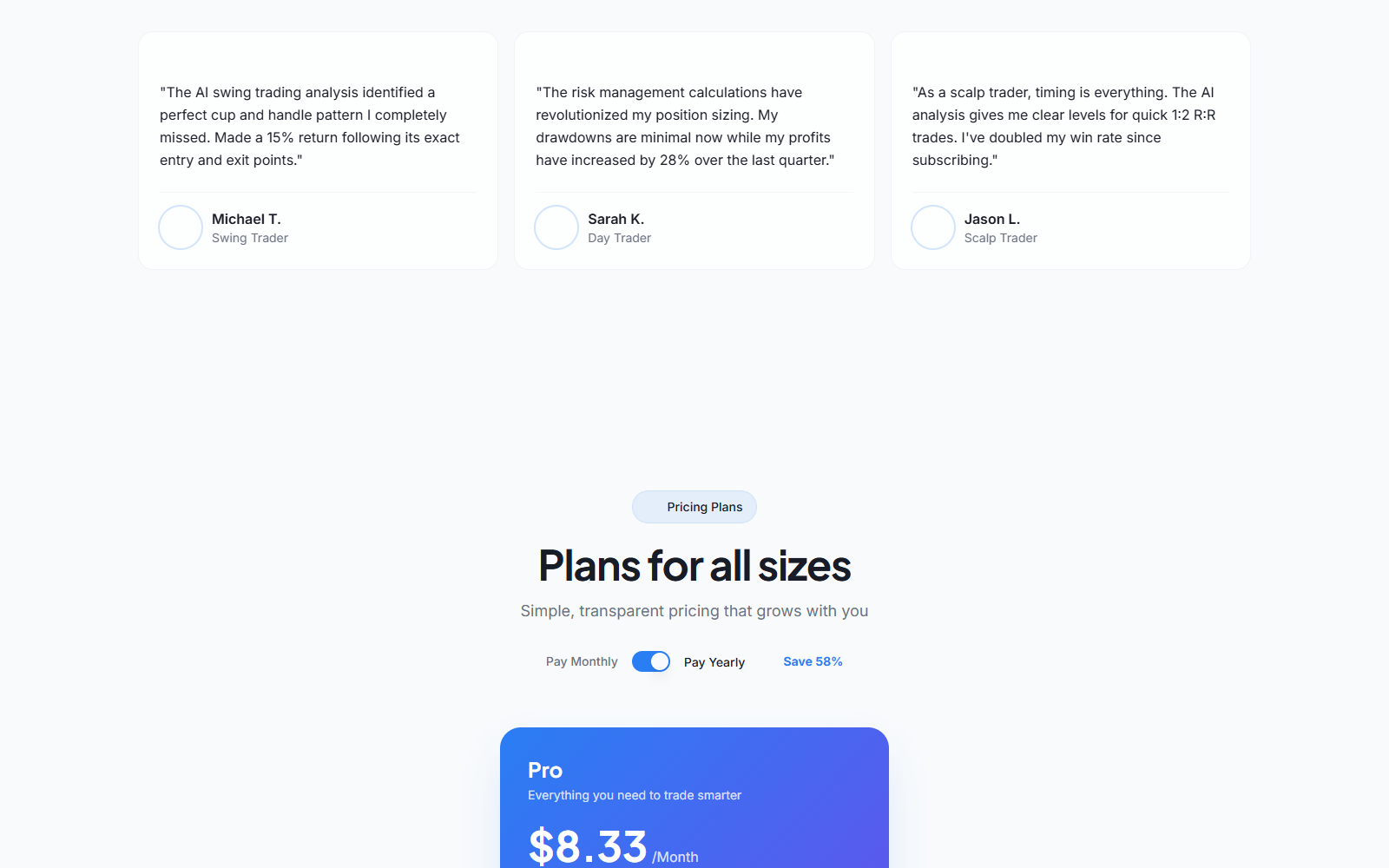
Testimonials describe a 15% return, a 28% profit increase, and a doubled win rate after subscribing.
These claims can make the software feel validated before a visitor asks how results were measured or selected.
- The service appears to be a real chart-analysis product.
- It does not trade automatically through the reviewed website.
- Subscriptions renew unless canceled before the renewal date.
- The terms say subscription payments are non-refundable.
- Trading losses remain entirely with the user.
- Promotional testimonials are not a personal performance forecast.
Is SnapTrader AI a Scam?
We did not find sufficient evidence to label SnapTrader AI itself a fake platform or deposit-stealing investment scam.
Its website provides a functioning service description, terms, contact email, pricing, and clear language stating that users control their own trades.
Our concern is narrower: performance-oriented marketing sits beside automatic renewal, final-sale terms, and complete transfer of trading risk to the customer.
Buyers should evaluate it as paid analytical software, not as a shortcut to profitable trading.
The Claims That Need Context
Confidence Scores Are Not Probabilities of Profit
A chart labeled “87% confidence” can look like an 87% chance that a trade will win.
The website does not explain enough on the visible page to let an ordinary visitor verify exactly how that score is calibrated.
It may represent pattern confidence, model agreement, historical similarity, or another internal measure. Those concepts are not interchangeable with realized return.
Markets also change after analysis. Slippage, news, liquidity, spread, execution timing, and position size can alter the final result.
Large Usage Numbers Need Definitions
The homepage displays 10,000-plus active traders and one million-plus charts analyzed.
Those figures may be accurate, but the page does not show an independent audit, counting period, or definition of active.
One user can analyze many charts. A chart count therefore says little about accuracy, retention, or customer profitability.
Metrics are useful only when the denominator, method, and relevant outcome are clear.
Testimonials Are Marketing Evidence
Specific return stories are memorable because they turn software features into money. They do not show the experience of all subscribers.
A fair performance picture would include losing trades, fees, drawdowns, sample size, dates, market conditions, and results after costs.
The Federal Trade Commission has repeatedly challenged unsupported earnings claims made by trading-service sellers.
Do not assume a named testimonial is typical, independently verified, or reproducible in your account.
The Disclaimer Changes the Practical Meaning
SnapTrader’s terms say the output is not investment or trading advice and that every decision belongs to the user.
That disclaimer is sensible, but it limits how literally visitors should read “actionable trade plans” and performance testimonials.
The software may organize observations. It cannot remove uncertainty or accept responsibility for a loss caused by following its output.
How the SnapTrader Subscription Funnel Works
Step 1: Complexity Is Reframed as a Three-Second Task
Trading charts can be intimidating. The page answers that discomfort with a simple upload, analysis, and trade-plan sequence.
Speed feels valuable because hesitation can be costly in active markets. It can also encourage action before careful independent review.
An instant answer should begin research, not end it. Check price, volume, news, liquidity, timeframe, and downside separately.
Step 2: Professional Language Raises Trust
Pattern detection, support, resistance, risk-to-reward ratios, and position sizing are legitimate trading concepts.
Using correct vocabulary makes the output look disciplined. It does not reveal whether the model is consistently accurate under live conditions.
Ask for methodology, limitations, validation periods, and out-of-sample performance rather than judging the service by terminology.
Step 3: Testimonials Supply the Missing Outcome
The product demonstration explains features, while customer statements provide the profit story.
One testimonial says an identified pattern produced a 15% return. Another says profits rose 28% during a quarter.
Those stories invite visitors to imagine similar gains without presenting a complete performance distribution.
Step 4: Annual Billing Makes the Monthly Price Look Smaller
The page displays $8.33 per month when the yearly option is selected and advertises 58% savings.
A per-month equivalent can distract from the amount charged upfront. Confirm the full checkout total before entering payment information.
Compare the annual commitment with a monthly plan, cancellation flexibility, and the possibility that the tool will not suit your process.
Step 5: Automatic Renewal Extends the Commitment
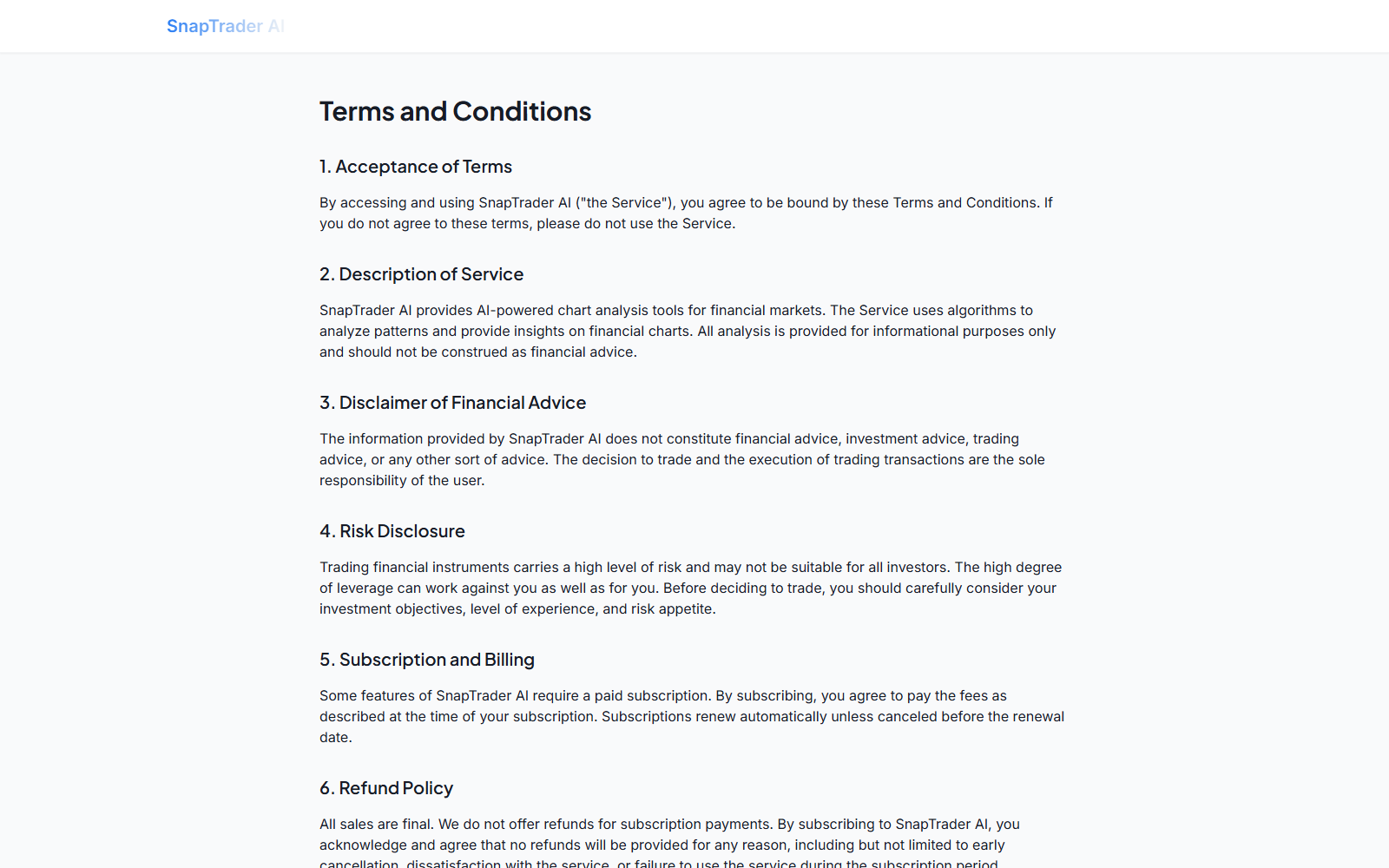
The terms say subscriptions renew automatically unless canceled before the renewal date.
A user who stops trading or forgets the service can still be charged when the next period begins.
Set a calendar reminder immediately after subscribing. Do not wait for an optional renewal email that may be missed or filtered.
Step 6: The Refund Clause Removes a Second Chance
SnapTrader says all subscription sales are final and no refunds are provided for dissatisfaction, early cancellation, or non-use.
Canceling can prevent a later renewal without reversing the current charge. Those are separate actions.
Take the final-sale rule seriously before choosing the longest plan. A discount is not valuable if the software is unsuitable.
What SnapTrader Can and Cannot Do
It Can Structure a Chart Review
A tool can help identify visible levels, label common formations, organize a scenario, and prompt risk questions.
That may be useful for education or journaling when the user already understands the underlying concepts.
Value should be measured against free charting features, broker tools, and the user’s ability to verify each suggestion.
It Cannot Know the Future
A pattern describes historical price behavior. It does not control upcoming news, order flow, gaps, volatility, or market regime.
Machine-generated precision can create false confidence. Exact entry and stop numbers are not guaranteed to be available in a fast market.
Never risk money solely because a colorful label uses a high confidence number.
It Does Not Absorb Trading Losses
The terms place transaction decisions with the customer and limit the service’s liability.
That means the subscriber pays twice when a strategy fails: once for the software and again through the trading loss.
Use a paper account first. A useful tool should demonstrate value without requiring immediate exposure to real money.
It Is Not a Broker Verification Substitute
SnapTrader analysis does not establish that another broker, exchange, signal group, or investment offer is legitimate.
Scammers can pair unrelated tools with fake platforms to create credibility. Verify custody, licensing, withdrawals, and counterparties separately.
Never send cryptocurrency to a stranger merely because a chart screenshot appears professional.
Company, Address, and Fulfillment Checks
The Website Names Catalytic Ventures Inc
The footer describes SnapTrader AI as a product of Catalytic Ventures Inc.
The terms provide admin@catalyticventure.com for questions. Save that identity with your receipt and payment descriptor.
Before subscribing, confirm whether the checkout, invoice, and card statement use the same company or a disclosed processor.
The Visible Terms Do Not Provide a Street Address
The reviewed terms state that United States law governs the agreement but do not identify a specific corporate address.
A governing-law sentence is not a mailing location, registration record, or jurisdiction for resolving a billing complaint.
Ask support for the legal entity’s state, address, and cancellation route if those details matter to your purchase.
App Listings Can Belong to Different Developers
An Android listing using the SnapTrader name identifies ViralStudios LLC and separate support details.
That may be an authorized mobile publisher, a related company, or a different product. Similar branding alone cannot establish the relationship.
Use the support and billing channel shown on your own store receipt. App-store subscriptions usually require cancellation inside that platform.
Digital Fulfillment Leaves a Different Evidence Trail
There is no parcel or return warehouse. Access records, account emails, invoices, usage history, and cancellation confirmation become the essential evidence.
Capture the plan name, billing period, full amount, renewal date, and final-sale language before purchase.
If support changes account status, ask for written confirmation showing the effective cancellation date and whether access continues through the paid period.
How to Test SnapTrader Without Taking Unnecessary Risk
Use Historical Charts First
Upload charts from past sessions without revealing what happened next. Record the tool’s levels before checking the outcome.
This simple blind exercise reduces hindsight bias and reveals whether attractive explanations actually precede useful decisions.
Paper Trade a Fixed Sample
Define at least several dozen test cases, a consistent timeframe, risk size, entry rule, exit rule, and maximum loss.
Track every signal, not only memorable winners. Include spreads, commissions, missed entries, and slippage assumptions.
Compare Against a Basic Baseline
A complex AI tool should outperform something simpler to justify its price.
Compare it with a basic trend rule, manual support and resistance, or doing nothing during uncertain conditions.
Limit Financial Exposure
If testing moves to real money, use an amount whose loss will not affect bills, debt, savings, or sleep.
Do not increase size after a few wins. Short streaks can happen by chance and can reverse abruptly.
Review the Tool’s Mistakes
A useful evaluation studies false signals, late entries, missed reversals, and unclear outputs rather than celebrating only profitable examples.
Tag each failure by market, timeframe, volatility, and pattern. Repeated weaknesses matter more than one impressive screenshot.
If the tool changes its explanation after the outcome, record both versions. Consistent rules are essential for meaningful testing.
Protect Sensitive Trading Information
Chart screenshots can reveal account size, positions, watchlists, broker details, timestamps, and trading habits.
Crop unnecessary information before uploading. Review the privacy policy and learn how submitted images are stored, processed, and deleted.
Never include passwords, recovery codes, full account numbers, API secrets, or private wallet information in a screenshot.
If a service later requests remote access or crypto deposits, stop. Those actions are unrelated to ordinary chart analysis.
What to Do if You Have Fallen Victim to This Scam
Follow these steps after an unauthorized renewal, fake SnapTrader impersonation, account takeover, or charge that continued after documented cancellation.
- Identify the billing channel. Check whether payment came through the website, Apple, Google Play, PayPal, or another processor.
- Cancel in the correct account. Turning off renewal must happen where the subscription was purchased, not simply by deleting an app.
- Save proof of cancellation. Keep the confirmation, timestamp, plan, renewal date, and any screen showing that recurring billing is disabled.
- Request a review from support. Explain why the charge is disputed and include screenshots, while recognizing the published no-refund term.
- Contact the payment provider promptly. Report duplicate, post-cancellation, or unauthorized charges using accurate dates and documents.
- Change reused credentials. If the account was accessed without permission, reset the password and enable stronger sign-in protections elsewhere.
- Scan after suspicious downloads. Use Malwarebytes if an unofficial SnapTrader ad installed software or redirected you to unknown files.
- Block malicious advertising. AdGuard can reduce deceptive investment ads, but it does not cancel subscriptions or recover trading losses.
Frequently Asked Questions
Is SnapTrader AI Legit or a Scam?
We found a functioning service with published pricing and terms, not enough evidence to call the product itself a fake trading platform.
Its performance-oriented marketing, automatic renewal, and final-sale policy still require careful review.
Does SnapTrader AI Place Trades?
The reviewed website describes chart analysis and trade planning, while its terms leave execution decisions with the user.
Do not share brokerage credentials unless an independently verified integration genuinely requires them and you understand its permissions.
Does an 87% Confidence Score Mean an 87% Win Rate?
Not necessarily. The public page does not establish that those two measurements are equivalent.
Ask how confidence is calculated, calibrated, and tested before treating it as a probability of profit.
Can I Get a SnapTrader Refund?
The current terms say subscription payments are non-refundable for early cancellation, dissatisfaction, or failure to use the service.
Unauthorized or erroneous charges should still be reported quickly to the seller and payment provider.
How Do I Cancel SnapTrader AI?
Cancel through the account or app store that created the subscription, then preserve confirmation.
Deleting an app, ignoring emails, or stopping use does not necessarily turn off renewal.
Can SnapTrader Guarantee Profitable Trades?
No analytical software can remove market risk or guarantee a profit on future trades.
Test suggestions independently, use paper trading, and treat testimonials as advertising rather than a forecast for your account.
The Bottom Line
SnapTrader AI appears to be real analytical software, but it should be judged as a tool, not a money-making machine.
The practical risks are clear: persuasive performance stories, an automatically renewing subscription, no routine refunds, and trading losses borne by the customer.
Use a short, controlled evaluation and paper trading first. If the tool cannot earn trust without risking capital, it has not earned a larger commitment.

Join the discussion
0 commentsShare your experience or ask a question about this article.
Discussion
Start the conversation
Have a question or something useful to share? Add the first comment.