


An alert names a Trojan, but the computer still looks ready for work. There is no unfamiliar window, and the person who normally uses it can’t recall an installation.
With a finding like StreamSpy, appearances won’t answer much. Start with what the alert establishes and what still needs to be checked.
Overview
StreamSpy has been reported as a Windows remote-access Trojan
Researchers linked StreamSpy to activity attributed to Patchwork. The reported sample could receive remote instructions, gather information about the computer and move files.
Those capabilities are the reason a confirmed detection deserves attention. They do not establish which files were read, who operated a particular machine or whether another device was affected.
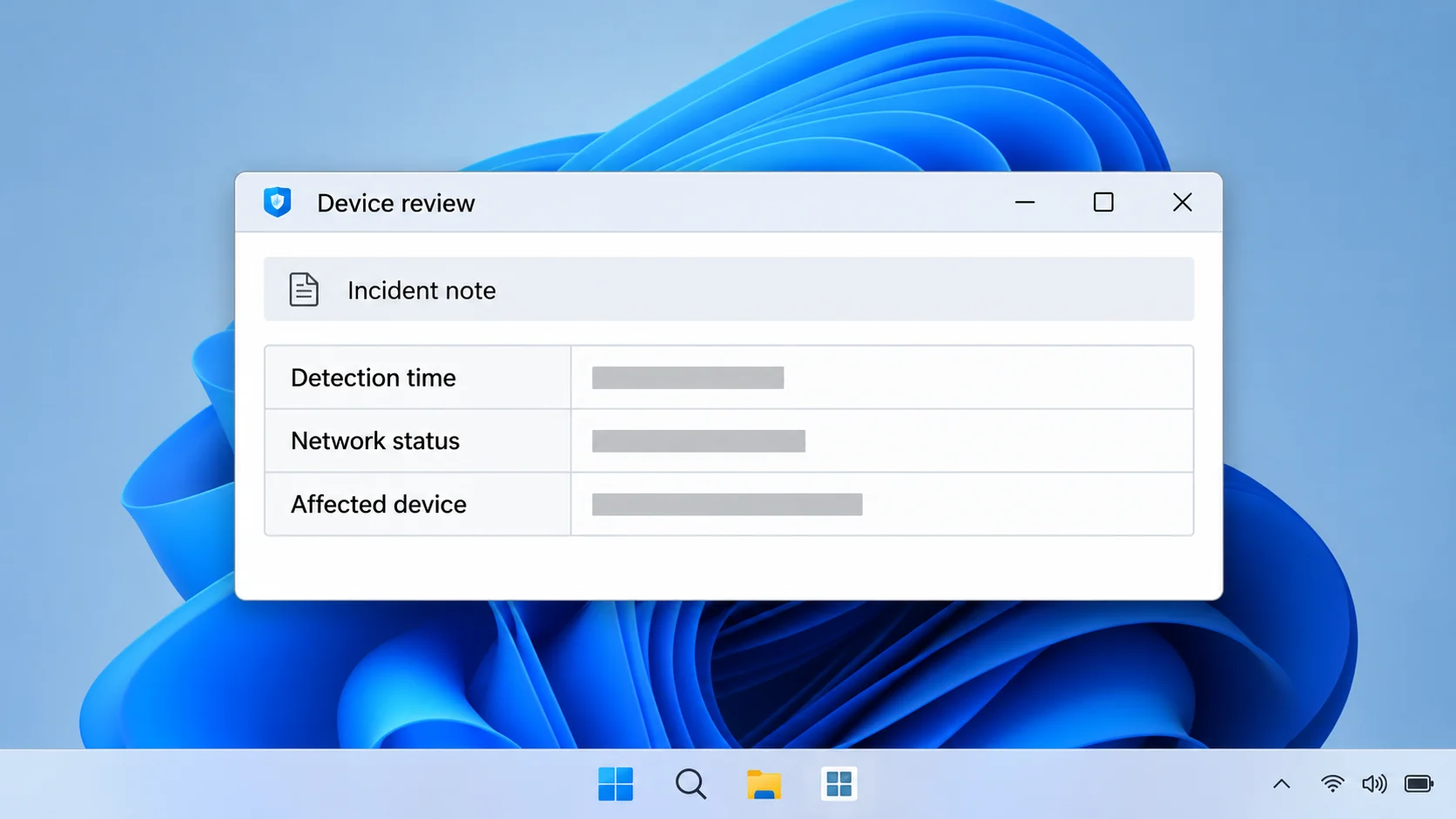
The image shows a fictional review record, not a real alert. It illustrates the kind of notes that help you report a finding without exposing private system details.
An apparently quiet computer can still have an incident
Windows can work normally while unwanted software runs. A clean-looking desktop is not the same as a security product’s record that it blocked execution.
If a technician confirms the malware ran, ask whether it could have loaded other software. A finding with one name isn’t necessarily a complete list of what executed.
The exact route into any one computer may not be known. Don’t accuse a coworker or start opening old attachments to find a cause before you have evidence.
A Patchwork attribution doesn’t tell you what to do with your account
Attribution can help an incident team compare findings. It doesn’t identify every affected user or prove that the same group caused a particular unexplained login.
Keep endpoint and account evidence separate. An administrator can often check account activity even while a PC is disconnected and unavailable for ordinary use.
Use the following distinctions to plan your first steps:
- A blocked file needs a different investigation from evidence of a running process or repeat detection.
- An affected computer may need review even if its user can’t report a visible symptom.
- An unfamiliar sign-in is worth verifying in its own right, without guessing that StreamSpy caused it.
- Access to a folder is not the same as evidence that anyone copied its contents.
What StreamSpy Can Change About the Response
The finding may not end with the first item removed
Analysts described remote instructions and the ability to introduce additional software. The practical issue is whether the first alert captured the beginning, the middle or the end of the incident.
Ask the responder what other activity has been confirmed around that time. If they are looking for additional components, don’t restore the PC to normal use after the first quarantine.
If something returns after restart, write down the later time and result. That can help distinguish an incomplete cleanup from a different finding that simply appeared afterward.
Local and shared data call for separate questions
A Windows user may have access to local folders and network resources. The device’s ability to reach a share is a reason to review the share, not evidence of theft.
Tell IT which workspace, document storage and removable drives the computer could reach. You don’t need to reconnect it or open private documents to prove they exist.
If files are missing or newly inaccessible, record which ones and when you last saw them. A responder should check backups and access logs before deciding why they changed.
A detection can matter even when you don’t recognize the campaign
The reported connection to Patchwork describes the researchers’ findings. Your own first responsibility is to isolate credible unauthorized activity and provide verifiable information.
A public case description won’t tell you whether another tool on your system belongs there. This is especially true on a work PC where administrators maintain services you never open.
If someone tells you a named tool is approved, ask who owns the approval and whether it covers this specific finding. Use normal support channels rather than an unexpected caller.
How to Prepare a Useful Incident Timeline
Record when you first saw the warning, which user was signed in and whether the computer was online. Add the detection’s action, not only its name.
If the scanner names a file, keep the path in your private incident notes. Do not copy the file into another application or attach it to a public help request.
Record recent changes you actually remember, such as a setup or newly granted remote access. Mark anything inferred as uncertain instead of adding it to the timeline as a fact.
For a business system, ask IT how it wants you to record services that might be affected. A simple supported list is better than searching systems you don’t manage.
Use an unaffected device to communicate the timeline. If a security tool asks for a restart, wait for guidance when someone needs the original device state.
What to Do if StreamSpy Was Detected on Windows
-
Take the affected device out of routine use. Disconnect a personal PC from Wi-Fi and Ethernet if a credible alert shows malware ran.
On a work PC, contact the incident team immediately through an unaffected device. Follow its isolation procedure without reconnecting to upload logs yourself.
-
Keep the original detection and related records. Save the name, time and reported action. Note whether the item was blocked, quarantined or left for review.
Avoid restarting or manually deleting entries if your responder needs to collect evidence first. Don’t repeat an unfamiliar installation to establish what it did.
-
Assess sensitive access from a clean device. Check important email and work identities, especially if they were in use around the time the finding appeared.
Ask account owners to identify unfamiliar sessions and to revoke or reissue access where appropriate. Don’t enter new passwords on the PC being investigated.
-
Tell the owner of shared or regulated data what you know. Identify the folders or services the PC could reach without claiming the attacker accessed everything.
Record any confirmed change or missing file with its date. The responsible team can decide whether additional reporting or restoration is needed.
-
Wait for a clean return plan before restoring normal use. A trusted responder may recommend deeper review or rebuilding instead of relying on a single removal result.
Don’t restore a whole device image or applications to production just to recover one document. Test known good files in a separate approved location.
How to Remove StreamSpy From a Windows PC
Step 1: Decide whether incident evidence comes first
If the machine is managed or the consequences are serious, ask the incident team whether the PC should be retained for analysis before it is changed.
For a personal PC, check the scanner’s action and whether any detections recur. Keep track of what you observed before assuming the tool resolved the entire incident.
If remote access is credible and the scope is unclear, consult a qualified technician about a rebuild. Don’t edit startup items or install third-party fixes by guesswork.
Step 2: Review specific unwanted entries without trying them
Open Settings > Apps > Installed apps if your cleanup plan allows. Uninstall a program only if you have verified that the relevant entry is unwanted.
If the alert involved startup, check Settings > Apps > Startup for the specific confirmed item. A legitimate application can also launch automatically, so don’t disable everything unfamiliar.
Use Windows Security’s Protection History guidance if Microsoft Defender raised the finding. It distinguishes action taken, blocked and other results.
Step 3: Obtain a legitimate setup file from an unaffected computer
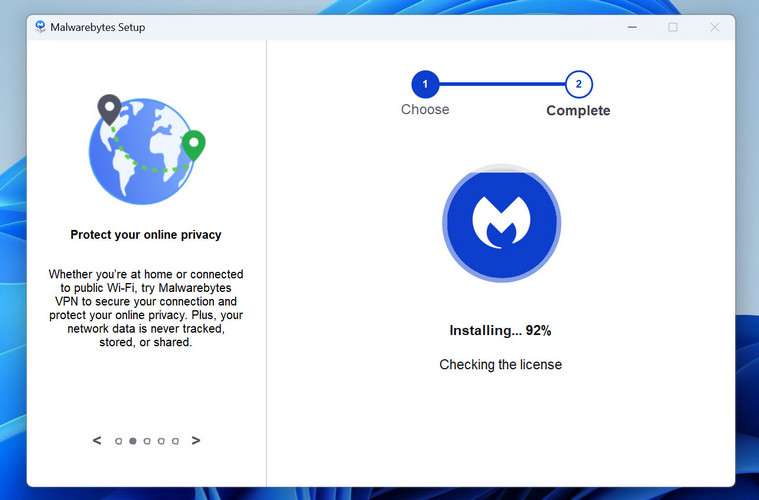
Use the Malwarebytes Windows installer from known clean equipment. Only transfer it through a process authorized for your isolated PC.
Check the verified publisher when running setup and follow its ordinary Windows installation prompts. Do not use a download offered by an unrelated alert or message.
If setup needs connectivity, ask how to do this safely. Do not rejoin a sensitive office network merely to download updates before the system is assessed.
Step 4: Read and act on the scan result
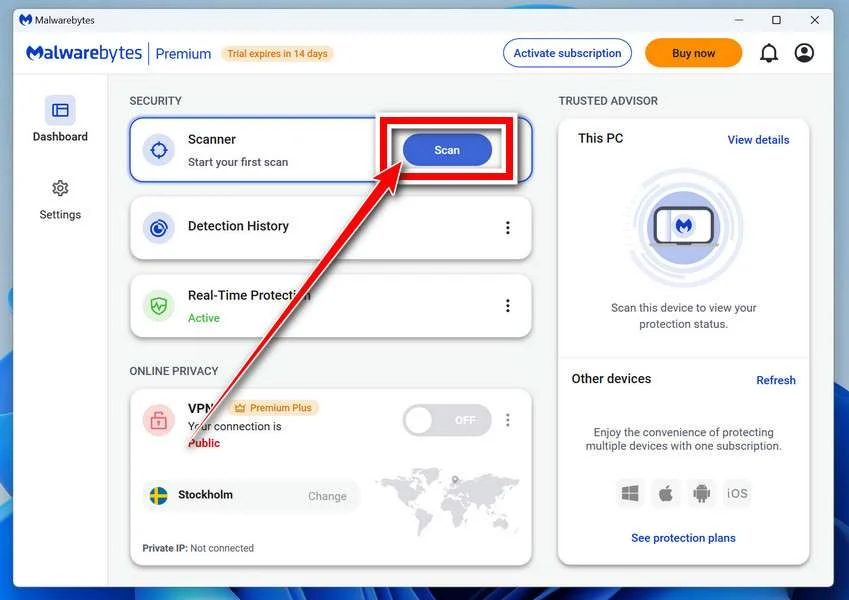
Open Malwarebytes and select Scan in the Scanner card. Read the entries after it finishes and use quarantine on identified unwanted items.
If the software calls for a restart, follow the evidence and isolation plan first. Then recheck the result to see which confirmed items were removed or still require attention.
The Malwarebytes Premium Windows option is optional and uses an affiliate link. Buying a plan isn’t an incident investigation and cannot tell you which files were reached.
Step 5: Verify software and access before resuming work
Apply approved Windows and application updates after a responder says ordinary connectivity is safe. If the system was rebuilt, use known good media and trusted installers.
Verify which files and settings you need from backups. Do not load an entire set of old tools or startup items merely to reproduce the previous machine.
Use MalwareTips support or an authorized technician if detections return. Continue reviewing exposed accounts separately until their owners can verify that access was addressed.
How to Decide Whether the PC Is Ready for Work Again
Write down what you expect the restored computer to do
Start with the applications and accounts this particular person needs, not a copy of everything that ran before the incident. Check that any unusual startup item has an owner.
Ask someone responsible for the system to verify how ordinary remote support works. Approved support can be reissued or restored without bringing back an old unexplained installation.
Keep system evidence outside the restored computer if IT asks. That keeps an older detection available without needing the suspect profile for another look.
Verify shared work separately from the endpoint
When a system is cleared for ordinary use, check the user’s access to shared folders through the normal organization process. A restored app does not automatically get its permissions back.
If the user doesn’t need an old share anymore, let the share owner decide what access should be removed. Don’t reintroduce it just because it was part of a backup.
A restored folder can be readable yet still contain outdated content. Check important documents against a trusted copy and record which restored version actually reached the user.
If a file is missing, let the responsible team compare its backup or version history. Don’t guess whether it was copied, deleted or never synchronized to that machine.
Ask which questions are still open before lifting restrictions
A technician might verify that one offending item disappeared while a different account investigation stays open. Keep those statuses separate and ask what remains unsafe in each area.
Make sure someone can contact the user through a route unrelated to the affected PC. New alerts or requests can then be verified without restoring ordinary access to answer them.
If the incident may involve a sensitive organization, ask who owns the decision about external reporting. Share verified timing and extent rather than repeating the public campaign attribution as fact.
Keep the same level of caution when more devices are involved
Another PC might have the same authorized software or share access without being infected. Tell security about the relationship without treating it as proof.
If a colleague reports a similar alert, compare the records through IT. Have them note the exact detection and action, rather than telling them to follow your old cleanup steps.
After clearing the first PC, avoid plugging an affected removable drive into the restored machine until it has been checked. Removable media can have its own files and history.
Use a short final record with the detection, chosen recovery destination and approval to resume. Keep that record handy in case anyone finds related activity after the incident is closed.
Frequently Asked Questions
Did Patchwork definitely target my computer?
The researchers’ campaign attribution doesn’t identify who accessed your own device. Use the evidence from your scanner and responder to establish what occurred.
Does StreamSpy always show a window or a warning?
A Trojan can run without a recognizable window. The absence of a visible warning doesn’t outweigh a verified detection or return of an unwanted component.
Can I tell which documents were copied by checking what is missing?
Copied files may still be present. Check from trusted logs and authorized evidence instead of equating a complete folder with proof that nothing left it.
Should I restart as soon as I receive an alert?
Follow your responder’s guidance when an active incident may need evidence. For an isolated personal PC, check whether your security product actually requires a restart after a confirmed action.
Will uninstalling a program from Settings remove everything?
Settings can remove a confirmed installed item, but that doesn’t establish what else ran. A trusted technician can assess related components or recommend rebuilding when necessary.
Is the computer fixed if my passwords have been changed?
Password changes help protect accounts, not the Windows computer. Complete the device cleanup or rebuild separately before using it for sensitive activity again.
The Bottom Line
Treat a credible StreamSpy finding as a Windows incident even if the screen looks normal. Isolate the affected computer and preserve the detection for someone authorized to investigate.
Use trusted equipment to protect sensitive accounts. Decide on a verified cleanup or rebuild before returning the computer to ordinary work or restoring access to shared data.

Join the discussion
0 commentsShare your experience or ask a question about this article.
Community experiences
Did this happen to you?
Your experience could help someone recognize the same scam. Submit a private report for our team to review.
I experienced this tooReports are reviewed before publication. Sharing publicly is always your choice.
Discussion
Start the conversation
Have a question or something useful to share? Add the first comment.