

Streaming devices are everywhere these days, and with cable prices climbing, it’s no surprise that people are searching for alternatives. Enter the TellyStick TV Smart Stick. Marketed as a revolutionary device that promises 1,000+ channels, unlimited entertainment, and no monthly subscriptions, it has caught the attention of thousands of buyers.
But here’s the pressing question: Is TellyStick TV Smart Stick a game-changing device, or is it just another clever scam designed to drain your wallet?
This in-depth review exposes how the operation works, what you really get when you buy it, and what to do if you’ve already fallen victim. Read on before spending your money.
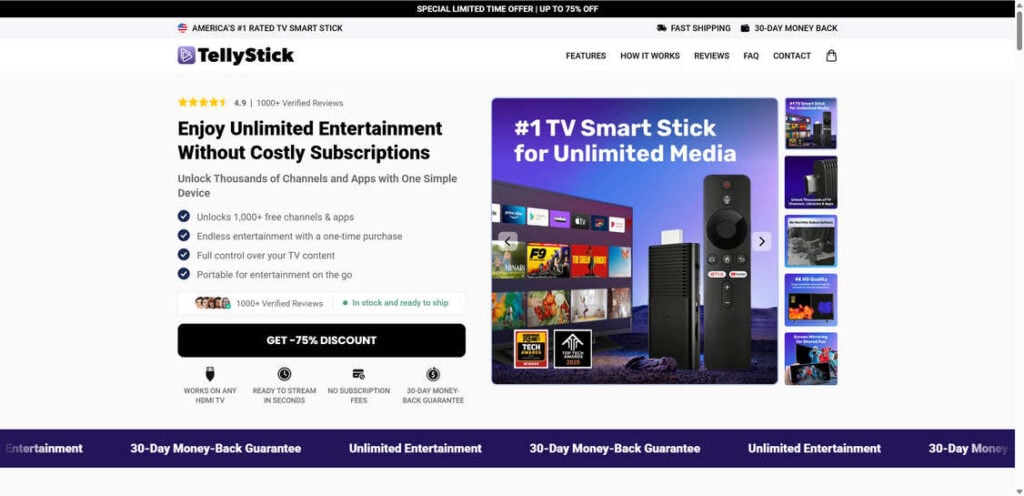
Overview of the TellyStick TV Smart Stick
The TellyStick TV Smart Stick is presented as a plug-and-play device that transforms any television with an HDMI port into a smart TV. On the surface, it sounds like a bargain. For a one-time purchase (advertised between $39 and $79 depending on the “discount”), buyers are promised:
- Access to over 1,000 free channels and apps
- Unlimited movies, shows, live sports, and games
- No subscription fees, ever
- “AI-powered” navigation to make browsing seamless
- 4K or even “8K-ready” streaming capabilities
- Portability for travel and on-the-go entertainment
At first glance, this looks appealing compared to subscription-heavy platforms like Netflix, Disney+, Hulu, or cable services. Who wouldn’t want unlimited channels without recurring costs?
However, when you dig deeper into what this product actually is, a very different story emerges.
What TellyStick Actually Is
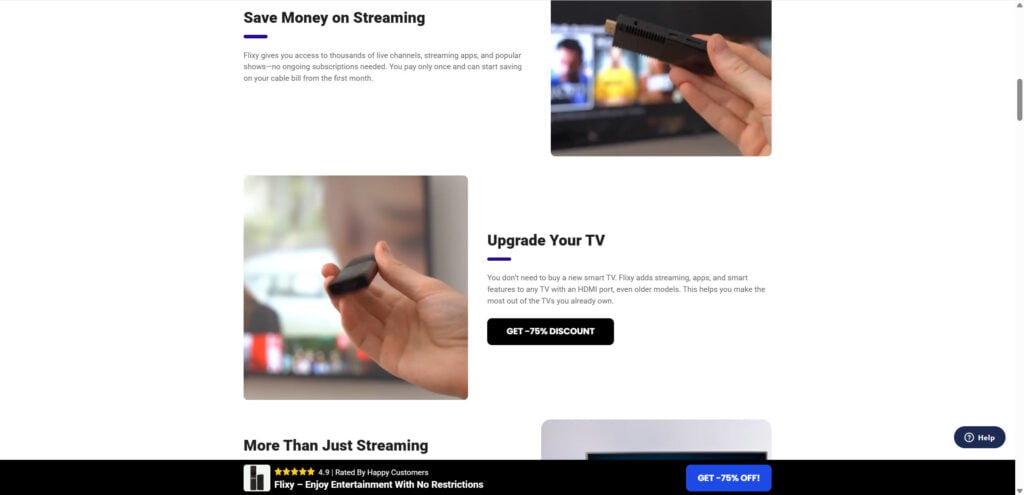
Despite the glossy marketing, the TellyStick TV Smart Stick is not a revolutionary invention. It’s essentially a low-cost generic Android TV stick, the same kind you can buy from wholesale sites like Alibaba or AliExpress for as little as $6–$12 per unit.
These sticks come preloaded with Android OS, which allows users to download apps from the Google Play Store. While that might sound good, here’s the catch:
- Apps like Netflix, Hulu, HBO Max, ESPN, or Disney+ still require paid subscriptions. You are not getting them for free.
- The “1,000+ channels” claim refers mostly to free apps and free-to-air channels that are already available to anyone.
- Performance is severely limited. With just 1GB RAM and 8GB storage, the stick cannot deliver smooth 4K (let alone 8K) streaming.
- Many users report poor reception, slow navigation, and frequent crashes.
How It’s Marketed
TellyStick’s website uses aggressive marketing tactics designed to create urgency and build trust:
- “Limited-time discounts” showing 75% off (a common dropshipping tactic).
- Fake scarcity timers to push buyers into quick decisions.
- Claims of thousands of positive “verified reviews” (many of which are fabricated).
- Comparisons with major streaming devices like Roku or Amazon Fire Stick, portraying TellyStick as superior.
The reality is that TellyStick is just a rebranded generic stick, with exaggerated claims and inflated pricing.
Real Price vs. Markup
- Wholesale sites: $6–$12 per stick.
- TellyStick’s website: $39–$79 per stick.
That’s a markup of 500–700%, with nothing extra provided except misleading marketing.
How the Operation Works
To understand why so many consumers fall for products like TellyStick, let’s break down the operation in detail.
Step 1: Dropshipping and Rebranding
The TellyStick stick is sourced from Chinese manufacturers, where bulk Android TV sticks can be purchased for under $10 each. These sellers often offer white-label options, meaning companies can slap on a logo, create custom packaging, and resell the product as their own.
This is the foundation of TellyStick’s business model: dropshipping.
- They never manufacture the device.
- They don’t innovate or improve it.
- They buy cheap units and resell them at massive profit margins.
Step 2: Aggressive Marketing Websites
TellyStick operates on sleek, single-page websites that look like professional product pages. These pages are designed to build urgency and trust through:
- High-quality mockups of the product.
- Inflated review scores like “4.9 stars out of 8,000 reviews.”
- Side-by-side comparisons with big brands.
- Heavy use of words like “unlimited,” “free,” and “exclusive.”
- Pop-ups showing fake purchases from “real people.”
The goal is to convince buyers that they’re making a smart purchase and must act quickly.
Step 3: Fake Scarcity and Discounts
Every visitor is greeted with messages like:
- “Special offer: 75% OFF today only!”
- “Hurry, your discount expires in 10 minutes!”
These tactics create fear of missing out (FOMO), which pressures people into rushing their purchase.
Step 4: Inflated Claims
TellyStick promises features that sound almost too good to be true, including:
- “Unlocking premium channels for free.” (False)
- “8K-ready streaming with just 1GB RAM.” (Impossible)
- “Access to thousands of apps at no cost.” (Misleading, since subscriptions are still required.)
Step 5: Difficult Refund Policies
While the site advertises a 30-day money-back guarantee, countless reviews suggest otherwise. Many customers say:
- Refund requests are denied or delayed.
- Companies offer partial refunds instead of full ones.
- Customer service is unresponsive or evasive.
In short, once you’ve bought it, getting your money back is nearly impossible.
Step 6: Scaling Through Social Media Ads
TellyStick runs paid ads on Facebook, Instagram, and YouTube, targeting people frustrated with cable bills. These ads highlight “freedom from subscriptions” and show impressive graphics, making the device seem legitimate.
What to Do if You Have Fallen Victim
If you’ve already purchased a TellyStick stick and realized it’s not what you expected, here are the steps you should take:
1. Request a Refund Immediately
- Contact the company through their support email or phone number.
- Reference their advertised 30-day money-back guarantee.
- Document all correspondence.
If they refuse, escalate the issue through your payment provider.
2. Dispute the Charge
- Credit Card: Contact your bank and file a dispute for “goods not as described.”
- PayPal: Open a dispute in the Resolution Center. PayPal often sides with buyers in cases of misleading products.
3. Report the Scam
- Better Business Bureau (BBB): File a complaint.
- Federal Trade Commission (FTC): Report deceptive practices.
- Trustpilot / SiteJabber: Leave a review to warn others.
4. Warn Others
Share your experience on social media, forums, and review sites. This prevents more people from falling into the same trap.
5. Switch to Reliable Alternatives
If you’re still looking for a streaming device, consider legitimate brands like:
- Amazon Fire Stick
- Roku
- Google Chromecast
- Apple TV
These devices are backed by trusted companies, offer genuine support, and provide reliable streaming.
The Bottom Line
The TellyStick TV Smart Stick is not the miracle device it claims to be. It’s a cheap Android stick rebranded and sold at inflated prices with misleading promises of free unlimited entertainment.
- It does not unlock premium channels for free.
- It cannot deliver smooth 8K streaming.
- The “1,000+ apps” are mostly free or require subscriptions anyway.
In short, TellyStick is a classic dropshipping scam, designed to prey on people tired of paying for cable and streaming subscriptions.
If you want a reliable streaming experience, stick to reputable brands. Don’t let flashy marketing and fake discounts trick you into wasting your money.
Stay informed, stay cautious, and always research before you buy.
Frequently Asked Questions About the TellyStick TV Smart Stick
Is the TellyStick TV Smart Stick a scam?
TellyStick TV Smart Stick is a dropshing operation. TellyStick TV Smart Stick it is marketed as a revolutionary device that unlocks 1,000+ free channels, live sports, and movies without any subscriptions. In reality, it is just a rebranded low-cost Android TV stick that you can buy from wholesale websites like Alibaba or AliExpress for under $10. The company inflates the price, makes false claims about free premium channels, and uses aggressive marketing to lure customers.
Does the TellyStick TV Smart Stick really unlock free premium channels?
No, the TellyStick stick does not unlock paid premium channels like Netflix, Hulu, Disney+, HBO, or ESPN. These services still require valid subscriptions. The claim that the device gives you free access to thousands of channels is misleading. At best, it may provide access to free-to-air content or apps that are already available at no cost.
How much does the TellyStick TV Smart Stick actually cost to make?
Wholesale prices for the exact same Android TV sticks range from $6 to $12 per unit. TellyStick resells them for $39 to $79, creating a markup of up to 700%. The high price is not due to better technology but rather to misleading advertising and branding.
Why do so many websites claim TellyStick has great reviews?
Many of the glowing reviews featured on TellyStick’s website are fake or manipulated. The company uses fabricated “verified buyer” testimonials and inflated star ratings to build trust. Independent review platforms, however, show a large number of negative reviews from buyers who call it a scam.
Can the TellyStick stick stream in 4K or 8K quality?
No. With only 1GB RAM and 8GB storage, the TellyStick stick cannot deliver true 4K, let alone 8K streaming. High-quality streaming requires powerful processors, more memory, and better internet support than what this cheap device offers.
What should I do if I already bought the TellyStick TV Smart Stick?
If you purchased the TellyStick stick and feel misled, you should:
- Request a refund from the company immediately.
- If denied, file a dispute with your bank, credit card provider, or PayPal.
- Report the scam to the Federal Trade Commission (FTC) and the Better Business Bureau (BBB).
- Warn others by leaving reviews on Trustpilot, SiteJabber, or social media.
Does the TellyStick Smart Stick come with a real money-back guarantee?
The website advertises a 30-day money-back guarantee, but many customers report that refund requests are ignored, denied, or met with partial refund offers. In most cases, getting your money back from TellyStick is extremely difficult.
Is TellyStick TV Smart Stick better than Amazon Fire Stick or Roku?
No. Trusted devices like Amazon Fire Stick, Roku, Google Chromecast, and Apple TV are supported by established companies, offer reliable streaming, and provide legitimate customer service. TellyStick is simply a cheap, generic device sold at a premium price with misleading promises.
How does the TellyStick TV Smart Stick dropshipping scam work?
The scam works like this:
- Sellers buy cheap Android TV sticks from manufacturers in China.
- They rebrand them with a new name like TellyStick.
- They create a flashy website with fake reviews, fake discounts, and exaggerated claims.
- They sell the stick for up to 700% more than its actual cost.
- Customers rarely get refunds when they realize it doesn’t perform as promised.
What are the alternatives to the TellyStick TV Smart Stick?
If you want a reliable streaming device, consider:
- Amazon Fire TV Stick
- Roku Streaming Stick
- Google Chromecast
- Apple TV
These devices are affordable, backed by reputable companies, and provide legal access to apps and streaming services.








