

Tonic Greens is making headlines as a so-called natural superfood supplement that promises to enhance immunity, support digestion, boost energy, and even help prevent herpes outbreaks — all from a single scoop of powder per day. Its marketing is slick, the promises are bold, and social media is buzzing. But is it really a miracle in a jar, or is Tonic Greens just another overhyped wellness scam?
Before you hit “Buy Now,” read this comprehensive, research-backed investigation into Tonic Greens. We’ll reveal how it’s being marketed, what real users are saying, the red flags you need to know, and exactly what to do if you’ve already been duped.
Scam Overview: Is Tonic Greens the Real Deal?
Tonic Greens is marketed as a revolutionary supplement capable of “activating an immune kill switch” to eradicate the herpes virus and boost overall immunity. The website references a so-called “Dr. Ben Rivers, Top Dermatologist,” who allegedly discovered this secret formula. But no such doctor can be verified, and the scientific claims made on the website fall apart under scrutiny.
1. False Medical Endorsements
Tonic Greens leverages fake medical authority figures and unverifiable credentials. “Dr. Ben Rivers” is promoted as the creator of the supplement and a leading dermatologist. Yet there is no trace of him in any medical databases, peer-reviewed journals, or professional directories.
2. Deepfake-Style Video Marketing
The marketing campaign for Tonic Greens uses persuasive videos resembling news reports and health interviews. These are not from reputable sources but rather staged productions made to look like real journalism. This is a common tactic seen in other scammy supplements.
3. Fake Urgency and Discounts
Tonic Greens uses high-pressure tactics:
- “Only 3 jars left in stock!”
- “75% Off Today Only!”
- “Offer expires in 10 minutes!”
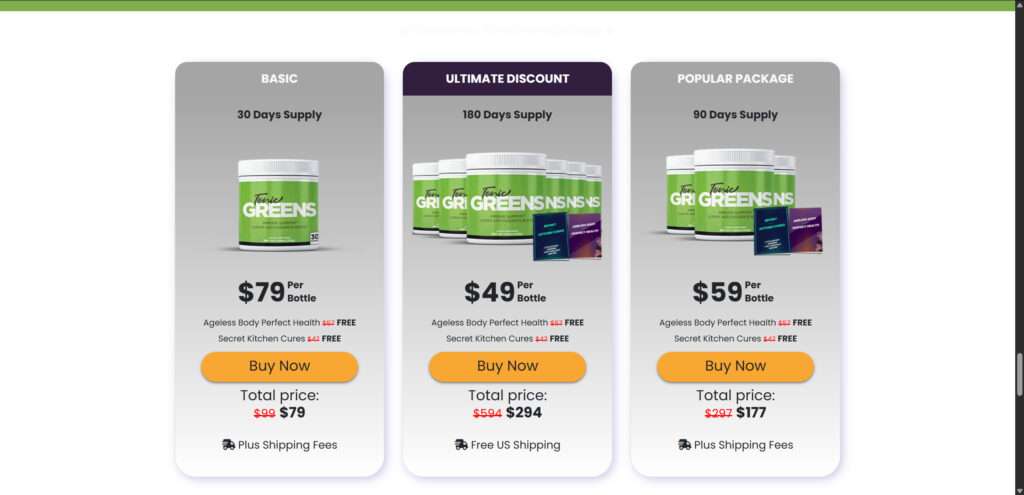
These countdown timers and bulk discounts are used to rush decisions without time to verify claims or do research.
4. Questionable Ingredients and Claims
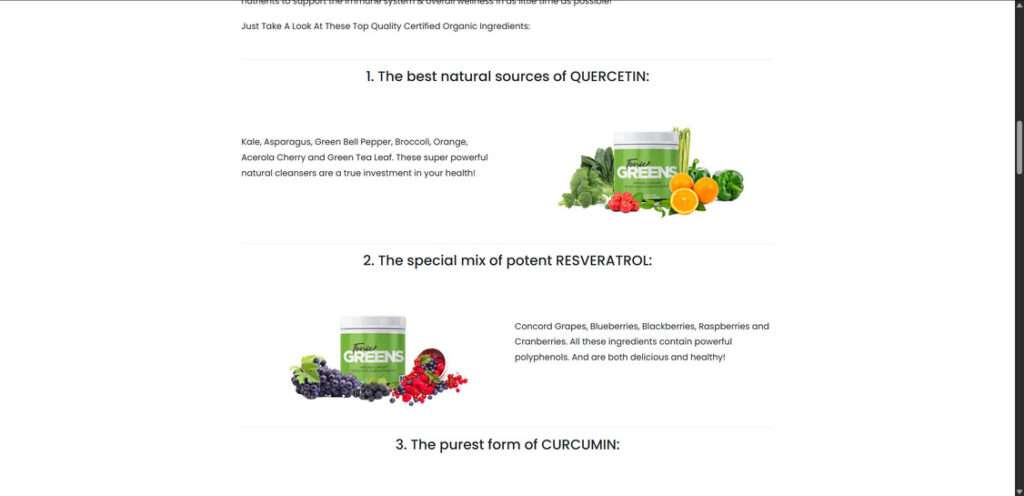
The product claims to work via a mysterious “immune kill switch” backed by 57 natural ingredients, including Reishi mushrooms, Curcumin, Spirulina, and Resveratrol. While these ingredients offer general health benefits, there is no clinical evidence that this combination can eliminate herpes or boost the immune system in the ways claimed.
5. No Scientific Backing
There are no published studies, clinical trials, or peer-reviewed research validating the effects of Tonic Greens as described. Phrases like “clinically proven” are used without linking to actual research.
6. Hidden Ownership and Fake Reviews
The domain registration is private, company information is hidden, and testimonials appear to be AI-generated or stock photos. On review platforms like Amazon, verified users often complain about ineffectiveness and misrepresentation.
7. Parallels with Past Supplement Scams
Tonic Greens follows a pattern seen in scams like GlycoBoost, Slimjaro, and GlucoFreedom — all of which use fake experts, deepfake testimonials, urgency countdowns, and unverifiable medical claims.
How the Tonic Greens Operation Works
Step 1: Social Media Ads & Influencer Hype
The scam starts with aggressive Facebook and Instagram ads. These usually feature fake headlines like:
- “Top doctor discovers herpes kill switch!”
- “New immunity breakthrough Big Pharma wants banned!”
These posts include videos that mimic real news stories to lend legitimacy.
Step 2: The Fake News Page
Clicking on the ad takes users to a faux-news landing page disguised as a medical exposé. It often imitates sites like Fox News or Healthline, complete with fake anchors or scripted interviews.
Step 3: Emotional Storytelling & Hero Doctor Narrative
A dramatic backstory unfolds: a doctor’s family member suffers a health crisis, inspiring a life-saving discovery. This emotionally manipulative tactic is meant to build trust and urgency.
Step 4: Secret Natural Cure Suppressed by Big Pharma
The product is framed as a “natural cure” that pharmaceutical companies don’t want you to know about. They allege that medical institutions are silencing this discovery to protect profits.
Step 5: Fake Urgency and Discounts
Buyers are told the supply is running out. Countdown clocks appear. Popups show fake people “just bought” the product. The urgency discourages critical thinking or research.
Step 6: Shady Checkout Process
The checkout page:
- Hides auto-subscription terms
- Doesn’t disclose refund policies
- Offers little to no customer support info
People think they’re making a one-time purchase but end up charged monthly.
Step 7: Poor Product Quality or No Delivery
Some users report receiving a low-quality product with vague labeling. Others claim the package never arrives, and customer service is unreachable.
Step 8: Recurring Charges and No Refunds
When users try to cancel:
- Support lines don’t answer
- Emails bounce or go ignored
- Refunds are delayed or denied
Users often find themselves trapped in monthly payments with no resolution.
Step 9: Recycled Buyer Data
Customers begin receiving spam and ads for other questionable supplements. This suggests their data has been sold to other shady marketers.
What To Do If You’ve Fallen Victim to the Tonic Greens Scam
1. Contact Your Bank or Credit Card Company
- Dispute the charge and request a chargeback.
- Ask your bank to block future transactions from the vendor.
2. Cancel the Subscription Immediately
- Look for confirmation emails.
- Use any available “Manage Subscription” links.
- If you can’t find a cancellation option, notify your bank.
3. Report the Scam
4. Check for Identity Theft
- Run a free credit report at AnnualCreditReport.com
- Place a fraud alert with Experian, Equifax, and TransUnion
5. Leave Reviews to Warn Others
- Post on Reddit (e.g., r/scams)
- Trustpilot, ScamAdviser, and product review blogs
6. Consult a Medical Professional
- If you’ve ingested the product, bring it to your doctor
- Get checked if you’ve experienced side effects
7. Change Passwords and Monitor Online Accounts
- If you registered an account, change your password
- Avoid using the same password elsewhere
Frequently Asked Questions (FAQ) About Tonic Greens
Is Tonic Greens FDA approved?
No. The FDA does not approve dietary supplements. Any suggestion that Tonic Greens is FDA-approved is false and misleading.
Does Tonic Greens actually cure herpes?
There is no scientific evidence that Tonic Greens can cure herpes. Claims about an “immune kill switch” are unverified and not supported by clinical research.
Are the ingredients in Tonic Greens backed by science?
Some individual ingredients, such as Reishi mushrooms and Curcumin, have general health benefits. However, there is no peer-reviewed evidence supporting the effectiveness of Tonic Greens as a complete formula.
Why isn’t Tonic Greens sold on Amazon or in stores?
Products that can’t meet the quality control or transparency standards of major retailers often avoid those platforms. Tonic Greens is sold only through its own website, often using aggressive affiliate marketing.
What should I do if I already bought Tonic Greens?
Contact your bank to dispute the charge, cancel any recurring billing, and report the vendor to consumer protection agencies. Monitor your financial accounts for any suspicious activity.
Is there a money-back guarantee?
Although the website claims there is a guarantee, many users report difficulties receiving refunds or even contacting support. Always read the fine print and save a copy of your order confirmation.
Can I trust the reviews on the Tonic Greens website?
Most reviews on the Tonic Greens website are likely fake or heavily biased. It’s better to look for independent reviews from verified buyers on platforms not affiliated with the company.
What are the known side effects?
There are no clinical safety studies available for Tonic Greens. Some users report nausea or mild digestive discomfort. Always speak to a healthcare provider before taking any supplement.
Is Tonic Greens part of a subscription scam?
Many users report being unknowingly enrolled in recurring billing. Always check the terms of service and watch out for hidden subscription language during checkout.
The Bottom Line
Tonic Greens is not the all-in-one health miracle it pretends to be. Its marketing relies on deception, fear tactics, and fake endorsements to push a product with no proven benefit and a high risk of financial loss.
If you’re looking for real immune support, talk to a licensed healthcare provider and choose products backed by real science and third-party testing. Don’t fall for supplements that promise to cure major illnesses with a scoop of powder.
Final Tip: Always research supplements before buying. Look for verified reviews, transparent labels, third-party lab tests, and reputable vendors.

Join the discussion
0 commentsShare your experience or ask a question about this article.
Discussion
Start the conversation
Have a question or something useful to share? Add the first comment.