


A fraud alert asks whether you shopped at Walmart. You answer no and get a message saying you already replied.
Meanwhile, the order at the store is still moving. That is a separate thing to check.
Overview
The customer found two orders they said they never placed
A cardholder described a text about an unfamiliar Walmart purchase. They tried to deny it and received an automated response saying they had already answered.
The cardholder said their issuer told them that an affirmative response had come by email. They did not recognize that response and could not find a copy in their mail.
When they checked Walmart, they found two orders they had not made. They said one was picked up at a store before they were able to stop it.
The original report does not establish how the orders were placed or who answered the alert.
The cardholder could report two separate problems: the order and the reply they said they never authorized.
A store pickup and a card alert run on separate tracks
The issuer handles the payment and its fraud records. The retailer handles whether someone can still collect the merchandise. Calling one may not stop activity at the other.
Keep a short list from each account:
- The order number, store, and pickup status in Walmart’s purchase history.
- The merchant, amount, time, and pending or completed status in your card app.
- The time and wording of the incoming fraud alert and your own reply.
- Any confirmation, cancellation, or pickup notice about the order.
- The person you reached through official support and any reference number they gave you.
The cardholder’s case involved an existing Walmart account and a saved card. Some unauthorized Walmart charges can come from orders that never appear in your own order history.
The official guidance covers both parts
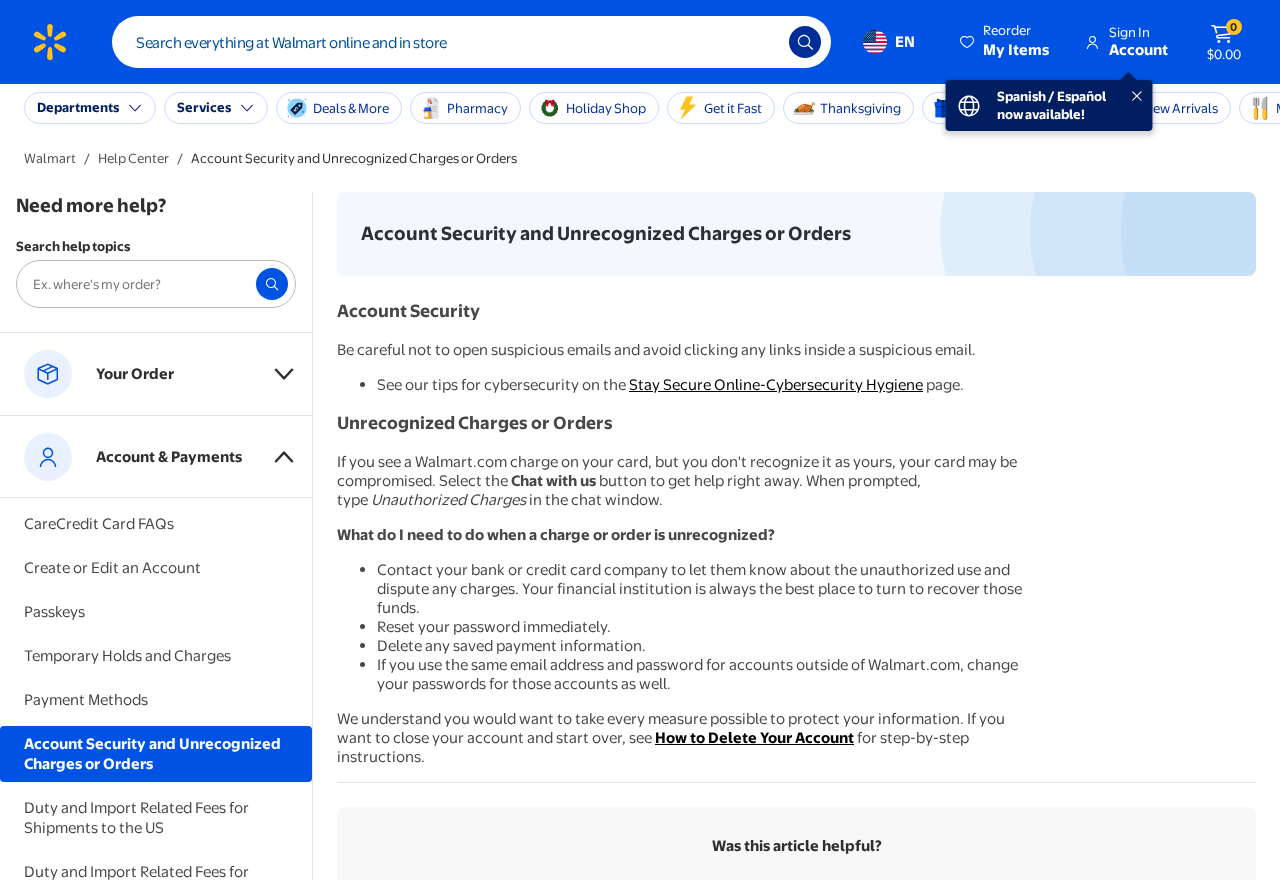
Walmart’s page on unrecognized charges or orders tells shoppers to contact the card issuer about unauthorized charges and secure their Walmart account.
If your own order history shows activity, use Walmart’s help channel to give it the order number.
If you only see the charge, tell the retailer and issuer what you can see.
Move quickly when a pickup is pending. Tell the retailer you did not place the order. The store status can change while the card issuer is reviewing your account.
How the Scam Works
Step 1: An order appears in an account you already use
The order can generate an ordinary confirmation because the retailer’s system expects you placed it. Check whether the order really exists by opening the retailer directly.
If the order is listed, save the number and status. Check the time, store, and total. Enter the order through your account instead of following an unexpected email link.
Ask others who legitimately use the account if they recognize it. If nobody does, move on to the retailer’s fraud and order support rather than waiting for more notifications.
Use those conversations to secure the account. If you discover an address or pickup detail you did not set, save the record before making changes.
Step 2: The card issuer sends an alert
A genuine card alert may be the first sign of an unauthorized Walmart pickup order.
If the text is unexpected, open your bank or issuer’s app separately and inspect the activity.
If it says you already answered and you didn’t, call the fraud team. Give it the time and your actual response so it can investigate the conflicting record.
Say if you received the alert through one channel but the issuer says a reply arrived through another. Ask it to record that you dispute the reply as well.
You may never be able to see every record the issuer used. Request a case number and keep your own message intact. Let the fraud team compare the channels.
Step 3: The order reaches a store
A pickup order can keep moving while you reset a password or speak to your card company.
Keep the order page and retailer support at hand as you secure the account.
Walmart’s cancellation instructions explain how to request cancellation through purchase history when the option is available. Save the status the order displays after you make the request.
If the cancellation button has disappeared, contact Walmart. Give the order number, store, and whether it says the order is being prepared, ready, or picked up.
Ask what the retailer can still do at that stage. It may not have the same options once the merchandise leaves. Report the order even if that has already happened.
Step 4: A pickup is complete, but the dispute continues
“Picked up” can tell you what happened to the order in the retailer’s system. It cannot tell your issuer whether you authorized the purchase or the affirmative alert response.
Give each company the part of the timeline it can investigate. Walmart can review the order and handoff. The issuer can look at the charge and its own alert record.
If the company can provide a written summary, save it. Otherwise, write down what you were told, when, and the official case number.
Avoid trying to identify the person at the store yourself. Let the retailer and any investigators preserve the records they are able to use.
If Walmart and the Card Issuer Show Different Statuses
A pending authorization can appear before a charge posts. It can also remain visible briefly while an order changes status. Keep the amounts and dates as they actually appear.
If Walmart reports a cancellation, ask when it confirmed it. Keep that confirmation and ask the issuer what to look for if the pending charge remains or becomes final.
If your bank reports a reversal, check whether the store still shows an open order. A payment record and an order record can change at different times.
Use the issuer’s dispute process if a charge posts and you did not authorize it.
The CFPB’s credit card dispute guidance explains how to follow up on a credit card billing dispute.
If a debit card was used, tell the bank directly and ask about its deadlines and procedures. Explain the type of card you used when speaking to the fraud team.
Keep the account records that can answer follow-up questions
Save separate order numbers when there was more than one purchase. One cancellation cannot tell you whether a different order was collected or charged.
Capture what your account currently shows without including the entire card number in the image. Record the most recent time you saw the status and whom you contacted.
If the retailer and bank both start cases, record their numbers side by side. You can use them to explain what has been handled and what still needs a response.
If a later caller claims to be handling the case, return to the verified number or support chat you used.
A caller who names the order may still be an impostor.
What to Ask When the Alert Was Recorded as Answered
Explain the exact sequence to your card issuer. Start with when the message arrived, what you replied, and the response you received. Keep that separate from the order history.
Ask whether the issuer can see an earlier answer, and whether that answer came through text, email, the app, or another channel. Say plainly that you do not recognize it.
The answer may belong to the alert handling process rather than appearing as a sent message on your device.
Make a note of the channel the issuer described before checking the mailbox.
If you share the card account with someone else, verify whether they answered an alert.
If nobody recognizes the reply, tell the issuer to keep the response in its fraud case.
Make a note if you called a customer-service number from the text before checking it.
Tell the issuer what you disclosed on that call so it can secure the right accounts.
Give the issuer a reachable contact method in case its fraud team follows up. Ask how to verify a new contact without giving sensitive details to an inbound caller.
What the retailer can check about the handoff
Ask the retailer whether the store marked the order ready or complete. That distinction tells the retailer whether there could still be time to stop collection.
If you know the pickup did not happen under your authority, say so in the report. Tell Walmart whether anyone in your household had permission to collect that order.
If you cannot see an order anymore, give the retailer the last status you saved. An email or screenshot may help locate the store, timestamp, and order number.
Ask when the retailer expects to review the order and how it will send the outcome. Use the official support route again if the follow-up is late or unclear.
If Walmart finds several orders, ask it to list which ones it reviewed. Save each status alongside the matching issuer entry if you can identify it.
What to Do if You Have Fallen Victim to This Scam
Start with the order that could still be collected and the card that could still be used.
If you can, put both reports in motion without waiting for either to close.
-
Check the merchant directly. Open Walmart or its official app, then save each unfamiliar order number, store, total, and pickup status.
-
Request a stop or report the pickup. Use cancellation if it is available. Otherwise contact Walmart and explain that you did not authorize the purchase.
-
Call the card issuer immediately. Use your card or bank app to find the number. Report the charge and any alert response you didn’t authorize.
-
Secure the retailer account. Change the password, review account details, and remove saved payment information. Change reused passwords on other affected accounts.
-
Check email account activity. Review security notices and settings if you suspect somebody had access. Secure your mailbox through its official controls.
-
Follow the order and dispute separately. Keep case numbers and written status updates until both the pickup and payment records have been addressed.
If you cannot open the Walmart account, reach support by going directly to the retailer. Have the merchant name, amount, and time ready if you don’t have an order number.
Tell the issuer whether you still have the physical card. Ask whether it wants to lock or replace it. Keep checking for other merchants you didn’t use.
If the disputed charge appears again after a replacement, save the new entry and tell the issuer. Ask it to compare the authorization times before deciding what the entry represents.
Frequently Asked Questions
Is the fraud text itself fake if a Walmart order also exists?
The order cannot authenticate the message. Confirm the purchase inside Walmart and the alert through the issuer. Use the official app or the phone number from your card.
If the bank confirms it sent the alert, ask which response it recorded. Tell the bank if that answer did not come from you.
What if Walmart says the order was picked up?
Report the unauthorized order and ask Walmart to review it. Save the store, order number, and timestamp shown in your account. Give your issuer the retailer’s case number.
Make clear that you did not place the order. A missing merchandise complaint gives the retailer a different problem to investigate.
Can my card have a Walmart charge with no order in my own account?
Yes. Walmart advises getting help with unrecognized charges even when you cannot match the transaction to an order. Give the merchant, amount, and timing to your issuer.
If the charge later disappears, record that change and ask the issuer whether the card still needs to be secured.
A disappearing authorization does not explain how the card was used.
Does the email answer prove someone got into my inbox?
It leaves a question to ask the issuer. Say you did not send the reply, then check your own email security activity and settings for changes you don’t recognize.
Do not assume that a missing message identifies what happened. The issuer’s records and your provider’s account activity may answer different questions.
Should I go to the store to look for the person who collected it?
Use the official support process. Sharing the store location and pickup time through it helps the retailer identify the transaction without exposing your details to strangers.
If authorities request evidence, give them the original records. Do not approach someone you think might have collected the order.
If I removed my saved card, do I still need to call the issuer?
Yes, if an unauthorized charge or attempt occurred. Removing the card from Walmart addresses your saved payment method there. The issuer needs to know about the activity on its card.
Ask what controls are available while the case is reviewed. Keep the reference until you know the status of the original charge.
The Bottom Line
When an unauthorized Walmart pickup and an unexpected fraud alert appear together, check each through its real provider. Ask Walmart to stop the order if it still can.
Tell the issuer you did not authorize either the purchase or any affirmative reply you didn’t send. Save both case records and follow through until each company reports its outcome.

Join the discussion
0 commentsShare your experience or ask a question about this article.
Discussion
Start the conversation
Have a question or something useful to share? Add the first comment.