


A WhatsApp Gold invitation promises extra features for an app you already use. The message makes the upgrade sound exclusive, convenient, and worth trying.
Before following its download instructions, check what the offer actually represents and where it would take your account. The familiar name leaves important questions unanswered.
Overview
Gold is a false upgrade offer using WhatsApp’s name
The WhatsApp Gold scam promotes an unofficial product as an exclusive version of the genuine messaging service. WhatsApp has disowned the supposed Gold upgrade.
Snopes’s fact check includes the company’s denial. The story is longstanding, even when a forwarded invitation makes it appear newly available.
This concerns the deceptive Gold offer, rather than every genuine WhatsApp product. WhatsApp Business, for example, has its own official distribution route.
The danger comes from the instructions you follow
The pitch can lead outside the real app to a website, information request, or unofficial download. A familiar brand name does not authenticate those destinations.
Norton’s WhatsApp scam guide identifies Gold invitations as fraudulent and describes both spoofed websites and malware risks.
Receiving a message does not establish an infection. The response depends on whether you opened a page, entered information, installed an app, or granted access.
Recovery should match what actually happened
- Decline the Gold invitation and use WhatsApp’s genuine update or download route.
- Keep an uninstalled download closed rather than opening it to investigate.
- Remove an unofficial app if the offer persuaded you to install one.
- Protect exposed accounts separately from investigating the Android installation.
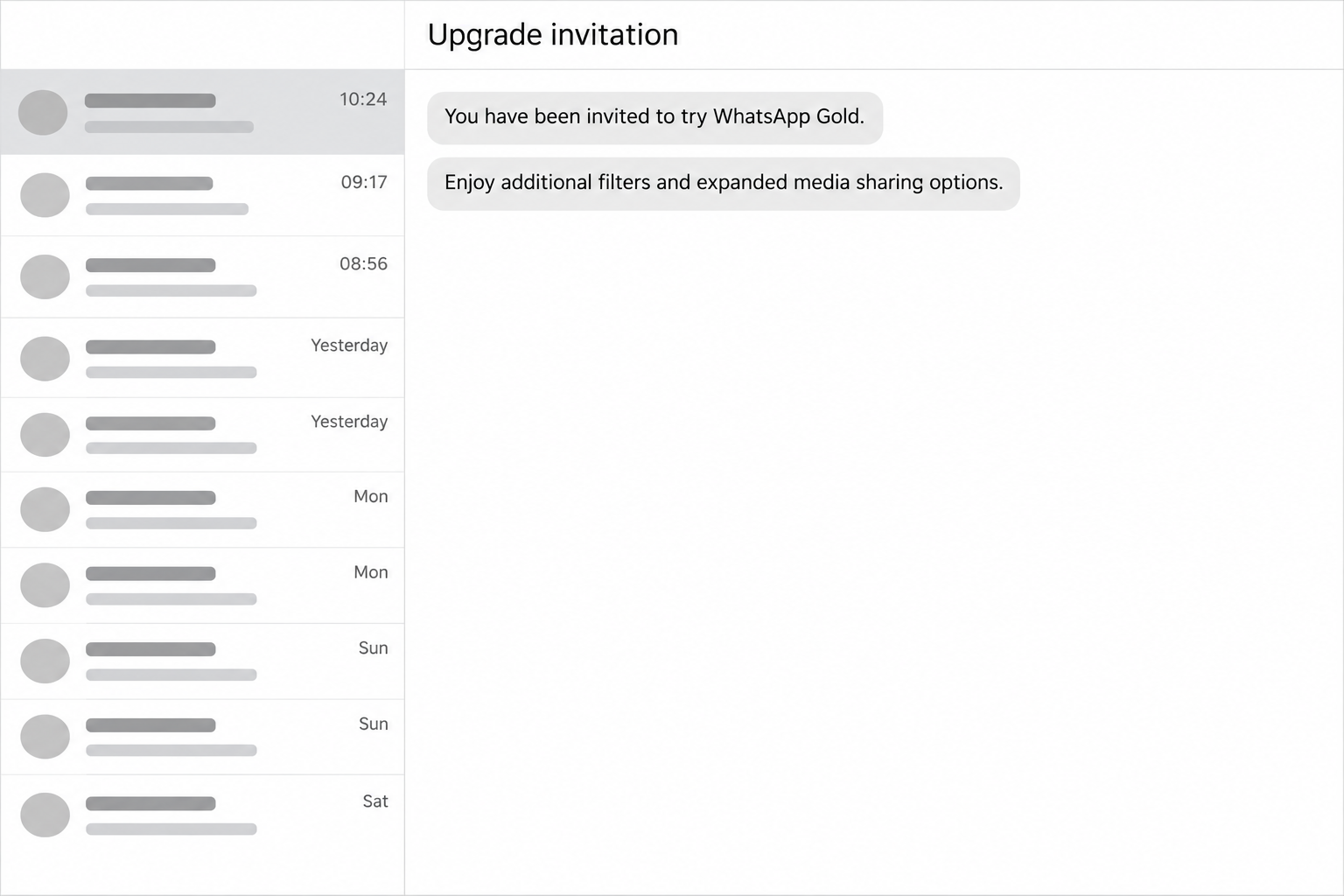
The opening image is a fictional chat reconstruction, with invented wording. It illustrates the invitation rather than documenting a particular sender or downloaded app.
How the WhatsApp Gold Scam Works
Step 1: An invitation borrows a familiar app’s identity
The sender presents Gold as a desirable extension of WhatsApp. Because you recognize the underlying service, the additional label can seem like a product update.
That is the claim to check before considering any promised feature. An account using WhatsApp can send a message about an unrelated, unauthorized product.
The sender’s familiarity is not enough either. If someone you know forwards the invitation, they may be repeating a claim they have not verified.
Step 2: Extra features make an outside download sound worthwhile
The advertised attractions have included additional filters and expanded media-sharing features. These promises give users a reason to consider leaving the app’s ordinary update process.
A legitimate software change should have a verifiable source. An exclusive invitation is not a substitute for finding the feature through the developer’s own information.
Do not disable a security setting just because an offer says the installer needs it. A promised convenience does not explain who controls the software.
Step 3: The user is directed toward an unverified destination
The next stage can involve a web page or unofficial app. The exact route varies, so do not assume every invitation delivers an identical file.
A page may borrow the app’s colors and terminology while asking for information. An installer can instead ask Android for permissions after you open it.
Stop at either request rather than supplying details to see what happens. A convincing page design does not establish an approved relationship with WhatsApp.
Step 4: An unofficial app gains a place on the phone
If installed, the software operates under whatever permissions and capabilities it actually receives. Its advertised label does not reveal its security or privacy practices.
WhatsApp’s explanation of unofficial apps warns about privacy risks, possible malware, and account restrictions. It recommends removing those unofficial versions first.
That warning does not establish the contents of every file called Gold. You should remove the unauthorized installation without inventing a specific malware diagnosis.
Why the Martinelli Warning Is a Separate Story
Forwarded warnings sometimes combine Gold with a supposed video called Martinelli that allegedly hacks phones when opened. Those claims should not be treated as one verified incident.
Snopes found no evidence supporting that named-video warning. It distinguishes the unsupported Martinelli story from the real deception involved in offering WhatsApp Gold.
You can reject an unauthorized upgrade without forwarding an alarming claim about a self-hacking video. An accurate warning tells people what action creates the risk.
The same care applies to dramatic promises that simply receiving a message instantly steals every password. A claim that broad needs evidence about an actual exploit.
If you warn a friend, explain that Gold is not an approved upgrade and that they should avoid its download. Leave the unsupported video story out.
What to Do if You Have Fallen Victim to This Scam
-
Stop using the invitation as your source of help. Save the message and the destination it advertised without reopening the page or starting another download.
If a known contact forwarded it, warn that person through your existing conversation. Describe the unauthorized upgrade rather than accusing them of operating the scam.
-
Separate a download from an installed application. A file sitting in Downloads and an app installed with Android permissions require different actions.
If you never installed it, delete the unneeded installer without opening it. Check the download list carefully so you remove the file associated with the invitation.
Do not reinstall anything to establish whether it was dangerous. Your browser history, download record, and Android’s installed-app list can help establish what occurred.
-
List any information or access you supplied. Record passwords, authentication codes, payment details, identity information, or permissions requested during the process.
If a password was exposed, replace it through the genuine service and review account access. Reused passwords should be replaced wherever else they were used.
A device scan cannot revoke an account session for you. Treat account recovery and removing an unwanted app as separate tasks.
-
Report unauthorized payments through their actual provider. Identify the transaction rather than relying on an image or receipt supplied by the sender.
Ask your bank or payment service what can be stopped or disputed. Keep its case reference and any deadline for submitting supporting information.
Do not pay an additional upgrade, cancellation, or recovery fee to the person who sent the invitation. That demand creates another exposure rather than resolving the first.
-
Use official reporting and support routes. Report the suspicious sender through WhatsApp’s reporting tools, and consult its genuine Help Center for account access problems.
If the affected phone belongs to your workplace or school, contact its administrator before changing management settings. Provide the invitation and installation details.
For a personal Android installation, the procedure below covers removal, scanning, and returning to the supported app. It does not require accepting another offer from the sender.
Remove an Unofficial WhatsApp App From Android
Use these instructions if you installed an app through the Gold offer. If you only received the message, there is no reason to uninstall your genuine WhatsApp.
Preserve any information you need for a fraud report before deleting software. Removing an app can also remove its local data, including conversations stored only there.
The tutorial images show older Android and Google Play screens. Their layouts differ from newer versions, so follow the named action for your actual device.
Step 1: Identify and uninstall the unofficial installation
Open Android’s Settings, then Apps or App management. Find the application installed through the invitation and open its App info screen without launching the app itself.
Check its installation details against the download you followed. Do not remove an unrelated app merely because its name or icon looks unfamiliar.
On the confirmed unwanted app’s information screen, choose Uninstall and confirm Android’s removal prompt. The example image shows that control for a different application.
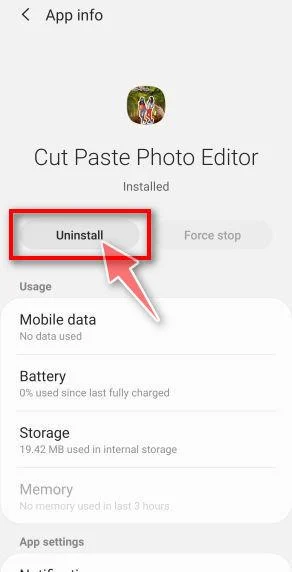
Return to the installed-app list and confirm that the selected application has disappeared. Do not accept a new installer offered as a replacement by the same sender.
If Uninstall is unavailable, check whether that particular app has device-administrator access. On a personally managed phone, revoke only access belonging to the confirmed unwanted installation.
Do not disable legitimate workplace management or accessibility tools indiscriminately. If the app remains blocked from removal, consult your device maker’s safe-mode instructions or seek assistance.
Remove the original downloaded installer as well, after preserving any identifying information needed for a report. This reduces the chance of accidentally installing it again.
Also check whether the installation process persuaded you to allow apps from an unknown source. That permission belongs to the application used to open installers.
On many Android versions, open Settings, Apps, Special app access, then Install unknown apps. Select the browser or file manager used for this download.
Turn off Allow from this source if you enabled it solely for Gold. Menu names vary, so use your device manufacturer’s instructions when necessary.
Changing that permission prevents another installation through that source; it does not remove software already installed. Complete the uninstall procedure as a separate action.
Check Google Play Protect in the Play Store’s profile menu as well. Leave its app-checking protection enabled rather than accepting the invitation’s advice to disable safeguards.
Step 2: Scan the Android device and handle detections
A scanner can help check for additional unwanted software. MalwareTips’ Android guide provides the following installation and scan route, adapted to this exposure.
Download Malwarebytes for Android From Google Play
On the genuine Google Play listing, check the developer and tap Install, then Open. Use the store directly, rather than a file supplied in the Gold conversation.
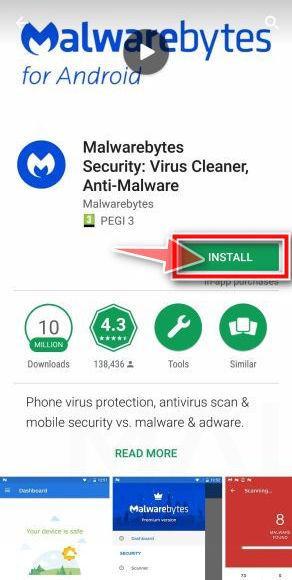
Follow the setup prompts and read any subscription or trial offer before accepting it. Manual scanning and paid prevention features should not be confused.
On the current Android dashboard, find Device and tap Scan now. Grant the requested storage access if you want the scan to include accessible files.
Let the scan finish, then examine its results. For a detected unwanted application, open its action menu, choose Uninstall app, and confirm Android’s prompt.
Do not add a detection to the Allow list merely to clear the warning. Record its name if you need help deciding what it represents.
Restart when requested and confirm that the selected apps were removed. A completed scan is useful evidence, but it cannot guarantee the device is clean.
The current Malwarebytes scan instructions explain the result controls. If an app returns or cannot be removed, retain the detection details and seek assistance.
View Malwarebytes for Android Through Our Partner
MalwareTips may earn a commission from purchases through that partner link. The Google Play installation route above remains available separately.
Step 3: Return to the official app and review account access
After removing the unofficial installation, use WhatsApp’s own download page to reach the appropriate supported version. Register your phone number through that app.
Uninstalling differs from archiving an app or merely removing its home-screen shortcut. Google’s app-removal guidance distinguishes deletion from keeping an archived application’s data.
If an icon remains, inspect the installed-app record rather than assuming the removal failed or succeeded. Check which action Android actually completed before proceeding.
WhatsApp cautions that it cannot guarantee transferring chat history from unofficial apps. Do not provide an unknown migration service with account codes or private conversation backups.
Review linked devices within the genuine app and remove sessions you do not recognize. Enable available additional account protection through its official settings.
If you lost account access, follow WhatsApp’s own recovery guidance. A paid stranger claiming to restore Gold access is not a trusted support channel.
Monitor the specific accounts exposed during the incident, rather than assuming that reinstalling WhatsApp repaired everything. Contact affected financial providers about suspicious activity.
For unresolved device problems, ask in the MalwareTips malware removal help forum. Describe the Android version, installation source, symptoms, and scanner findings without posting private codes.
Frequently Asked Questions
Is WhatsApp Gold an official premium upgrade?
WhatsApp has denied offering the supposed Gold product. Use the developer’s own download and update routes instead of invitations promoting an unauthorized replacement.
Does receiving a Gold message mean my phone is infected?
Receiving the message alone does not establish an infection. Check whether you opened a destination, installed software, disclosed information, or granted permissions before choosing recovery steps.
Is the Martinelli video warning part of the same verified scam?
The named-video warning lacks the evidence needed to treat it as a real self-hacking video. It should be separated from the documented unauthorized Gold offer.
What if the invitation came from a friend?
A friend may forward an offer without verifying it. Warn them about the fake upgrade and avoid treating their familiar contact name as software authentication.
Will uninstalling the unofficial app recover my chats?
Removal can delete local app data, and WhatsApp does not guarantee transferring unofficial chat history. Preserve appropriate records before removal without giving strangers your private backup.
Does a clean scan also secure my WhatsApp account?
A device scan and account security address different problems. Review exposed credentials and linked sessions separately, and contact financial providers if payment information was involved.
The Bottom Line
Decline WhatsApp Gold invitations and download the supported app through WhatsApp’s genuine route. The exclusive-upgrade claim does not authorize a different app or website.
If you installed one, remove the unofficial application, check Android, and secure any affected accounts. Keep the unsupported Martinelli warning out of messages to other people.

Join the discussion
0 commentsShare your experience or ask a question about this article.
Community experiences
Did this happen to you?
Your experience could help someone recognize the same scam. Submit a private report for our team to review.
I experienced this tooReports are reviewed before publication. Sharing publicly is always your choice.
Discussion
Start the conversation
Have a question or something useful to share? Add the first comment.