

adware in all my web browsers including steam
- Thread starter Eliertor
- Start date
You are using an out of date browser. It may not display this or other websites correctly.
You should upgrade or use an alternative browser.
You should upgrade or use an alternative browser.
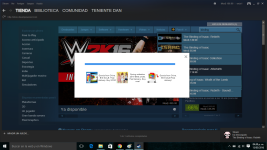


Please uninstall Steam completely.
After that, please delete these folders manually if present:
C:\Program Files (x86)\Common Files\Steam
C:\Program Files (x86)\Steam\steam
%localappdata%\Steam
%appdata%\Steam
%programdata%\Steam
After that, please delete these folders manually if present:
C:\Program Files (x86)\Common Files\Steam
C:\Program Files (x86)\Steam\steam
%localappdata%\Steam
%appdata%\Steam
%programdata%\Steam
You may also like...
-

-
Question Kaspersky showed 52 disinfected objects after a full scan, but there's nothing in the quarantine folder.
- Started by nonamebob567
- Replies: 13
-
 A.I. News Gartner: All AI Browsers Should be Blocked for Foreseeable Future
- Started by Gandalf_The_Grey
- Replies: 5
-
How do I stop Avirs wrongly detecting my own Apps
- Started by GeoffH
- Replies: 4
-
 Advice Request What AV for an Android Phone?
- Started by cartaphilus
- Replies: 44