After deleting Smart HDD problems

cataz

New Member
Thread author
Jul 5, 2012
1
0
1
34
Pleas I really don't know what to do, I have searched all over google and I still can't find an answer, thanks.
 

Attachments

Welcome to the forums! :) Looks like we have thrown everything at the kitchen sink..but i know where the problem is..
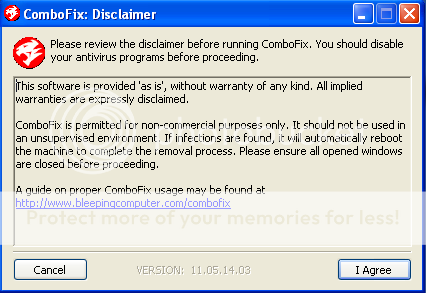
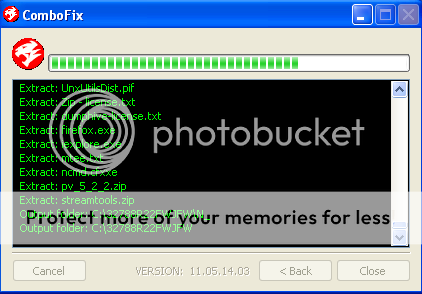
Download and Install Combofix 
 
Download ComboFix from one of the following locations: 
Link 1  
Link 2  
 
VERY IMPORTANT !!! Save ComboFix.exe to your Desktop  
 
* IMPORTANT - Disable your AntiVirus and AntiSpyware applications, usually via a right click on the System Tray icon. They may otherwise interfere with our tools. If you have difficulty properly disabling your protective programs, refer to this link here  
  • Double click on ComboFix.exe & follow the prompts.
  • Accept the disclaimer and allow to update if it asks

    NSIS_disclaimer_ENG.png


    NSIS_extraction.png


  • When finished, it shall produce a log for you. 
    [*]Please include the C:\ComboFix.txt in your next reply.

Notes:
1. Do not mouse-click Combofix's window while it is running. That may cause it to stall.
2. Do not "re-run" Combofix. If you have a problem, reply back for further instructions.
3.  If after the reboot you get errors about programmes being marked for deletion then reboot, that will cure it.


Please make sure you include the combo fix log in your next reply as well as describe how your computer is running now

NEXT

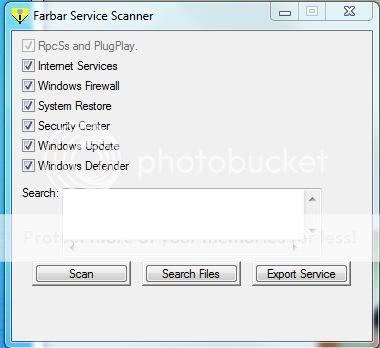
run farbar service scanner
http://download.bleepingcomputer.com/farbar/FSS.exe
FSS-1.jpg

Tick "All" options.
Press "Scan".
It will create a log (FSS.txt) in the same directory the tool is run.

Please copy and paste the log to your reply.