



We've released a new free software for Windows:
APIVoid Folder Mirror is a free, lightweight Windows application designed to create an exact copy of a source folder on a destination drive. It efficiently copies new and modified files while removing files that no longer exist in the source. The tool combines fast, parallel file processing with useful safety features, including dry-run previews, mass-deletion protection, file verification, and version archiving. With support for command-line parameters, you can easily schedule backups through Windows Task Scheduler.
You can find more details, FAQs, and the full list of features on the product page:

 www.apivoid.com
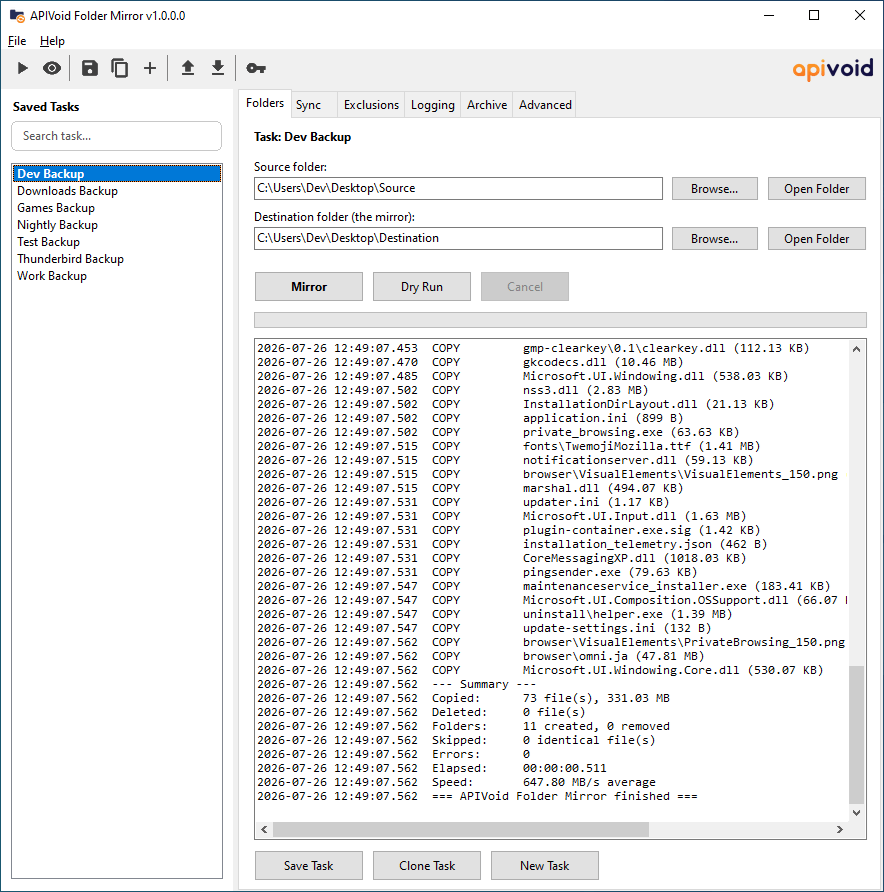
Here is a screenshot of the main program window:
APIVoid Folder Mirror is a free, lightweight Windows application designed to create an exact copy of a source folder on a destination drive. It efficiently copies new and modified files while removing files that no longer exist in the source. The tool combines fast, parallel file processing with useful safety features, including dry-run previews, mass-deletion protection, file verification, and version archiving. With support for command-line parameters, you can easily schedule backups through Windows Task Scheduler.
You can find more details, FAQs, and the full list of features on the product page:
APIVoid Folder Mirror for Windows, Fast Folder Sync & Backup | APIVoid
APIVoid Folder Mirror is a free, fast folder mirroring tool for Windows. Mirror folders like robocopy /MIR with a GUI: parallel copying, dry run preview, saved tasks, command-line automation, xxHash3 verification, file versioning, exclusions, and webhook notifications.
Here is a screenshot of the main program window:


