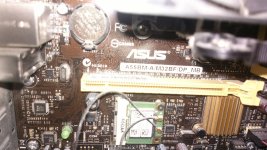
The most common use is for a graphics card. But there are many other types of cards these days that use the PCI Express (PCIe) interface. These include sound cards, network interface cards, USB cards and more. You can use a PCIe 2.0 card in a PCIe 3.0 slot (or the other way around. It will just operate at the slower PCIe 2.0 speeds. That said, it is likely any new PCIe card you buy today will be 3.0.
Since you apparently don't have a graphics card now, that means you are using integrated graphics - that is, your graphics solution is integrated with your motherboard. And that's fine. But should you want to upgrade your graphics, you can insert a PCIe card (the most common available) and use that instead. The downside to adding a card is it often requires a more powerful power supply to support it.
Just don't confuse PCIe with PCI. PCIe and PCI and totally different card interfaces and are NOT compatible. PCI is a very old expansion card interface, but can still found today.





 Dell PC CPU Fan Error. Spins for a few seconds and sometimes does not spin at all.
 ASUS DriverHub flaw let malicious sites run commands with admin rights | Update recommended
 Dedoimedo: MX Linux MX-25 Infinity Xfce - Jolly but not too chipper