New Update Autoruns - Windows Sysinternals

silversurfer

Super Moderator
Verified
Top Poster
Staff Member
Malware Hunter
Forum Veteran
Latest version 14.0 (Published: August 18, 2021)

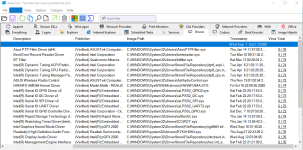
Autoruns, a utility for monitoring startup items, is the latest Sysinternals tool to receive a UI overhaul including a dark theme.
 
this version, I don't know how to force autoruns to scan the whole list with virustotal. It only scans 1 entry

Same here, looks like "broken" on this new version 14 🤷‍♂️ Hopefully, another version as 'fix' will be soon released :unsure:

It's always a good idea to keep Autoruns v13 stored on external drive... ;)
 
VT submission now works properly here on my laptop (y)

VT.png
 
Autoruns v14.04 (Published, Oct 12 2021)

This update for Autoruns adds a series of display/theme fixes, restores autorunsc, fixes a regression for rundll32 entries, limits per-user scans to the user locations, fixes Microsoft entry hiding and adds a high DPI application icon.

Download: https://download.sysinternals.com/files/Autoruns.zip
 
Autoruns 14.04 "***WARNING – v14.05 just came out as a bugfix. I’m seeing posts that it is crashing on startup. DO NOT DOWNLOAD"
 
I'm still getting entries highlighted in yellow in 14.x which cannot be disabled/deleted whereas they were either absent or highlighted pink and could be disabled/deleted in 13.100. Still running 13.100 for now as developers haven't yet got a 14.x version out which isn't causing issues/is bug-free.
 
Autoruns 14.04 "***WARNING – v14.05 just came out as a bugfix. I’m seeing posts that it is crashing on startup. DO NOT DOWNLOAD"
That's a bit harsh. It's not malware and not even a Windows update, but sure I always agree with being a bit vigilant and if the software does crash, simply use the previous version 14.04 instead until next release.

Just tested version 14.05 in my VM. It works just fine, unless one demand the popup message after using the compare option. That part never worked since the first release of version 14 and seems even for me a bit weird that the developer don't been able to fix it, unless it's some intended feature. I haven't seen any info on that part. 🤷‍♂️
 
Autoruns v14.07 (Published: December 16, 2021)
  • This Autoruns update can open .arn files from the command line, fixes RunDll32 parameter handling in some cases, supports toggling Active Setup entries, fixes a crash when no ProcExp can be found in the path and improves 32/64 bit redirection.
 
Autoruns v14.08 (Published: January 27, 2022)
  • This Autoruns update fixes a series of application crashes, now correctly parses paths with spaces passed as command line arguments and improves .arn import functionality.
 

Autoruns for Windows v14.11​

Autoruns v14.11 (Published: February 6, 2024)
  • This update to Autoruns fixes a bug parsing parameters in startup folder items.

Download: https://download.sysinternals.com/files/Autoruns.zip
 

Recently browsing

Members who viewed this thread in the last 5 minutes

Back
Top