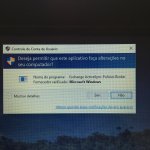
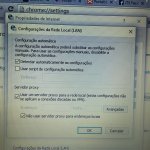
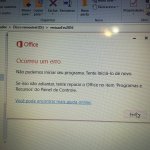
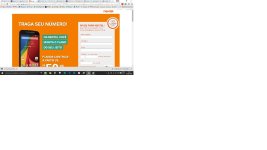
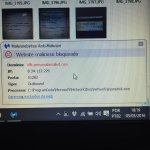
Can you make some picture how it looks like?


Open MalwareTips from your Home Screen or desktop. Follow discussions, find answers and pick up where you left off.
If you cannot find an install option, update your browser or use its bookmark option to keep MalwareTips close.
After installation, open the app and sign in. Enable push notifications in Preferences if you want alerts. On iPhone and iPad, push requires a Home Screen web app and iOS or iPadOS 16.4 or later.
Sign in to manage notificationsInstallation is optional. Your notification settings stay under your control.


C:\Program Files (x86)\GbPlugin\gbiehAbn.dll
Fix with Farbar Recovery Scan Tool
This fix was created for this user for use on that particular machine.
Running it on another one may cause damage and render the system unstable.
Download attached fixlist.txt file and save it to the Desktop:
Both files, FRST and fixlist.txt have to be in the same location or the fix will not work!
- Right-click on
icon and selectRun as Administrator to start the tool.
(XP users click run after receipt of Windows Security Warning - Open File).- Press the Fix button just once and wait.
- If for some reason the tool needs a restart, please make sure you let the system restart normally. After that let the tool complete its run.
- When finished FRST will generate a log on the Desktop, called Fixlog.txt.
Please attach it to your reply.
Please go to: VirusTotal
- Click the Choose File button.
- Please copy/paste the following text into the 'File name:' box:
Code:C:\Program Files (x86)\GbPlugin\gbiehAbn.dll- Click Open then click the Scan it! button just below.
- This will scan the file. Please be patient.
- If you get a message saying File already analyzed: click Reanalyse
- Once scanned, copy and paste the URL from your browser address bar in your next reply.
Scan with Malwarebytes' Anti-Malware
Please download Malwarebytes Anti-Malware and save it to your desktop.
Save the file to your desktop and include its content in your next reply.
- Install the progam and select update.
- Once updated, click the Settings tab, in the left panel choose Detection & Protection and tick Scan for rootkits.
- In the same tab, under PUP and PUM detections make sure it is set to Treat detections as malware.
- Click the Scan tab, choose Threat Scan is checked and click Start Scan.
- If threats are detected, click the Apply Actions button. You will now be prompted to reboot. Click Yes.
- Upon completion of the scan (or after the reboot), click the History tab.
- Click Application Logs and double-click the Scan Log.
- At the bottom click Export and choose Text file.
Can you scan this file on VirusTotal?
C:\ProgramData\Microsoft\Network\Dsq\network\sysnetwk.exe
Also, please perform FRST fix and MalwareBytes scan.

Members who viewed this thread in the last 5 minutes