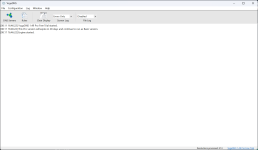
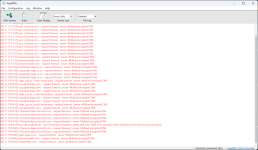
Yes, that is correct, though I am unsure whether it is due to the DNS service provider or the protocol used. For instance, I did not encounter any errors with NextDNS on YogaDNS, and the logs are also clean of errors when using Mullvad DNS.

I tried using DoQ as well. When I check it through YogaDNS, it shows faster performance, but it produces "timeout" errors rather than the connection errors I experienced with HTTP/3.
Test DoQ with Cloudflare. If it doesn't have the same entries in the log, it's Control D's fault (support could help). If it's the same, it's most likely your ISP messes with the port or something on your PC causes DoQ to misbehave. DoH3 might help with that.
The reason why I also recommended you DoH3 is because it's essentially the same as DoQ. The only difference is it doesn't use dedicated 587 port and instead uses 443 port also used for regular HTTP/3 and HTTPS traffic, meaning it's much harder to block than DoQ. To break DoQ, you only need to block port 587. To block DoH3/DoH, you need to block 443 and as a result you also blocked all HTTPS websites.
Anyway, I'm really impressed by the experience and want to learn more about DNS servers. Before starting this thread, all I knew about DNS was Cloudflare and Google, along with the idea that I should select the fastest one for a smoother web experience. Currently, I'm testing various DNS services. While results on
dnscheck.tools vary—sometimes showing high numbers with yellow and red indicators, or even errors—I notice no lag when browsing daily. I want to learn how to properly test and determine the best service for my needs, or find out if those tests are just theoretical and don't reflect real-world performance.
dnscheck.tools sometimes also varies for me too. Usually it's ranging from 28 to 40 ms, but sometimes it goes up to 80 ms. I'm assuming has something to do with the browser, not necessarily DNS server itself because once I restart Firefox, DNS response time goes back to normal.
Open the browser console when doing the test on
dnscheck.tools; there you get exact measurements of response time along with the tested domains. Bottom corner is supposed to show average.
The best choice depends on what you need from DNS really. After years of using Cloudflare, I wanted to try DNS with ad blocking capability. Control D checked all the boxes for me. It's free, unlimited and offers variety of options even for free users which I really appreciate. I stopped using AdGuard Public DNS because it left me without internet access when their anycast stopped working. Beside, Control D with Hagezi blocklists blocks way more than AdGuard Public DNS does with their default DNS filter.
After starting using Control D with Hagezi Pro Plus on my phone, I noticed battery life increasing as lots of unnecessary requests simply end up in the sinkhole.
If all you need is fast, private and uncensored DNS, Cloudflare is no brainer. If you want DNS with ad blocking capability without wanting to spend money on customizable DNS services, Control D is clearly the answer. If you want DNS with malware protection only, Cloudflare's 1.1.1.2 or Quad9.
I tested my download and upload speeds on
Speedtest.net, and they ranged from 140–190 Mbps for download and 130–170 Mbps for upload across different services, so I'm not sure if I should be concerned about this variation.
DNS actually doesn't have any effect on the internet speed at all. All DNS does is translate domains to IP addresses and that's it. In simpler terms, its only job is whenever you type
malwaretips.com to find corresponding IP address of the server hosting it, nothing else. It's also worth to note that DNS doesn't work all the time. Once you request
malwaretips.com, the response is saved in DNS cache for some time. DNS is only queried if you don't already have the domain tied to corresponding IP address in cache, or if the cache entry expired.
When we're talking about DNS response time, we're talking about time DNS server took to find the IP address of the server for corresponding domain, not how fast website loaded. And while it doesn't have any effect on how fast website assets will be downloaded from the server, ad blocking DNS might improve your website loading times in terms of simply rejecting domains that are present in the blocklist used.
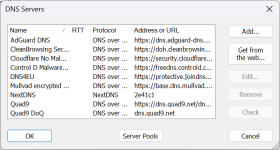
By the way, I'm currently using these services and appreciate that YogaDNS allows me to switch between them with a single click.
View attachment 299348
That works until trial is active. Free version is limited to one DNS server only which should be enough for you once you choose your provider of choice.
Today's Mullvad DNS test shows a clean log so far.
View attachment 299349
It's clear because you haven't sent any DNS requests yet so it has nothing to show. Try loading some website in the browser, DNS requests will appear.
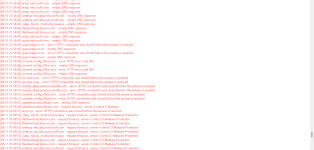
I just noticed that even with Mullvad DNS, I encounter some errors, but they all occur at three specific times. I'm not sure what I was doing at 17:51 and 18:47, but 19:54 is when I opened my laptop lid, causing it to wake from sleep. I'm still wondering about this, as I didn't experience any slowdowns or other issues.
 View attachment 299355
I assume this was YogaDNS logging the requests while device was asleep. Because there isn't internet access during sleep, DNS requests failed. That could also explain why it happens immediately when you wake up PC from sleep. YogaDNS showing you requests that failed.
Can you test DoH of ControlD and see if you see these errors also? ControlD's DoH/3 and QUIC doesn't work most of the time for me. Maybe it's an issue with some of their PoP in some regions. DoH and DoT are more stable.
I'm connected Frankfurt and it works exceptionally well every since they switched provider from NetActuate to DataCamp. Using DoQ.