JavaScript is disabled. For a better experience, please enable JavaScript in your browser before proceeding.
You are using an out of date browser. It may not display this or other websites correctly.
You should upgrade or use an
alternative browser .
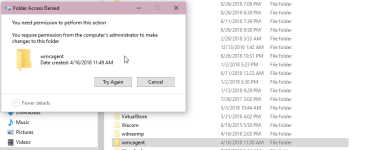
Cannot remove this file even though I am the admin. I can't open recovery>resest pc to remove the file. I also can't make a recovery drive either because my task bar isn't letting me search for the option.
2018-08-26 22_44_44-Local.png
30 KB
· Views: 42
failed.txt
failed.txt
1.7 KB
· Views: 39
Addition.txt
Addition.txt
79.9 KB
· Views: 37
FRST.txt
FRST.txt
47.1 KB
· Views: 1
Hello,
Please download
Farbar Recovery Scan Tool x64 and save it to a flash drive.
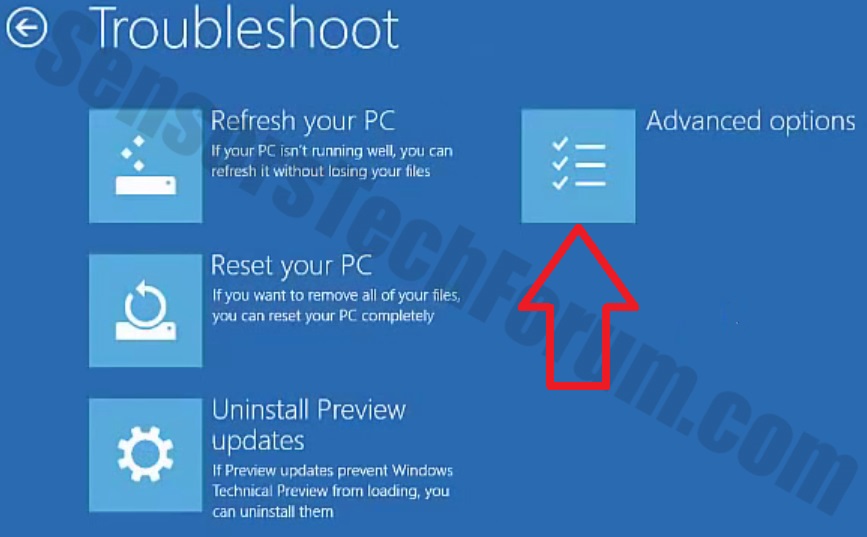
Now you should get a window like this where you need to click Troubleshoot .
In the next window, click Advanced options and select Command Prompt .
Now you should log in into your account and after that Command Prompt window.
Access the notepad and identify your USB drive
In the Command Prompt please type in:
and press
Enter .
When the notepad opens, go to File menu.
Select Open .
Go to Computer and search there for your USB drive letter.
Note down the letter and close the notepad.
Scan with Farbar Recovery Scan Tool
Once back in the command prompt window, please do the following:
Type in e :\frst64.exeEnter .You need to replace e with the letter of your USB drive taken from notepad!
FRST will start to run. Give him a minute or so to load itself.
Click Yes to Disclaimer.
In the main console, please click Scan and wait.
When finished it will produce a logfile named FRST.txt in the root of your pendrive and display it. Close that logfile.
Transfer it to your clean machine and include it in your next reply.