Can't get rid of hacktool:win32/patch malware

HoldenCLF

New Member
Thread author
Aug 17, 2016
6
6
5
34
Tehran
Hello!
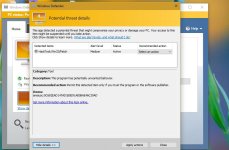
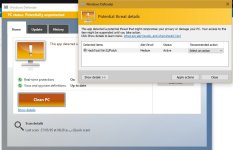
I can't get rid of hacktool:win32/patch. I have windows 10 and I use windows defender. every time windows defender shows alert about this malware, I scan and clean PC with it, but that won't help and after a few seconds, windows defender shows the same alert again.
I have used another security softwares like Malwarebytes Anti-Malware, CCleaner, HitmanPro, RKill, ESET Poweliks Cleaner, but they didn't help.
I would appreciate any kind help!
Thank you!
P.S.
I have also attached a screenshot of my desktop that maybe help
 

Attachments

  • Like
Reactions: Der.Reisende
FRST.gif
Fix with Farbar Recovery Scan Tool

icon_exclaim.gif
This fix was created for this user for use on that particular machine.
icon_exclaim.gif

icon_exclaim.gif
Running it on another one may cause damage and render the system unstable.
icon_exclaim.gif

Download attached fixlist.txt file and save it to the Desktop:

Both files, FRST and fixlist.txt have to be in the same location or the fix will not work!

  • Right-click on
    FRST.gif
    icon and select
    RunAsAdmin.jpg
    Run as Administrator to start the tool.
    (XP users click run after receipt of Windows Security Warning - Open File).
  • Press the Fix button just once and wait.
  • If for some reason the tool needs a restart, please make sure you let the system restart normally. After that let the tool complete its run.
  • When finishes FRST will generate a log on the Desktop, called Fixlog.txt.

Please attach it to your reply.


51a612a8b27e2-Zoek.png
Scan with ZOEK

Please download ZOEK by Smeenk and save it to your desktop.
Temporary disable your AntiVirus and AntiSpyware protection - instructions here.

  • Right-click on
    51a612a8b27e2-Zoek.png
    icon and select
    RunAsAdmin.jpg
    Run as Administrator to start the tool.
  • Wait patiently until the main console will appear, it may take a minute or two.
  • In the main box please paste in the following script:
    Code:
    createsrpoint;
    autoclean;
    emptyclsid;
    emptyalltemp;
    ipconfig /flushdns >>"%temp%\log.txt";b
  • Make sure that Scan All Users option is checked.
  • Push Run Script and wait patiently. The scan may take a couple of minutes.
  • When the scan completes, a zoek-results logfile should open in notepad.
  • If a reboot is needed, it will be opened after it. You may also find it at your main drive (usually C:\ drive)

Upload it in your next reply.
 

Attachments

And I just notice something that maybe important:
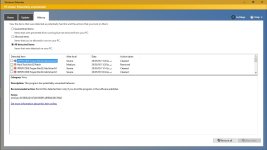
Everytime, after I clean PC with windows defender, when I go to history of windows defender, I see another virus:
 

Attachments

  • Untitled.jpg
    Untitled.jpg
    146.4 KB · Views: 7
  • Like
Reactions: Der.Reisende