Captain's Awesome's Mobile Configuration 2020

Last updated
Dec 5, 2020
Mobile brand
Samsung
Mobile model
Galaxy A50
Phone OS
Android
Phone OS Updates status
Automatic updates
Phone unlock
Biometric security
    • Fingerprint(s)
    • Apple Face ID / Touch ID
Stolen Device Protection
Security & Privacy Apps
Google Play Protect
Browser
Brave browser (customise)
Google Chrome (customise)
Firefox
File and Photo backup
Default
Notable changes
Malwarebytes free (on demand scanner)
Two tests that provide some insight
  1. https://www.av-comparatives.org/tests/android-test-2019-250-apps
  2. https://www.av-test.org/en/antivirus/mobile-devices/android/january-2020/mcafee-mobile-security-5.4-200213
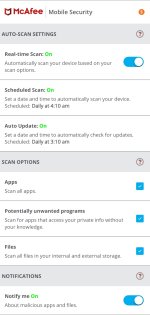
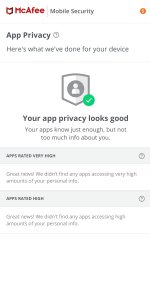
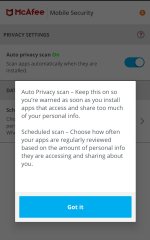
Comparing with the McAfee official app tested above, the McAfee engine built into Samsung's Device Care won't provide real-time scanning (rather has scheduled scans) and privacy check that their official app does, among other things.
Screenshot_20200419-184528_McAfee Security.jpgScreenshot_20200419-184548_McAfee Security.jpgScreenshot_20200419-185227_McAfee Security.jpg
 
This my Android setup(secondary phone)
Upgrade to Android 10 in future+ monthly security patch update from Google+Samsung 🙂

This is why I love Samsung products ♥
Have you received update of Android 10 because I also have Galaxy A50 but haven't received Android 10 Update yet, still running on Android 9?
Any firewall recommendation for Android?
You are already using Adguard which has Apps Management.
 
Added: Malwarebytes free (on demand scanner)
After lots of discussion 3 AV product is finalize by me. Kaspersky Mobile Security (paid), malwarebytes free(currently using and much sufficient) & sophos (in my case it is draining my phones battery much faster than expected. In future I may considered it if battery draining issue fixed.)