

Last edited by a moderator:
New Update CIS 2025 is now LIVE!
- Thread starter rashmi
- Start date
You are using an out of date browser. It may not display this or other websites correctly.
You should upgrade or use an alternative browser.
You should upgrade or use an alternative browser.

Great to see the link shared! For those interested, this is the official website of Comodo Antivirus. Stay safe online!


Already downloaded and installed. Running fine. TDT isn't enabled by default but I didn't have issue with it in the Beta. Early days but seems to run fine with low resource. We'll see how it goes this week before full comment.

What's new?
What's new?Is CIS Pro the only CIS without CIS?
No official release notes that I've seen yet but TDT, BypassIO and they've done some architectural recoding and New UI. Meant to have ironed out bugs etc but only just announced without a new topic being created. The UI is the same as the Beta and no advanced view or smaller scaling yet but you can always use the old Lycia theme until taht gets added.What's new?Is CIS Pro the only CIS without CIS?


@cruelsister settings. Please
I just finished the test, I didn't have them :/
I did by default. And there's a pleasant surprise

I edit and upload it
EDIT :

App Review - COMODO Internet Security 2025 Premium
COMODO is an American publisher, well known among computer geeks. The software presents itself as a totally free security suite, offering defensive shields: anti-malware, firewall, HIPS and a sandbox. Many people thought that the suite had been discontinued, given the very low level of product...
 malwaretips.com


Because it won’t get updated for a while. In 2026, it will still be the latest and greatest.Why is it called 2025 when we're not even half way through 2024?


If i understand correctly based on their website.....the free version doesn' t has the firewall anymore??And i don't see any links for just the firewall only, just for the full suite.It seems to me that the firewall standalone doesn't exists anymore.
Attachments


If i understand correctly based on their website.....the free version doesn' t has the firewall anymore??And i don't see any links for just the firewall only, just for the full suite.It seems to me that the firewall standalone doesn't exists anymore.
But it's the free or the paid one?
I just clicked on the Download Now! button, which seems to be the premium version? Is this version a trial? I don't see anything that says that/how much time is left. The other "free version" doesn't seem to have the firewall.But it's the free or the paid one?
Seems that i was right, the free firewall is gone. You have to choose the paid (premium suite) to have it.I just clicked on the Download Now! button, which seems to be the premium version? Is this version a trial? I don't see anything that says that/how much time is left. The other "free version" doesn't seem to have the firewall.View attachment 283569
Well ,still using and very happy with the last free version.
Attachments
Last edited:
Installed Comodo Firewall on Windows 11, and it's working smoothly. I'll replace Kaspersky Standard with Comodo Firewall on the kids and cousins systems.
I don't understand how and why users get confused when nothing has changed with naming, downloading, and installing.
1. They may update the CIS topic soon with details and FW and AV online installers.
2. CIS Premium was and is the free version.
3. Premium_Installer was and is the CIS offline installer with options to select FW, AV, or both.
I don't understand how and why users get confused when nothing has changed with naming, downloading, and installing.
1. They may update the CIS topic soon with details and FW and AV online installers.
2. CIS Premium was and is the free version.
3. Premium_Installer was and is the CIS offline installer with options to select FW, AV, or both.
Ok,i didn't try.it.But again, base on their website's info it seems that is no longer available CFW free version. Simply as that. And the regular user doesn't know that the Premium version is the same as the free one unless they install it (again, see my screenshot). I am an old timer Comodo firewall user, ,don't trying to bashing the company, it's just they have to be more specific on the website about the products.Installed Comodo Firewall on Windows 11, and it's working smoothly. I'll replace Kaspersky Standard with Comodo Firewall on the kids and cousins systems.
I don't understand how and why users get confused when nothing has changed with naming, downloading, and installing.
1. They may update the CIS topic soon with details and FW and AV online installers.
2. CIS Premium was and is the free version.
3. Premium_Installer was and is the CIS offline installer with options to select FW, AV, or both.
Last edited:

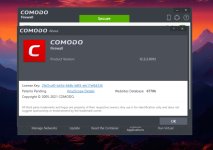
This new version (12.3.3.8140) has been out for a few days. I installed it on both a Win10 as well as Win11 system. As in the past, on initial install one can choose the components that you want (ie- AV and/or Firewall). I chose to uncheck the AV component as this will just add the ability to do on-demand scans as well as getting AV updates for that scan module. Personally I see no point in having such functionality as the FW by itself includes On-Access VirusScope as well as Cloud Lookup.@cruelsister settings. Please
Anyway, as usual I just went with the FW component. Thank God that there are no new Bells or Whistles, so setup is THE SAME as the stuff I've been preaching about for a few years.
I did have time for a test (probably won't publish it (as I don't have the time and nobody views my videos anyway). For this test I used the Typical Cruel setup, first activating the LYCIA theme. For malware I just ran 12 samples- 3 of which popped up in the usual places in the past few days (prior to the test, of course)= a Lumma Stealer, an Agent Tesla, and a DC Rat.
The other 9 samples were files were Ophelia coded that have not been released into the Wild (a couple used in my previous videos).
Of the 3 in-the-Wild samples, VirusScope picked up 1/3, but obviously none of the custom coded malware (and no one else would either).
After running all of theses samples, all were contained with FW popups seen for those samples that requested Network Access (all but one, actually). For Giggles I then re-ran the same test with CF in Silent Mode (zero popups)
Upon finishing running the malware I first (without emptying Containment) did a manual System Analysis which was no great inconvenience as I knew where all the system changes would be), thenemptied Containment and ran both KVRT and NPE.
In all cases, it was confirmed that there were no System Changes.
Finally BEST PRACTICE hint. If you are currently using other versions of CF on a production System and want to install this BUILD prior to official release and internal update, On should Uninstall the old version, installing the New, and adding whatever FW rules that you see fit to include.
Enjoy!
Last edited:

I will always watch your videos and I think you should continue to make them for us.I did have time for a test (probably won't publish it (as I don't have the time and nobody views my videos anyway). For this test I used the Typical Cruel setup, first activating the LYCIA theme. For malware I just ran 12 samples- 3 of which popped up in the usual places in the past few days (prior to the test, of course)= a Lumma Stealer, an Agent Tesla, and a DC Rat.
Enjoy!

You may also like...
-
New Update New Version 12.3.3.8152 Available for Comodo Internet Security 2025
- Started by rashmi
- Replies: 41
-
 Serious Discussion Three Unpatched Vulnerabilities Plague Comodo. Documented Online.
- Started by Trident
- Replies: 348
-
 New Update Windows 11 Patch Tuesday December 2025 (KB5072033, KB5071417)
- Started by silversurfer
- Replies: 11
-

-
 Technology Microsoft fixes Media Creation Tool broken on some Windows PCs
- Started by Brownie2019
- Replies: 1